All about Microsoft Office for Apple Mac. Word, Excel, PowerPoint, Outlook on macOS, Microsoft 365 for Mac, Office 2021 for Mac and earlier versions.
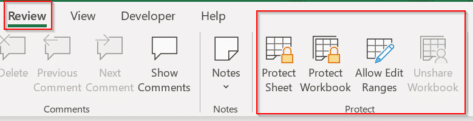
How to protect Excel sheets from unwanted changes – Part 1
Protecting an important Excel worksheet from careless editing, or allowing only specific cells to be modified is all part of a powerful and highly flexible feature in Microsoft Excel known collectively as “Protect”. It’s been there for a long time but is little understood, so we’ll do our humble best to fix that. The idea […]

Make a Word table with picture background
How did we make a Word table with a picture background for a recent article – asks an Office Watch friend? She meant this table of Zoom shortcuts for toggling audio and video . There’s a similar table for Teams shortcuts. The quick answer is … we cheated! Word can’t have a table with a […]

How to Get Old-School WordArt Back in Modern Microsoft Word
Miss the classic WordArt from Word’s glory days — the arched text, the rainbow slopes, the wavy headlines that screamed “1990s”? Those old gallery styles are still alive inside every modern version of Word, including Word 365 and Word 2024. They’re just well hidden. Here’s the simple compatibility mode trick that unlocks all the retro […]

Another Microsoft price rise by stealth
Microsoft has announced a price rise for many volume license customers using one of their time-honored stealth tactics. For as long as anyone can remember, Microsoft changes their pricing plans by a repeating cycle of “customizing” plans then later “simplifying”, “consistent” or “standardizing” the same plans. All of those changes inevitably mean more money for […]

Python in Excel for Microsoft 365 Consumers: Available Now
Microsoft has begun rolling out Python in Excel—the powerful integration that allows users to write Python formulas directly inside Excel—to Microsoft 365 Family and Personal subscribers. That’s great news because Python adds a lot to Excel, making available a lot of features that previously Excel users could only dream about. What’s Available Now (Preview) For consumer […]
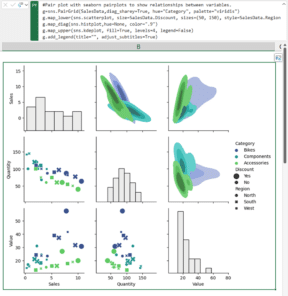
Excel gets Python – who, when and why
Excel 365 has access to the Python language and packages. We’ll explain what that means, who gets it and why Python in Excel is a big deal. Python is a high-end and widely used programming language with many features in its many packages or add-ons. It’s this last bit that makes Python an important extension […]
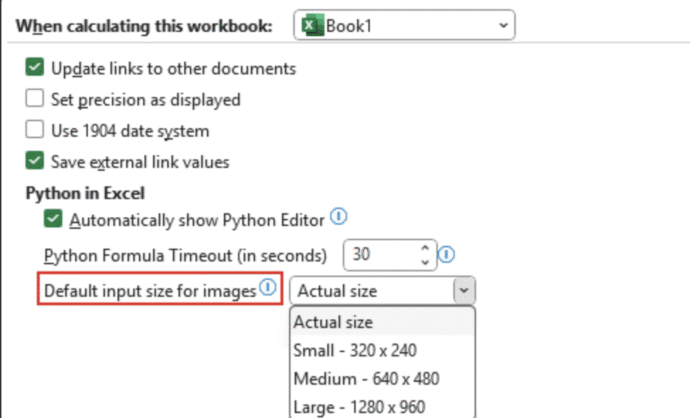
Python Meets Pixels: Excel Now Analyzes Images Like a Pro
Excel, long known for its love affair with numbers, has now developed a taste for images—thanks to Python. Microsoft has rolled out a feature that lets users insert images into individual Excel cells and analyze them using Python code. Yes, the spreadsheet just got a little more artsy and a lot more tech-savvy. Forget floating […]
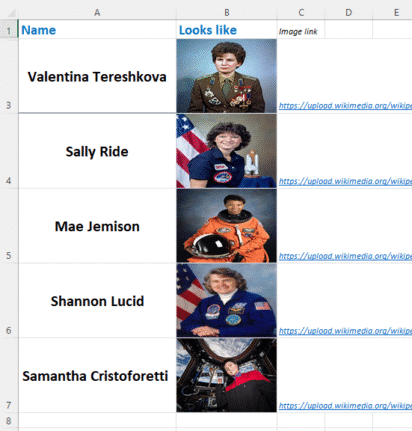
A smarter way to add pictures into Excel
Discover a smarter way to insert images directly into Excel cells with the IMAGE() function — no more awkward floating pictures. With just one formula, you can pull in external images using a secure URL, control how they fit or fill the cell, and even fine-tune dimensions with pixel-level precision. This modern approach, available across […]

Password-Protecting Your PowerPoint Decks: What You Need to Know
To prevent somebody ripping off your prized presentation or deck, you should password-protect your presentation, making it accessible only to people you trust. PowerPoint includes a built‑in password‑protection feature that ensures only authorized users can open and modify your presentation. Why password lock a PowerPoint presentation? To keep the deck safe from prying eyes either […]
Make your own “Keep Calm and Carry on”
The BBC has published a good history of the famous “Keep Calm and Carry On” poster from World War 2 but missed what, to us, is the most important 21st Century innovation. When “Keep Calm and Carry On” first became popular, we saw the opportunity to showcase what Word and PowerPoint can do beyond standard […]
Microsoft Alert: Update Office or voice features are silenced
Microsoft has officially warned all Microsoft 365 customers to update Office—or risk losing handy features like Read Aloud, Transcribe, and Dictate. Most people will already be OK but it’s worth checking to make sure. Microsoft is totally revamping the backend services that powers the voice related parts of Microsoft Office; Dictate, Read Aloud or Transcribe. […]
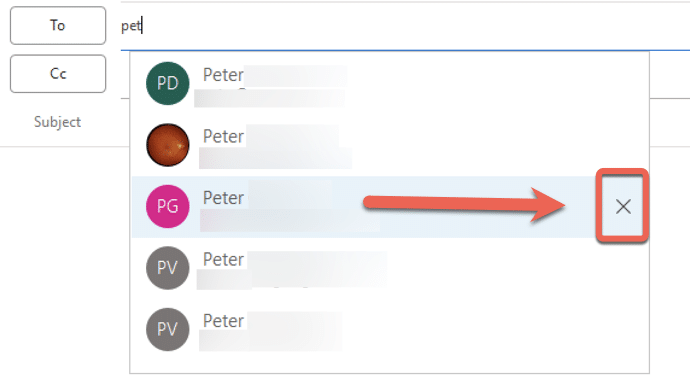
Why doesn’t an Outlook change of address stick?
If you’re wondering why a contacts address change in Outlook doesn’t stick, you’re not alone—many Outlook users face this frustrating issue. There are three possible reasons starting with a little known quirk in how Outlook saves email addresses. An Office Watch reader asks why Outlook keeps remembering an old email address despite updating the contact […]
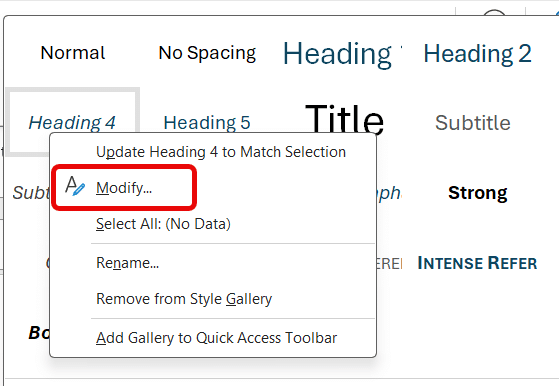
Add shortcuts for all Word heading styles
Transform how you format Word documents with keyboard shortcuts—going beyond the built‑in ones for Headings 1–3 by adding your own for Heading 4, 5, 6 (and beyond) that Microsoft has forgotten. With these simple tweaks, your document structuring becomes faster and more consistent. Word’s in-built Heading styles come with some shortcut keys, but not enough for most people. […]
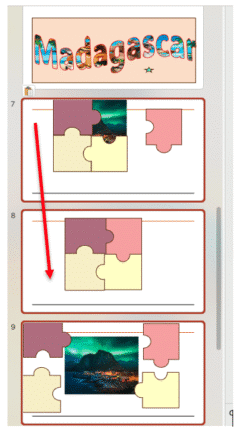
Easy Way to Copy Slides Between PowerPoint decks
Microsoft is retiring the Reuse Slides feature, however you can still copy slides manually—and it’s simple. Whether you’re preparing for a meeting, a lecture, or a project presentation, knowing how to quickly and efficiently move or copy slides between presentations can save you both time and hassle. To get started, you will need to have […]
Protect Your Files from OneDrive: Beware Microsoft Account Lockouts
Worried about losing files in OneDrive or getting locked out of your Microsoft account? You should be worried. Reading about one horrifying OneDrive experience. Here’s what you need to know about keeping your data safe, why regular backups matter. Discover practical tips to protect your files and avoid the common pitfalls of relying on a […]
Microsoft sacks 15,000 workers, what that means to you
Microsoft is sacking another 9,000 workers or about 4% of its global workforce. That’s in addition to the 6,000 people dismissed earlier this year. What does that mean for us paying customers? If you’ve wondered why Microsoft pushes Copilot AI so hard – it’s to recoup their incredibly large investment in AI. One take is […]









