All about Microsoft Office for Apple Mac. Word, Excel, PowerPoint, Outlook on macOS, Microsoft 365 for Mac, Office 2021 for Mac and earlier versions.

Microsoft 365 price increases around the world
See how the price of Microsoft 365 Personal and Family has risen in USA, Canada, UK, Europe and many other countries. The new prices for Microsoft 365 consumer plans include Copilot with many limits and a high price. In some countries, it’s the first price rise in many years, despite inflation and many more features […]
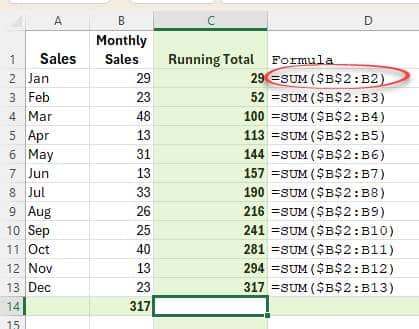
Two ways to make a running total in Excel
Here’s two ways to make a running total column in Excel. The way you were probably taught and a much better and more flexible choice. Running or Accumulative Totals are a very common thing in spreadsheets. Here’s a really simple example in columns C and E. Here’s two ways to make those totals, using Sum() […]
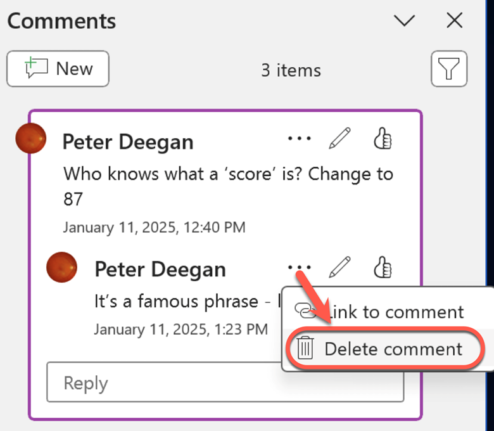
Delete or hide comments in a Word document
All your choices for deleting or hiding comments in Word documents. An essential step before sending a document out. Comments in a Word document are really great for making side-notes or even discussions between people working on a shared document. It’s also great for adding your own notes to a document. But there’s some problems […]
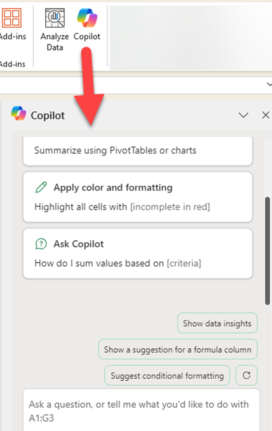
Copilot comes to Microsoft 365 with many limits and a high price
Microsoft 365 Family and Personal plans are getting Copilot AI integration into their Office apps but it comes with a big price increase and many limits to what people get for the extra cost. Customers in Australia, New Zealand, Malaysia, Singapore, Taiwan, and Thailand have seen massive prices rises in Microsoft 365 Family and Personal […]
Too Many Microsoft Outlooks? Clear Up the Confusion in Simple Terms
If you’ve ever been baffled by all the different things Microsoft calls Outlook, you’re not alone. Microsoft uses the “Outlook” name for multiple apps, web services, mobile clients and desktop programs. From Outlook (classic) for Windows to Outlook.com and the Outlook mobile app, making it hard to know which version you’re actually using or talking […]

Word field codes for everyone
Word field codes let you add automation or automatic content into documents. A simple example is the { DATE } field, which inserts the current date into a letter but there’s a lot more possible. Chances are good that you’ve already used field codes and not realised it. Date, PrintDate, Page numbering (current and total […]
Excel has ‘real’ Regular Expression functions
Microsoft Excel 365 has built-in support for regular expressions (regex). The functions REGEXTEST, REGEXEXTRACT and REGEXREPLACE have powerful pattern matching, text extraction and replacement directly into spreadsheet formulas, eliminating the need for VBA, add-ins or convoluted workarounds. Even better, the functions use a widely understood form of Regex for text-manipulation capabilities, data cleaning, validation and […]

All the Outlook solutions to ‘Spy Pixels’ in emails
The many different Microsoft Outlook versions have a way to block images linked to emails, that includes the so-called ‘spy pixels’ used by many companies. See ‘Spy Pixels’ email epidemic, the good and the bad You can choose to view pictures in an Outlook email by clicking a button at the top of each message. […]

Important Microsoft 365 and Office events to watch in 2025
2025 promises to be ‘interesting’ for Microsoft 365 and Office users, not always in a good way. Here’s some of the predictable events. What I can guarantee in 2025 is more Copilot and Outlook (new) hype – some justified and some stretching credibility. Happy New Year! Office 2016 and Office 2019 end All Office 2016 […]
Microsoft 365 money saving chance – if you act now
Microsoft 365 Family and Personal users have a chance to beat the price rise widely expected to come in 2025. You can lock in the current price for up to five years. Why the expected price increase for Microsoft 365? Microsoft has already raised the price of Microsoft 365 in some countries with the “Microsoft […]

Adding your name and other personal words to Microsoft Word
If Word doesn’t recognize personal words such as your name, the name of your hometown or the name of your favorite actor, it flags it as a mistake with the familiar red squiggly line. Here’s how to fix that. You can choose to add your words to the app’s custom dictionary. This is one of […]
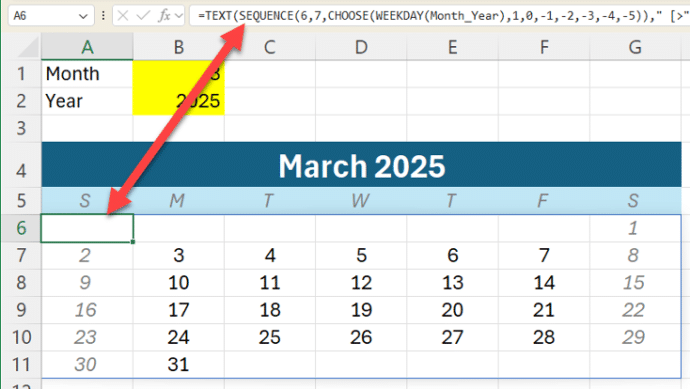
Great Excel monthly calendar from just one cell
Modern Excel lets you make a whole monthly calendar from just one cell formula. We’ll explain how it’s done with a sample workbook for our supporters. At its simplest, Excel can make a single month like this from a formula in cell A6 which fills all the cells with the correct dates for that month. […]
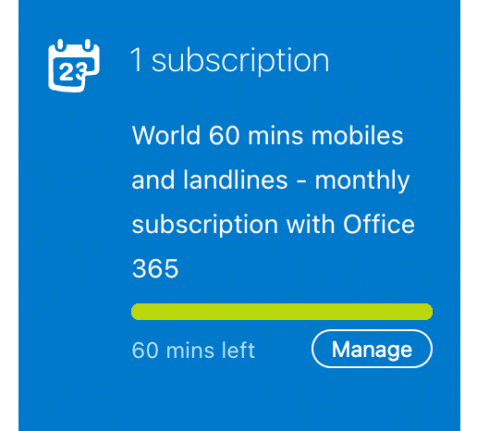
Bad news for Microsoft 365 customers, Skype Credit has ended
Skype has stopped their Skype Credits service which is bad news for Microsoft 365 consumers who took advantage of their monthly 60 minutes of free calls to worldwide phones. Without notice, Microsoft stopped both Skype Credits and Skype Numbers (incoming phone numbers to your Skype account). What’s now appearing at https://secure.skype.com/en/credit/ is bad news. Savvy […]
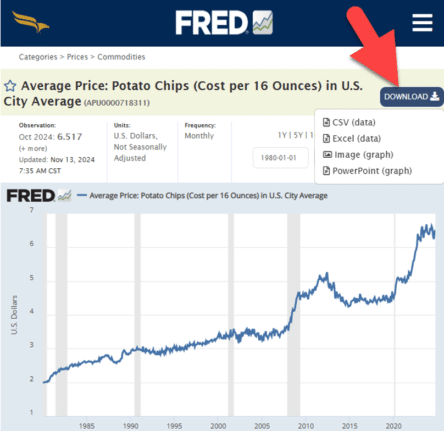
Everybody loves FRED, including Excel
Get Economic data or graphs from FRED (Federal Reserve Economic Data) to load into your Excel workbooks or PowerPoint slides. From unemployment rates to the price of potato chips. FRED has 825,000 data sets for the USA and around the world. Tip: search FRED for your country (Canada, United Kingdom, Australia etc) to see what […]
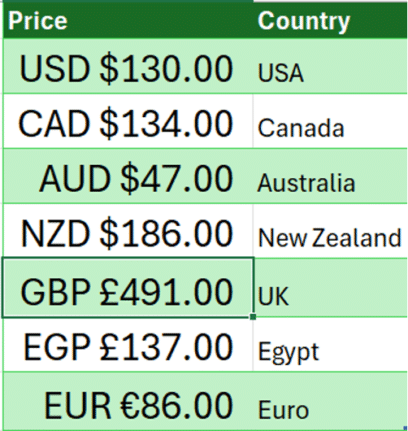
Show currency in Excel with country and symbol
How to show currency amounts in Excel with the country and correct currency symbol included. Excel doesn’t support the standard way that different currencies are displayed with their country codes like this: Dig into the Accounting/Currency Formats and you’ll find these among a VERY long list of currency symbol options. All those options let you […]

Pantone’s 2025 color ‘Mocha Mousse’ in Word, Excel and PowerPoint
Pantone’s color of the year for 2025 is “Mocha Mousse”. You can use that exact color in Word, Excel, PowerPoint, Outlook and Designer using the Hex/RGB color code. And we’ll look at the flowery prose that’s become a hallmark of this annual promotion. The color of 2025 is … Mocha Mousse We make fun of […]









