All about Microsoft Office for Apple Mac. Word, Excel, PowerPoint, Outlook on macOS, Microsoft 365 for Mac, Office 2021 for Mac and earlier versions.
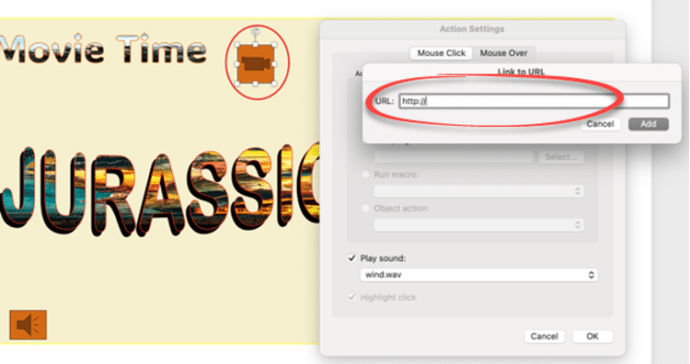
All you can do with PowerPoint Action Buttons
Action buttons in PowerPoint are versatile tools that bring interactivity and control to your presentations. By following a few simple steps, you can insert and customize these buttons to perform tasks such as navigating slides or opening external applications. Incorporating action buttons can greatly enhance audience engagement, making your presentation more dynamic and interactive. Whether […]

Make your own London Tube sign for Word or PowerPoint
The famous London Tube Roundel or station sign is easy to recreate for Word, PowerPoint or other Office apps. The best way to do this is SVG graphics in Microsoft 365, Office 2024/2021/2019/2016. SVG’s let you change the colors and set the text easily. They don’t have to be a railway sign. Use the roundel […]
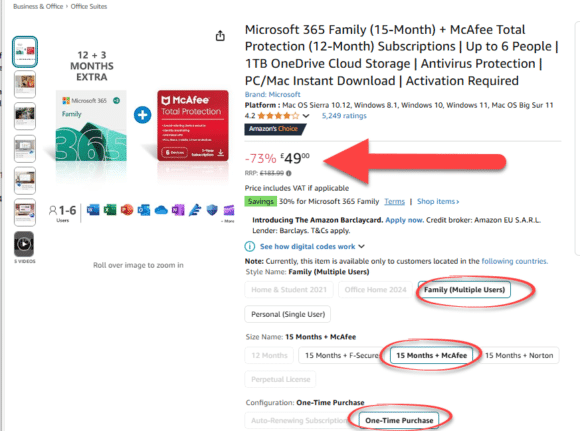
UK Deal alert: save on Microsoft 365
Amazon UK have a great deal on Microsoft 365 Family. There’s a minor condition which is easily bypassed once you know the trick. Office Watcher, John F, let us know about this offer at Amazon UK. Alas, the original offer didn’t last long but the replacement deal is still worth considering. It’s a good price […]
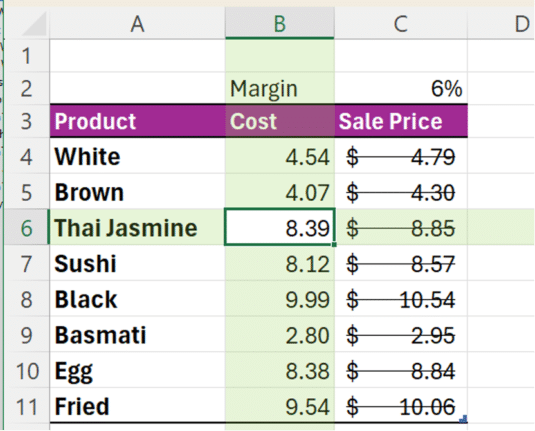
An Excel shortcut that can speed (or confuse) your day
Enter the Ctrl + – (minus) shortcut in Excel. This powerful shortcut instantly deletes entire rows or columns without any confirmation. But there’s hidden trickery going on and some misleading info online. Ctrl + – is commonly said to “delete the selected row or column” but, as usual, the reality is more complicated. Some online […]

Why Microsoft’s “Connected Experiences” page is not an AI conspiracy
The idea that Microsoft is using Word, Excel or other documents to train their Copilot AI system won’t die. Let’s debunk one too often repeated myth about Office “Connected Experiences” which is not proof of a Microsoft conspiracy to steal customers work. We’ve gone into detail about what isn’t or might be used to train […]
Is Microsoft using your data to train Copilot AI – the facts
Social media is full of allegations that Microsoft is spying on customers Word and Excel documents to train their Copilot AI system. Here’s the facts and the ‘gotchas’ that Microsoft leaves unanswered. In this article we’ll go into the possibility of Microsoft ‘spying’ on customers. We’ll start with a summary then dig into the details […]
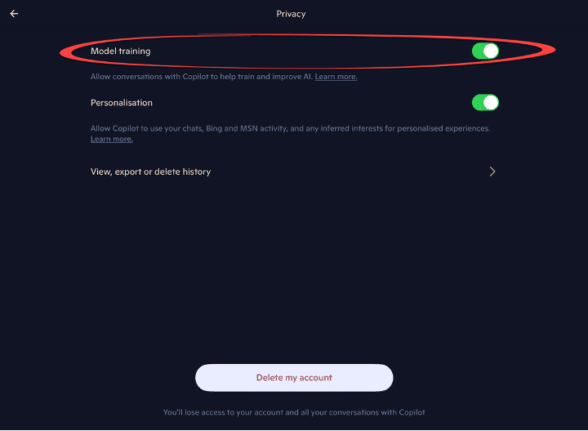
How to turn off Copilot model training
Microsoft provides almost useless instructions on how to stop your data being used for Copilot AI model training. Here’s how it really works. Like all AI companies, Microsoft uses the interactions with their Copilot system to help improve its responses. That’s called “model training”. Some people, understandably, don’t want their personal or business AI queries […]
Beware Black Friday Scams on Microsoft 365 and Office
Black Friday means many software deals, on Microsoft 365 and especially Microsoft Office. Here’s how to navigate the treacherous waters of Black Friday sales and ensure you get genuine products without falling prey to fraudulent offers and scams. Recognizing Too-Good-To-Be-True Deals It’s easy to be tempted by offers that seem too good to pass up. […]

New London Overground line colours in Office
Here are the exact colour codes and new names for the ‘Overground’ lines in London, plus how to add a thick double line in Office documents just like on a Tube map. The changeover is happening in late November 2024. Some old rail lines in London were coloured Orange on maps and just called ‘Overground’. […]
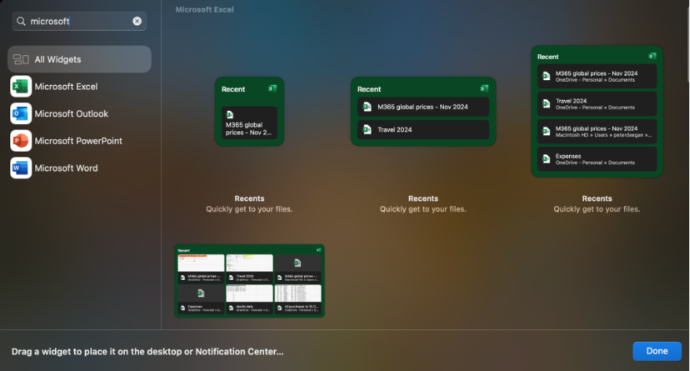
Office widgets come to Mac computers
The existing Office app “Recent documents” widgets for iPhone and iPad are now available on Mac computers. There are widgets for Excel, Outlook, PowerPoint and Word. Each app has four widget options from small (one file) to a six file with thumbnails ‘extra large’ choice. The fastest way to find the Office/Microsoft 365 widgets is […]
Share your Office documents from Dropbox
OneDrive isn’t the only choice for sharing Office documents. Dropbox can also share Word, Excel or Powerpoint documents including real-time collaboration. The Dropbox and Microsoft Office integration allows users to open, edit, and save Office files directly from Dropbox. Use either Office apps on the web (Office Online) or modern Office/Microsoft 365 desktop apps. You […]
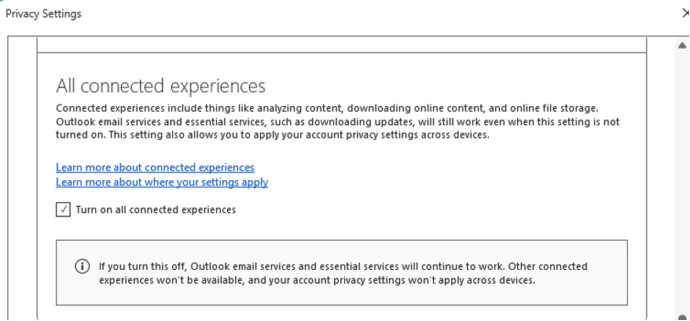
Word ‘AI free’ cure is worse than the disease
Social media is spreading a false ‘tip’ that’s supposed to stop Microsoft spying on your work in Word and Excel. The suggestion might not work at all and worse, it’ll stop important Office features from working at all. And Microsoft is NOT spying on Word, Excel or PowerPoint for their AI. The ‘tip’ is supposed […]

We’re heading up to BlueSky
Office Watch how has an account on BlueSky social media so you can get the latest independent news, tips and help for Microsoft Office Head over to https://bsky.app/profile/officewatch.bsky.social and click Follow. That’s in addition to our presence on other social media platforms: Twitter/X Twitter Facebook Facebook Meta Threads Threads

Why is Copilot appearing in Office / Microsoft 365?
Some Microsoft 365 customers have started seeing Copilot appearing in their Microsoft 365 / Office apps like Word, Excel and PowerPoint. Why is Copilot there when you haven’t paid for it? Microsoft is rolling out new Microsoft 365 Family and Personal plans which include a limited Copilot component. We’re calling this ‘Copilot Lite’ and is […]
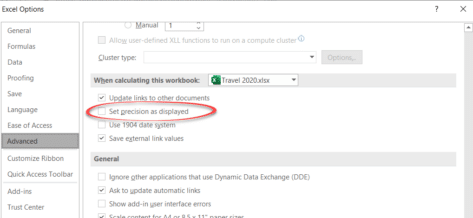
The big difference between what Excel shows and what Excel knows
Understanding the difference between Excel’s stored value for a cell and its displayed value is important. It happens a lot and can make a big difference to the results. Back in the day we detailed a bug in Excel 2007 where the wrong number appears on the screen yet Excel ‘knows’ the right value for […]
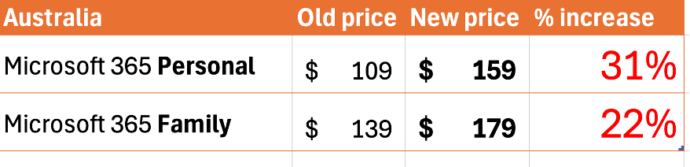
Australian prices of Microsoft 365 up by over 30%
Australians are now paying up to 31% more for Microsoft 365 after the prices were quietly raised. A limited Copilot trial is now included. Both the Microsoft 365 Personal (one person) and Family (six people) plans have risen in price. Microsoft 365 Personal now AUD$159 Microsoft 365 Family now AUD$179 The 31% increase in the […]









