All about Microsoft Office Word, Excel, PowerPoint and Outlook, Microsoft 365, Office 2021 and earlier versions.
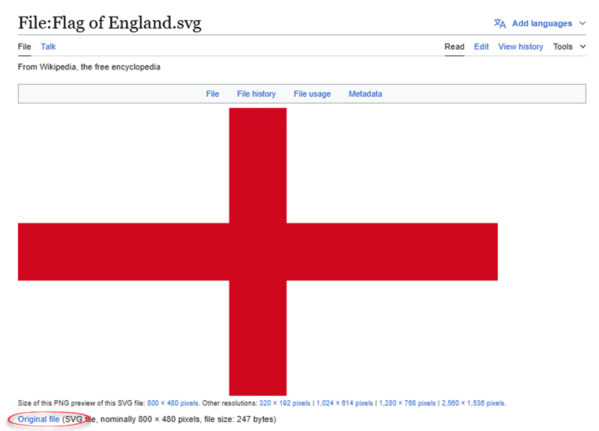
Insert the English flag into Word, Excel or PowerPoint
Add England’s national flag “St George’s Cross” into Office documents, Word, Excel or PowerPoint, then use some Office picture tools to enhance the image. Not to be confused with the British “Union Jack” flag, the English flag is a simple red cross on a white field. Many online searches for an ‘England’ or ‘English’ flag […]

What to do about 30088-27 errors on Office install
Some Microsoft 365 and Microsoft Office users have been getting “30088-27” errors when trying to update the app in the past month. Users of Click-To-Run (C2R) versions of Office 2016, 2019, and 2021 are affected as well as Microsoft 365 when updating to Office version 17726.20126. The update error says there was a problem looking […]

All about “Please check your network connection and try again” errors
Many of us have seen the error message “Please check your network connection and try again” when the Internet is definitely available. What does this Office or OneDrive error message really mean and what can you do to fix it? This error message appears in Microsoft Office help and other places like OneDrive. “Sorry, something […]

Using OpenDocument in Microsoft Office
OpenDocument is another set of file formats for word-processing, spreadsheets and presentations. It’s an international standard that’s supported by Microsoft 365 and Microsoft Office. OpenDocument vs Microsoft Office docs While most people use the modern Microsoft Office document formats (.docx .xlsx .pptx etc) there’s a competitive set of Office file formats to consider. The OpenDocument […]
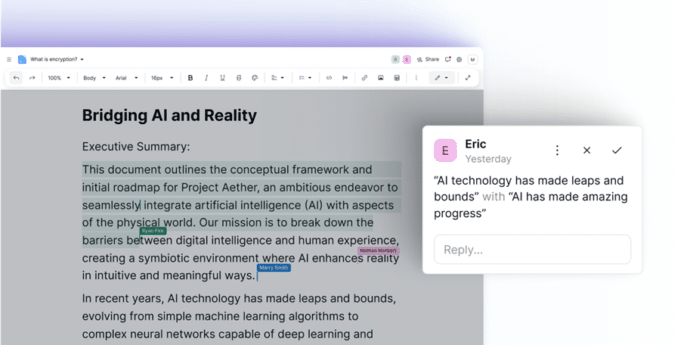
Get a truly private word processor from Proton
Proton, the makers of fully encrypted cloud and email storage now have an online word processor that’s properly private from everyone except you. Data stored on Proton is fully encrypted from ‘end to end’ including when it’s saved on Proton’s servers. Unlike Microsoft’s OneDrive, no-one can access Proton stored data except the user. Apple has […]

Microsoft 365 gets better Open Document compatibility
Microsoft 365 is updating their OpenDocument format support to v1.4 which will improve compatibility with other software like LibreOffice. OpenDocument Format (ODF) is the International Standard for saving documents (ISO 26300 if you’re keeping score). It’s similar to the Microsoft Office formats in their basics of being XML based with ZIP compression. After initially joining […]

Bald Eagles aplenty in Microsoft Office
There are ten different bald eagles in Microsoft Office alone, as icons, stock images or even a 3D model, plus many other sources for photos and graphics online. We’re focusing here on the bald eagle (Haliaeetus leucocephalus) which is native to North America and a US National Symbol. There are many collective nouns for eagles …. […]
Why Microsoft’s slow hacking notices should worry everyone
Microsoft is slowly and discreetly notifying customers who have had their data hacked, more than SIX months after the theft occurred. Even the email notice was poorly worded so some people thought it was a fake. Their response should worry everyone who uses their cloud services. Back in 2023 Microsoft’s systems were hacked by a […]

Outlook for Windows gets a name change, at last
Outlook for Windows is about to become Outlook (classic). We’ll explain why the change is necessary and should have happened last year. The current Outlook for Windows is being renamed “Outlook (classic)” or more properly “Outlook (classic) for Windows”. That will properly distinguish it from the new, still in development, Outlook (new). Despite being a […]
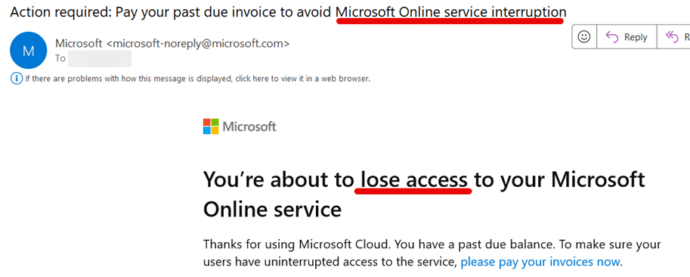
Will Microsoft 365 stop working if the plan is not paid?
How long will Microsoft let you use Microsoft 365 if you don’t pay by the due date? Will the subscription service just stop on the due date or is there a ‘grace period’. We wondered how patient Microsoft would be if a Microsoft 365 Business plan wasn’t paid by the due date? So we held […]

See the world’s top companies in Excel
In Excel 365 you can list the world’s top companies and their market capitalizations including the shortlived leader, NVIDIA. NVIDIA have a lock on the supply of AI related hardware and so their stock price has dramatically risen. ‘Dramatic’ is an understatement because NVIDIA briefly jumped over Microsoft and Apple to become the world’s largest […]
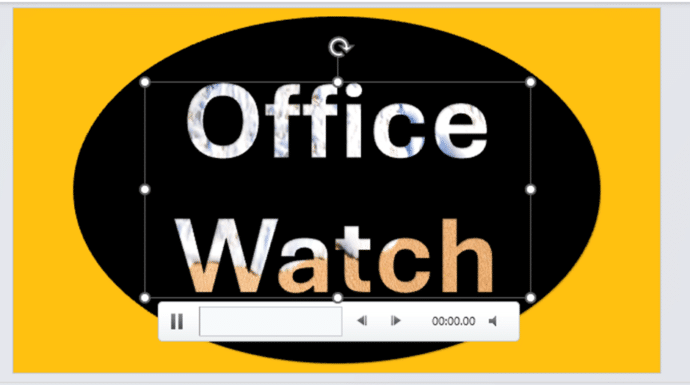
Add Video background to text, objects in PowerPoint
It’s easy to get a video background to a shape, graphic or text in a PowerPoint slide, once you know the ‘secret sauce’. Here’s two examples we’ll show how to make in this article. One uses an Icon/SVG, the other is text, both with a video background. There are various ‘how to’ guides on the […]
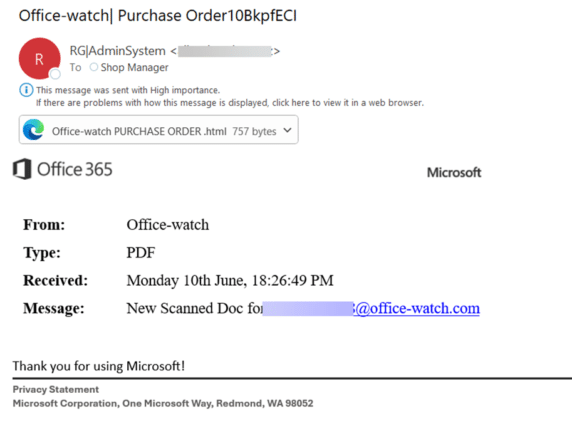
Don’t Fall for This Fake Microsoft Email Scam
Here’s the latest example of a fake Microsoft email that slips past their anti-virus and security checks to end up in a Microsoft 365 mailbox. It might look like a real email at first glance but it’s not. The big clue to us was “Office 365” which is a name Microsoft rarely uses these days […]
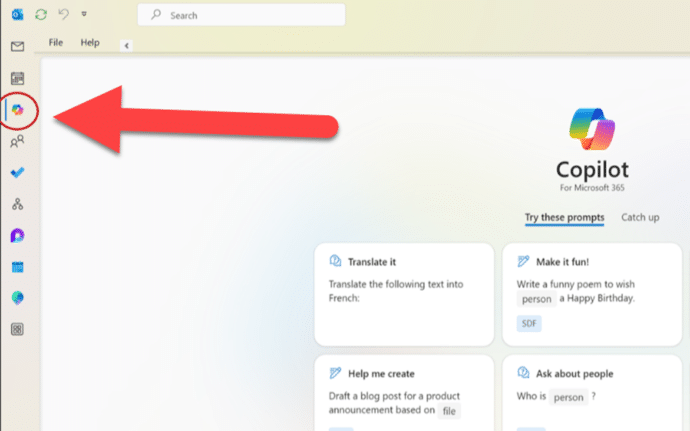
Copilot comes to some Outlook for Windows
Outlook (classic) for Windows is getting Copilot AI features but only some people will get the summarizing, draft, rewrite and coaching benefits. You might have seen the news that the current Outlook 365 for Windows is getting Copilot but few mentioned the crucial detail that Microsoft put in the fine print. Before we explain what […]

Mobile Phone 📱 emoji in Word, Excel, PowerPoint and Outlook
How to insert the Mobile Phone 📱 or smartphone emoji into Microsoft Word, Excel, PowerPoint or Outlook. Both in Office for Windows and Office for Mac. How Mobile Phone 📱 symbol looks in different fonts. The mobile phone emoji is available in these standard Windows fonts: Segoe UI Emoji and Segoe UI Symbol. Not surprisingly, […]

Join Tables with Excel Power Query
Excel’s PowerQuery has many clever tricks, one of them is merging and matching data from multiple tables into a single table. Combine, clean, and transform data from multiple sources into the single format you need; a table, PivotTable or PivotChart It’s a simple relational database with relations set to match up the rows in each […]









