There are at least two ways to switch away from the new Aptos fonts in Microsoft Word and back to the old Calibri fonts or something else. Microsoft has forced a change to Aptos as the new default font in Word but that change doesn’t suit everyone. In particular, Aptos
A technical issue has been affecting Outlook.com users who try to access their accounts using various email clients, Microsoft announced. The problem started on January 23, 2024 was partly resolved late on 31 January and finally on 2 Feb for some but not all customers. Outlook 2013 and Outlook 2016
Wordpad is about to be removed from Windows 11, here’s something you can try to keep this useful Word document app available. Microsoft is ending WordPad the long-standing app that’s installed with Windows which can open, view, edit and print Word documents (.doc .docx) and RTF files. Microsoft isn’t just
A helpful guide to adjust your screen courtesy of Mr Spock and Lt Uhura – we have a sign ready to download as a reminder of how to sit at your computer. You have to hand it to the boffins at Lawrence Berkeley National Laboratory – in between discovering new
Seen in New York, a ‘keyboard’ you can wear and keep you warm. Check out this very puffy jacket with keys .. Go to Instagram to see the short video. https://www.instagram.com/reel/C2PwOSguccV/?utm_source=ig_web_button_share_sheet Thanks to MJ for the tip! Get the real, original Earthrise photos from Apollo 82001 movie design: using in
Switch from the new Aptos default font in Outlook to another font that you prefer and is has better readability in Outlook desktop (Windows or Mac) and Outlook (new). Personally I’ve tried to like Aptos fonts but after a few months they still offend my eyes, especially in emails. It’s
Microsoft loves to boast about their “Copilot Copyright Commitment” but what does it really mean and how much protection do customers really get? There’s a concern that AI generated content might be subject to intellectual property (IP) law suits. Perhaps because an AI image or text is too similar to
Here’s a combined ‘one-click’ way to force an update to both Windows and Microsoft Office at the same time. Normally Windows and Office both update themselves automatically and in the background so you don’t have to worry about it. But there are times when you need to ensure both are
You can do incredible things in Excel but here’s something truly amazing. Someone has made a 16-bit computer chip (CPU) emulation entirely in Excel. We have links to the source code and fascinating video that explains it all. @Inkbox has recreated the basic logic of a CPU to make a
Microsoft is ending Wordpad on Windows 11 … not right away but sometime soon. Here are your options for a replacement. WordPad has been in Windows since 1995 as a basic word-processor with Word document compatibility. It was never much loved but still has an important place. It’s the only
At long last, there’s a way to get Microsoft Forms results synchronized with an Excel workbook. It’s not what Excel users were expecting but it’s a start. Microsoft is calling this a ‘highly anticipated feature’ which is corporate weasel term for a long-standing customer request that’s finally fulfilled (in part).
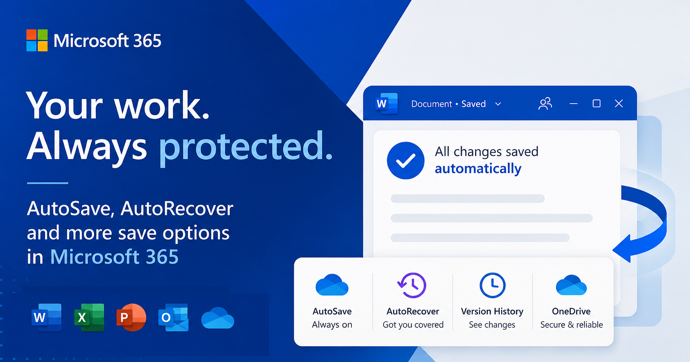
According to Microsoft, AutoSave is the ‘greatest feature of all time’. That’s ‘over the top’ even for Microsoft and it only highlights the self-serving limitations of the current Autosave feature in Office. “Autosave is the greatest feature of all time and you can use it across your M365 apps. That’s
Check that emails you send are labelled properly with your name in the FROM box. It’s a common email mistake we see every day. We found a problem with Outlook that makes this mistake automatically for Gmail users! The FROM: part of an email can have the wrong name or
Let’s take a moment to explain, without the hype, what Copilot is and what it can do for you and all Microsoft Office users including Office 2021,2019 and earlier. We’ll explain some ways Copilot can save time and money doing simple tasks for anyone with Microsoft Office. Beleive me that
We’ve been using Copilot and Copilot Pro for a little while and here’s our first impressions of Microsoft’s paid AI services as they exist today. In other words, what you get for your money right now. It’s hard to justify paying upfront $360 per user for a year commitment to
What you need to know about Copilot for Microsoft 365 which brings AI technology into Microsoft Office including Word, Excel, PowerPoint and Outlook. Here’s how to get Copilot for Microsoft 365 and the secrets to getting it working. What is Copilot for Microsoft 365? Copilot for Microsoft 365 applies to Microsoft
There are two ways to try out paid Copilot for less money. If you’re not sure but want to try the enhanced AI features in Office there are a smart ways to get Copilot without dropping a lot of money in advance for unknown benefits. Let’s face it, Microsoft is
The Microsoft Readiness Toolkit for Office add-ins and VBA is being cancelled (‘retired’) from the end of March 2024. The toolkit has been around for some years to help “identify compatibility issues with your Microsoft Visual Basic for Applications (VBA) macros and add-ins that you use with Office”. The download
Until now, Excel for iPad could use PivotTables already setup in desktop Excel. Now you’ll be able to make and edit PivotTables too. An Excel for iPad PivotTable looks the same as in other Excel’s Being able to make last minute changes to a PivotTable on the iPad is very
RobinAI, a legal add-in for Microsoft Word has received $26 million in new funding from a Singapore investment firm. The Word add-on uses AI tech to help drafting, reviewing and negotiating contracts. There’s a contract repository with a search option to let you pull out relevant text from similar past
Many different ways to type or insert laundry care symbols, which appear on clothing labels, into Word, Excel or PowerPoint. Laundry care symbols can be for laundry area signs or for fun like this t-shirt. Or alternative symbols in a PowerPoint slide. All five symbols were black laundry care icons.
Microsoft’s push into AI continues with the announcement of a special Copilot button on some Microsoft keyboards. Will a Copilot key be any more popular than other Microsoft attempts to add their products onto keyboard? The Copilot key might look like this Or more likely this single color version: Keyboards
There’s a new Microsoft patch to fix a bug in OneNote 2016 which crashes when syncing with other versions of OneNote. The problem is in OneNote 2016 but only the ‘MSI’ installed version. Not the more common ‘Click to Run’ installs, which includes OneNote that comes with Microsoft 365, Office
Catch Up is Microsoft’s new way to present the latest changes, comments, mentions and tasks in a collaborated document, sheet or slide deck. When a document is being managed by many people, there can be a lot happening. Edits to the doc, sheet or slides, comments and @mentions including tasks