All about Microsoft Office for Apple Mac. Word, Excel, PowerPoint and Outlook on macOS
Microsoft 365 for Mac, Office 2021 for Mac and earlier versions.
Microsoft has added Dynamic Array functions to Excel for iOS (iPhone and iPad) and done it in an uncharacteristically low-key way. Dynamic Arrays are now available across all Office 365 platforms; Excel 365 for Windows and Mac, Excel for Android, Excel Online (web) and now Excel for Apple devices. That’s
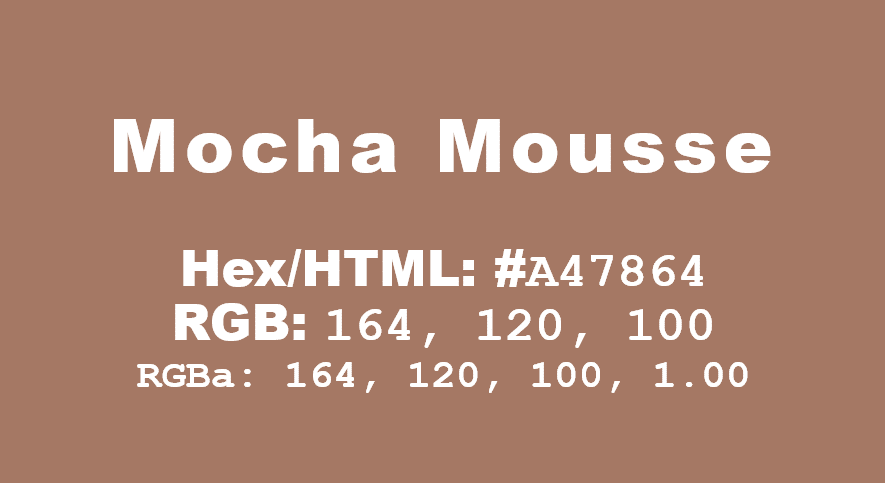
Pantone has announced its Color of the Year for 2020 here’s how to get it in Microsoft Office – Word, Excel, PowerPoint, Outlook etc. The color of 2020 is … Classic Blue Source: Pantone As usual what’s more amazing than the color is the description from the ‘Pantone Institute’. Classic
Sometimes we want to change the margins around a Word document, either to change the way the page looks, or to get the text to fit onto the page. To do this, go to Layout > Margins or use the Ruler to drag the margins. There are several default options
Yet again, a bad deal for Office 365 is being offered on Amazon and it’s even worse than last time. In March there was an offer on Amazon for Office 365 Home (retail $99.99) plus an Amazon gift card $50 for a total of $149 – a ‘massive’ saving of
Now rolling out to Insiders is a preview of a new look in Outlook for Mac. Here’s what’s on offer and how to get it. Limitation There’s an important limitation on the new interface that’s not given enough warning by Microsoft. It’s only available if one of the email accounts
Just one of the many tricks to get people to giveaway their password is a bogus ‘system delay’ email, supposedly from your network administrators. The fake login page is given extra credibility being hosted on a Microsoft server! It starts with a fake message from the ‘Excel Team’ saying you
Excel is getting a clever new way to quickly analyse your worksheets and pull out useful ideas or insights to quickly make PivotTables, PivotCharts and Charts. It’s now available in Excel 365 for Windows and Mac, Insiders and will eventually make it to public releases. It’s now called ‘Ideas’, previously
‘Tis the Black Friday season for savings on Office 365 so we’ll keep an eye on price discounts on Office 365 Home and Office 365 Personal in the USA, UK and Australia. It’s a great time to save on extending or renewing an Office 365 subscription. Below is a guide
I ♥ or I Love signs or logos can be made in Word or PowerPoint to liven up a document or presentation. We’ll show how to make something similar to the famous and much copied logo. The official ‘I ♥ NY’ logo complete with registered trademark. The original ‘I Love
Here’s how to block .IQY web queries in Excel that are being used to infect machines with Buran ransomware. Yet again, a mostly forgotten part of Office is being used by hackers to get inside computers and networks. Suspicious Link (great name) found this nasty in an email. It pretends
A wonderfully independent article in the Washington Post reveals a big problem with the sale of fake and pirated products on Amazon. Our articles on fake Microsoft Office products is just a tiny part of a bigger problem. The Washington Post is owned by Jeff Bezos, the head of Amazon
PowerPoint has options for hiding slides and also hide & reveal text or content within slides. We have looked previously at hiding things in Word and Excel, and PowerPoint also allows you to hide things, although the approach is a little different. The most common reason to want to hide
If you have a slide that you want to keep in your PowerPoint deck but don’t want to show them in a presentation, you can hide those slides. Go to the strip of slide thumbnails down the side of your project and select the slide you want to hide. You
The first sign that OneNote 2016 is back from a slow death is the announcement of the first new feature in well over a year. OneNote 2016 is getting a Dark Mode just like the Mac and Apple apps. OneNote dark mode will be an option in OneNote 2016 for
Word is very clever dealing with Hidden text, perhaps a bit too clever at times. Here’s some tricks for positioning and formatting with Hidden text. Students quiz (left) and Teachers version (right) from the same document. The answer text is hidden in the student version but there’s still space for
In Wales, all teachers and their students can get Office 365 free, instead of about ₤60, thanks to an initiative of the Welsh government. It’s worth checking what access to the full Office suite your school, college or university kids might have. The Welsh government has arranged this as part
A security vulnerability has been discovered in Excel for Mac. It’s been there for many years and affects Office 365, Office 2019, Office 2016 and Office 2011 for Mac. We have details and suggest a protection you can do yourself. It’s another problem with legacy support for an older Microsoft
Outlook for Mac also has Profiles to manage multiple setups on the one machine. Though they are managed very differently to Outlook for Windows, the basics are the same on both. To add a bit of confusion, profiles where called ‘identities’ up to Outlook 2011. Outlook 2016 and later for
Make your worksheets look more compact and focused by hiding unwanted columns or rows. Hidden rows/columns still work in calculations, they can be referenced in formulas etc. It’s pretty straightforward. Select the columns or rows, right-click and choose Hide. Keyboard shortcuts Type Control + 9 to hide a row. Control
3D Formulas in Excel allow you to make calculations using data from many different worksheets, including ones that don’t exist yet. This can be incredibly useful, when you have similar figures for different periods across worksheets and want to use data from all of those periods. For our example, we have a file with expenses for a number of
Why does Microsoft demand a credit/debit card for Office 365 plans when you’ve bought your annual plans elsewhere, and probably cheaper? As Office Watch readers know, you don’t have to buy Office 365 Home or Personal direct from Microsoft. Microsoft is the worst place to buy or renew Microsoft Office
A few days ago we told you about a very good deal at Argos in the UK, half-price Office 365 Home. One couple has taken advantage of our tip, and other suggestions from Office-Watch, to get two years of Office 365 for the price of one. One of our readers
Microsoft has started its usual sales campaign to go with the end of support for Office 2010 in a year from now. There are alternatives beyond what Microsoft is selling. In a self-serving blog headed “Support for Office 2010 is ending—get current with Office 365 ProPlus” we see the tiresomely familiar marketing
Over time there’s been a change in the way email programs login to your mail host. It’s mostly hidden from us mere humans but important to understand. Here’s how to use oAuth and how to bypass it, if your email program doesn’t support it. Older versions of Outlook don’t know