Copilot could become a ‘toxic brand‘ because of pushy way Microsoft is adding it to Microsoft Office. We have some ‘modest proposals’ for how Microsoft can improve their AI offering and keep paying customers onside. Or, put another way, some grumbles about the way Microsoft is force-feeding Copilot to its
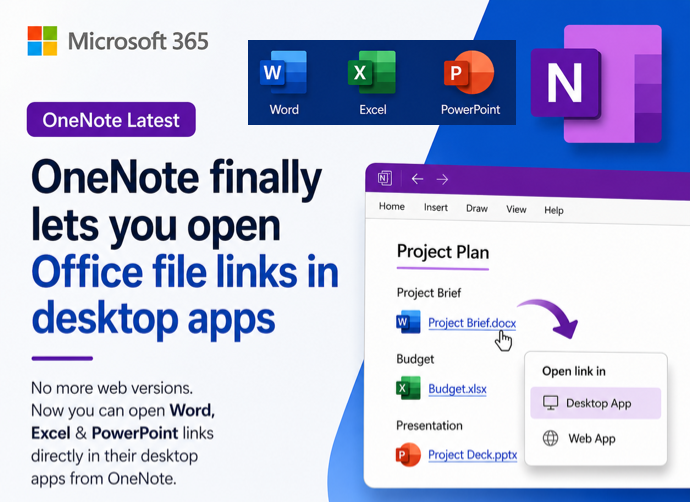
There are a few ways to quickly tell which OneNote app you have on Windows. The OneNote that will continue development or the OneNote for Windows app which is gradually being allowed to die. Previously we’ve explained about the upcoming changes for OneNote, including how Microsoft have decided to keep
Here’s how to stop Copilot prompts appearing in your documents, sheets and slides. Microsoft 365 customers are now seeing “Copilot Clutter” appearing in their Microsoft 365 apps, Word, Excel and PowerPoint. There is now a way to Disable Copilot available to some Microsoft 365 customers A Microsoft executive expressed surprise
Microsoft 365 Family and Personal plans are getting Copilot AI integration into their Office apps but it comes with a big price increase and many limits to what people get for the extra cost. Customers in Australia, New Zealand, Malaysia, Singapore, Taiwan, and Thailand have seen massive prices rises in
How and why to remove words from the main Microsoft Word dictionary. The Office Exclusion List ensures a red squiggly underline appears to warn you about an unwanted word. Sometimes the supplied Office dictionary has words you don’t want or you’d like a warning about. Here’s how to put the
If you’ve used OneNote recently, you’re probably aware of the feature allowing you to draw shapes and make lines straight. Then Word for Windows got “Draw and Hold”. Now Excel and PowerPoint can draw straight lines and draw neat shapes (circle, square and more). We’ll explain how it works and how
Many people are moving away from Evernote due to the high prices. Here’s the simple way to migrate all Evernote notebooks to Microsoft OneNote. Why move from Evernote? Evernote’s pricing has risen to unrealistic levels. The cheapest paid plan “Personal” is now US$129.99 which is more expensive than Microsoft 365
Microsoft 365 for Windows might crash while someone is just typing (you read that right). All the Office apps, Word, Excel, PowerPoint, Outlook or OneNote can be affected according to Microsoft, which knows about the problem and offers some workarounds. The problem is caused by an out-of-date language pack which
There are two quicker ways to insert an image or graphic from the Internet or web page into a Word document, Excel sheet, PowerPoint slide or Outlook email. The method most people are taught is to save an image to their computer then Insert | Picture | from this device
How to insert the Eye 👁 emoji into Microsoft Word, Excel, PowerPoint or Outlook. Both in Office for Windows and Office for Mac. Eye 👁 symbol is used for decoration “Look Here” or “See this”. Even as a fancy bullet point in Word or PowerPoint. How Eye 👁 looks in
OneNote for Windows can straighten handwritten, digital ink, text so it’s nicely even across the screen. We tested Straighten to see how it really works … and it’s not bad. Microsoft doesn’t provide a working example of straighten just a mockup with grey lines and nothing like the real OneNote
Word, PowerPoint and OneNote 365 for Windows have digital ‘ink to text‘ feature to not only handwrite into documents but also edit text and add bullet or numbered lists. Ink to Text requirements Before we explain the new feature, we’ll detail the specific requirements of the new ‘Ink to Text’
Quickly switch accounts while using Microsoft Office 365, Office 2019 and Office 2021 for Windows and even have different logins in separate programs. Many people wear different ‘hats’ while using Office. There’s a Work ‘hat’ or ‘hats’ with more than one job. Plus your personal or home role. Sometimes even
Sticky Notes is a wholly new Windows app which improves on the current Microsoft app of the same name. Here’s how it works, who gets it and the unexpected place Sticky Notes are saved. Why, you may ask, is an Office Watch an MS Office specialist writing about a Windows
Let’s take a moment to explain, without the hype, what Copilot is and what it can do for you and all Microsoft Office users including Office 2021,2019 and earlier. We’ll explain some ways Copilot can save time and money doing simple tasks for anyone with Microsoft Office. Beleive me that
There’s a new Microsoft patch to fix a bug in OneNote 2016 which crashes when syncing with other versions of OneNote. The problem is in OneNote 2016 but only the ‘MSI’ installed version. Not the more common ‘Click to Run’ installs, which includes OneNote that comes with Microsoft 365, Office
Windows 11 and 10 has the Emoji Panel. What a pity that it totally sucks and is incredibly dumb. Emoji Panel is better than what we had before (nothing) but not by a lot. We’re talking about the Emoji Panel or ‘keyboard’ which appears in Windows 11/10 when you press
In Microsoft Word, you can use keyboard or mouse shortcuts to select characters, words, lines, paragraphs, and blocks of text faster. Here are ten different selection tricks that Word experts know to speed up their work. Select a Sentence Highlight an entire sentence in Word by simply holding down the
Type the Trademark ™ TM symbol as text and icon into Microsoft Word Excel PowerPoint or Outlook. Both in Office for Windows and Office for Mac. Trademark ™ TM symbol is, strictly speaking, called the Unregistered Trademark symbol. Its counterpart is the Registered Trademark ® Trademark in Word and Outlook The
Insert the Satellite 🛰 emoji or icon into Microsoft Word, Excel, PowerPoint or Outlook. Both in Office for Windows and Office for Mac. How Satellite 🛰 looks in different fonts. In Windows fonts only Segoe UI Emoji and Segoe UI Symbol have the Satellite emoji. As usual the Apple version
Safe Mode is a special way for Office apps to run when things aren’t working properly. Here’s how to use Safe Mode, if Office doesn’t offer it automatically, and what Safe Mode does differently. Safe Mode is useful in situations where you cannot open files in normal mode because the
OneNote desktop will start getting AI tools, CoPilot, from November 2023. According to a Microsoft Roadmap entry, ‘general availability*’ of CoPilot in OneNote will start next month. Not ‘1st November’ as some are reporting but starting during November. Copilot in OneNote will be able to make lists, create a plan
Use a hidden registry hack to protect your privacy by reducing the amount of private info Microsoft Office apps send to Microsoft. Dr Aleksandar Milenkoski, working for the German Federal Office for Information Security, has produced a report on what information Microsoft Office software sends back to the company. That’s information
Over the past ten years, OneTastic and its early version, OneCalendar, have established themselves as vital tools for dedicated OneNote users. These applications, developed as a passion project by Omer Atay from the OneNote product group, have proven especially beneficial for users who frequently record meeting notes across various sections