Microsoft seems to be moving towards a name change for ‘Office 2016’. They haven’t announced anything directly, but their documentation is changing for Windows and perhaps Office for Mac as well. If you’re confused, don’t feel bad because Redmond isn’t making it easy. They are moving gradually towards naming Microsoft
You can quickly apply some Word styles from the Quick Access Toolbar we’ll show how to add the classic Style menu, buttons for Headings and Normal style. And we’ll explain a better alternative. The Quick Access Toolbar (QAT) can have a more useful Style menu than the one Microsoft puts
Microsoft has announced a 10% price increase for the Office 2019 commercial / volume licences. Sorry, it’s not an increase it’s a ‘price adjustment’ <sigh>. Office 2019 client, Enterprise CAL, Core CAL, and Office 2019 server products are all up 10% from 1 October 2018. These are all single-payment /
You’ve probably seen the headlines about the new ‘Outlook’ Dark Mode but there’s much less to this feature than all the hype suggests. It only applies to one of the many ” Outlook’s ” out there. We’ll explain what Dark Mode is, which Outlook it applies to and how to
There are better ways to move about a document than scrolling up and down. Word has some nifty navigation tricks that’ll have you moving around a document like a city bicycle courier! We’ll skip the more obvious ones that are covered in most texts and explain the navigation tips less
The Edinburgh International Festival is just one of the August festivals in the city. They have some methods of adding their show information into Outlook but with some traps along the way. On the My Festivals page for each account, use the ICS Calendar Link to get a list of
If you love drama, comedy or music then you’d love Edinburgh, Scotland during August. It’s a busy, busy time with so much going on that you’ll need your online calendar and Outlook to keep track of everything. In this and other articles, we’ll give you a practical guide to managing
The Edinburgh Fringe Festival has some help adding your Fringe bookings into Outlook with some tricks and traps they don’t mention. Overall The Edinburgh Fringe Festival has an excellent site and apps with an online calendar for each customer and a feature to download booked events into Outlook. It would
Here’s how to make a custom ribbon tab in Word, Excel, PowerPoint or Outlook and how Microsoft has left customers shortchanged for the last decade. We’ve already talked about customizing the Quick Access Toolbar (QAT) for certain documents. You can make the QAT adapt according to the document you’ve
There’s an amazing collection of Apple device (iOS) and computer (MacOS) you can use on PowerPoint slides or a Windows desktop. ‘nucleam’ put the collection up on Google Photos. They range from the most recent for iPhone back to the early days of iOS 3. Some are famous images, a
Not all Word documents need the same tools. Some special documents are easier to make with tools added to the Quick Access Toolbar (QAT) just for the occasion. Changing the Quick Access Toolbar has been around since Office 2007 but it’s less well-known that you can change it for certain
Google has updated their Drive app to support preview of Microsoft Office documents with password encryption. Here’s how it works online and in the Google Drive app. In early 2017 the browser-based part of Google Drive let you preview password protected Word, Excel and PowerPoint documents. Only preview of Office
How to type the degree symbol (Fahrenheit, Celsius, Kelvin, latitude, longitude) into Microsoft Word, Excel or PowerPoint. Degree Symbol codes Decimal: 176 Hex: 00B0 Web: ° ° ° Word The degree symbol ° has an inbuilt shortcut in Word. Ctrl + @ or Ctrl + Shift + 2 followed by
Think you know Excel? A 14 year old high school student from Florida has beaten 350,000 contestants and 147 finalists to be become the 2018 US National Excel Champion. Kevin Dimaculangan from Dunbar High School is now going to the World Championships in Orlando, Florida at the end of July. His win
A private April 2018 Gartner report confirms what Office-Watch.com has been saying for years. Microsoft is forcing customers away from perpetual licence/one-off software purchases and into software rental like Office 365. As reported by Gregg Keizer at Computerworld, Microsoft will continue ‘encouraging’ customer to annual fees by limiting access to
Microsoft has announced that a perpetual licence version of Office for Mac will be released later this year. Office 2019 for Mac will come out alongside Office 2019 for Windows. Both are for non-subscriber / perpetual licence customers only. Anyone with Office 365 ‘subscription’ doesn’t need to bother with these
For the first time in a decade, Microsoft is making substantial changes to the Office ribbon interface. But not to worry, the changes don’t appear to be enough to put anyone off Word, Excel, PowerPoint or Outlook. The existing ribbon is retained, that’s an important point that’s not emphasized enough
Two Indian banks clamped down use of unlicensed Microsoft Office, leaving staff to use calculators or open-source alternative spreadsheets. Mid-Day.com reported that Bank of India and Saraswat Bank had some licenses for Microsoft Office but not enough for all the computers the bank had allocated to staff. Branches were instructed
Both Windows and Office send an astonishing amount of data from your computer to Microsoft. Here’s how to see what’s being sent. The Diagnostic Data Viewer shows, as it happens, what your computer is sending to Microsoft. The tool does NOT give you the choice to not send your private
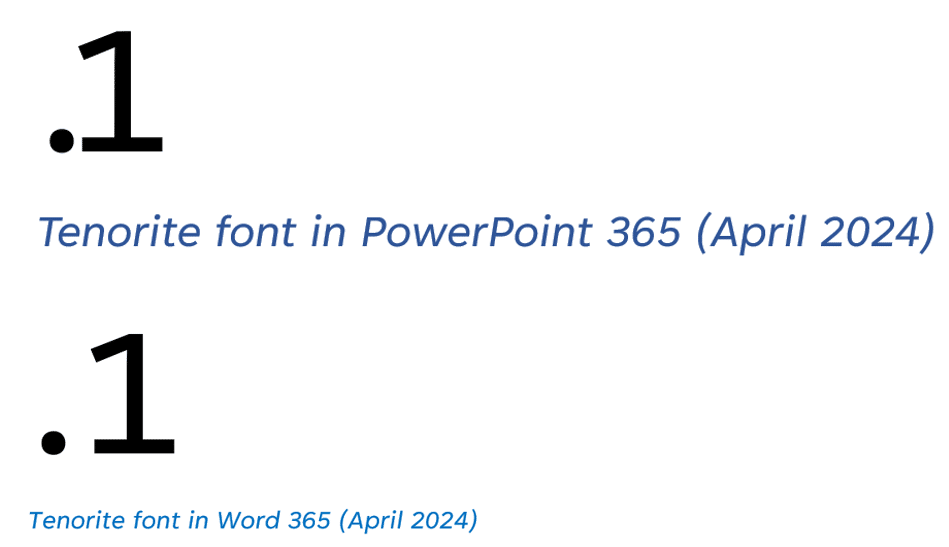
Office Watch reader, John Hoffmann has some more detail on variable fonts, supported in Windows 10 and Windows 11 Variable fonts are a single package that includes many variations (Light, Heavy etc), instead of having separate font files for each variant. That takes up less disk space (important on tablet
It’s time again to put the mighty brains and resources of Microsoft against the best and brightest of American youth. Yet again, the kids put Microsoft Word to shame. Each year, Office-Watch.com get the word lists from the finals of the US Scripps National Spelling Bee and runs them through
An overdue and very welcome addition to OneDrive for Office 365 customers is password protected sharing links. Until now, you could send a link to a OneDrive stored file or folder but there was no control over who used that link. If the link ‘escaped’ to other people, they could
Microsoft has extended their OneDrive Files Restore feature to all Office 365 customers, not just their business users. It’s a simple way to recover files that have been lost, in particular if you’ve been caught in a ransomware attack. Ransomware will encrypt all the files on your computer and network
Sharepoint hosted by Microsoft Office 365 continues to get more features with a few indicating changes coming to broader Office products. Changed Opening Pane The Office.com pane is changing with a ‘Recommended’ section that lists items that Microsoft’s Artificial Intelligence thinks you should see. Discover shows documents other staff are