Lasso improvements in Word 365 for Windows
It’s nice to see a small but important tweak to the Ink editing ‘Lasso’ feature in Word 365. Lasso now selects only inked elements when embedded with text.
Lasso is a way to use a digital pen to select objects in Word, either to move or delete. However it’s been a bit of a clumsy way to select especially when there are inked items near text.
Now Lasso Select will ignore text while selecting, only the inked comments / scribbles are ‘lassoed’
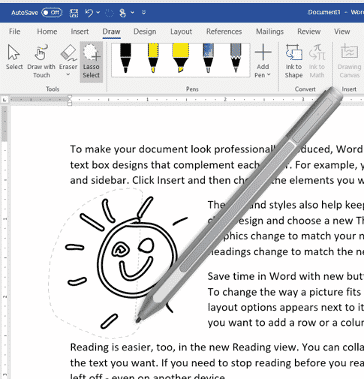
Source: Microsoft
Microsoft’s description ….
“Do you like to mark up your documents using ink? Wish you could remove just a few inked comments? Now you can easily select an ink object embedded within text and remove it. The Lasso Select feature will automatically ignore text during the selection. “
Availability in Word 365
The improved Lasso is now available for Word 365 for Windows Insiders.
Look for Word 365 for Windows, version 2001 (Build 12430.20000)