Get over 3,000 more great Office icons from Google
Google has more than 3,000 Icons available to add into Microsoft Office documents from either SVG files or a font.
Material Symbols are a collection of small icons, much like the Icons available in modern Office. As SVG files they can be recolored and changed from their standard black line look. Use them in Word docs, Excel sheets, PowerPoint slides or Outlook emails.
The new Material Symbols collections has categories for Activities, Audio & Video, Business & Payments, Common actions, Communication, Household, Photo & Image, Privacy & Security, Text Formatting, Transportation, Ul actions, Android, Brand, Home, Hardware, Maps, Social and Travel.
Symbols like these are great for slides and signs because they can be resized very large or very small without loss of quality. As we’ll see, there’s lot of opportunities to change how they look, see Better Icon, illustration or SVG editing trick in Office
Finding Google Symbols
Start at Google Fonts and the Icons section.
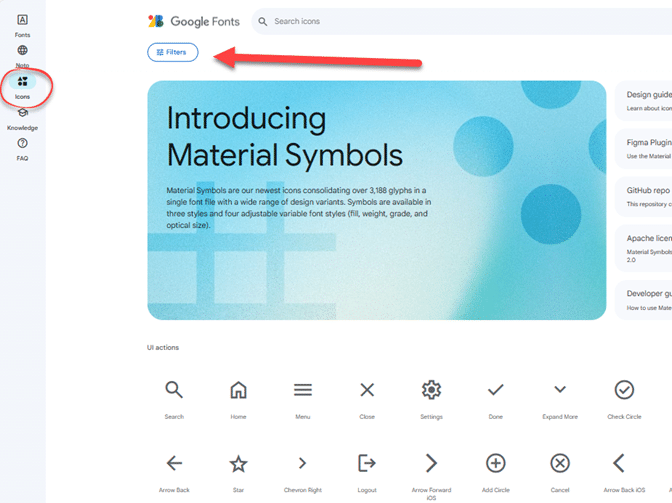
You can scroll down the long, long list of symbols but it’s easier to jump to Categories. Click on the Filters button then scroll down the left-side to Category. Click on one of the 18 subject areas you’d like to see.
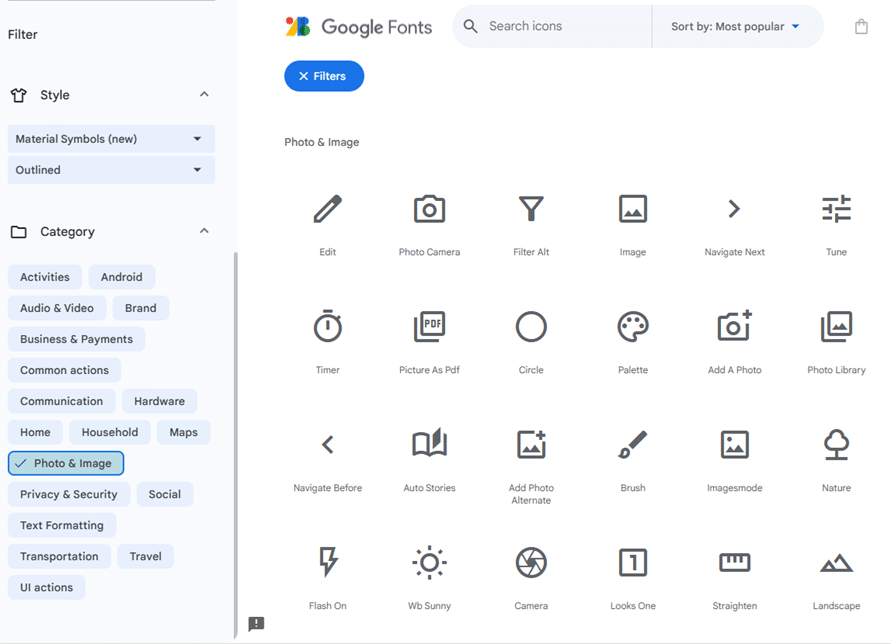
There are more filters to choose from. Fill and Weight give you quite different versions of the icons.
Under Style choose from Outlined, Rounded or Sharp.
Of course, you can search by name from the box at the top of the Google Icons page.
Download an icon
Click on an icon to see the download and embed options at right.
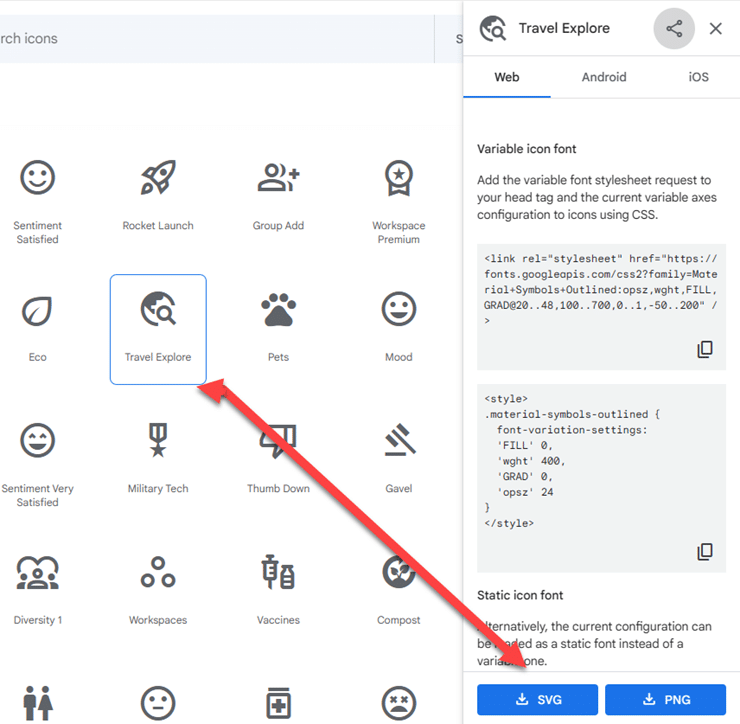
Ignore all the variable icon and other options. Head for one of the two buttons at bottom-right.
SVG – the best choice for anyone with Microsoft 365, Office 2019, 2021 and later.
PNG – for earlier versions of Office.
Using the Google Icon
Insert the graphic into any Office document. With an SVG there are many opportunities to change the original icon. Here’s the original icon (top-left) then just some of the Shape Format options possible in Office.

Download whole fonts
Another choice is to download an entire font of symbols. This gives you a complete symbol set but without the flexibility of SVG files. It’s also harder to find a symbol in a font.
Go to Github to download the TrueType font (.ttf) in Outlined, Rounded or Sharp style.
The .codepoints files are simple text lists of the symbols and their number in the font.
Better Icon, illustration or SVG editing trick in Office
Finding more SVG or Icons for your Office documents
Four SVG editing choices for Office 365/2019/2021