Excel 365 Focus Cell: Highlight the Row and Column You Are In
Typing a number into the wrong row is one of the easiest mistakes to make in a large worksheet and one of the hardest to spot weeks later. Excel’s Focus Cell fixes that by shading the entire row and column of whatever cell you click on, so the right cell is always obvious. It is one click on the View tab, it is already in Excel 365 for Windows, Mac and the web, and it costs you nothing. Here is how to turn it on, change the highlight color, put it on the Quick Access Toolbar and what it still cannot do.
Until Focus Cell arrived, that’s only been possible with some conditional formatting and a touch of VBA. Excel 365 can do same thing with a single click on the Focus Cell button. However our trick has more formatting and positioning options than the in-built feature.
Go to View | Show | Focus Cell or use the Keytips Alt + W + E + F
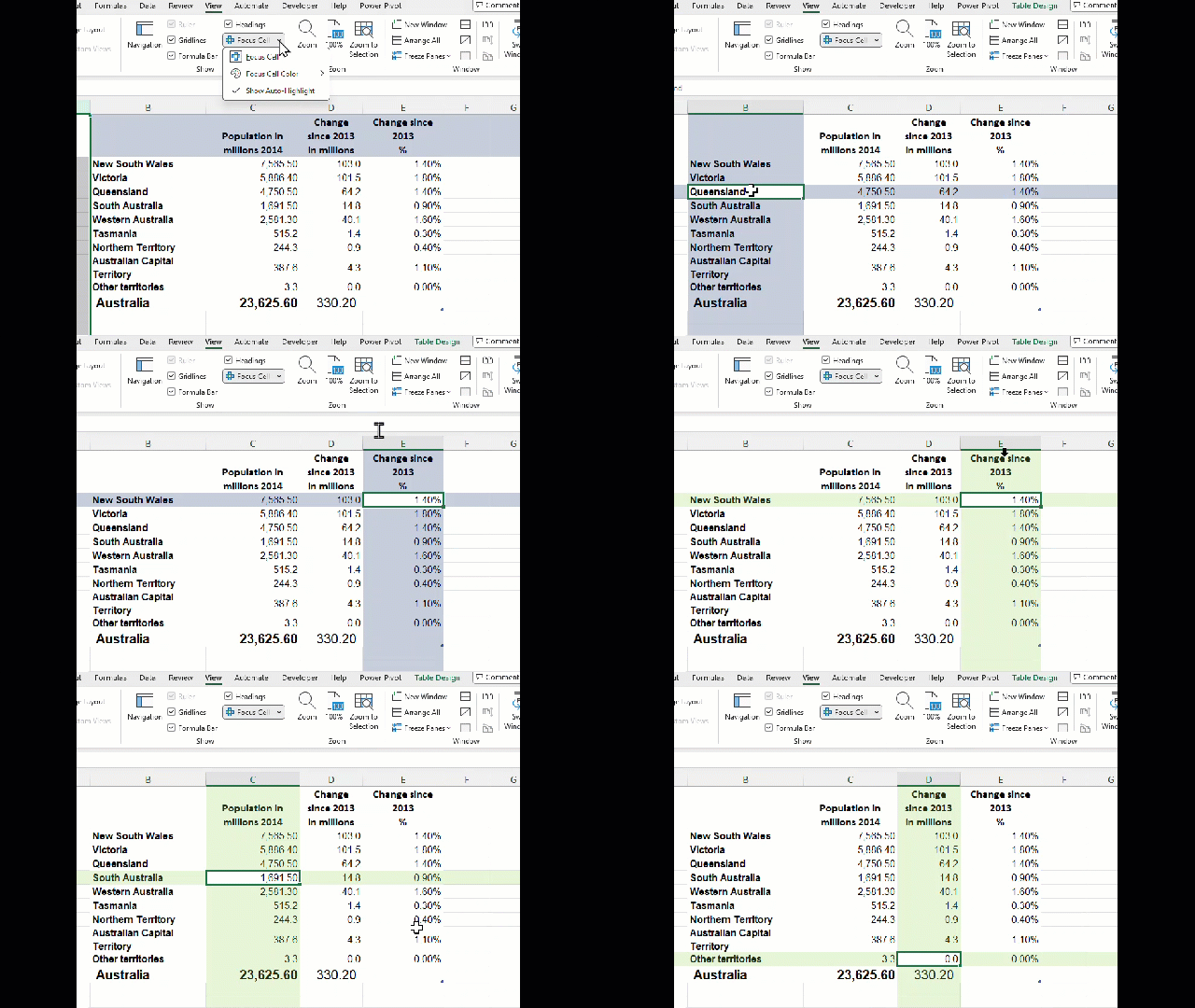
Focus Cell Color: choose from ten standard colors.
Show Auto-Highlight: means Focus Cell will work when Find & Replace is used.
For fast access, add Focus Cell to the Quick Access Toolbar. Right-click on the Focus Cell button and choose ‘Add to Quick Access Toolbar’.
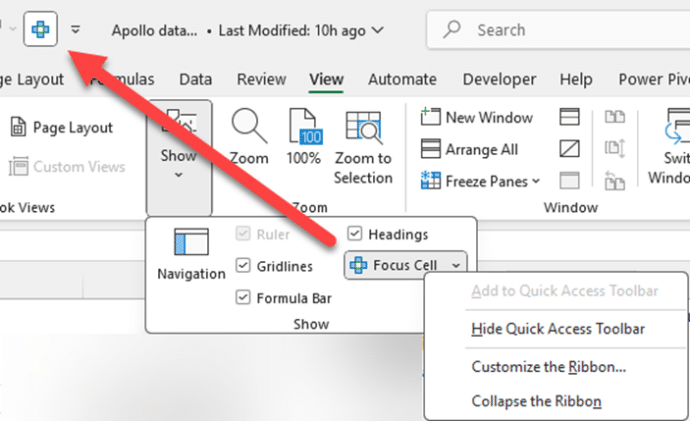
Add it to the Quick Access Toolbar if you toggle it often. We just leave Focus Cell on permanently, so we skipped the QAT button.
Limitation
Focus Cell won’t work when Freeze or Split Panes are on. That’s a shame because they are commonly used features.
Alternative and better Focus Cell options
Improve on Microsoft’s Focus Cell or get an alternative that works for other Excel releases.
Our article show how to color selected row, column and headings shows how to get a Focus Cell style feature in Excel 2024. 2021, and earlier for both Windows and Mac.
AND there’s more… because our trick gives more control.
- Highlight column/row headings only
- Different colors for columns or rows
- Highlight the selected cell only
- Much wider range of colors
- Gradient effect instead of solid color
- Cell border changes
Highlight the Selected Row and Column in Excel and Stop Data Errors
Excel Conditional Formatting, beyond the presets
Easily install an Office VBA macro
Excel’s Find All tricks for Windows and Mac
Putting a Command on the Quick Access Toolbar
Quick Access toolbar keyboard shortcuts
Microsoft 365 Insiders: Is It Safe and Worth Joining?
Explore the New Features of Excel on the Web
Excel Recalculation: 2 Methods to Automatically Refresh Data Connections