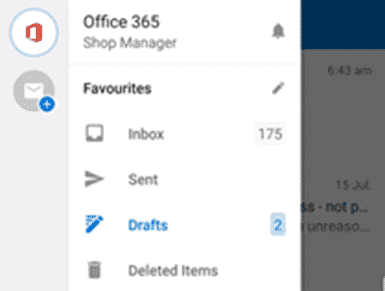
It would be great to share draft emails between Outlook on different devices including iPhone, iPad and Android. You can start a message or reply on a smartphone and finish it later on a computer. Sharing drafts between Outlook for Windows or Mac has been possible for many years, only
The latest ebook from Office-Watch.com is a little different, it’s a heartfelt ‘Thank You’ to our Office Watch donors. Peter and Victor have again been quite astonished and humbled by the generosity of readers to our reader appeal. Both the money and kind remarks have been a considerable morale boost
Microsoft has added Dynamic Array functions to Excel for iOS (iPhone and iPad) and done it in an uncharacteristically low-key way. Dynamic Arrays are now available across all Office 365 platforms; Excel 365 for Windows and Mac, Excel for Android, Excel Online (web) and now Excel for Apple devices. That’s
An Office 2019 offer that looks like a good deal for just $39.99 or maybe a scam? Microsoft seems to endorse the seller with a mention and link from Microsoft.com so how could it be wrong? We’ll explain why we know it’s not a proper offer, so you can judge
The Office apps on Windows 10 Mobile devices have now ended main support and will end security updates, hotfixes and support in 2021. It’s an unsurprising announcement and another death notice for the failed Windows 10 Mobile platform and phones. Source: Microsoft, from happier days when Win10 phones were ready
In a recent blog post Microsoft explained some of their thinking behind the redesigned Office mobile apps like the new ‘all in one’ Office app. The company has done a lot of research into the way people use their mobile devices, including the many people who only use a smartphone
Pantone has announced its Color of the Year for 2020 here’s how to get it in Microsoft Office – Word, Excel, PowerPoint, Outlook etc. The color of 2020 is … Classic Blue Source: Pantone As usual what’s more amazing than the color is the description from the ‘Pantone Institute’. Classic
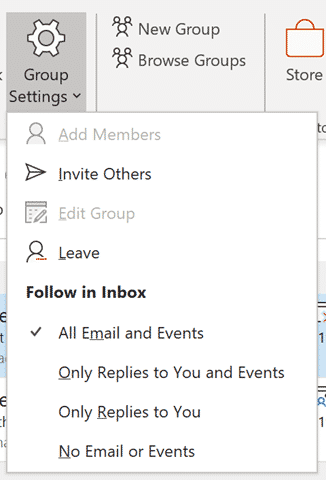
Outlook’s Groups support is improving with ways to filter Group emails and let you control which emails appear in the Inbox. Admins can manage the names given to new groups, enforcing prefix/suffix and stop specific words from appearing in Group names. This is new in Outlook 365 for Windows v1912
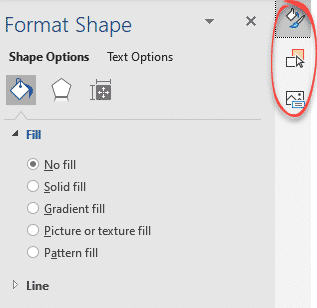
At last! The clutter of right-hand panes in Microsoft Word is ending and we’re getting tabbed panes. Very welcome news for laptop users with less screen real estate. According to Microsoft: “ Now you can switch between multiple panes using a tab UI on the right hand side of the
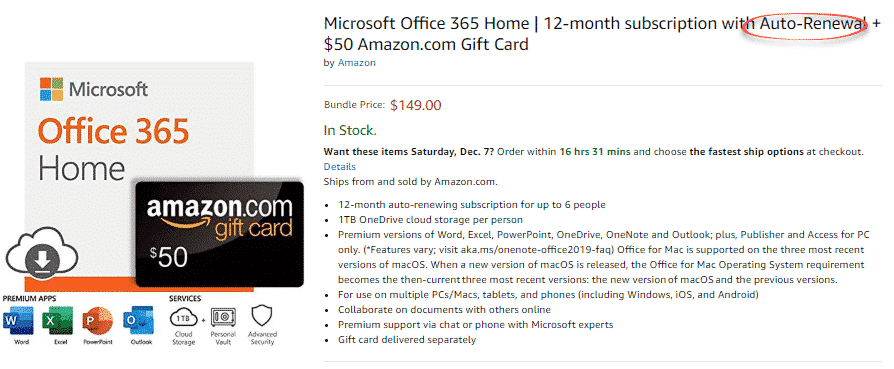
Yet again, a bad deal for Office 365 is being offered on Amazon and it’s even worse than last time. In March there was an offer on Amazon for Office 365 Home (retail $99.99) plus an Amazon gift card $50 for a total of $149 – a ‘massive’ saving of
Now rolling out to Insiders is a preview of a new look in Outlook for Mac. Here’s what’s on offer and how to get it. Limitation There’s an important limitation on the new interface that’s not given enough warning by Microsoft. It’s only available if one of the email accounts
The Office apps for Android are getting some interesting new features. Excel for Android has better sort and filtering. Galaxy Watch can now link to the Outlook app. At first for preview ‘Insiders’ and later to the publicly available Word, Excel, PowerPoint and Outlook apps. Here’s Microsoft announcement of the
Microsoft is ending their Delve blog service starting later this month. It’s being done with little notice and in a very round-about way. Delve blogs aren’t widely used and their end has been anticipated by some network admins. Even so, Microsoft has badly handled the announcement. Instead of a Microsoft
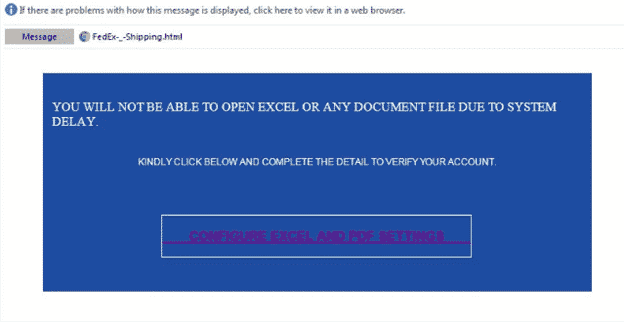
Just one of the many tricks to get people to giveaway their password is a bogus ‘system delay’ email, supposedly from your network administrators. The fake login page is given extra credibility being hosted on a Microsoft server! It starts with a fake message from the ‘Excel Team’ saying you
Excel is getting a clever new way to quickly analyse your worksheets and pull out useful ideas or insights to quickly make PivotTables, PivotCharts and Charts. It’s now available in Excel 365 for Windows and Mac, Insiders and will eventually make it to public releases. It’s now called ‘Ideas’, previously
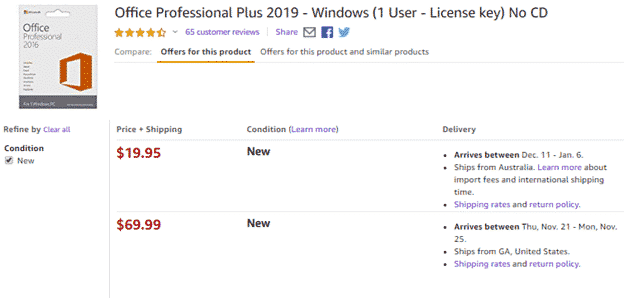
‘Tis the season for savings on Office 2019 so we’ll keep an eye on price discounts on Office 2019 bundles (Home and Student, Home and Business, Professional). What price to pay and what NOT to pay. Below is a guide to whether a price for Office 2019 is a good
‘Tis the Black Friday season for savings on Office 365 so we’ll keep an eye on price discounts on Office 365 Home and Office 365 Personal in the USA, UK and Australia. It’s a great time to save on extending or renewing an Office 365 subscription. Below is a guide
I ♥ or I Love signs or logos can be made in Word or PowerPoint to liven up a document or presentation. We’ll show how to make something similar to the famous and much copied logo. The official ‘I ♥ NY’ logo complete with registered trademark. The original ‘I Love
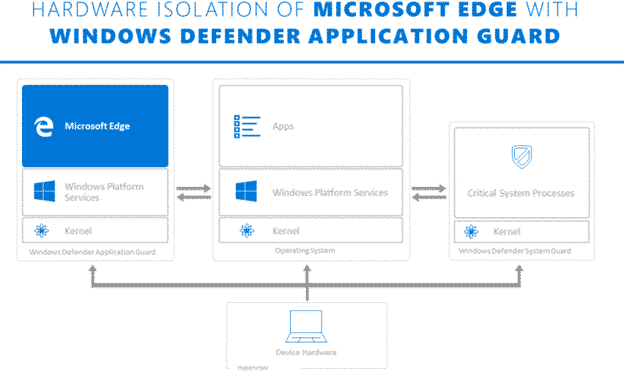
Microsoft is touting Application Guard as a defence against Office 365 macro viruses. What is it and will it truly prevent viruses in Word, Excel or PowerPoint documents? Application Guard is already in the Edge browser and Microsoft has announced that it will be extended into Office 365 sometime in
USB condoms are being promoted as protection against hackers. There are two different types but neither are necessary to protect your smartphone. Our global roaming boss suggests alternatives to protect against dangerous public USB sockets. Security researchers have discovered that it’s possible to hack into a smartphone via hacked USB
Oh what a tangled web Microsoft weaves …. a patch for Office has caused another bug in all versions of Access (365, 2019 back to 2010). The bug is the latest in a series of blunders for Office updates. It’ll take until next month for all customers to get a
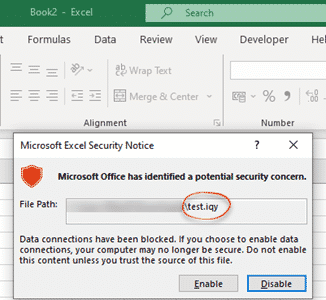
Here’s how to block .IQY web queries in Excel that are being used to infect machines with Buran ransomware. Yet again, a mostly forgotten part of Office is being used by hackers to get inside computers and networks. Suspicious Link (great name) found this nasty in an email. It pretends
The future of OneNote involves more connections to other services like Teams, Tasks and Todo. New features made possible by a big effort to bring OneNote code back to a single base. OneNote default installed OneNote 2016 for Windows will rejoin the Office 365 suite from early 2020. It will
A wonderfully independent article in the Washington Post reveals a big problem with the sale of fake and pirated products on Amazon. Our articles on fake Microsoft Office products is just a tiny part of a bigger problem. The Washington Post is owned by Jeff Bezos, the head of Amazon