Microsoft 365 – the subscription / annual fee plan for Microsoft Office on Windows, Mac, iPhone, iPad and Android.
Includes Word 365, Excel 365, PowerPoint 365, Outlook 365 and many other ‘365’ programs, apps and services.

Workbook Statistics finally in Excel
A long last, Excel is getting a quick summary of the workbook statistics including the bounds of the sheet, tables, formulas and external connections. Look on Review | Proofing | Workbook Statistics in Excel 365 for Windows or Mac. There are details for the currently selected sheet and the whole workbook. It’s similar to the […]

Adding Virtual Background or blurred video to Teams
It’s possible to add a virtual background of your choice to a Microsoft Teams video call or just blur the background for a little privacy. Microsoft hastily added some virtual background options to Teams but the whole calling part of Teams is still woefully inadequate. For example, many of the video settings aren’t selectable until […]
London virtual backgrounds for all
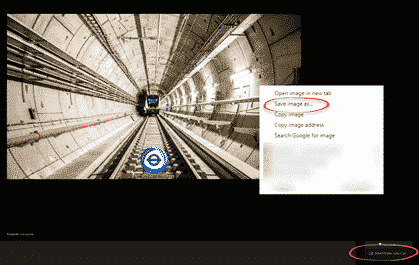
Transport for London knows some of us are missing our bus and tube journeys so they’ve made some virtual backgrounds you can use on Zoom, Teams or anywhere else that supports it. Or use as a background on a PowerPoint slide. Go to https://londonblog.tfl.gov.uk/2020/05/01/video-conference-backgrounds/ There’s ‘Sit in collection’, pretend you’re on a bus, train or […]

Excel worksheet with global COVID-19 stats – update
We’ve updated our workbook that imports the latest COVID-19 statistics and combines with population data through Excel 365’s Stock Data Type. No technical changes in the workbook but we’ve added a few more ‘interesting’ or outlier countries. Plus some repeat help tips. Download COVID-19 Global Statistics workbook there’s also a limited Excel 365 for Mac […]
Moving Average in Excel Charts
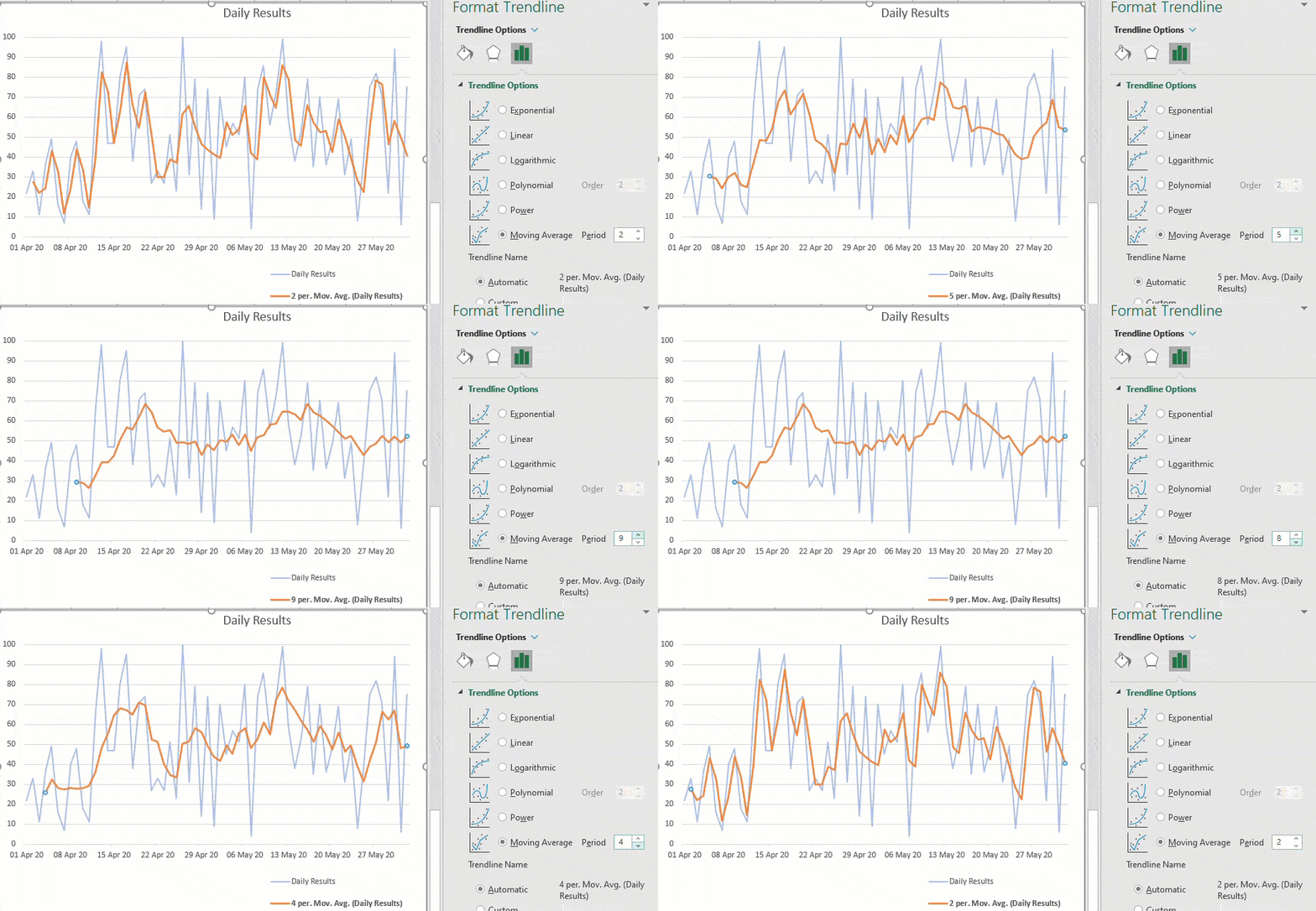
Adding a moving average line to an Excel Chart is very easy, just a few clicks, with many options. Any chart with a series of values over time will benefit from a trendline like a moving average. What is a moving average? An average / mean is a single value representing a list of numbers. […]
Microsoft Word – the song and video
It was only a matter of time before someone became so bored in the lockdown that they made a song about Microsoft Word. Ghetts, a British ‘rapper‘ (translation: singer/songwriter in the modern styling) has ‘dropped‘ (released) a song and video entitled ‘Microsoft Word’. As a boring white man in his sixties, the song is beyond […]
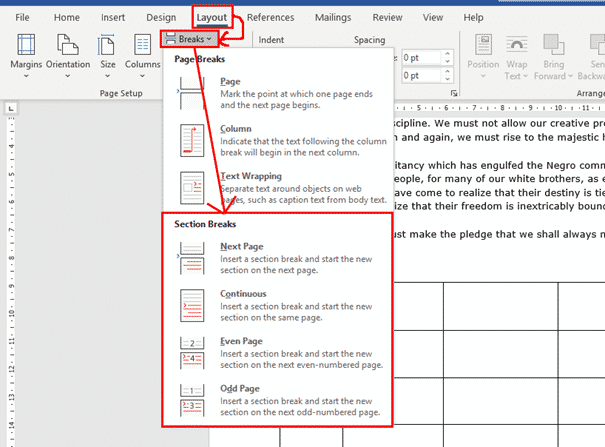
Section Breaks in Microsoft Word
Section breaks are probably one of the most useful features in Word when you are formatting complicated documents. They allow you to change formatting aspects that would otherwise be the same throughout a document, such as page orientation, margins, columns, headers and footers. Column changes (2, 3 or more columns) need Section Breaks before and […]
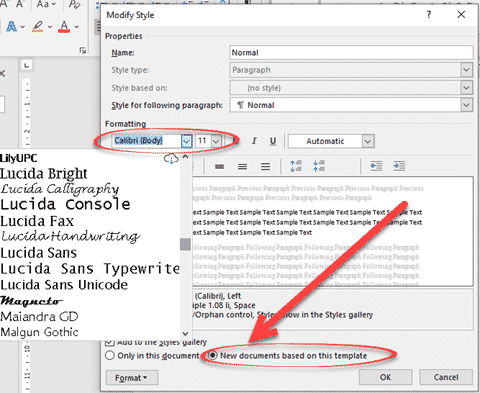
Two ways to make Word remember your preferred font
There are two ways to make Microsoft Word open with your preferred font ready to go. Just like with Two Ways to Change Word’s Opening Paper Size there are two ways to change the default or preferred font. Change the base Normal style or open the main Word template and make the change directly. Either […]

Search My Files is the better way to find files, PDF and Office documents
Nirsoft’s SearchMyFiles has received a major boost. It can now search inside Office documents and PDF’s. SearchMyFiles is the Windows search tool that should be included with Windows. It’s interface might be old-fashioned but all the options are visible, including some not available in Windows. Some of the highlights in Search My Files ‘Use Windows […]

Windows and Office are handling COVID-19 very differently
There’s big gap between the response of the Windows and Office parts of Microsoft to the coronavirus troubles. One team has understood the changed needs of customers and adapted; the other part of the same company is carrying on as normal and even taking advantage. Most people think that Windows and Office come from the […]

Single space after sentences now default in Word
Microsoft has changed sentence spacing default setting in Word 365. Now the default is set at a single space at the end of a sentence, not two spaces. You can still choose your own preference or stop the checks completely. Single sentence space vis double spacing is one of those details that people can get […]
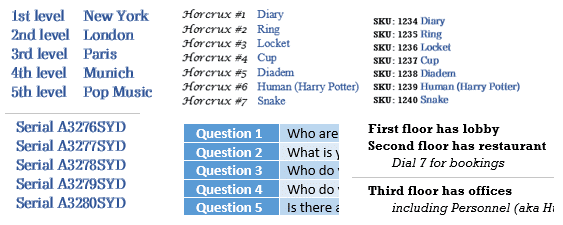
Word Numbered List tricks
Word numbered lists can do a lot more than simple 1, 2, 3 so here we’ll show you some better (1st, 2nd) and maybe unusual options (First Level, Second Place etc). All these and more are possible with Microsoft Word’s numbering plus a little knowledge and cunning. Numbering controls are spread across several different dialog […]

Format Painter with Shapes and gradients
Format Painter in Office will work to copy formatting between shapes which is very useful for complex Gradients. But they don’t always format copy in the way you’d expect. We’re obliged to Office-Watch.com reader, Lorelei, for pointing out that Format Painter can copy gradient fills in most but not all situations. To copy the formatting […]
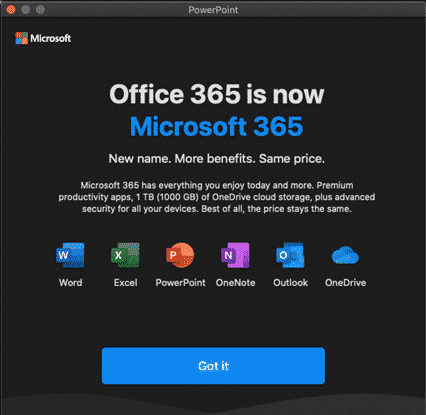
Microsoft 365 with ‘more benefits’ – where?
A pop-up message to Office 365 / Microsoft 365 says there are ‘more benefits’. Are there extra benefits in Microsoft 365 or is it more Microsoft hype? This dialog appears after an update to Office 365 …. Office 365 is now Microsoft 365 New Name. More benefits. Same price. Microsoft 365 has everything you enjoy […]

Six shortcuts for horizontal lines in Word and stopping them!
Word has six shortcuts to make horizontal lines, here’s how they work, change them, color the lines and how to stop lines when they get out of control. All six line shortcuts There are six horizontal line shortcuts. For each one type the same character three times at the start of a new line then […]
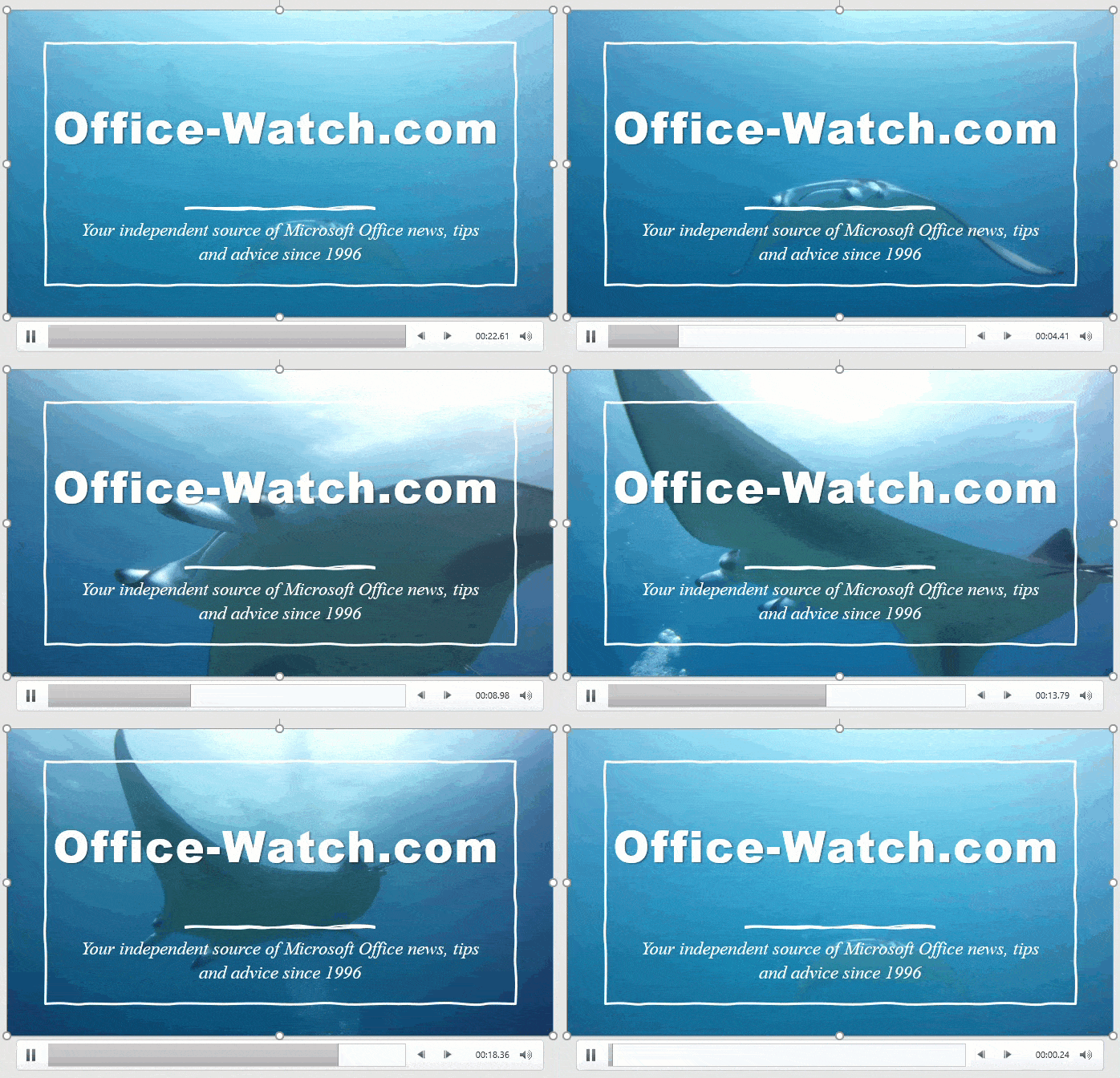
Why PowerPoint Video Backgrounds Should Be Banned
Microsoft is pushing video backgrounds to PowerPoint slides, but they really are a bad idea and should be banned from slide decks. Designer’s Design Ideas will start with a background video. Microsoft loves showing off these moving backgrounds because they impress people at demonstrations. Moving backgrounds are not a good idea because they distract the audience from the presenter and […]