Microsoft 365 – the subscription / annual fee plan for Microsoft Office on Windows, Mac, iPhone, iPad and Android.
Includes Word 365, Excel 365, PowerPoint 365, Outlook 365 and many other ‘365’ programs, apps and services.
Microsoft Launches Cheaper Microsoft 365 Copilot Business, AI Add-On for Small Organizations
Microsoft 365 is introducing a new add-on tier called Microsoft 365 Copilot Business, a lower-cost, small-business friendly version of its AI assistant for organizations from one to 300 users. Copilot Business has the same core AI capabilities found in the standard Copilot license, including smart writing, data analysis, and automation across Word, Excel, PowerPoint and […]

Left arrow ← in Word, Excel, PowerPoint and Outlook
Type the Left arrow ← into Microsoft Word, Excel, PowerPoint or Outlook. Both in Office for Windows and Office for Mac. The official Unicode name is ‘Leftward Arrow” ← but it can be called ‘Left pointing’ ‘Left facing’ or just ‘Left Arrow’ See also Right arrow → symbol in Word, Excel, PowerPoint and OutlookLeft Right arrow […]

Add Rows Above or Below a Dynamic Array in Excel
If your Microsoft Excel workbook uses dynamic arrays, you might have run into a common frustration: adding a heading or a total below (or above) the spilled list often triggers a #SPILL! error or leaves awkward gaps when the list expands/contracts. It’s easy to “stack” your dynamic array with extra rows along such as a […]

Why It’s Suddenly Harder to Use Classic Outlook — What’s just changed
More than ever, users of Outlook (classic) are running into friction — even when they select it. The newest updates from Microsoft cause the email-client designated “Classic Outlook” to start New Outlook for Windows instead. What once was a stable, always-available legacy interface is increasingly disrupted, making the once-familiar Classic Outlook experience harder to maintain. […]
Excel Attachments Failing in New Outlook — What You Need to Know
Users of the new Outlook for Windows are running into a frustrating bug: certain Microsoft Excel attachments simply won’t open — instead, they trigger the vague error message: “Try opening the file again later.”. Here’s how to bypass the bug. Some users are finding themselves locked out of Excel attachments in the shiny new Outlook […]
Microsoft Word Speaks! Audio Feedback for 60+ Keyboard Shortcuts
The latest update to Microsoft Word brings a major accessibility boost: Word can now speak when you use over 60 keyboard shortcuts. This new audio-feedback feature means that, when you press a supported shortcut, Word will audibly confirm the action — helping users who rely on screen readers or simply prefer audio cues to navigate […]

4 AI Models Explained: What GPT, Gemini, Claude and Copilot can do for you
AI models explained for you. Confused by all the buzz around ChatGPT, Microsoft Copilot, Google Gemini, Claude and other AI-branded tools? Who’s building the underlying models, which ones power which services, and how they differ in technology and real-world strengths. They are all part of the same general AI landscape, but they’re not all the […]
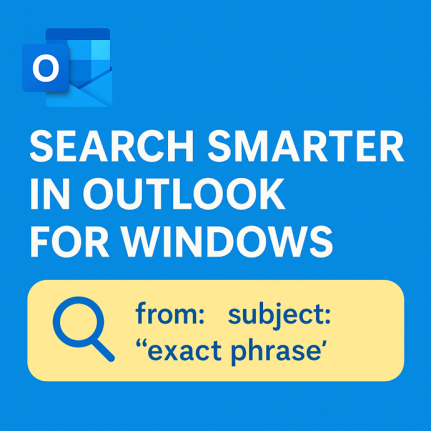
Mastering Search in Outlook for Windows
Searching in Outlook for Windows (“new” Outlook) might look as simple as typing a keyword into a search bar, but there’s a surprising amount of power under the hood. The search function can comb through email subjects, message bodies, attachments, contacts, and files. To effectively search Outlook for Windows, understanding its unique functionalities is crucial. […]

Get Up to 11 TB: How to Add More Microsoft OneDrive Storage to Your Microsoft 365 Plan
If you want to know how to Add more OneDrive storage to Microsoft 365, the process is straightforward and can greatly enhance your productivity. You now have the option to expand, for a price. Microsoft 365 Personal or Family customers can buy more cloud storage: 200 GB, 1 TB, 5 TB or even 10 TB, […]

Find & Copy Thanksgiving Emojis
Looking for the perfect holiday emoji for your document, slide or email? This quick-and-easy list from Office Watch offers a searchable collection of Thanksgiving-themed symbols that work across Windows, macOS, iPhone and Android. These emoji are supported (with different looks) on Windows, iPhone, iPad and Android devices. Unicode value (hex) The Unicode value column lets […]

Create Dynamic array Excel Drop-Downs in Minutes
If you’re working in Microsoft Excel and want a drop-down list from a dynamic array you have to use a workaround because the direct method for fixed arrays doesn’t work for dynamic arrays. Here’s the simple workaround to use a dynamic array function to generate a list of unique values from a data table, and […]
Get more for Excel’s GROUPBY() with These Powerful Tricks
Unleash the full potential of Excel’s GROUPBY() function, the game-changer for summarising data in Microsoft Excel. While GROUPBY() seems simple at first glance, clever combinations with other functions open up advanced capabilities: multi-level grouping with automatic subtotals, creating multiple summaries in one formula, custom headings, and even pulling results into other parts of your workbook […]

Master ExcelGroupBy(): Your Fast-Track to Smarter Data Summaries
Unlock a powerful way to condense and summarise your tables in Microsoft Excel: the GroupBy() function. With just three parameters, what to group, what to summarise and how to combine, you can create dynamic tables that instantly calculate sums, averages, counts, medians and even custom LAMBDA definitions. Both Groupby() and PivotBy() are in Excel 365 […]

How to add a Picture with Text Wrapping in Microsoft Word – Simple Steps for Text Flow
Want to make your document look polished by having an image neatly enveloped by text? In this quick tutorial, you’ll learn how to insert a picture into Microsoft Word and apply proper text-wrapping so it can sit on the left, right, center or anywhere – and stay there. Let your text flow around a graphic […]

Microsoft 365 Install Bug Resolved After a Week of Delays
After a frustrating week of waiting, users of Microsoft 365 finally received relief when the company patched a critical installation bug that had been affecting both home and business clients. The issue, which caused installs to stall or fail entirely, has now, finally, been addressed by Microsoft allowing users to proceed with installations and updates […]
More Copilot coming to Microsoft 365 business customers
Microsoft has announced a major expansion of its AI assistant capabilities for businesses. There are Copilot features coming to most volume licence plans for no extra charge. A new “Copilot Business” bundle for small businesses. Plans will gain access to advanced features including Agent mode in Word, Excel and PowerPoint, a new “WorkIQ” intelligence layer. […]









