Microsoft 365 – the subscription / annual fee plan for Microsoft Office on Windows, Mac, iPhone, iPad and Android.
Includes Word 365, Excel 365, PowerPoint 365, Outlook 365 and many other ‘365’ programs, apps and services.

More free Copilot tricks for Microsoft Office users
You don’t need to pay for Microsoft’s AI service, Copilot, to get some of its benefits in Microsoft Office, especially Word, Outlook and Excel. Try converting text to a table or vice versa. The trick to grabbing text from an image. Along the way you’ll also discover some of the limits and problems with the […]
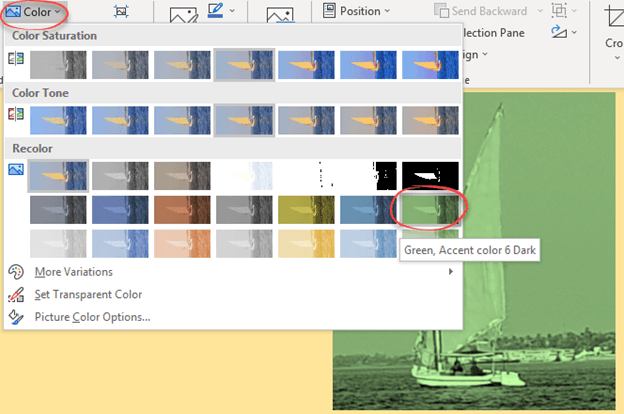
Change a picture to a custom color in Office
Don’t miss this often overlooked Office trick, changing the color of an image or graphic in Word, Excel, PowerPoint, or Outlook. We did this in our article about inserting Prince’s ‘Love Symbol Number 2’ in Office documents. The image is available in various formats but always black, not purple. As usual, there’s more to color […]

Excel’s data from picture!
The nifty Excel ‘Data from Picture’ feature is in all Excel 365. It’ll convert a picture of text & numbers into a worksheet … almost. And there’s alternatives if you don’t have Microsoft 365. Data from Picture is already all versions of Excel 365 for Windows and Mac and Excel Mobile apps for iPhone, iPad […]

What to do about 30088-27 errors on Office install
Some Microsoft 365 and Microsoft Office users have been getting “30088-27” errors when trying to update the app in the past month. Users of Click-To-Run (C2R) versions of Office 2016, 2019, and 2021 are affected as well as Microsoft 365 when updating to Office version 17726.20126. The update error says there was a problem looking […]

Clipchamp now for work accounts
Clipchamp, Microsoft’s simple video editor, now allows business users to use their Windows app as well as the browser based interface. Originally, Clipchamp was only available to personal Microsoft accounts. Later business and school accounts could use https://app.clipchamp.com/ in Chrome or Edge browsers. Now the Clipchamp app for Windows is available to work, school, personal […]

All about “Please check your network connection and try again” errors
Many of us have seen the error message “Please check your network connection and try again” when the Internet is definitely available. What does this Office or OneDrive error message really mean and what can you do to fix it? This error message appears in Microsoft Office help and other places like OneDrive. “Sorry, something […]

12 better ways to move around a Word document
Here are 12 suggestions and shortcuts to let you navigate a Word document faster. Word has many ways to navigate a document, most of which are hidden away and not obvious to the casual users. Once a document gets past a few pages, you need options for moving around that document quickly. Here’s some tips […]
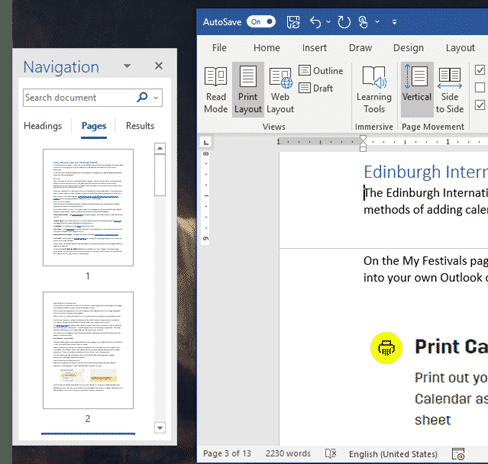
Word Navigation Pane tricks and hidden options
The Navigation Pane is a great part of Word for Windows and Mac. Don’t miss on the hidden features because there’s more in that side-pane than the obvious. Navigation Pane is the best and fastest way to move around a document. It’s available in Word for Windows (Microsoft 365 and Office) while the Word for […]

Microsoft 365 gets better Open Document compatibility
Microsoft 365 is updating their OpenDocument format support to v1.4 which will improve compatibility with other software like LibreOffice. OpenDocument Format (ODF) is the International Standard for saving documents (ISO 26300 if you’re keeping score). It’s similar to the Microsoft Office formats in their basics of being XML based with ZIP compression. After initially joining […]

Bald Eagles aplenty in Microsoft Office
There are ten different bald eagles in Microsoft Office alone, as icons, stock images or even a 3D model, plus many other sources for photos and graphics online. We’re focusing here on the bald eagle (Haliaeetus leucocephalus) which is native to North America and a US National Symbol. There are many collective nouns for eagles …. […]
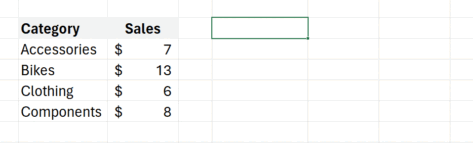
Python in Excel gets closer to public release
Python power in Excel 365 is getting closer to full public release. It’s now available for Microsoft 365 Current Channel (Preview), the last step before going out to all users. Python in Excel is possibly the most important improvement to Excel for a long time. All the power of Python libraries and code samples can […]
Why Microsoft’s slow hacking notices should worry everyone
Microsoft is slowly and discreetly notifying customers who have had their data hacked, more than SIX months after the theft occurred. Even the email notice was poorly worded so some people thought it was a fake. Their response should worry everyone who uses their cloud services. Back in 2023 Microsoft’s systems were hacked by a […]

Outlook for Windows gets a name change, at last
Outlook for Windows is about to become Outlook (classic). We’ll explain why the change is necessary and should have happened last year. The current Outlook for Windows is being renamed “Outlook (classic)” or more properly “Outlook (classic) for Windows”. That will properly distinguish it from the new, still in development, Outlook (new). Despite being a […]
Microsoft might cop a HUGE fine for EU antitrust violations
European Union officials have announced preliminary findings that accuse Microsoft of antitrust violations and could cost the company $211 Billion. The tech giant is under scrutiny for allegedly integrating its Teams application with Microsoft Office and Microsoft 365, a move that may breach EU competition laws. A competitor, Slack, alleges that Microsoft gave their rival […]
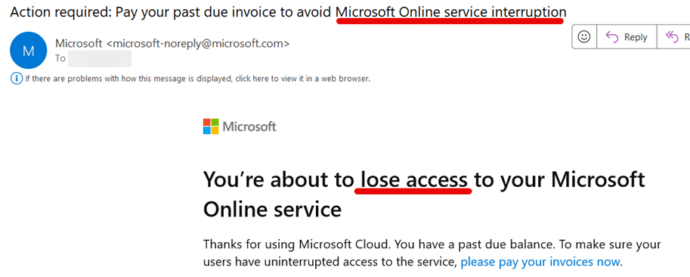
Will Microsoft 365 stop working if the plan is not paid?
How long will Microsoft let you use Microsoft 365 if you don’t pay by the due date? Will the subscription service just stop on the due date or is there a ‘grace period’. We wondered how patient Microsoft would be if a Microsoft 365 Business plan wasn’t paid by the due date? So we held […]

See the world’s top companies in Excel
In Excel 365 you can list the world’s top companies and their market capitalizations including the shortlived leader, NVIDIA. NVIDIA have a lock on the supply of AI related hardware and so their stock price has dramatically risen. ‘Dramatic’ is an understatement because NVIDIA briefly jumped over Microsoft and Apple to become the world’s largest […]









