
Share your Office documents from Dropbox
OneDrive isn’t the only choice for sharing Office documents. Dropbox can also share Word, Excel or Powerpoint documents including real-time collaboration. The Dropbox and Microsoft Office integration allows users to open, edit, and save Office files directly from Dropbox. Use either Office apps on the web (Office Online) or modern Office/Microsoft 365 desktop apps. You […]
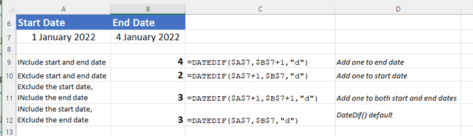
The hidden trap in Excel’s DateDif()
There’s a hidden trap in Microsoft Excel’s DateDif function that rarely gets a mention and is too easy to overlook. DateDif() is a long-standing Excel function that returns the duration between two dates. It’s not a ‘full’ Excel function because it was added for compatibility with Lotus 123 and has a known bug. Despite that, […]
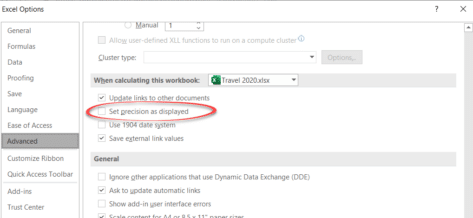
The big difference between what Excel shows and what Excel knows
Understanding the difference between Excel’s stored value for a cell and its displayed value is important. It happens a lot and can make a big difference to the results. Back in the day we detailed a bug in Excel 2007 where the wrong number appears on the screen yet Excel ‘knows’ the right value for […]
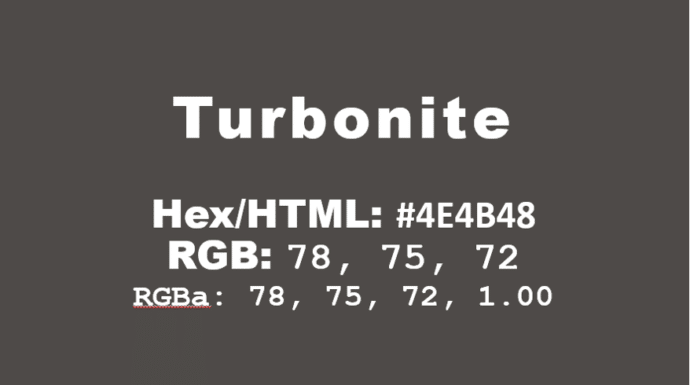
How to get the official Porsche color in Word and Office
How to get the official Porsche color “Turbonite” in Microsoft Office for Word documents, PowerPoint slides and more. The color has been announced by Pantone with the code PMS-2336-C. Porsche Turbonite is described in the usual flowery terms by Pantone: Turbonite color codes It’s easy to apply the Turbonite color to Office documents using these […]
Excel blooper history – mistakes by users and Microsoft
Excel is now 40 years old and it’s capable of some amazing things. Let’s not forget some of the mistakes made by users and serious bugs by Microsoft along the way. First a reminder of some Excel bugs and how Microsoft never seems to learn from their mistakes. Excel bug adding rows and columns Back […]
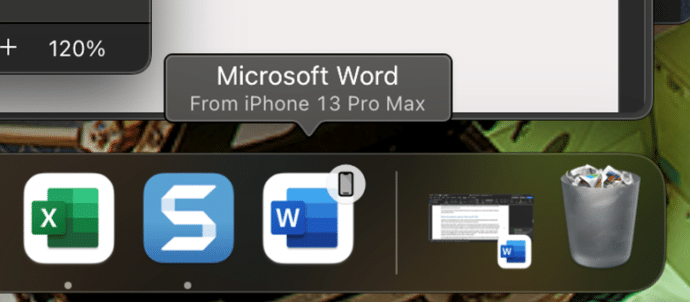
Apple Handoff now in Word, Excel and PowerPoint
Microsoft 365 for Mac can now use the Apple Handoff option to pass a document between a Mac computer, iPhone or iPad. We’ll also explain how to get a similar feature on any combination of devices Apple or Android. Apple Handoff lets you pass control of an open document between Apple devices. For example a […]

Halloween icons and symbols for Word, Powerpoint and more
Quickly add a Halloween ghost, pumpkin, witches’ hat and more to your Outlook email, Word document or PowerPoint slides which have many in-built icons, graphics and pictures to enhance your “All Hallows’ evening” Icons, Stock Images, Stickers and Illustrations are all available in Microsoft 365 for Windows or Mac. Some Icons are also available in […]
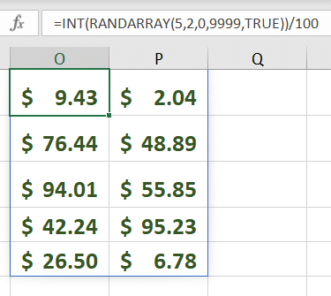
RandArray – Excel’s best way to get random numbers
My ‘go to’ way to get random numbers in Excel is the new-ish RandArray because can do everything that Rand() or RandBetween() can and more. RandArray() fills cells with random numbers for as many rows and columns as you want. It’s in Excel 365, Excel 2024 and Excel 2021. The most basic version of the […]
Excel in Fiction
Excel is everywhere including in crime fiction here’s some examples. Jo Livingstone has compiled some excerpts from novels that mention Excel. “George spent the next week glued to the chair in front of his computer, plugging new figures into his Excel spreadsheet, moving them about from column to column like some elaborate chess game.” “Safety […]

Straight lines and neater drawn shapes in Office
If you’ve used OneNote recently, you’re probably aware of the feature allowing you to draw shapes and make lines straight. Then Word for Windows got “Draw and Hold”. Now Excel and PowerPoint can draw straight lines and draw neat shapes (circle, square and more). We’ll explain how it works and how it’s different to the similar […]
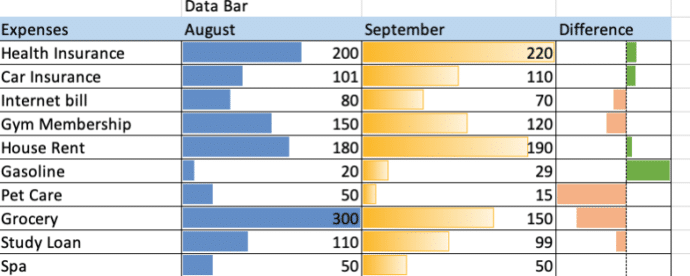
Make simple bar charts with Conditional Formatting
Excel can make bar charts in-cell without bothering with the full Chart system. Despite what you might have seen, there’s plenty of options in Excel Data Bars. The usual example of Excel Data Bars has the colored bar in the same cell as the value. In this article we’ll show how it’s possible to have […]
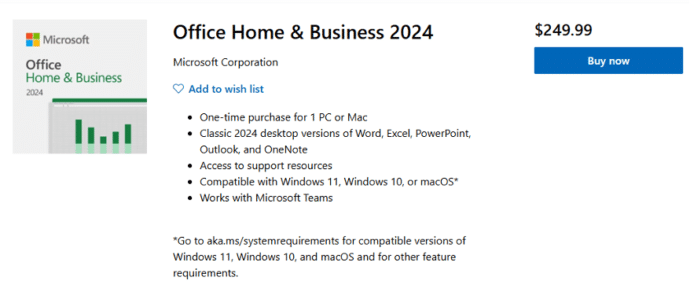
Office 2024 is now on sale
The new version of Microsoft Office 2024 is now on sale to the general public all around the world. This is the ‘perpetual licence’ or single purchase release with no subscription fee. Office 2024 is now available direct from Microsoft.com and some retailers at the same prices as Office 2021. See All about Office 2024 […]

How to correctly spell Brontë in Microsoft Word with the diaresis
An 85-year-old blunder has just been fixed at Westminster Abbey to change the spelling to Brontë with the important diaresis. Here’s how to type an ë in Word and other matters arising. Here’s how the memorial to the Brontë sisters looked in Poets Corner until a few days ago. For 85 years this memorial, seen […]
Microsoft Office and the “Dialog from Hell”
A short video which brings up some interesting points in the early development history of Microsoft Office, some might surprise you. Microsoft Office started as separately sold products (Word, Excel, PowerPoint and Outlook) and only gradually did they become an integrated package with shared components, consistent interface and some interconnections. See the whole video on […]
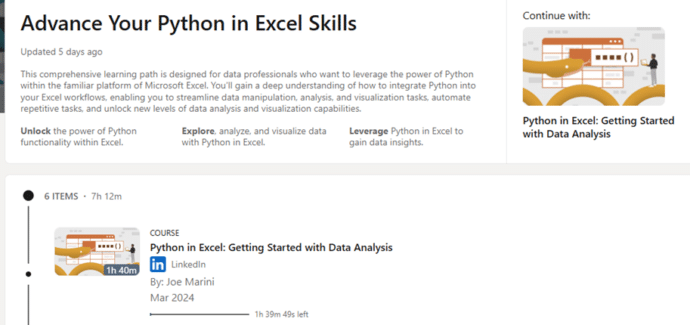
Limited-time offer: Free Python in Excel classes
While it lasts, check out some free classes about Python in Excel for better data analysis, DataFrames, charts & visualizations and machine learning. We’re a big fan of Python in Excel and these lessons should help those of us who haven’t yet caught the Python bug. Advance Your Python in Excel Skills, will be available […]
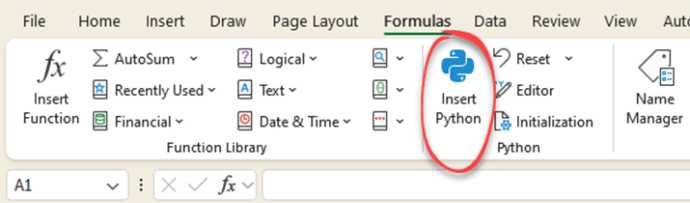
Python in Excel is now available to ‘all’
Excel 365 now has Python features included for all business and enterprise customers with a Microsoft 365 software licence Python is a powerful programming language with many great libraries of tools for analysis and charting. It’s a massive extension to Excel that we’ve already raved about. Python Editor for Excel is out and essential Excel […]









