Why bother with bulk conversion of old Office documents to new formats
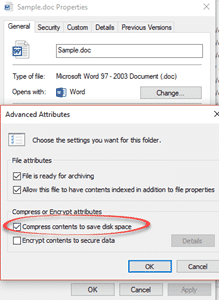
Should you even bother bulk converting old documents (.doc .xls .ppt) into the newer Office formats (.docx .xlsx .pptx etc.)? It’s tempting to look at your older documents (doc etc) and think about converting them into the newer Office formats. There’s some advantages to conversion but it’s more difficult than you might expect and probably […]
Why you should delete .doc .xls or .ppt files
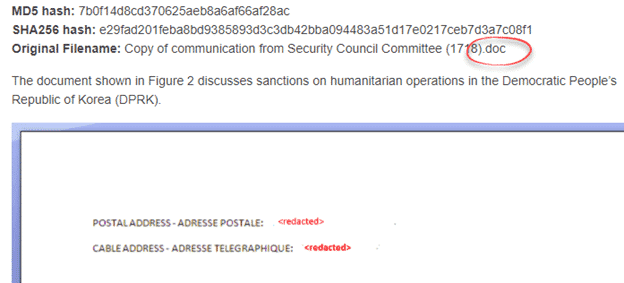
If we’ve said it once, we’ve said it a thousand times … ignore or delete any .DOC .XLS .PPT files you get via email or shared. The main carrier of virus infection is Microsoft Office documents, a fact that Microsoft doesn’t like to talk about. What Microsoft doesn’t say is that the major source of […]

Should you submit to Microsoft?
What should you do when Microsoft asks to see one of your documents? Submit the files or not? There’s no easy answer when Microsoft asks to see a file from your computer for their anti-virus system, Windows Defender. Do you send the files or not? This can happen with Defender hits a file that seems […]

What is the cloud and what does it have to do with Microsoft Office
You’ve all heard about “The Cloud” as if everyone knows what it is. It’s clear from recent reader messages that not everyone knows about The Cloud. Or they think they know. Or they don’t realize how much the cloud can and will do. Office-Watch.com explains the cloud and how it applies to Microsoft Office. What […]

Sync your Office Recent Documents between devices
Timeline was a new feature in Windows 10. It was a way to see which documents and files you’ve opened across all your devices. What you won’t hear is that Office already has a similar feature. The Office team has already synchronized the Open / Recent Documents lists across Word, Excel and PowerPoint for PC, […]

Microsoft security holes at record high even in the latest Word, Excel and PowerPoint
A new report confirms what most Microsoft Office customers know; there’s more security patches in Microsoft products, despite years of promises. Not just the latest Word, Excel and Powerpoint but even new products like the Edge browser are increasingly vulnerable. An Avecto report shows 87 vulnerabilities in 2017 – a record high. A dozen of […]
Dropbox document sharing with Microsoft Office
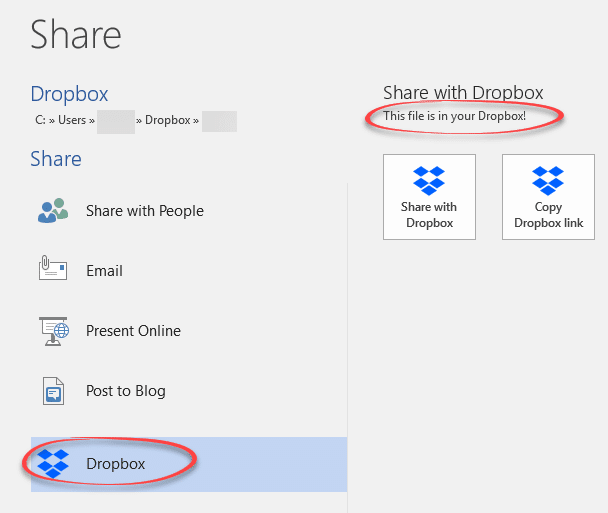
Here’s how to share Microsoft Office documents (Word, Excel or PowerPoint) for viewing or editing via Dropbox. Document collaboration works a little differently in Dropbox compared to OneDrive. There are different methods and limitation for sharing on Dropbox. We’ve already shown how to install Dropbox, enabled the Microsoft Office Online features and use the Dropbox […]
Dropbox Badge, a collaborative tool in Microsoft Office Windows and Mac
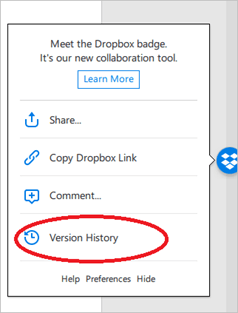
Dropbox Badge is their document collaboration option that provides Dropbox specific features inside Microsoft Office programs, It works with a refreshingly wide range of Office version. Microsoft Word, Excel and PowerPoint for Windows and Macintosh. Office 2007 to 2016 for Windows. Office 2011 and 2016 for Mac. It only works with ‘modern’ Office document formats […]

ShurL0ckr ransomware gets past Microsoft and Google to infect cloud
BitGlass and Cylance have found some new ransomware called Shurl0cker that managed to fool both Google and Microsoft’s scans to arrive on their customers cloud storage. According to the researchers: “Two well-known cloud platforms with built-in malware protection, Google Drive and Microsoft Office 365, failed to identify the ransomware. In addition, Bitglass tested VirusTotal, a […]

Dropbox Folders and Versions
Dropbox stores not just your current documents but past versions too. Let’s drill down and see how to dump your files in the Dropbox and what does Dropbox do to make life easy? I have created a folder in my Dropbox named “Projects”. It contains some of my work assignments that I have been working […]

Open an Office document from the Dropbox web site
If you’re browsing your Dropbox account at their web site, select a document then look at the Open menu for options. Copy to Paper – Paper is Dropbox’s own online collaboration tool. Open in Word 2016 – the Dropbox site has detected the presence of Office 2016 on the computer. Microsoft Word Online – opens […]

Adding Dropbox to Office Online
Adding Dropbox to your Word Online, Excel Online or PowerPoint Online place list saves some extra steps. Then you can quickly open, create, modify and saves files to your Dropbox. To add Dropbox to Office Online: Go to OfficeOnline.com (https://www.office.com/), open Word, Excel, or PowerPoint Online. Click Add a place, under ‘Open from OneDrive’. Select Dropbox. You will […]

Installing Dropbox into Microsoft Office
Dropbox has integration direct into Microsoft Office 2016 for Windows It’s best to install the Dropbox app (https://www.dropbox.com/install) on your devices. Of course, you can always access the Dropbox website https://www.dropbox.com from any laptop, computer or smartphones and tablets. Once Dropbox is installed on your desktop, you’ll notice a new Dropbox folder on your hard […]

Better OneDrive and Office apps iPhone and iPad
The latest Word, Excel, PowerPoint and OneDrive apps for iPhone and iPad have some genuinely good and useful changes. iPad users are the main beneficiaries of the changes. If you push past the usual Redmond buzzwords ‘collaboration’, ‘co-authoring’, ‘create’, ‘experience’, ‘delight’, ‘productivity’, ‘from the ground up’ and the ever present ‘excited’ there are some changes […]

Improved Office translation for Hindi, Bengali/Bangla and Tamil
Microsoft has announced better Hindi, Bengali (Bangla) and Tamil online translation using AI enhancements in Microsoft Office, Bing and other online services. The company has dropped their latest buzzwords like “artificial intelligence” and “deep neural networks” but what does it really mean for Microsoft’s customers? Our headline translated into Hindi, Bangla and Tamil, according to […]

Office desktop now available via Microsoft Store for Windows 10
After a seven month testing period, Microsoft Office desktop programs are available for Windows 10, especially Windows 10 S users via the Microsoft Store. Until now, the cheaper Windows 10 S machines could only run the ‘Mobile’ or UWP apps not the full-featured Office desktop programs. Now Word 2016, Excel 2016, PowerPoint 2016, Outlook 2016, […]