All about Microsoft Office for Apple Mac. Word, Excel, PowerPoint, Outlook on macOS, Microsoft 365 for Mac, Office 2021 for Mac and earlier versions.
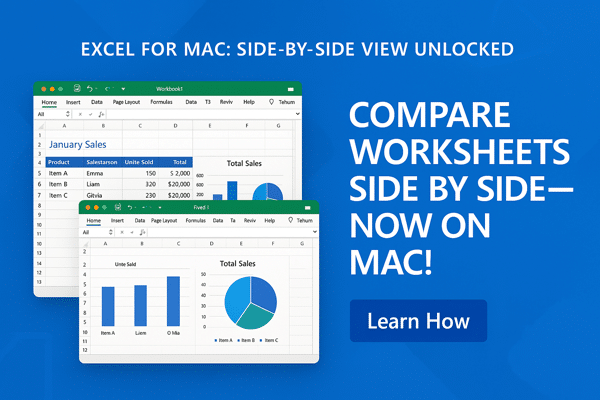
Excel for Mac Finally Learns to Multitask (Sort of)
Good news for Excel on Mac users who like to “live dangerously” with more than one worksheet at a time. Excel for Mac is finally catching up with Windows to view multiple worksheets from the same workbook side-by-side. No more tabbing back and forth like you’re playing Whack-A-Mole with your data. Historically, Excel for Mac […]
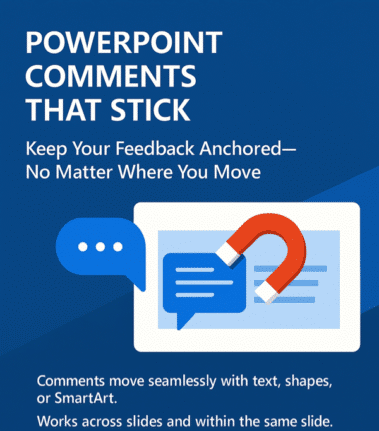
PowerPoint’s Newest Trick: Comments That Stick Like Glue
Ever felt like your PowerPoint comments had a mind of their own, wandering off when you moved content around? At long last, PowerPoint has learned a new trick: keeping comments ‘sticky’ attached to their content, no matter where you paste it. Previously, moving content in PowerPoint was like playing a game of hide-and-seek with your […]
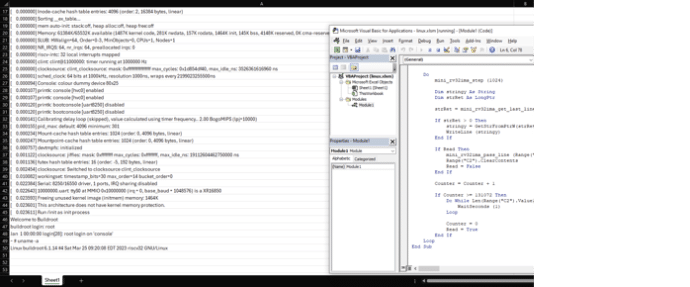
Run Linux from Excel? Yes you can!
A tech enthusiast named has achieved the improbable: running the Linux operating system within Microsoft Excel. It’s a clever trick that no-one has been asking for. The 18-year-old named NSG650 created a project, aptly titled “Linux In Excel,” transforms the spreadsheet application into a minimalist Linux terminal. Opening the provided ‘linux.xlsm’ file in Excel, users […]

Excel data galore for the Australian election
Data nerds can have a lot of fun with the Australian election which has a lot of Excel compatible data for the 2025 and past elections. Daily updated stats as 2025 vote counting continues. Australian federal elections are run by an independent body, the Australian Electoral Commission. The AEC manages voting not just across Australia […]

Avoid Date and Number Mistakes with better data conversion in Excel 365/2024
Excel 365 and Excel 2024 let you control automatic text data conversions with stop mistakes creeping into your sheets. Whether you’re opening a CSV file or pasting from the web, you can now decide how Excel handles your text, numbers, and dates—finally putting you in charge of your own data. Opening .csv files directly in […]
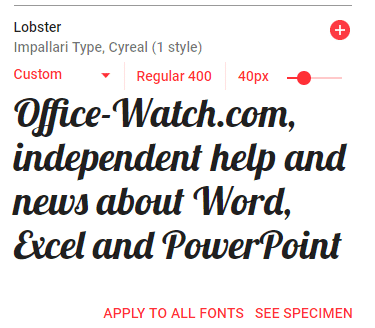
Free Google Fonts in Office: A Simple Step-by-Step Guide
Google offers a great variety of free open-source fonts that can be used in Microsoft Office, Windows or Mac. You just need to know the right trick to access them for Word, Excel or PowerPoint. Over 1,800 Google Font families There are 877 1,816 Google Font families currently available at https://fonts.google.com Google Fonts are intended […]

Score with Solid and Hollow Emoji in Excel
Display scores or ratings visually in Excel using solid and hollow emojis or symbols, you can use a combination of simple formulas and conditional formatting. This approach is useful for representing ratings, progress, or performance in an intuitive and engaging way. With a little Excel trickery, you can show multi-colored symbols with alternates for the […]

Copilot Word 365 Document summary gets better, for some
Microsoft 365 Copilot is improving their document summary feature in Word across Windows, Mac, and the web for some customers. Still no mention of the feature that Word Copilot users really want! Copilot Summary appears at the top of Word documents, whether you like it or not. It can be a useful way to get […]

Convert Office docs to text with Markitdown
Check out this clever Python tool that converts Word documents, Excel sheets, PowerPoint decks and PDFs into a plain text format. Markitdown is a Python library released by Microsoft via Github, converts many documents into nearly plain text (called MarkDown). It’ll convert all these formats into text. Some conversions need extra pip flags like ([pdf], […]
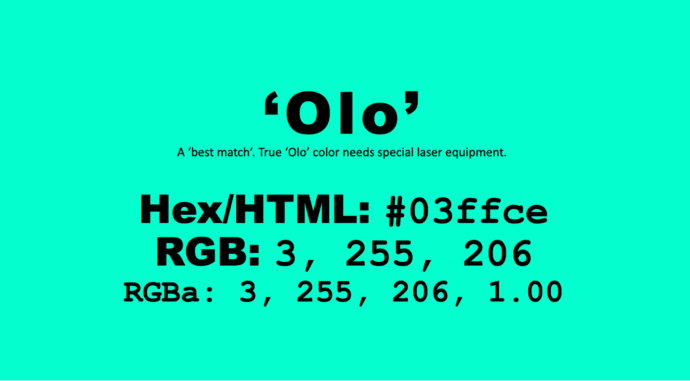
Get the new color, Olo, in Microsoft Office
There’s a special new color called ‘Olo’ developed by scientists in Berkely, California. The nearest match to Olo is possible in Microsoft Office, including Word and PowerPoint. Olo can only be seen with help from a special laser that fires the color into the eye. It’s claimed to extend human color perception into more saturated […]

Microsoft cloud services move to a new domain for a good reason
Microsoft has moved cloud services to a special domain .cloud.microsoft which is a good thing that gives us all a little more confidence in their online services. Microsoft’s services are a dreadful jumble of domains, mostly .com but also some .net. And there’s no consistency with Sharepoint and ClipChamp having its own .com (sharepoint.com clipchamp.com) […]

Adding a message to a PowerPoint ‘envelope’
Here’s how to make a message (letter or card) to make it ‘appear’ from a PowerPoint envelope graphic. This message can be personal or professional, depending on your preference. In Make your own Envelope graphic for PowerPoint we showed how to make an ‘open envelope’ graphic in PowerPoint with some clever use of the Office […]

Make your own Envelope graphic for PowerPoint
An envelope graphic—crafted entirely in PowerPoint! It’s a versatile design element that works for both personal and professional needs. Whether you’re communicating with customers, making special announcements, or enhancing presentations with a creative touch, an envelope icon is a powerful visual asset. It can also be used effectively to showcase images in business presentations. We’ll […]
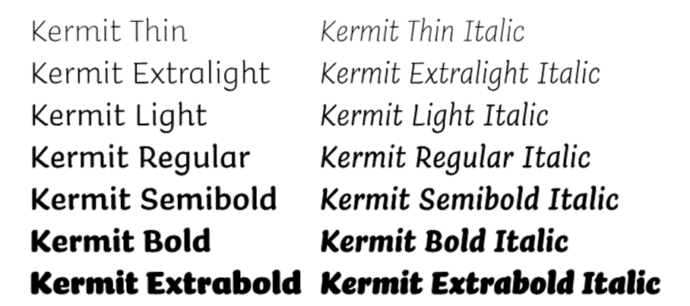
Check out Kermit the font
Microsoft 365 has introduced ‘Kermit,’ a new typeface specifically crafted to make reading more accessible and enjoyable for young audiences. Kermit the font aims to address the challenges faced by early readers, including those with dyslexia but has uses for everyone. Developed in collaboration with the type design studio Underware Kermit font is a casual […]

Important changes for your Microsoft and Outlook.com email
Emails you want to see might end up in Junk Email as Microsoft imposing new standards to ensure emails are legitimate. Microsoft isn’t allowing any way to bypass their new rules for emails you want. The new standards apply to senders but there are important and less well promoted effects for anyone using Microsoft hosted […]

Paste Text Only, Word shortcut change and confusion
Paste text into Microsoft Word without unwanted fonts, colors, or styles can save time and frustration. There’s a (relatively) new keyboard shortcut to do that directly. This guide breaks down all the changed keyboard options made to make room for a Paste Text Only shortcut in Word on Windows and Mac. New Paste Text only […]









