All about Microsoft Office for Apple Mac. Word, Excel, PowerPoint, Outlook on macOS, Microsoft 365 for Mac, Office 2021 for Mac and earlier versions.

Office for Mac has KeyTips: Faster Keyboard Navigation
Microsoft quietly added KeyTips to Office for Mac, giving users the same faster, keyboard-driven access to the Ribbon that Windows users enjoy. The long-awaited feature brings Mac users a little closer to parity with Word, Excel, OneNote and PowerPoint on Windows. It’s another “About Bloody Time” late innovation from Microsoft. Office for Windows has Keytips […]

All your Paste choices in Microsoft Word
Pasting text into Microsoft Word can quickly turn a clean document into a formatting mess. Fonts change, spacing breaks, and styles multiply without warning. This guide explains the best ways to paste text into Word while keeping your document consistent, professional and how you want it, whether you’re working from a website, email, or another […]

All About the Word Status Bar, Hidden Power Tools in Microsoft Word
The bottom row of Microsoft Word holds far more than you might expect: the Word Status Bar, often overlooked, delivers a wealth of live information and quick shortcuts. From basic page and word counts to document editing modes, cloud-sync statuses and accessibility warnings, it can be fully customized to match your workflow. Click them to […]

Zoom Options in Microsoft Word: Every View Setting Explained
Zoom options in Microsoft Word control how a document appears on screen without affecting its actual size or layout. This guide explains all zoom settings in Microsoft Word, where to find them, and how each option helps when reading, editing, or reviewing documents in a way that suits you. By choosing the right Zoom option, […]

Office 2024 for Windows & Mac: Features, Pricing and Everything You Need to Know
Office 2024 is Microsoft’s latest standalone productivity suite for Windows and Mac, with a one-time no-subscription purchase for Windows or Mac. Office 2024 includes Word, Excel, PowerPoint, OneNote, Outlook (in Home & Business), and more, with performance, UI updates, and feature enhancements drawn from recent Microsoft 365 developments. This guide covers features, pricing, system requirements, […]

When Spam Messages Still Get Through, Even with Modern Email Protection
Sometimes even obvious spam and phishing messages reach inboxes despite Outlook’s advanced filters, AI detection, and stricter security rules. Here’s one 2026 example and how Copilot responds …. badly. Our 2026 Inbox started with a ‘blast from the past’. An email ‘from Africa’ promising untold riches in exchange for bank details and ID. This arrived […]

AI Coding Tricks for Microsoft Office: Hard tasks made simple with AI help
AI makes hard tasks in Microsoft Office so very easy, not just for typing or formatting, but for writing code, formulas, and automation scripts across Word, Excel, PowerPoint, and Outlook. In this guide, we explore the best AI coding tricks for Microsoft Office, showing how tools like ChatGPT and Copilot can generate VBA, Excel formulas, […]
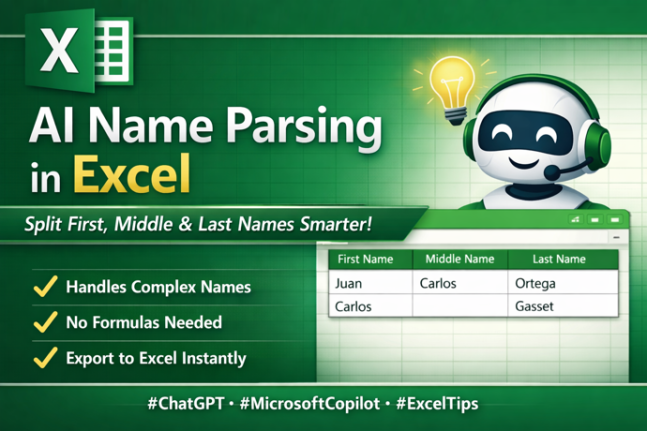
Name Parsing: Smarter AI Way to Split First, Middle & Last Names
Struggling to separate first, middle and last names in messy data lists or join first/last names? Traditional Excel tools or Flash Fill often fall short with real-world name complexity, including multi-part surnames and inconsistent formats. The latest AI tools, such as ChatGPT and Microsoft Copilot, can intelligently parse full names into structured columns, handling exceptions […]
Convert Excel’s COPILOT() Output into Static Cells – Stop Auto-Updates & Preserve Values
Get greater control over your Excel workbooks by converting dynamic COPILOT() responses into static, editable values that won’t change unexpectedly. This guide walks you through simple yet powerful methods to ensure your AI-generated results stay stable, compatible with features like Stock data, and remain auditably accurate. Whether you’re preparing a one-off report or embedding COPILOT() […]
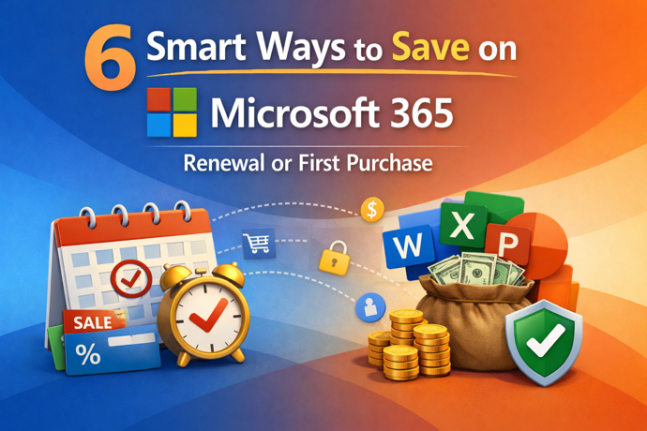
6 Smart Ways to Save on Microsoft 365 Renewal or First Purchase
Looking to cut costs on your Microsoft 365 (formerly Office 365) renewal or first purchase? You don’t have to pay full price by renewing directly through Microsoft. There are legal ways to extend your subscription early, buy discounted product keys from reputable retailers, and avoid costly auto-renewal traps — helping you get up to five […]

Last Chance: Save on Microsoft 365 Classic Plans in Australia & NZ
Australian and New Zealand Microsoft 365 customers have only a few days left to save money by switching to the lower-cost Microsoft 365 Classic subscription, as Microsoft will retire these no-Copilot, no-AI plans at the end of 2025. Buried in Microsoft’s own documentation is a crucial notice that the Classic option won’t be available after […]

Combine Excel Arrays with HStack() or VStack()
It can be fairly challenging to combine data in Excel. There are two new functions HStack() and VStack() to combine dynamic arrays or ranges, by either stacking the data horizontally or vertically. As shown in the example below by simply using =VSTACK(B2:D3,F2:H3) it’ll stack both cell ranges on top of each other. Using =HSTACK(B2:D3,F2:H3) will […]
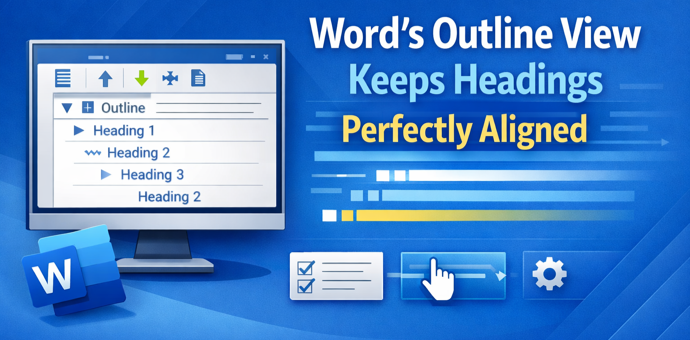
Boost Your Word Workflow: How Outline View Keeps Headings Perfectly Aligned
Struggling with wandering headings, broken structure, and unwieldy long documents in Microsoft Word? The often-overlooked Outline View is the one tool professionals swear by to keep heading hierarchy and sections perfectly aligned. Unlike cosmetic formatting tricks, Outline View reveals your document’s true structure, makes it easy to reorganize sections without breaking formatting, and highlights hidden […]
Text Boxes in Publisher vs Word: Key Differences You Need to Know
Text boxes are different in Microsoft Publisher and Microsoft Word. The Publisher features can, mostly, work in Word as well. Understanding how text boxes work in Word is essential with the end of Publisher later in 2026. This guide breaks down the most important differences clearly and practically. Publisher text boxes have some features on […]
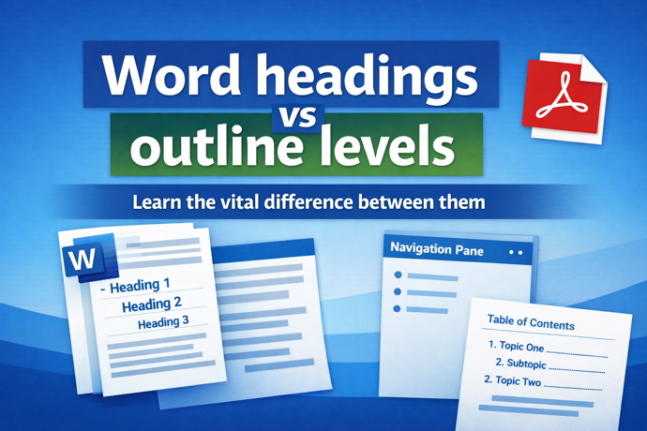
Why Microsoft Word Headings Often Don’t Work the Way You Think (Understanding Headings vs. Outline Levels)
Many Word users struggle with navigation panes and Table of Contents features — not because Word is broken, but because what Word calls “Headings” aren’t always true structural headings. In Microsoft Word, built-in heading styles like Heading 1, Heading 2 and so on are tied to outline levels, which Word uses to build Navigation Panes, […]

Creative Last-Minute Christmas Tricks from Microsoft Designer (Easy Gift Tags & Activities)
Struggling with last-minute Christmas prep? These clever Christmas tricks using Microsoft Designer help you create unforgettable personalized gift tags, fun stickers, and engaging coloring pages in minutes. Perfect for kids and adults alike. Whether you want to add a personal touch for each recipient or keep the little ones entertained, these Designer techniques will save […]









