All about Microsoft Office for Apple Mac. Word, Excel, PowerPoint, Outlook on macOS, Microsoft 365 for Mac, Office 2021 for Mac and earlier versions.

Starting with Document Collaboration in Word, Excel or PowerPoint
Microsoft has been talking about document collaboration for a long time but now it’s available to everyone with a recent version of Office and OneDrive. So here’s a simple guide to opening the same document at the same time on multiple computers. You don’t need two people to try out document collaboration. You can try […]

Share a cloud stored document from Microsoft Office
Here’s how to share a Microsoft Office document that’s saved on a compatible cloud service like OneDrive or Dropbox. All you need is Office 365/2019 or 2016 for Windows or Mac. Document collaboration works in Word, Excel and PowerPoint. Sharing a single file via cloud storage is a lot faster and less trouble than exchanging […]

Turn your iPad into a second screen with Mac touchbar
Office users often want a second screen, especially when using a laptop. We’ve discovered Duet, an efficient and elegant way to use an iPad as an extension screen for a Windows or Mac machine. Mac users get the bonus of the new ‘TouchBar’ for older Macs. Duet impressed with the useful resolution and power saving […]
Complete Excel NetworkDays() solution with holidays & vacations
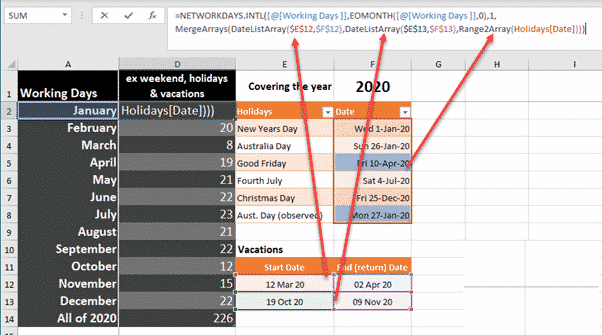
Excel’s NetworkDays() and NetworkDays.Intl() need more help to cope with realistic situations with public holidays and more than one vacation. Annabelle Almer started looking at NetworkDays() & NetworkDays.Intl() and we ended up deep down a geeky rabbit hole trying to get the functions working in realistic situations. The functions work, as advertised, but trying to […]

Excel making list of days between two dates
Making a list of all the days between two Excel dates is possible in various ways, manually, an Excel 365 formula or some VBA code. We need a way to make a list of all the dates between a start and end date. Use this to make a list of all vacation days for a […]

Konami Code in PowerPoint and other Office documents
The Konami Code symbols can be used together or separately in PowerPoint slides, Word documents or elsewhere. They serve to demonstrate some tricks and failings in Office and it’s SVG support. The Konami Code graphics caught our eye because they are a useful set of icons or graphics either complete or separately. There’s nothing like […]
Enter Numbers Starting with Zero in Excel
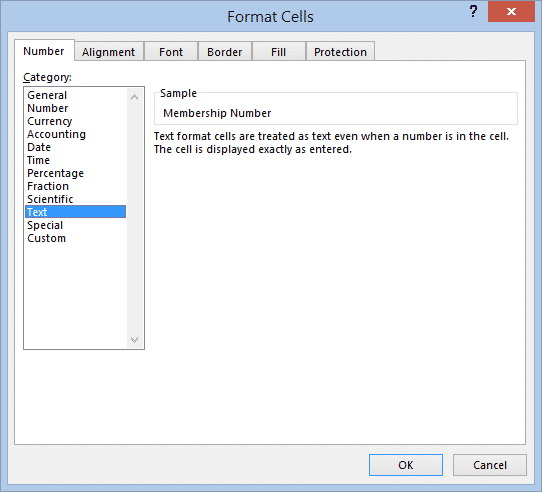
If you’ve ever tried to enter a number starting with zero into an Excel spreadsheet, you will have had the frustrating experience of finding that as soon as you exit the cell, the zero disappears from the front of the number. Here’s how to stop Excel from ‘helping’ you when it’s not wanted. Because zero […]

Multiple Holiday lists in Networkdays()
Here’s a limited solution to the problem of excluding multiple holidays or vacation lists to use in NetworkDays() or NetworkDays_Intl() and a request to Microsoft for an improvement in the function. NetworkDays() or NetworkDays_Intl() is OK if you only have to deal with one list of public holidays or one vacation. But in the Real […]

Using NetworkDays.intl to count working days step-by-step
Here’s a step-by-step example of Networkdays.Intl() in an Excel worksheet. We suggest using that improved function over the older NetworkDays() with less options. As usual, you can select the formulas tab and Excel will guide you through the process. From Formulas | Date & Time choose NETWORKDAYS.INTL . It will open a dialog box to […]
Count your working days in Excel with NETWORKDAYS()
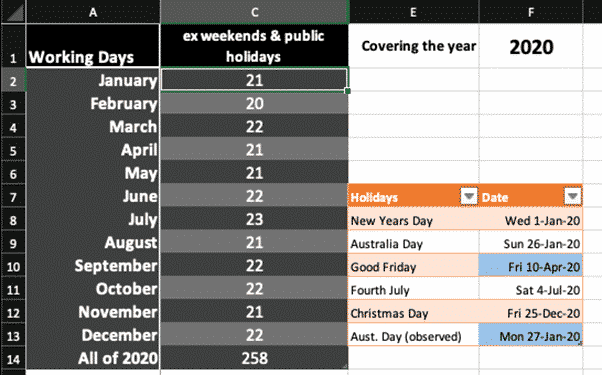
The NETWORKDAYS function in Microsoft Excel will calculate the number of working days between two dates. It will automatically exclude weekends (e.g. Saturday and Sunday) plus you can exclude public holidays and personal vacations. Most people read the function as ‘Network Days’ but it’s really ‘Net Work Days’. Figure out employee benefits from total working […]
PowerPoint makes animated GIFs of your slides
PowerPoint 365 is now able to create animated GIF’s from presentations. It’s a little limited but the basics are there, and we’ll explain how to get even more from ‘Export to Animated GIF’. Animated GIF’s have long been wanted in PowerPoint. They make simple animations or mini-videos which are widely compatible with web pages and […]
Starting with Archive in Microsoft Outlook
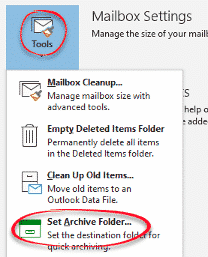
It’s too easy to start using the Archive folder in Outlook. Most likely all the setup is done, so you can start using it. If not, the setup is just a few clicks. Archive is a way to set aside selected messages away from the main Inbox or other folders. It’s not necessary to use […]
Rename the Outlook Archive folder
For many mailboxes it’s not possible to rename the Outlook Archive folder. But non-Microsoft mailboxes can rename Archive to anything maybe ‘Miscellaneous’, ‘Store’ or just ‘Old Stuff’. In modern Outlook with Microsoft hosted mailboxes (Outlook.com, Office 365 hosted or recent Exchange Server) the Archive folder is an in-built folder like Inbox, Sent Items etc. All […]
Manually moving Outlook messages to Archive
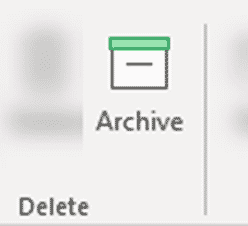
Move a message to the Archive folder with any of the usual ways to move an item between Outlook folders plus three dedicated special options only for the Archive folder. See Starting with Archive in Microsoft Outlook Archive in Outlook 365 and Outlook 2016/2019 for Windows Archive button Most obvious is the button at Home | […]

About Outlook Archive, Online Archive and AutoArchive
Outlook has three features called ‘Archive’ with the newer versions (Archive and Online Archive) much better than older ‘AutoArchive’. We’ll explain the difference, how to use Archive and why to avoid AutoArchive. Each form of Archive sets aside older messages or emails you’ve finished with. It does that in two crucially different ways. Archive is […]

Line Ends on Dashed Picture Borders in Word and PowerPoint
One of the more obscure settings when putting a frame around a picture in Word or PowerPoint is the Cap Type or line ends. This setting only applies when you are using one of the dashed borders with the choices Square, Flat and Round. To put a dashed border on your picture, click on the […]









