All about Microsoft Office Word, Excel, PowerPoint and Outlook, Microsoft 365, Office 2021 and earlier versions.
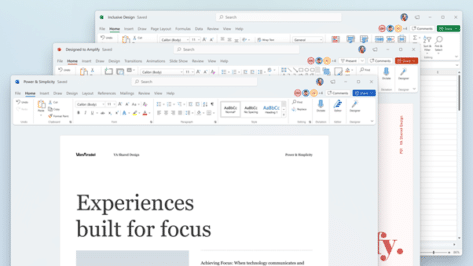
Here’s the new look for Office 365 on Windows 10 and 11
Microsoft Office 365 is getting a new look for Windows 10 and the upcoming Windows 11. We have a video of the changes coming soon. On Windows 10 and 11, the Office apps get a ‘visual refresh’ to a more neutral, color scheme. Windows 11 apps get what Microsoft calls ‘soft’ corners but everyone else […]
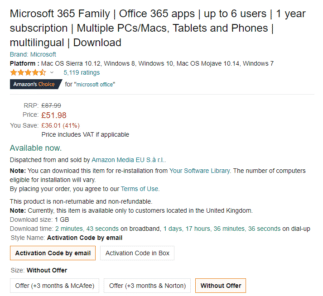
Save with Microsoft 365 Family deal from Amazon UK
Amazon UK was offering Microsoft 365 Family at more than £25 less than the usual price for both new and renewing customers as part of their 2021 Prime Day deals. It’s still available more than a week later! There are a few peculiarities about the offer, we’ll explain those below but the basics are: Microsoft […]

Beware the Mackenzie Scott (Bezos) scam email
It was predicable that the Bezos divorce would lead to scam emails pretending to come from the former Mrs Bezos, now Mackenzie Scott. Mackenzie Scott is now the fourth richest woman in the world, following the divorce settlement with the Amazon founder. Though show might not hold that position for long as she gives away […]
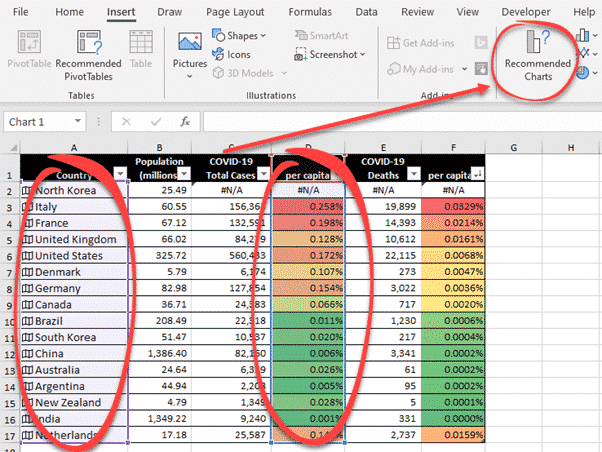
The Tyranny and History of Spreadsheets over 700 years
Tim Harford has an interesting long read on spreadsheets from its origins in the late 14th Century Italy to modern Excel with diversions into smallpox, Enron, Covid and even teasing Bill Gates. The Tyranny of Spreadsheets is on the Financial Times web site. It’s usually firewalled but the link should, hopefully, show the article. Harford […]
OneDrive for Windows goes 64-bit – at last!
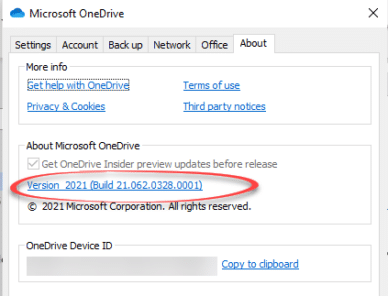
At long last, a more efficient 64-bit version of OneDrive for Windows is available. OneDrive for Windows is the software that synchronizes your local computer with the cloud storage. There are also nifty features to save a lot of disk space (‘Free up Space) or ensure that a file is always kept saved on the […]

Photo editing now direct in OneDrive
OneDrive is getting photo editing options directly in the apps and web site, saving you the trouble of switching to another picture edit app for simple changes. It’s a good move to handle many of the basic, quick edits that are needed. Perhaps before sending by email or instant messaging. All the standard image editing […]
Four ways to sync multiple personal OneDrive accounts
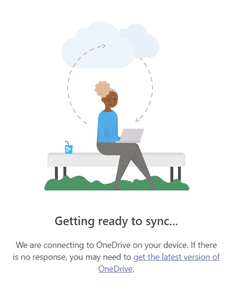
There are ways to synchronize many personal OneDrive accounts to a single computer. They aren’t pretty but will workaround Microsoft’s limit on personal accounts. Microsoft’s OneDrive app will synchronize as many business/education accounts as you like but only one Personal account. That includes OneDrive accounts boosted to 1 Terabyte buying Microsoft 365 Family or Personal. […]
Secrets to syncing Teams files with your computer
A little known but useful Teams feature is synchronizing Teams files folders to your Windows or Mac computer. Files are available quickly, more easily and offline via Explorer or Finder. But there’s a trick to getting it working. The official way to access documents and files in Teams is via the Files tab in any […]

Coming attractions in Teams, Whiteboard and Fluid components
Microsoft has announced their plans for later this year with additions to Teams, Whiteboard and an expansion of their Fluid components concept. None of these things are available now. It’s all future promises, nothing substantial customers can use today. Let’s strip away all the hype about ‘hybrid’ workplaces that are ‘work focused’ (what other focus […]
How to add many OneDrive accounts to a single device
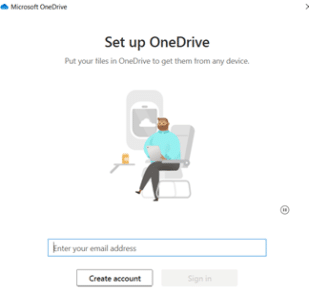
OneDrive has quietly boosted one of its most important features, the ability to synchronize more than one account on the same computer or portable device. Here’s how for Windows, Mac, iPhone, iPad and Android. It’s possible to sync almost all the OneDrive accounts you have access to. A personal OneDrive account plus many work/school accounts. […]

How to type the Ghana Cedi symbol
How to type Ghana Cedi currency character in Windows or Office, especially Word. After our article about inserting Numero and other symbols into Office – trust an Office Watch reader to find a character not available in a supplied Windows / Office font: ” The currency in Ghana is the Cedi. The symbol used is […]

Practical options for Footnotes to Word tables
Microsoft Word has footnotes and endnotes features but it’s surprisingly clumsy when it come to the common need for footnotes immediately after a table. Normally, Word puts Footnotes at the bottom of the page but for tables (and occasionally pictures or diagrams) you want them immediately after the table like this: Doing that is possible […]

Typing Numero and other symbols in Office
How to type the ‘Numero’ symbol and other special characters – there’s many ways to do it in Word and Office. It all started with a single, seemingly simple, question from a reader. As often happens, the question opens up a whole range of options in Office Entering the Numero sign “How can I enter the […]
Useful shared calendar improvements in Outlook
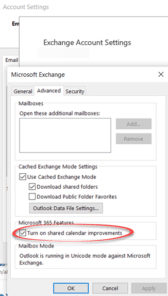
Microsoft Outlook is in the final stages of a major improvement in the ‘plumbing’ behind synchronizing calendars across an organization. Leaving aside a particularly outrageous Redmond boast, the changes are welcome enhancements. Outlook and Exchange Server can have difficulties coping with fast changing appointment and meeting arrangements. When several people are editing a shared event […]
Sharing changes coming to OneDrive and Office 365
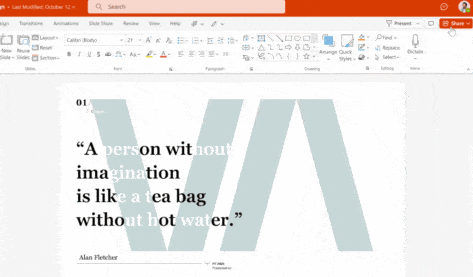
The options for sharing documents and files will be changing over the next twelve months for the Office 365 apps, Teams, SharePoint and OneDrive. Year of Sharing The whole suite of changes is what Microsoft is grandly calling the ‘Year of Sharing’. That’s overstating things because there’s little or no feature changes in what’s been […]

Get more from Office 365’s Recommended Documents
Office for Windows can have an extra on the Home pane – Recommended Documents which tries to suggest documents you’re involved with. Here’s what’s possible with this feature including how to hide it away and leave more screen space for the things you want to see. Source: Microsoft Recent Documents has been in Office for […]