All about Microsoft Office Word, Excel, PowerPoint and Outlook, Microsoft 365, Office 2021 and earlier versions.

Finding all the Handouts options in PowerPoint with slides, notes and more
PowerPoint has many choices for printed/PDF handouts to go with a presentation. Here’s a guide to the options spread in different places on the PowerPoint ribbon and menus. Quick PowerPoint Handouts Under File | Print is the basic handouts option to print slides and lines for people to handwrite notes. However those options do NOT […]
Outlook Signatures to be synced – at last!
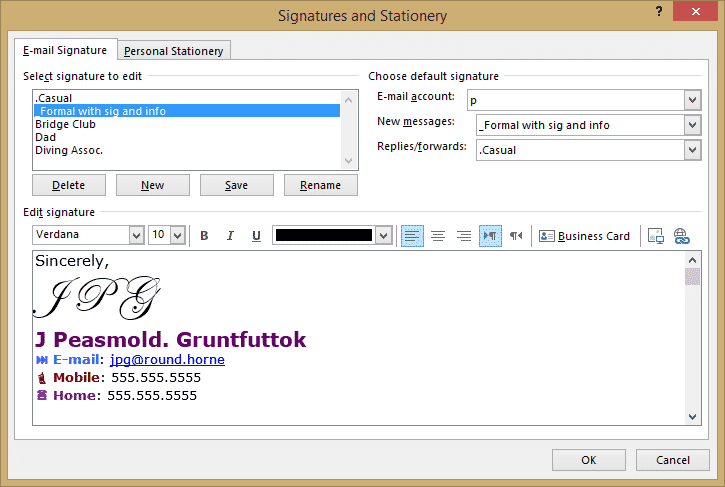
In long overdue news, Microsoft has finally agreed to synchronize email signatures between Outlook on different platforms. The news came in the form of a post on the Uservoice site: “We’re happy to report that we’re working on sync’ing signatures across devices. More details to come as we have them.” It’s not much. No timeline, […]
Moving PowerPoint eulogy at mother’s funeral
A funny story from satirical ‘The Chaser’ shows what could happen when corporate PowerPoint presentations are taken too far. LinkedIn executive presents moving PowerPoint eulogy at mother’s funeral “Before a packed congregation of relatives and friends, the senior executive paid tribute to his mother through a series of bullet points, graphic charts and bold-font mission […]
Civilization comes to Excel … as a game
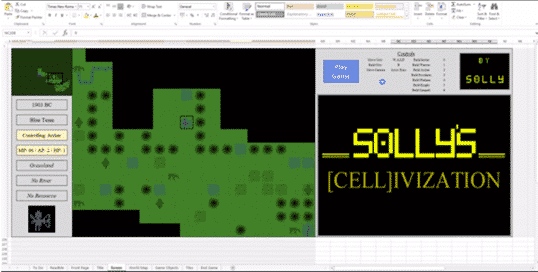
The famous game, Civilization, has been impressively recreated in Excel as Solly’s Cellivization. Civilization was an early computer game that started in 1991 for MS-DOS and has undergone many reincarnations for Windows, Mac and gaming devices now almost forgotten. Here it is in Microsoft Excel … Even with the power of modern computers and Excel, […]
Revealed! Office install/update errors and fixes
Here’s a list of the known Office install/update error codes with possible fixes. All thanks to a diligent and long-suffering Office Watch reader. Ron S has compiled these lists from web sites and forums based on experiences of other people. Doesn’t Microsoft have all this? Yes, they probably do but not for public consumption. Microsoft […]

Watermarks with text on PowerPoint Handouts
There’s no direct ‘watermark’ option for PowerPoint Handouts which is a shame because it would be very useful to add ‘Confidential’, ‘Draft’, ‘Private’ or other very obvious notices. You can fake it with a little PowerPoint trickery. Add a Watermark Picture In short, make an image with the watermark text. The image can have text, […]
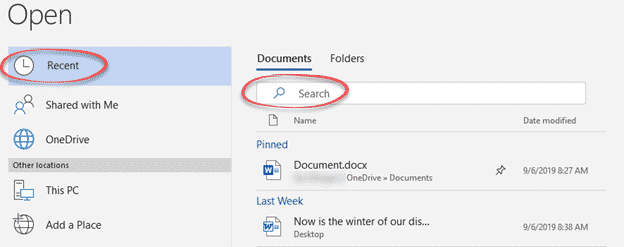
Expand your Recent Documents list in Word, Excel and PowerPoint
The newer File | Open panes include a Search option to quickly find Recent Documents by name. That means it’s practical to expand the Recent Docs list to a higher or maximum value in Word, Excel or PowerPoint. In any of the three programs go to File | Options | Advanced | Display. Over time, […]

September bug fixes to Office 2016 and Office 2013
Here’s this months non-security bug fix updates.for Office 2016 and Office 2013. They are only for .msi installs, not ‘Click to Run’ modern installations. For most systems, they’ll be applied automatically. This is the full list with extra notes on a few fixes which caught our eye. Office 2016 updates Excel 2016 KB4011629 “PowerPivot formulas […]
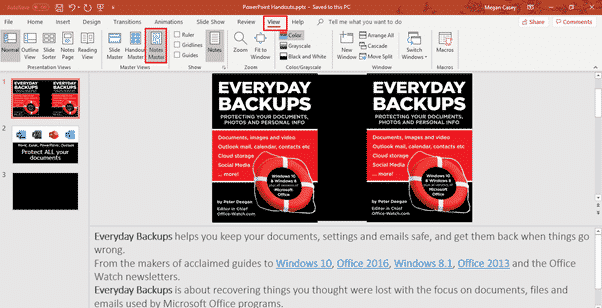
PowerPoint Notes Master for more handout control with slides
Just as there is a Handout Master to control how slide printouts look, there is also a Notes Master which has more control over how PowerPoint printed notes with slides will look. If you’ve used the Handouts Master, Notes Master will be warmly familiar to you. Notes Master is like a simplistic template with some […]

The realistic guide to fixing Office 365/Office 2019 update problems
The error messages on Office 365/2019 setup and update are notoriously unhelpful, so here’s a guide to fixing Office install or update problems that work out here in the real world. Error messages like the infamous ‘Something went wrong” should be taken with a large pinch of salt. The error message is often misleading and […]

“Something went wrong” fixing a bad Office 365 update
If you get an error message when installing or updating Office 365 or Office 2019 there’s little help available beyond Microsoft telling you ‘Something went wrong’. What looks like specific error message are general statements that don’t identify the problem. These troubles aren’t any surprise to experienced Microsoft Office users. Install or update of Office […]

Notes Print with PowerPoint Slides
While printing PowerPoint handouts for your audience with just the slides can be useful, sometimes you may want to give them your notes as well as the slides, which is where Notes Print comes in. Contrary to its name, Notes Print includes slides as well as your notes underneath them. To print the slides with […]

Word does Brexit, Prorogue but not Remoaner
Microsoft Word’s dictionary is updated more regularly, especially for Office 365 customers. A good example of that is the addition of Brexit related words. We typed into Word various words that the people of the UK are too familiar with, just to see what’s in the Microsoft dictionary. The same results in Word 365 for […]
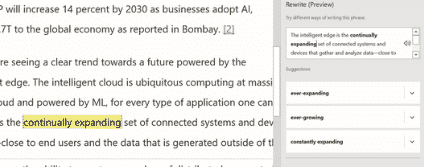
Now Word wants to Rewrite your sentences
The upcoming Rewrite feature in Word will offer alternative phrases or wording for your sentences. Rewrite is another cloud based feature so anything selected for Rewrite is sent to Microsoft. The feature is supposed to be in Office 365 for Windows Insiders build 1908 (11901.20018), English only but hasn’t appeared even in build 1909. No […]

Master PowerPoint Handouts, make printouts look better
Handout Master lets you customize your presentation handouts more than the basics; changing the position and formatting of headers/footers, adding a background color or gradient. Maybe you can help uncover some unexplained mysteries of Handout Master, see below? Our Quick PowerPoint Handouts article showed you how to go to File | Print to print out […]

Quick PowerPoint Handouts
There are many ways to make a paper/PDF version of a PowerPoint slide deck, this is the quick ‘only a few clicks’ option. There are other choices that we’ll cover in upcoming articles. PowerPoint has some ‘Handouts’ features but they aren’t all in the same place and some aren’t even called ‘Handouts’! Why handouts? It’s […]