All about Microsoft Office Word, Excel, PowerPoint and Outlook, Microsoft 365, Office 2021 and earlier versions.
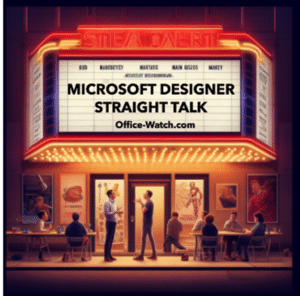
Designer gets a big AI image boost
Microsoft Designer’s Generate Image feature has just received a big boost with the upgrade to Dall-E 3 ‘text to image’. That means a significant improvement in the quality of images made for you in Designer. That means the images made in Designer should now be more realistic, more detailed and text should be rendered better. […]

Office 2024 coming to replace Office 2021
It seems the next version of Office will be out in 2024. If the latest leak from Microsoft holds up, Office 2024 will replace Office 2021. Some images posted on Twitter (X) by techosaurusrex show a screen from Word 2024 as part of a “Office 2024 LTSC Professional Plus 2024” bundle. LTSC means ‘Long Term […]

Connect two Office Shapes with lines or arrows
Microsoft Office can make drawings with linked lines or arrows between shapes that automatically change if the shapes are moved. Here’s how Office connectors work and the tricks to make connecting shapes work better. A little known but really useful part of the Insert | Shapes is the ability to link objects with lines that […]

Typing Türkiye in Word, Outlook, Windows or Mac
Türkiye is now the preferred name for the country Turkey. Here’s how to easily type Türkiye with the umlaut in Microsoft Office, Word and Outlook on Windows or Mac. It’s also a good example of the limits or traps in Word’s Autocorrect. A common trick for a change of name is AutoCorrect, e.g. anytime you […]

Fast umlaut ä ë ï ö ü in Microsoft Word and Office
Once you know the ‘secret’ shortcuts, it’s easy to type the umlaut vowels ä ë ï ö ü Ä Ë Ï Ö Ü in Word and Outlook but, alas, it’s not the same in Excel or PowerPoint. There are alternatives in Windows and Mac if you’re not using Word. There’s also a stand-alone ¨ umlaut […]
Satellite Antenna 📡 emoji in Word, Excel, PowerPoint and Outlook
Type the Satellite Antenna 📡 symbol/emoji into Microsoft Word, Excel, PowerPoint or Outlook. Both in Office for Windows and Office for Mac. Satellite Antenna or Dish 📡 symbol can be used for modern television, radio, GPS or wireless broadcasting generally. Can be used with the Satellite 🛰 emoji or icon. How Satellite Antenna 📡 looks […]

Ten tips for better Outlook emails
The Washington Post has a ten-tip etiquette guide to which we’ve added our Microsoft Office & Outlook specific suggestions. Check out Danielle Abril’s article at The Washington Post. Her recommendations are necessarily general so we’ll add more technical and specific comments for Office users. Consider not sending an email So many other options available beyond […]
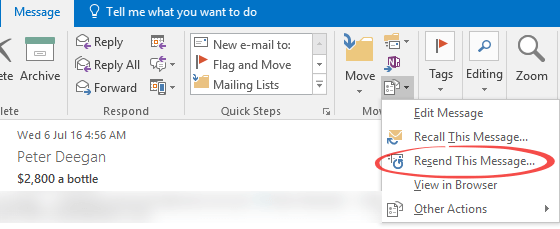
Resend email – Peter’s favorite (hidden) Outlook feature
There’s a really useful Outlook (Windows and Mac) feature that Peter (our Grand Poo-bah or Editor in Chief) uses regularly even though it’s hidden away in Outlook menu: Resend. ‘Resend this message’ opens a new copy of a sent message with all the same details filled in (To, CC, Bcc, Subject, Body and Attachments). It’s […]
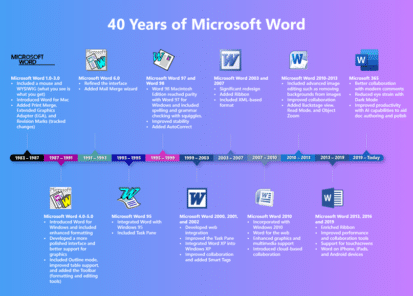
Revisionist History of Microsoft Word
Microsoft noted the 40th anniversary of Microsoft Word with a typically glossy and highly selective history plus some vague platitudes about the future of Word. Their graphic does show how far Word has come from its early days. Of course, plenty has been skipped over in this sanitized history. Like the, literally, thick book of […]
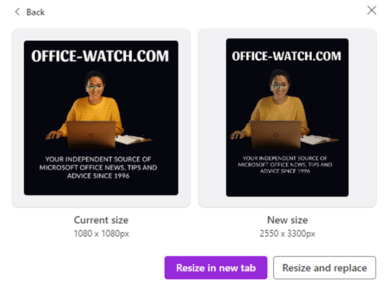
Resizing for Office documents in Designer
If you know where to look, Microsoft Designer can make graphics big enough for a Microsoft Word page or PowerPoint slide in Microsoft Office, instead of the default social media sizes. We’ll explain how to resize to larger page formats including the missing page sizes. A concern with Designer is that, for all it’s power, […]

How to quickly switch between Word and Office windows
Often you need to switch between windows of the same program, so there should be a quick keyboard shortcut to do that. Here are your options in Windows or Mac. Whether you’re moving between Word documents, Excel workbooks or PowerPoint decks or Outlook emails, the need is the same. You want to quickly move between […]

Satellite 🛰 emoji in Word, Excel, PowerPoint and Outlook
Insert the Satellite 🛰 emoji or icon into Microsoft Word, Excel, PowerPoint or Outlook. Both in Office for Windows and Office for Mac. How Satellite 🛰 looks in different fonts. In Windows fonts only Segoe UI Emoji and Segoe UI Symbol have the Satellite emoji. As usual the Apple version (Apple Color Emoji font) looks […]
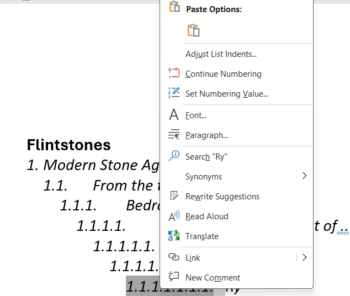
Word multi-level lists, new list, reset numbering and more
Word lists have more power and, let’s face it, confusion hiding under the menus. How to start a new list, continue a previous list, reset the numbering and trying to figure out how a list numbering has been messed up. Many questions arising from our article on Word Autonumbering. Many of them asked about continuing […]
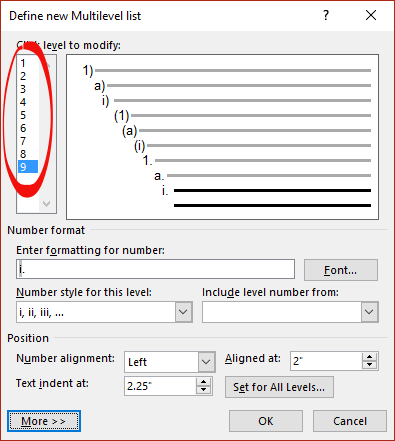
Word Autonumbering … How deep can you go?
There’s a maximum of nine levels available in Word multi-level numbering. That’s enough for the seven dwarves plus two more. There’s a way to get more than nine levels. A Multilevel list setup shows 9 levels. Need more? Perhaps create a separate multilevel list with custom numbering starting at 10? It might be better to […]
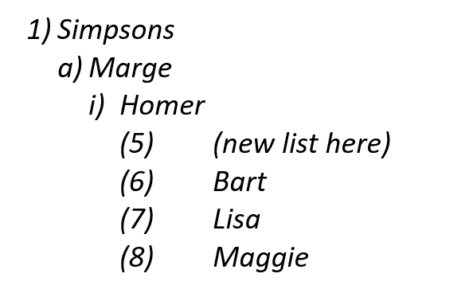
Troubleshooting a Word list problem
Word multi-level lists can get messed up with ‘wrong’ numbering appearing for no obvious reason. Here’s why it can happen, troubleshooting options and how to fix it. It’s too easy to mess up a seemingly normal multi-level list in Word. Options like ‘Start new list’ and ‘Continue from previous list’ are useful (essential at times) […]

Word multi-level Numbering
Word has an amazing range of options for automatically numbering your document headings or paragraphs. Even more amazing is my visit to an office. I found staff going through a long document, laboriously numbering headings and sub-headings by hand! They been doing this for years and weren’t happy when shown this button on the ribbon, it […]









