All about Microsoft Office Word, Excel, PowerPoint and Outlook, Microsoft 365, Office 2021 and earlier versions.

Discover Office Keyboard Shortcuts in Windows 11 and 10
There are some keyboard shortcuts to open or switch to Office apps in Windows 11 and Windows 10, if you have enough fingers! They are all based around the Ctrl + Alt + Shift + Win combo plus a letter. That might seem like a keyboard shortcut for an octopus but it makes a little […]
Microsoft fixes a big hassle with Excel’s great Lambda()
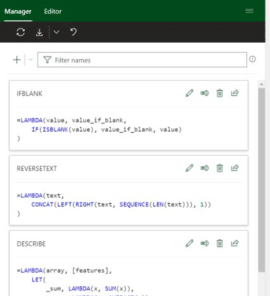
Microsoft has fixed the big hassle that comes with the otherwise excellent Lambda() feature in Excel 365 with the new Advanced Formula Environment. Office Watch has sung praises over the power that Lambda brought to Excel. It’s the ability to write custom functions within Excel but without VBA macros. Proper IDE for Excel formulas But […]

Copying images from Designer to Office documents
Unfortunately, copying an image made in Designer isn’t as simple as it should be. Here’s how to grab images made with Designer to use in your own Office documents. Don’t wait, start using Microsoft Designer now It’s easy to paste an image into Designer. Just copy the image from your app (like Word or PowerPoint), […]

Designer mobile now on iPhone and Android
Here’s how to get the new Microsoft Designer app for iPhone and Android smartphones. Also how to share designs between the mobile app and the full Designer web app. Get the Designer app Go to https://designer.microsoft.com/install and scan the QR code provided on that page That will open the App Store or Google Play to […]

Get current UTC time into Excel with Python
Python in Excel adds lots of new possibilities to Excel including a new way to the latest UTC time. Here’s the full code, how it works and a fix for an annoying problem. Knowing the UTC / GMT time is important for comparison with the ‘Last Trade Time’ data from Excel’s Stock / Currency data […]

Gun 🔫 emoji in Word, Excel, PowerPoint and Outlook
Insert the Water Pistol or Gun emoji 🔫 into Microsoft Word, Excel, PowerPoint or Outlook. Both in Office for Windows and Office for Mac. AND how to make the ‘gun’ point to the right. Water Pistol 🔫 symbol is the only ‘gun’ style symbol in the emoji collection. It’s officially called ‘Water Pistol’ but searching […]

Ten ways to Reverse, Mirror or Flip Text in Microsoft Word
There are at least ten ways to ‘reverse’ ‘mirror’ or ‘flip’ text or images in a Word document. Horizontal, vertical, reversed, combined or any angle you like. When people say those terms they can mean different things so we’ll look at many options and how to do them. Also along a curve, but that’s a […]
More uses for the Office Exclusion Dictionary
Office Watch readers suggest some more uses for the Word/Office Exclusion Dictionary. As Office-Watch.com explained recently, the Office Exclusion dictionary can be used to take words out of the main dictionary. In other words, to ensure a word gets the red squiggly line. We had some suggestions for using the exclusion dictionary and our readers, […]

PowerPoint linking to slides – now hidden but still there
Modern PowerPoint has made an ‘improvement’ to slide linking in PowerPoint which hides an important feature that’s been in PPT for years … linking to slides or web pages. Sometimes Microsoft gets so enthusiastic about some innovation they forget the basics that customers use on a daily basis. Insert | Link in PowerPoint is one […]

Farewell, Dennis Austin father of PowerPoint
Vale Dennis Austin, one of the original creators of PowerPoint has died at the age of 76. Back in 1987 Mr Austin and Robert Gaskins developed ‘Presenter’ for the Mac with some then unique features. A “direct manipulation interface”, what we now call WYSIWYG and take for granted in modern apps. The idea of working […]

Inspect without color in PowerPoint
Inspect without color is one of the more interesting and useful Accessibility tools in PowerPoint 365. It shows a slide in ‘black and white’ or ‘greyscale’ which is useful for more than helping color blind people, Inspect without Color can help improve the readability and design of any slide. Inspect without color is designed to […]

Was Microsoft 365 email down or not?
Microsoft 365’s mail service had troubles on Monday 4th for almost 24 hours. Or did it? Microsoft’s reporting of the incident has been inconsistent and had more than the usual self-serving blather. The Microsoft 365 email outage started on Monday 4th September about noon UTC (early morning in the US) and was described by Microsoft […]

Surprise! Office 2021 & Office 2019 has the all Aptos fonts
An undocumented surprise for Office 2021 and Office 2019 customers. The new Aptos fonts are automatically installed in Office 2021/Office 2019 even though Microsoft insists they are for Microsoft 365 only. However, there’s a crucial difference and strange anomaly between how Aptos fonts work in Office 2021/2019 vs Microsoft 365. According to Microsoft the Aptos […]

Fun Eyes 👀 symbol in Word, Excel, PowerPoint and Outlook
Type the fun Eyes 👀 symbol into Microsoft Word, Excel, PowerPoint or Outlook. Both in Office for Windows and Office for Mac. Eyes 👀 symbol / emoji is a bit of fun for documents and PowerPoint slides. How Eyes 👀 looks in different fonts. Eyes is available in symbols fonts like Segoe UI Emoji and Segoe […]

Make Cloud Fonts available to all programs, not just Office
Microsoft 365 / Office 2021 Cloud Fonts are only available in Office programs … that’s the official line unless you know the trick to make the fonts available in other Windows or Mac apps Cloud Fonts can be selected and installed for Word 365/2021, Excel 365/2021, PowerPoint 365/2021, Outlook 365/2021 and Publisher 365/2021. You might […]

Ballot Box with Ballot 🗳 emoji in Word, Excel, PowerPoint and Outlook
Insert the Ballot Box with Ballot 🗳 symbol into Microsoft Word, Excel, PowerPoint or Outlook. Both in Office for Windows and Office for Mac. Ballot Box with Ballot 🗳 symbol can be used for any situation around voting or choice. For example to decorate this PowerPoint slide. How Ballot Box with Ballot 🗳 looks in […]









