All about Microsoft Office Word, Excel, PowerPoint and Outlook, Microsoft 365, Office 2021 and earlier versions.

Two ways to try New Outlook
There are two ways to try New Outlook — either as a Office 365 Insider on the beta track or direct download (Intel and ARM based devices). Here’s how to do it and the hidden ‘gotchas’. Beware the New Outlook because it’s VERY crippled. Only Microsoft hosted commercial or education mailboxes are supported – no […]
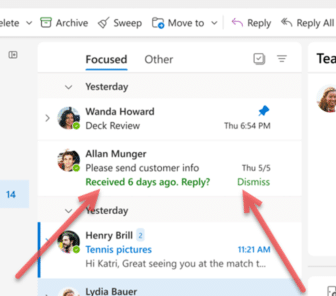
Interesting and ‘new’ in the New Outlook
Let’s look at the good or at least interesting parts of the New Outlook that Microsoft are calling ‘new’. As we’ll explain, Loop Components, fast @document links, My Day, Board views, RSVP options, pinned messages and Sweep aren’t really new. We’ve already noted the severe limitations in New Outlook, core technologies that should not be […]
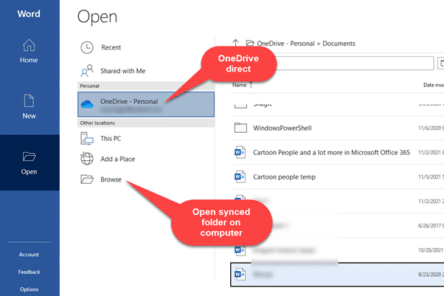
Two ways to open a OneDrive document in Microsoft Office
There are two different ways to access a Microsoft Office document that’s saved on OneDrive. We’ll explain both and why it’s sometimes important. Microsoft’s OneDrive stores documents on servers. Programs (like Office) can open those files directly from the cloud service. Or the OneDrive app can copy (synchronize) files from the cloud to your “local” […]
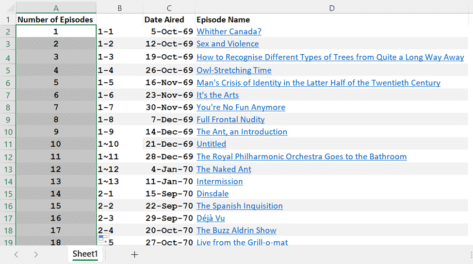
Six ways to number lists in Excel
Excel doesn’t automatically number lists but there are at least six ways to add numbering depending on your needs and how the list appears. Numbering is important but can be annoying when you’ve got a large dataset. If it’s small, it’s easy to number it manually or by an auto-filling sequence. But if it’s inconsistent […]
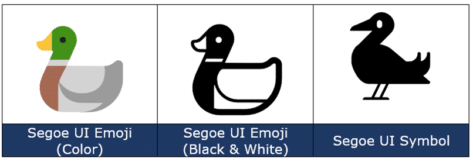
Duck 🦆 emoji in Word, Excel, PowerPoint and Outlook
Add the Duck 🦆 emoji into Word, Excel, PowerPoint or Outlook. Both in Office for Windows and Office for Mac. Duck 🦆 emoji represents the quacky bird with webbed feet. The emoji is usually depicted as a Mallard. Sometimes used as a substitute for the f-word, because of iPhone’s tendency to autocorrect to the obvious […]

Real words for really big numbers in Microsoft Word
What are the real words for really big numbers, waaay over a trillion? Does Microsoft Word’s dictionary recognize them? (Answer: most but not all and there’s even a spelling mistake in Word!). How many is a billion anyway? We’ve looked at the informal words for vague large numbers such as zillion, gazillion etc. There are […]
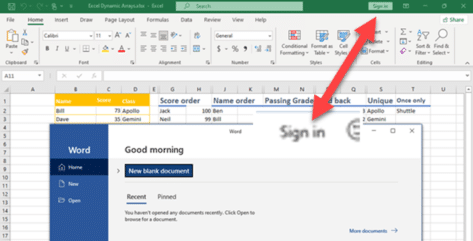
Does Office 2021 / 2019 need sign-in to a Microsoft account?
Does Office 2021 or Office 2019 insist on a Microsoft account Sign-In (login) to use the software and edit documents? We’ve done some tests to check and we’ll explain the details too. It’s a good question. Microsoft 365 software does require a Microsoft account login but what about the ‘perpetual licence’ Office 2021 or Office […]
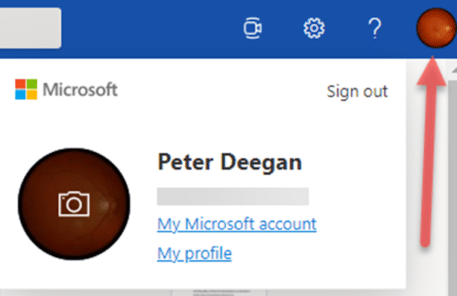
Fast account switching now in Office on the web
Office apps in a browser have caught up with an important feature in Office 365 for Windows – quick account switching is now available. Almost three years ago, Microsoft added quick account switching to Office 365 for Windows. You can save logins to several Microsoft 365 accounts; work, school, home etc and switch between them […]
Clever picture borders in Excel and PowerPoint
Like Word, PowerPoint and Excel also have options to add borders to pictures to add that extra oomph to your work. Users can choose between fairly simple borders or add some further complex, fancy styles to their images. If all this seems very familiar, it’s because the same picture tools are available in the main […]

Grinning Cat with Smiling Eyes 😸 emoji in Word, Excel, PowerPoint and Outlook
Type the Grinning Cat with Smiling Eyes 😸 emoji into Microsoft Word, Excel, PowerPoint or Outlook. Both in Office for Windows and Office for Mac. Grinning Cat with Smiling Eyes 😸 emoji is a variant of the grinning face emoji or the cat face emoji, which is yellow on most platforms. How Grinning Cat with […]

All the email preview options in Outlook
There are a couple of email preview options in Outlook. These include the Message Preview and using the Reading Pane (once called the Preview Pane). We’ll explain them in detail including how to turn these features on and off plus viewing attachments in the Reading Pane. Message Preview Message Preview is an auto preview that […]
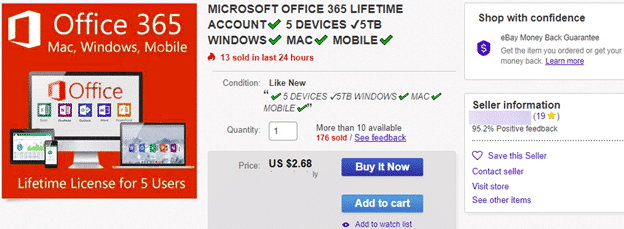
Microsoft Office 365 ‘Lifetime’ plans are a lie
We’ve seen many cheap Microsoft Office 365 Family, Personal and other plans sold as ‘lifetime’, ‘perpetual’ or ‘never-ending’. It’s all lies. Some deals are obviously scams, like this one for just US$3 but others have more plausible prices. They are priced just under the regular street price to seem like a good, legitimate offer. All […]

Why new Office features don’t appear
Microsoft has changed the way they rollout new features in Microsoft Office 365 which can lead to confusion and frustration, especially among the Insiders who try out new stuff before it reaches the public. In olden days (say 2018) getting new or changed features was simply a question of having the right version of Office. […]
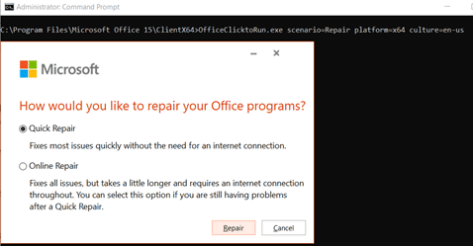
Fast Microsoft 365 repair from the command prompt
If Microsoft 365 (Word, Excel, PowerPoint, Outlook) is misbehaving, try the Repair option. If that’s also causing trouble, there’s a hidden command prompt option. For any ‘Click to Run’ installations of Office for Windows (mostly Microsoft 365, Office 2019) there are Repair options available to fix common problems. Among these troubles are an Office program […]
Two ways to circle text in Word documents
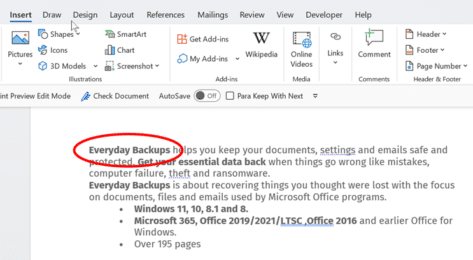
In Microsoft Word, circling around text can place emphasis or enhance the text appearance. There are a few methods you can choose in Word documents and you’re not limited to circles. We’ll show how to add a simple circle like this, plus a lot more. Add shape to document Go to Insert | Illustrations | […]
Rainbow 🌈 emoji in Word, Excel, PowerPoint, and Outlook
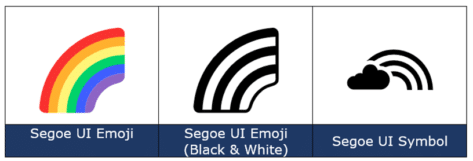
How to insert the Rainbow 🌈 into Microsoft Word, Excel, PowerPoint, or Outlook. Both in Office for Windows and Office for Mac. Rainbow 🌈 emoji depicts a colorful arc of a rainbow, usually used to express positivity, hope, good fortune. The rainbow flag was designed and has been adopted by the LGBT community, there SVG […]