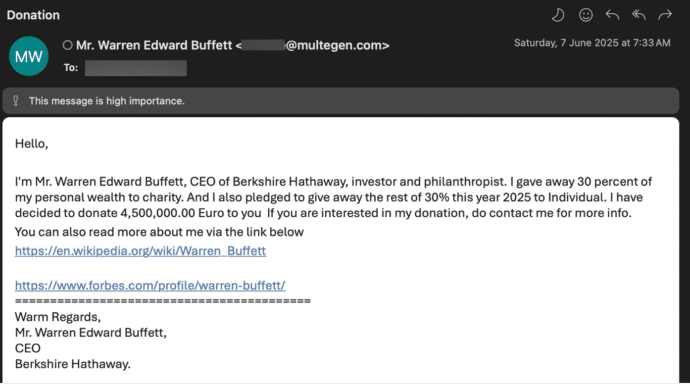
A very optimistic spam email
This email slipped past the Microsoft spam and security checks to arrive in our Outlook Inbox. How deluded do you have to be, thinking that one of the world’s richest men would email ‘out of the blue’ offering over USD$5 million? The two links are real. Any deluded or desperate optimists have to reply to […]
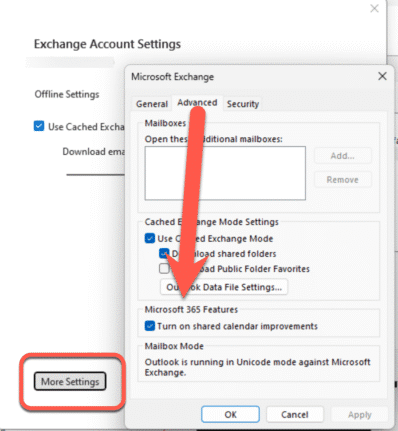
Outlook Calendar sharing goes off the rails
Microsoft has ‘improved’ calendar sharing for all their Microsoft hosted accounts but Outlook (classic) has been left behind with too many bugs with some still outstanding. The changed Shared Calendars is a good move that’s been poorly implemented for many customers. The Shared Calendar changes are an attempt to standardize the mix of different technologies […]

Microsoft’s New Calendar App: A Peek at Your Day—Whether You Want It or Not
Microsoft has rolled out a new Calendar app, because apparently, we all needed another way to be reminded we’re too busy. This latest tool is part of the “Microsoft 365 Companion” experience, a trio of apps aimed at helping users stay productive—or at least feel like they are. It joins the People and File Search […]
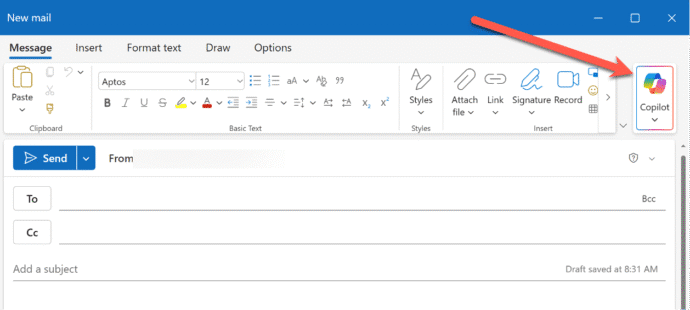
What’s new in Outlook (new) for June 2025
There are ten new or improved features in Outlook (new) for Windows. Some are welcome additions, others are ‘catch up’ from classic Outlook and one Microsoft is ‘thrilled’ about but we’re not sure why. Here’s Microsoft’s June 2025 announcements plus Office Watch extra info, screenshots and comments. As regular readers know, we don’t take Microsoft’s […]
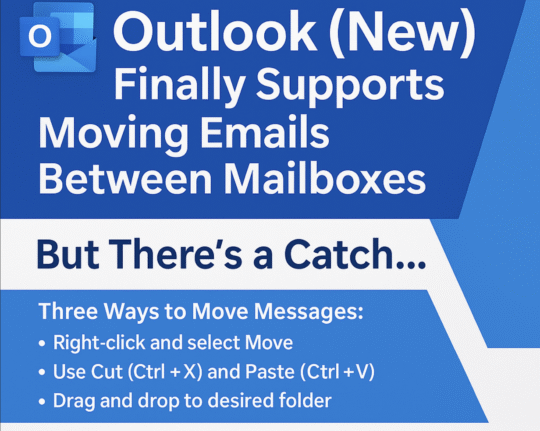
Outlook (new) lets you move emails between mailboxes
Outlook (new) for Windows is finally getting a feature that should have been there from the start … the ability to move emails between mailboxes. It’s another case of paying customers having to be grateful that Microsoft has finally provided an important feature. In businesses, especially small ones, moving emails between mailboxes is essential for […]

What does ‘Unverified’ mean in Outlook?
Outlook might label some emails as ‘Unverified’ and the photo/initials is just a question ? mark. What does ‘unverified’ mean? Is the email safe to open and how to stop some messages showing as ‘Unverified’? Unverified can appear in mailboxes hosted by Microsoft directly (Microsoft 365, Outlook.com). It’s a feature mostly controlled by the server […]
Outlook confusion for Admins might end next month
Microsoft is updating how administrators enable or disable the Outlook (new) experience for Windows and Outlook on the web. This change allows IT administrators to independently enable or disable each Outlook, at last addressing long-standing confusion. Originally set for rollout in late January 2025, the change is now scheduled to begin in late June 2025, […]
Microsoft 365 Copilot Explained: Features, Limitations and your choices
Navigating the evolving landscape of Microsoft 365 and Copilot AI can be challenging amid frequent update, varying features and so much hype. Our independent guide breaks down what Copilot is, its capabilities within Word, Excel, PowerPoint, Onenote and Outlook, and the distinctions between different Microsoft 365 plans. Microsoft has changed Copilot so many times that […]
Convert Office docs to text with Markitdown
Check out this clever Python tool that converts Word documents, Excel sheets, PowerPoint decks and PDFs into a plain text format. Markitdown is a Python library released by Microsoft via Github, converts many documents into nearly plain text (called MarkDown). It’ll convert all these formats into text. Some conversions need extra pip flags like ([pdf], […]
Get Office Startup Boost for any Office app and any version
The Startup Boost feature coming to Word 365 is really a sly trick by Microsoft. It’s a trick that anyone can do with any Office app and any version of Office. Startup Boost starts the app but hides it away. Word lurks in the background until the user clicks on a Word icon (or starts […]

Fix F9 Fn Keys don’t work in Word, Office or Windows
Office Watch reader Steve G is having a problem in Word. The F9 key isn’t updating fields in a Word document. He suspects a buggy patch of Windows or Office. Here’s how to find the source of the Function key or any keypress problem and fix it. Hint – it’s probably not a bug or […]
Microsoft Pushes Out Emergency fix to Stop Office 2016 Crashes
If your Microsoft Office 2016 apps suddenly started crashing last week, you’re not alone. Fortunately, Microsoft has rolled out an emergency fix to help users get back on track after one of their security update caused Outlook and other Office 2016 apps to stop working. The troubles started began after a recent Patch Tuesday update […]
Stricter requirements for mass mailings to Microsoft mailboxes
Stricter requirements are coming on mass mailings to Microsoft hosted mailboxes including Outlook.com. The new rules also affect anyone with a Microsoft managed Inbox. Any organization (domain name) sending “over 5,000 emails daily” will have to comply with new rules from 5 May 2025. At the same time, Microsoft is changing how ‘unverified’ emails are […]
Important changes for your Microsoft and Outlook.com email
Emails you want to see might end up in Junk Email as Microsoft imposing new standards to ensure emails are legitimate. Microsoft isn’t allowing any way to bypass their new rules for emails you want. The new standards apply to senders but there are important and less well promoted effects for anyone using Microsoft hosted […]

Office help on the right-click menu ‘Search the menus’
There’s a little undocumented surprise on the right-click menu. Tucked away at the top is ‘Search the menus’ help. Sadly the underlying help system is still woefully inadequate. Right-click in a document (Word, Excel, PowerPoint or Outlook) and the top item isn’t ‘Cut’ but a “Search the menus” box. This is different from the main […]
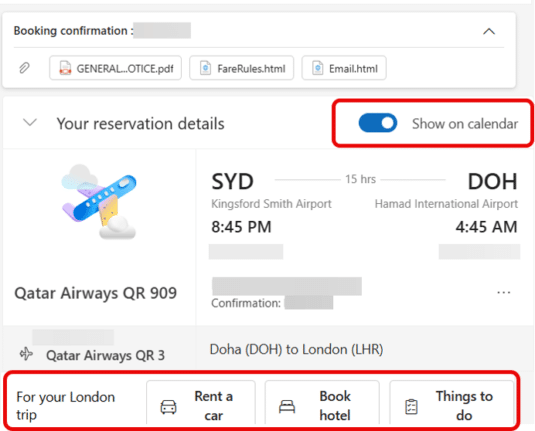
‘Show in Calendar’ pros, cons and ads in new Outlook
Outlook (new) has some more ads appearing in it as well as a handy way to add calendar events from an email. An incoming email to Outlook (new) can have a “Show on Calendar” option at the top when the software detects an event like a flight booking. Look for the “Show on Calendar” slider. […]









