
Using AI tools for a personal touch to Valentine’s Day
The latest AI tools can help add a personal touch to Valentine’s Day images, graphics and text like a love poem. Add some details about your loved one (name, hobbies etc.) and AI can do its magic. Free AI tools like Copilot, Microsoft Designer, Dall-E or ChatGPT can make something that’s individual and unique. In […]
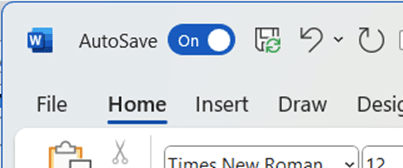
Is AutoSave really the ‘greatest feature of all time’?
According to Microsoft, AutoSave is the ‘greatest feature of all time’. That’s ‘over the top’ even for Microsoft and it only highlights the self-serving limitations of the current Autosave feature in Office. “Autosave is the greatest feature of all time and you can use it across your M365 apps. That’s all.” The ‘X’ (formerly Tweet) […]

What the hell is Copilot and how can it help me?
Let’s take a moment to explain, without the hype, what Copilot is and what it can do for you and all Microsoft Office users including Office 2021,2019 and earlier. We’ll explain some ways Copilot can save time and money doing simple tasks for anyone with Microsoft Office. Beleive me that AI systems like Copilot are […]

Copilot for Microsoft 365 – what you need to know
What you need to know about Copilot for Microsoft 365 which brings AI technology into Microsoft Office including Word, Excel, PowerPoint and Outlook. Here’s how to get Copilot for Microsoft 365 and the secrets to getting it working. What is Copilot for Microsoft 365? Copilot for Microsoft 365 applies to Microsoft 365 business and enterprise users: […]
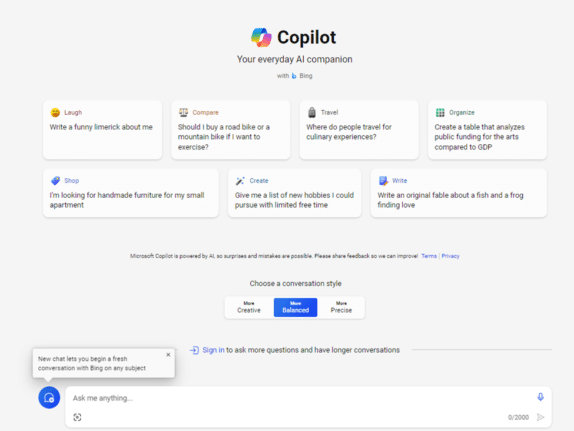
Try Copilot AI two ways for less money or none
There are two ways to try out paid Copilot for less money. If you’re not sure but want to try the enhanced AI features in Office there are a smart ways to get Copilot without dropping a lot of money in advance for unknown benefits. Let’s face it, Microsoft is asking a lot with their […]
Office Readiness Toolkit gets cancelled
The Microsoft Readiness Toolkit for Office add-ins and VBA is being cancelled (‘retired’) from the end of March 2024. The toolkit has been around for some years to help “identify compatibility issues with your Microsoft Visual Basic for Applications (VBA) macros and add-ins that you use with Office”. The download page for the Readiness Toolkit […]

Laundry care symbols typed in Word, Excel and PowerPoint
Many different ways to type or insert laundry care symbols, which appear on clothing labels, into Word, Excel or PowerPoint. Laundry care symbols can be for laundry area signs or for fun like this t-shirt. Or alternative symbols in a PowerPoint slide. All five symbols were black laundry care icons. As SVG graphics all five […]

Look out for Catch Up in Microsoft Office
Catch Up is Microsoft’s new way to present the latest changes, comments, mentions and tasks in a collaborated document, sheet or slide deck. When a document is being managed by many people, there can be a lot happening. Edits to the doc, sheet or slides, comments and @mentions including tasks that can become hard to […]
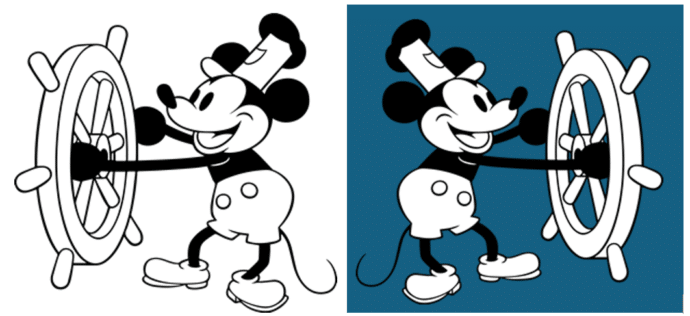
Microsoft Office welcomes Mickey and other public domain characters
How to get and use the copyright free Mickey Mouse and other public domain creations in Microsoft Office. Add to Word documents or PowerPoint slides. There’s been a lot of stories about content that is now in the public domain, especially Mickey Mouse. That copyright expiry applies to the USA only. Copyright law is different […]
Discover Microsoft Office Quick-Start .new Links
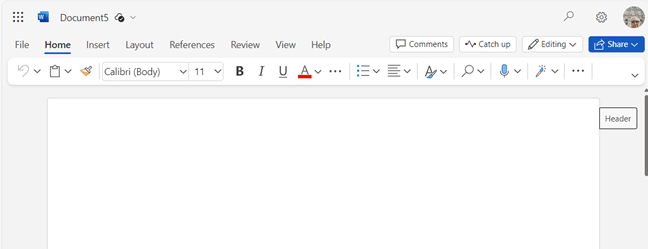
There are special web links to make a new Office document (Word, Excel or PowerPoint) with a single click. Microsoft has bought some .new domain names like https://word.new . When you click on a .new link, a fresh document is created for you. Word, Excel or PowerPoint files are created in the Office web apps […]

Calendars Galore from Microsoft Office!
Microsoft Office has many, many print calendars to choose from, if you know where to look. There’s a trick to choosing the right calendar for your needs, made by Word, Excel, Outlook or PowerPoint. Printing out calendars or adding them to documents/slides is possible in Microsoft Office though the selection is spread across Word, Excel […]
2024 Calendars in your PowerPoint slides
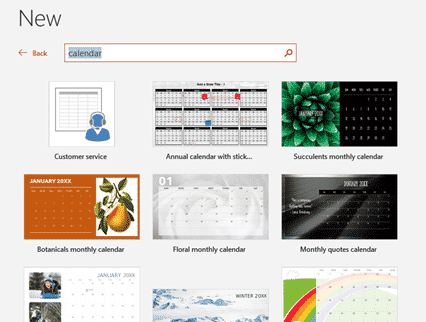
There are 2024 calendar templates available for PowerPoint, giving you landscape oriented calendars but less options overall. Landscape calendars PowerPoint calendars aren’t just for presentations. They offer printable landscape orientation calendars not usually available in Word or Excel. Look for the overall layout you want, change the images and colors to suit. Just like Word […]

PowerPoint Cameo gets an important upgrade with Placeholders
PowerPoint’s ‘camera in slide’ feature ‘Cameo’ is getting a welcome boost, if not an essential piece of Cameo. Cameo placeholders can be added to Slide Masters. Cameo is Microsoft’s name for putting a live camera image into a PowerPoint slide presentation. It’s ideal for online presentations. That was fine but the cameo video had to […]
Emoji Panel is part of Windows that totally sucks
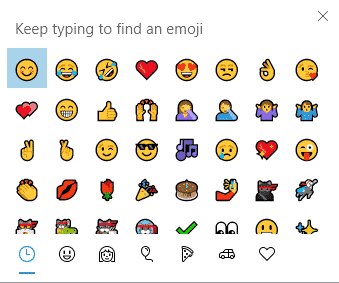
Windows 11 and 10 has the Emoji Panel. What a pity that it totally sucks and is incredibly dumb. Emoji Panel is better than what we had before (nothing) but not by a lot. We’re talking about the Emoji Panel or ‘keyboard’ which appears in Windows 11/10 when you press Win + . (Windows key […]

All about the Windows 10 Emoji Panel
All about the Windows 10 Emoji Panel, a fast way to type emoji 😁, symbols §⁜✓, emoticons 🙂 and kaomoji (❁´◡`❁) into any Windows app, document, slide, email or message. This is how it appears in Windows 10. If you have Windows 11, the Emoji Panel works differently, see Get the most from Windows 11 […]

Get the most from Windows 11 Emoji Panel
The Windows 11 Emoji Panel is a quick way to type emoji 😁, symbols §⁜✓, emoticons :), kaomoji (❁´◡`❁) and even animated GIF’s into any Windows app, document, slide, email or message. We’re talking about the Emoji Panel or ‘keyboard’ which appears in Windows 11 when you press Win + . (Windows key plus period/fullstop) […]









