Table cells can now Split and Merge in PowerPoint for iPad
Cells in a PowerPoint slide table can be split or merged (combined) in PowerPoint for iPad.
Word for iPad can already combine or split table cells and now the PowerPoint app works the same way.

Select two or more cells in a table and choose Merge | Merge Cells from the table toolbar.
Choose a cell then break it in two via Merge | Split Cells from the same toolbar.
Simple as that …
This feature appeared in the beta release v2.82 build 24012417 and later. Look for it in a future public release.
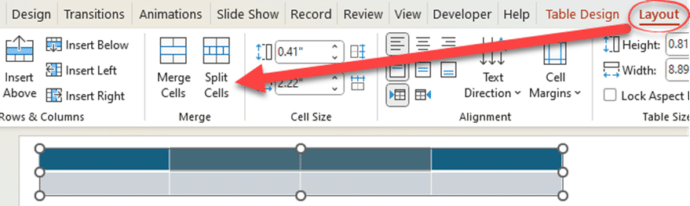
Until then you’ll have to do your cell merge or splits in PowerPoint for Windows or Mac. Look in the Table Layout tab | Merge. The current PowerPoint for iPad will ‘see’ already merged or split cells, just not do it.
See more PowerPoint news and tips from Office Watch.
PowerPoint Cameo gets an important upgrade with Placeholders
Tricks to get more from PowerPoint Designer
Stop Designer in PowerPoint