Word’s Hidden Calculator
You haven’t heard about it? Don’t worry, even Microsoft has no information about this feature, unless you dig way back into its archives where you’ll find that the calculator – which formerly held a prominent position on the Tools Menu – was driven underground in Word 6.0 to make way for the far more cumbersome, […]

Pantone’s 2025 color ‘Mocha Mousse’ in Word, Excel and PowerPoint
Pantone’s color of the year for 2025 is “Mocha Mousse”. You can use that exact color in Word, Excel, PowerPoint, Outlook and Designer using the Hex/RGB color code. And we’ll look at the flowery prose that’s become a hallmark of this annual promotion. The color of 2025 is … Mocha Mousse We make fun of […]

Make your own London Tube sign for Word or PowerPoint
The famous London Tube Roundel or station sign is easy to recreate for Word, PowerPoint or other Office apps. The best way to do this is SVG graphics in Microsoft 365, Office 2024/2021/2019/2016. SVG’s let you change the colors and set the text easily. They don’t have to be a railway sign. Use the roundel […]

How to add Bates Numbering to Word documents
Bates Numbering is tricky in Word. We’ll explain how to add this special numbering system to Word documents and why it’s not recommended in most situations. What is Bates Numbering? Bates Numbering is a way to add a fixed number or serial number system to each page of a document. It’s often used in legal, […]
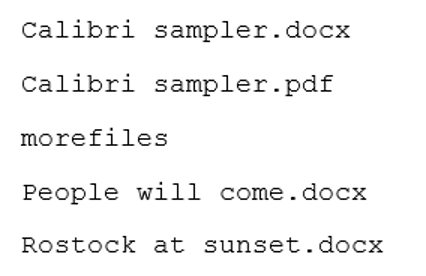
Four different ways to copy a list of file names or folders
There are many ways to get a list of file names and folders, here’s four simple ways including one that might be a surprise. Copy from Explorer In Windows Explorer, select the files you want then right-click and choose “Copy as path” or Ctrl + Shift + C. The list includes path. If you don’t […]

Select a vertical column of text in Word
Yes, Microsoft Word lets you select vertical (up or down) text blocks. Most text selection in Word involves selecting horizontally – selecting a line or a paragraph of text. Sometimes, though, you need to select a vertical slab of text. To do that, hold down the Alt key while you click and drag your mouse […]

New London Overground line colours in Office
Here are the exact colour codes and new names for the ‘Overground’ lines in London, plus how to add a thick double line in Office documents just like on a Tube map. The changeover is happening in late November 2024. Some old rail lines in London were coloured Orange on maps and just called ‘Overground’. […]
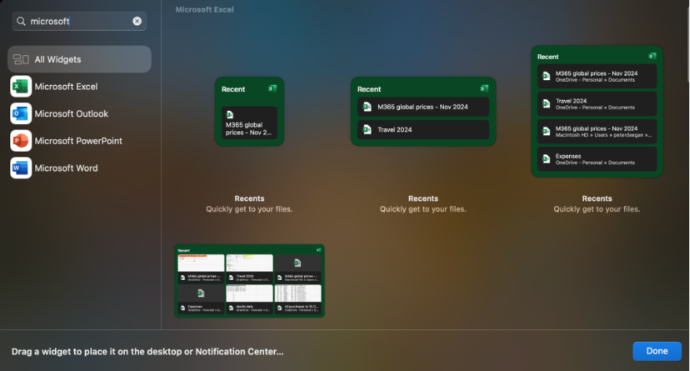
Office widgets come to Mac computers
The existing Office app “Recent documents” widgets for iPhone and iPad are now available on Mac computers. There are widgets for Excel, Outlook, PowerPoint and Word. Each app has four widget options from small (one file) to a six file with thumbnails ‘extra large’ choice. The fastest way to find the Office/Microsoft 365 widgets is […]

Share your Office documents from Dropbox
OneDrive isn’t the only choice for sharing Office documents. Dropbox can also share Word, Excel or Powerpoint documents including real-time collaboration. The Dropbox and Microsoft Office integration allows users to open, edit, and save Office files directly from Dropbox. Use either Office apps on the web (Office Online) or modern Office/Microsoft 365 desktop apps. You […]
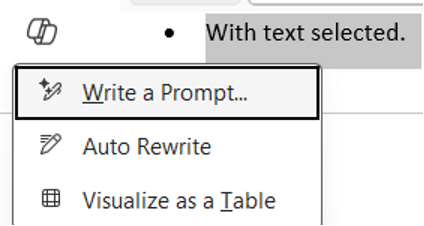
About the Copilot shortcut in Word, even Microsoft gets confused
The Copilot shortcut key in Word is unusual, so much that even Microsoft gets confused. We’ll look at the peculiarities in what seems like a simple keyboard shortcut. Office Watch reader, Fred J. from Wilmington let us know about this Microsoft social media post “Click ALT + I and ask Copilot to help” As Fred […]
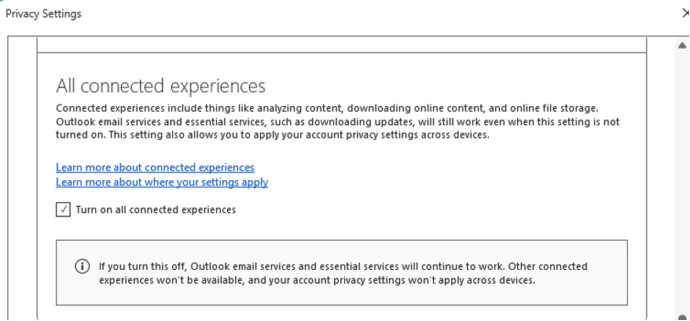
Word ‘AI free’ cure is worse than the disease
Social media is spreading a false ‘tip’ that’s supposed to stop Microsoft spying on your work in Word and Excel. The suggestion might not work at all and worse, it’ll stop important Office features from working at all. And Microsoft is NOT spying on Word, Excel or PowerPoint for their AI. The ‘tip’ is supposed […]
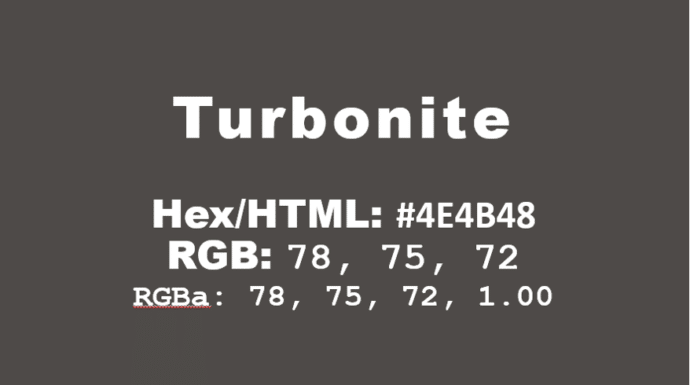
How to get the official Porsche color in Word and Office
How to get the official Porsche color “Turbonite” in Microsoft Office for Word documents, PowerPoint slides and more. The color has been announced by Pantone with the code PMS-2336-C. Porsche Turbonite is described in the usual flowery terms by Pantone: Turbonite color codes It’s easy to apply the Turbonite color to Office documents using these […]
Get more from your Keyboard: How to Turn the Caps Lock Key Into Something Useful (or Disable It)
If you often hit the CapsLock key by accident,sending part of your text into unwanted ALL-CAPS mode, you’re not alone. But rather than letting it stay a nuisance, you can repurpose it or disable it altogether. Stop accidentally turns CAPS ON when you don’t want it. On Windows or Mac you can remap CapsLock to […]
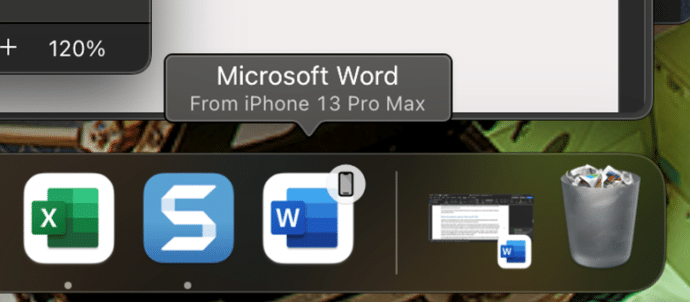
Apple Handoff now in Word, Excel and PowerPoint
Microsoft 365 for Mac can now use the Apple Handoff option to pass a document between a Mac computer, iPhone or iPad. We’ll also explain how to get a similar feature on any combination of devices Apple or Android. Apple Handoff lets you pass control of an open document between Apple devices. For example a […]

Halloween icons and symbols for Word, Powerpoint and more
Quickly add a Halloween ghost, pumpkin, witches’ hat and more to your Outlook email, Word document or PowerPoint slides which have many in-built icons, graphics and pictures to enhance your “All Hallows’ evening” Icons, Stock Images, Stickers and Illustrations are all available in Microsoft 365 for Windows or Mac. Some Icons are also available in […]
Copilot shock in latest Word release
Office Insiders will get a nasty Copilot shock when they start a new document in Word 365. Microsoft has gone ‘over the top’ in their latest effort to push Copilot. The latest Insiders release of Word 365 with a paid Copilot plan has this when a new blank document is started. Talk about unsubtle. Not […]