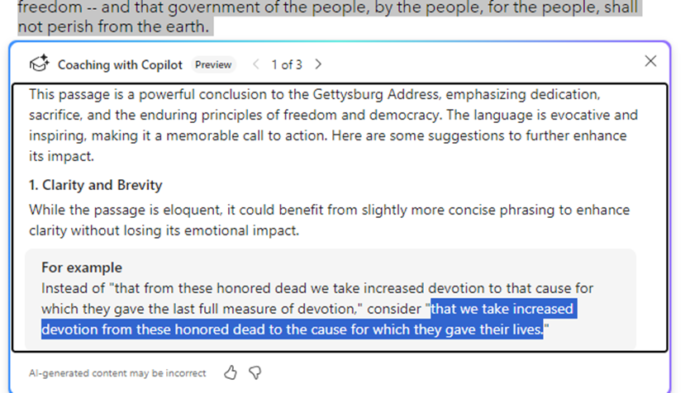
Now Copilot is a writing coach
Word is getting an online coach to improve or adapt your writing with the Copilot Coaching. It’s an extension of the current rewrite option in Copilot. Coaching analyses the selected text or entire document then makes suggestions that you can accept or reject. There are quite a few conditions on Copilot Coaching as it’s available […]

Straight lines and neater drawn shapes in Office
If you’ve used OneNote recently, you’re probably aware of the feature allowing you to draw shapes and make lines straight. Then Word for Windows got “Draw and Hold”. Now Excel and PowerPoint can draw straight lines and draw neat shapes (circle, square and more). We’ll explain how it works and how it’s different to the similar […]
Word deletes a document when you’re trying to save it
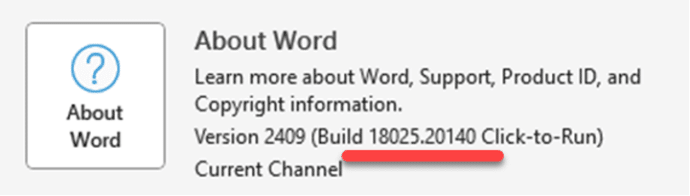
Word for Windows has a new and dangerous bug which deletes a document as you try to save it. The bug has been fixed but here’s how to make sure you’re not running the bad Word. Any bug which deletes data is bad and while it takes a specific set of circumstances to trigger the […]
Word’s Researcher feature is ending soon
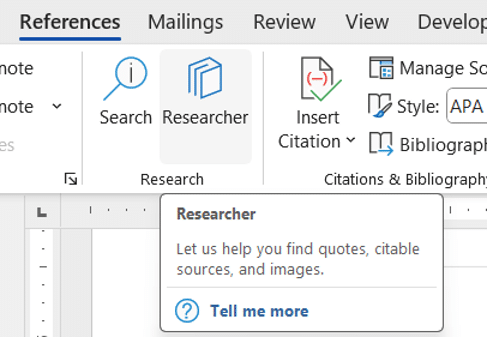
Researcher, a search and citation tool in Word 365 will disappear in a few months. You’ll find Researcher, for now, on the References tab in Word 365 for Windows or Mac. That button will be removed from the Word ribbon sometime in late December 2024 and should be totally gone during January 2025. Why? The […]
How to get back WordPad
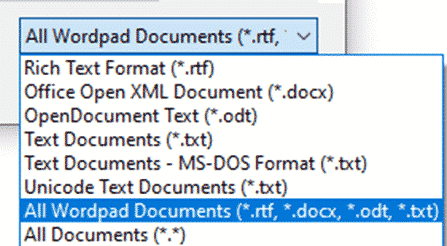
The latest Windows 11 update will delete Wordpad from the computer. Here’s how to get it back and keep it on Windows. As promised back in February 2024, the Windows 11 24H2 update deletes the Wordpad app. That’s a shame because Wordpad could open Microsoft Word documents (.docx) files offline and without buying Office or […]
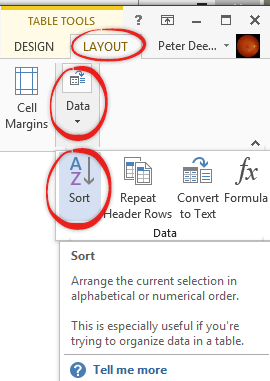
Power Sorting and more in Word
You can sort paragraphs, lists and tables in a Word document with all manner of tricks available under the simple ribbon button. Following our look at different alphabetical orders, here’s a look at the sorting options in Word. Select the list or paragraphs then choose Home | Paragraph | Sort. For tables there’s similar sort […]
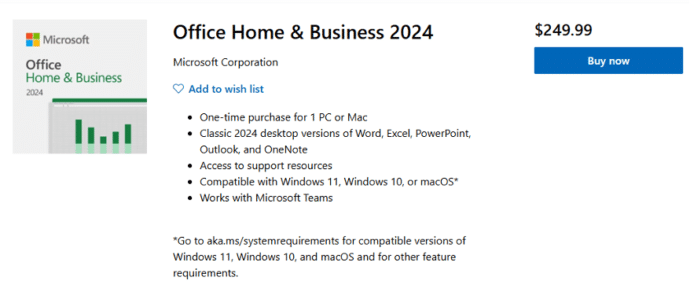
Office 2024 is now on sale
The new version of Microsoft Office 2024 is now on sale to the general public all around the world. This is the ‘perpetual licence’ or single purchase release with no subscription fee. Office 2024 is now available direct from Microsoft.com and some retailers at the same prices as Office 2021. See All about Office 2024 […]
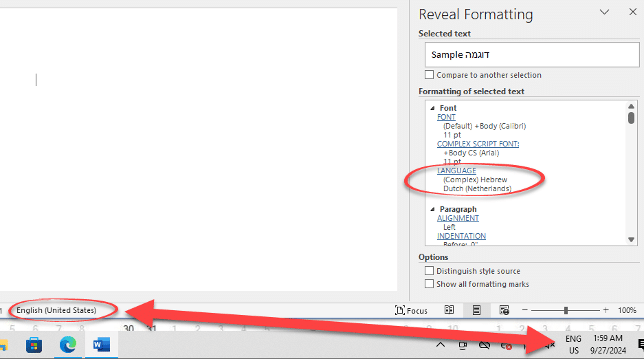
Investigating the Word language bug
Here’s how Office Watch reader, Erik and we drilled down into Windows and Word to narrow down the source of the Word language bug. Erik’s tests are with Office 365 on Windows 11 Pro 23H2 but the same behavior has been reported by others in many versions of Word and Windows. Office Watch had a […]
Inside the Language choice bug in Word
Sometimes Word will switch to another language despite all the settings saying otherwise. With the help of an Office Watch reader, we’ve dug into the details to find what might cause the bug in Word and suggest some possible solutions. Word and Office should obey the default language setup in Office but, as some people […]

Famous logos with the fonts they use
Ever wondered what font is used in a famous logo? There’s a fascinating collection of familiar brands with their names replaced with the font name. Emanuele Abrate has made Logofonts, for example the Starbucks logo with the font name, FreightSans Black. Nike uses Futura. WhatsApp with HelveticaNeue. YouTube uses AlternativeGothic and Instagram has Billabong. Once […]

How to correctly spell Brontë in Microsoft Word with the diaresis
An 85-year-old blunder has just been fixed at Westminster Abbey to change the spelling to Brontë with the important diaresis. Here’s how to type an ë in Word and other matters arising. Here’s how the memorial to the Brontë sisters looked in Poets Corner until a few days ago. For 85 years this memorial, seen […]

Microsoft Office and the “Dialog from Hell”
A short video which brings up some interesting points in the early development history of Microsoft Office, some might surprise you. Microsoft Office started as separately sold products (Word, Excel, PowerPoint and Outlook) and only gradually did they become an integrated package with shared components, consistent interface and some interconnections. See the whole video on […]
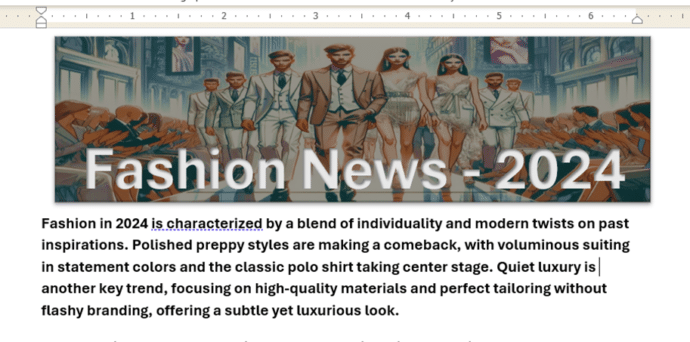
Make a great Word document banner – free
Add something special to the start of your Word document with a banner image with text. We’ll explain how to do that with free tools like Copilot or Designer. We were inspired by a Microsoft promotion which wrongly said that a Microsoft 365 subscription with Copilot Pro is required, when really neither of those things […]
Great macOS Sequoia features for Office users
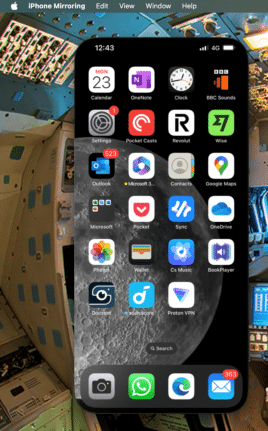
The latest version of the macOS for Apple Mac computers, Sequoia v15, is out now. Here’s a few features and settings that might interest Microsoft Office users plus a few tips from real use of macOS Sequoia. macOS Sequioa is available now and works quite well for us. More cautious people might want to wait […]

Copilot Wave 2 – watch out for the fine-print
A new collection of Copilot features have been released under the banner “Wave 2” with inclusions for Excel, PowerPoint, Outlook, Word and Teams. Don’t get too excited because there’s ‘fine print’ that limits who can catch this wave. Before we explain a little of what’s in the new set of Copilot features, let’s look at […]
All about the basics of Styles in Word
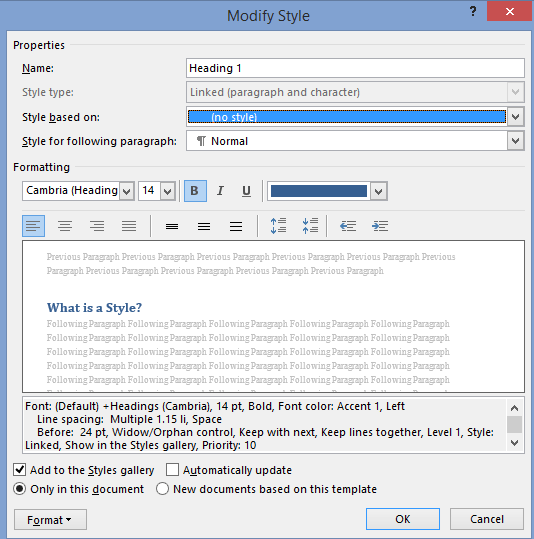
Here’s the basics of Styles in Word for paragraph, character or both (Linked) plus Tables and Lists. I know talking about styles in Word makes eyes glaze over but they are a really useful part of Word (plus Excel, PowerPoint and Outlook). Today I watched an ‘experienced’ Word user reformatting a document. He laboriously worked […]









