
Right-click menus now in Office for iPad
The Word, Excel and PowerPoint apps for iPad are getting right-click menus when there’s a external mouse or trackpad connected. It’s a good move with more iPads being used with separate keyboard & mouse as a mini-PC. Sadly the new menus aren’t all they could be. Right-click (Microsoft calls a ‘secondary click’) on an image […]

Broken Vertical Bar ¦ symbol in Word, Excel, PowerPoint and Outlook
Type the Broken Vertical Bar ¦ in Microsoft Word, Excel, PowerPoint or Outlook. Both in Office for Windows and Office for Mac. Broken Vertical Bar ¦ symbol was sometimes used in computing. These days there’s no specific use for the broken vertical bar but it’s good to keep in mind as a design alternative to […]
Dictation updates in Office 365 for Mac
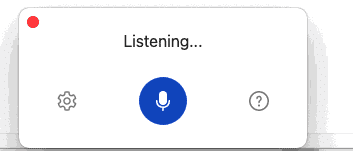
Microsoft has added new features and interface to Dictation in Word for Mac. Voice commands, auto punctuation and even a !@$#$ profanity filter. It’s almost the same as Dictation in Word 365 for Windows. A different shortcut key ‘tis all. Clicking the Dictation button on the Home tab or pressing Option + F1 now opens […]

Windows fixes for Office and printing problems
The March 2021 Windows patches have caused at least two major bugs (sorry ‘issues’) that can affect Office users or anyone trying to print. Here’s the fixes and workarounds. Printing bug This is a nasty bug caused by the Windows patch KB5000802 not being properly tested before release. An update to vaguely ‘improve security’ in […]
Office docs to avoid at all costs, the old formats
There are types of Office documents that you should NOT open, even if they come from someone you trust. Here’s the full list of file extensions for the older Office document formats which are much more likely to be ‘malicious’ docs from hackers and criminals. We’ve talked about the risks of receiving hacked documents using […]

The case of the disappearing Office 365 UserVoice
Without notice, the main forum for Office customers to tell Microsoft what they want has disappeared. No explanation of what’s happened and what, if anything, will replace it. For many years, Microsoft has boasted about their UserVoice pages such as https://office365.uservoice.com/ but it’s gone dark. All the years of suggestions and discussions have been deleted, […]

More changes for Word’s Spelling and Grammar
No need to right-click to see spelling and grammar suggestions in Word and Outlook 365. It’s changing so only a single left click will show the suggestions, corrections and more. On the downside, fewer options are initially displayed. Useful features are now multiple clicks away and hidden from view. It’s part of Microsoft unstated policy of […]

Word gets YouTube and other embedded content
Word online (in a web browser) can now embed live web content like videos from YouTube or a quiz from Forms Embedded content is fully interactive within the Word document. Play the video, fill in the form/quiz. No special command or ribbon button necessary. Just paste in the web link, Word will embed the content […]

A new way to convert a Word document to PowerPoint
Word online (web browser) is getting a way to convert a Word document into a PowerPoint presentation. For the moment it’s available as a preview feature in Word online. See if you have it at File | Transform. Transform document to presentation Start from File | Transform | Transform to PowerPoint presentation First, choose a […]
Not Equal ≠ symbol in Word, Excel, PowerPoint and Outlook
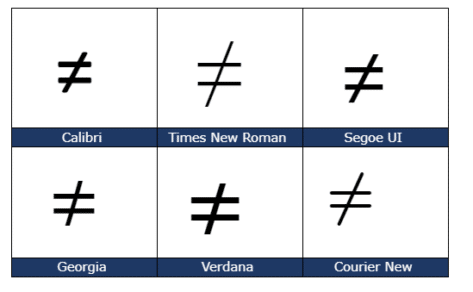
Type the Not Equal ≠ sign into Microsoft Word, Excel, PowerPoint or Outlook. Both in Office for Windows and Office for Mac. Not Equal ≠ symbol is used in equations, obviously but it’s also handy shorthand in a heading or slide. The official Unicode name is ‘Not Equal To’. How Not Equal ≠ looks in different fonts. Here’s some examples of how Not Equal ≠ looks in […]

Word is getting text prediction but who needs it?
Maybe it’s just us, but the news that Microsoft Word is soon getting a text prediction option does NOT qualify as good news. It’s a right PITA. Text prediction is a new cloud service from Microsoft. It’s currently in Outlook online for Microsoft 365 hosted mailboxes and some Microsoft 365 insiders. Office Watch told you […]

Two new Microsoft Office bundles coming in 2021
Microsoft has announced two ‘perpetual licence’ or non-subscription versions of Office that will be released later in 2021. Both continue Microsoft’s unstated but bleedingly obvious attempts to push customers to annual ‘subscription’ payments. Here’s what Microsoft has disclosed so far with an explanation of the continued reduction of value for perpetual licence purchasers. To replace […]

Office ‘all-in-one’ app, get it now for iPad
The Office ‘all in one’ app, already available for iPhone and Android, is starting its arrival on Apple iPad. The app combines Word, Excel, PowerPoint and other goodies into a single app. The ‘all in one’ app, officially called just ‘Microsoft Office’ has started a limited preview. We’ll explain how to get it now, either […]

New look Dictation coming to Word for Windows
Microsoft is adding new features and interface to Dictation in Word for Windows. Voice commands, auto punctuation and even a !@$#$ profanity filter. Clicking the Dictation button on the Home tab or pressing Alt + ` now opens a dialog at bottom center of the document. It will start ‘Listening’ right away. Tap on the […]
Seven new languages for Word & Outlook Dictation
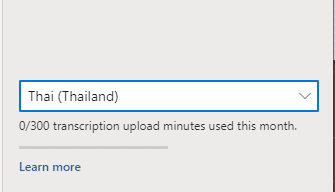
Microsoft has announced seven extra languages added to their ‘speech to text’ Dictation feature in Outlook and Word. The new languages announced are: Hindi Russian Polish Portuguese (Portugal) Korean Thai Chinese (Taiwan) Your milage will vary As a cloud service, the available languages will vary. It depends on the version of Microsoft 365, where you […]

Visio can now export to Word
Visio now has an option to export diagrams directly into Word. Export to Word has been in preview for about a year. It’s now available to all users on Visio Online Plan 2 The feature doesn’t just export the diagram images. Metadata is also exported in a table. Process | Export to Word opens a […]









