Office 2021 is the personal and small business ‘perpetual licence’, non-subscription version of Microsoft Office. For Windows and Mac.
Office LTSC (Long Term Servicing Channel) is the volume licence ‘perpetual licence’, non-subscription version of Microsoft Office for organizations, companies and governments. Also for Windows and Mac.
The features in Office 2021 and Office LTSC are very similar, if not the same.
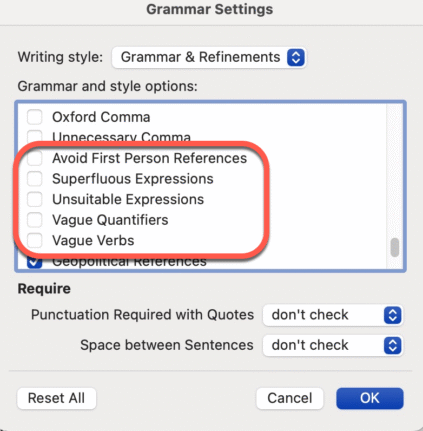
Don’t like Word’s Resume suggestions? Turn it off!
Instead of complaining about Word’s Resume style suggestions. Turn it off! It’s easy to do, here’s how. I often see social media posts bitching about a Grammar or Style suggestion given by Word. There are plenty of problems with Word’s Grammar and Refinements feature, but this one is an easy fix and it’s right there […]

Critical Office security bug fixes for June
Among Microsoft’s June security bug fixes there are some that directly affect Microsoft Office users. These three caught our eye. Two are rated as High risk while another is Critical, though we’d suggest ‘Unforgivable’ is a better word. Power Automate Privilege Escalation Vulnerability CVE-2025-47966 CVSS score: Critical 9.8 out of 10. Via a leakage of […]
Stop Using Old Office Document Formats Now
Still using .doc, .xls, or .ppt files? These outdated Microsoft Office formats are not just relics—they’re major security risks and should be banned. Hackers exploit these older files to spread malware, ransomware, and steal data, as they often bypass modern antivirus protections. After our suggestion to ignore old style Office documents, it’s clear some folks […]
Are RTF Files Safe? Hidden Security Risks You Need to Know
RTF files may seem safe, but they can carry hidden risks. Hackers use RTFs to exploit Microsoft Word and even infect systems through email previews. Learn why RTF isn’t as harmless as it looks—and how to stay protected. The confusion is understandable. After all .RTF (Rich Text Format) files aren’t designed to carry any computer […]
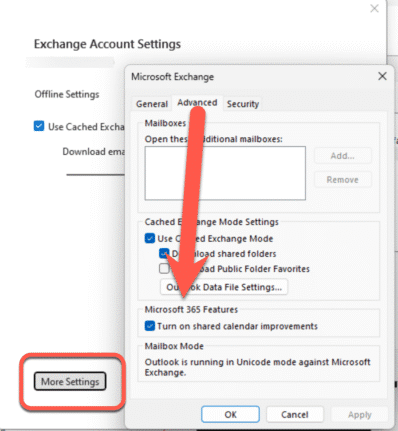
Outlook Calendar sharing goes off the rails
Microsoft has ‘improved’ calendar sharing for all their Microsoft hosted accounts but Outlook (classic) has been left behind with too many bugs with some still outstanding. The changed Shared Calendars is a good move that’s been poorly implemented for many customers. The Shared Calendar changes are an attempt to standardize the mix of different technologies […]

Fit more tabs across an Excel workbook
Struggling with a sea of worksheet tabs at the bottom of your Excel window? Whether you’re managing dozens of tabs or juggling shared workbooks with tight screen space, discover how to fit more visible tabs across your Excel workbook can transform your workflow. In this guide, we walk through both simple and clever techniques to […]
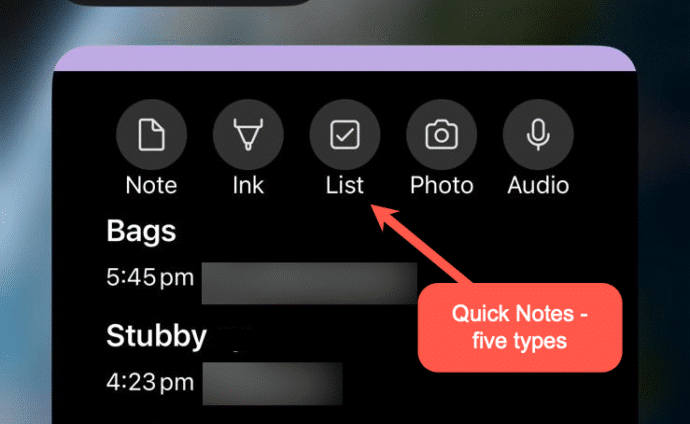
Make OneNote Quick Notes anywhere
OneNote Quick Notes is the fast way to add a short ‘jotting’, image or whatever. How a Quick Note is made varies a lot for each OneNote app; Windows, iPhone, iPad, Mac or Web. Windows Windows has shortcuts and a taskbar icon for Quick Notes In the OneNote app, go to View | New Quick […]
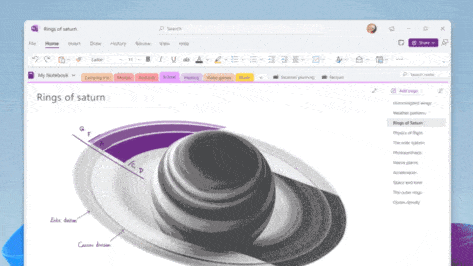
Quick Notes in OneNote for Windows
OneNote offers an electronic equivalent to the ‘sticky note’ or side-note. Most OneNote demos show off the full-size pages with a full range of feature but Quick Notes is the smaller and faster part of OneNote for Windows. Let’s explore how to make a Quick Note, what they can do and where they are saved […]
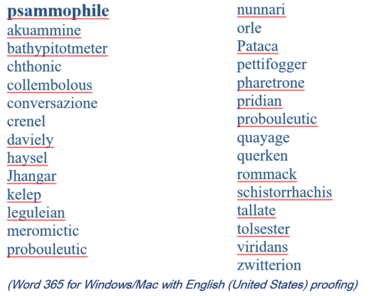
2025 Spelling Bee champs vs Microsoft Word
Our annual look at the words that challenged the Scripps Spelling Bee champs to see how many are recognized by the spell check in Microsoft Word. Again in 2025 Word was beaten by some very clever 14 year olds. Here’s a selection of the last round words from the 2025 Bee, starting with the winning […]
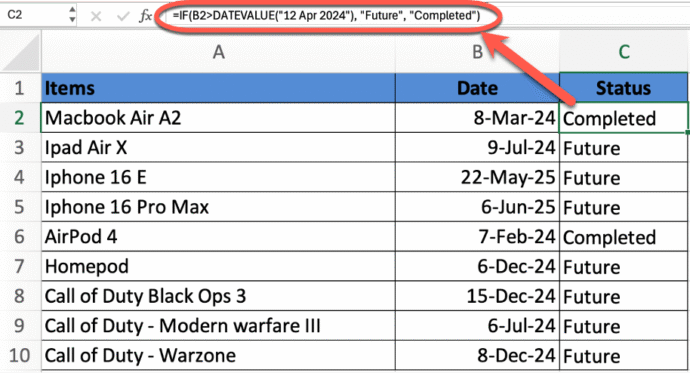
Mastering Date Comparisons in Excel Using IF Statements
Whether you’re managing schedules, tracking deadlines, or analyzing time-based data, comparing dates in Excel is a critical skill. This guide walks you through how to use the powerful IF function to compare dates—such as determining if one date is before, after, or equal to another. Learn essential Excel formulas that simplify date logic and help […]
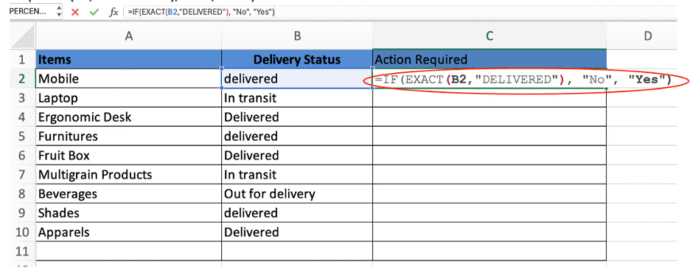
Excel case-sensitive text comparisons or not
Be careful comparing text in Excel because it looks easy but there are traps when comparing exact text (including upper/lower case) or not. Whether you’re cleaning data or ensuring accuracy in sensitive fields like usernames or product codes, we’ll help you get the results you need every time. Case-insensitive IF statement for text values When […]
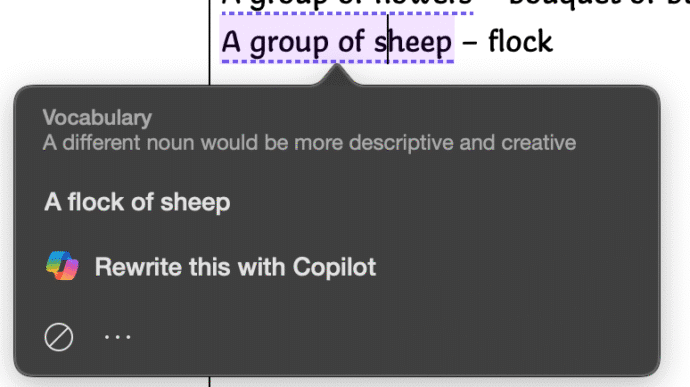
Collective Noun check in Word isn’t great.
Microsoft Word makes too many mistakes with collective nouns because only a few are detected by the grammar and style checks. Only US English notices “Subject-verb agreement with collective nouns” with other dialects ignored for no obvious reason. Many English words have a collective noun to describe a group pf those things. It’s not a […]

What does ‘Unverified’ mean in Outlook?
Outlook might label some emails as ‘Unverified’ and the photo/initials is just a question ? mark. What does ‘unverified’ mean? Is the email safe to open and how to stop some messages showing as ‘Unverified’? Unverified can appear in mailboxes hosted by Microsoft directly (Microsoft 365, Outlook.com). It’s a feature mostly controlled by the server […]
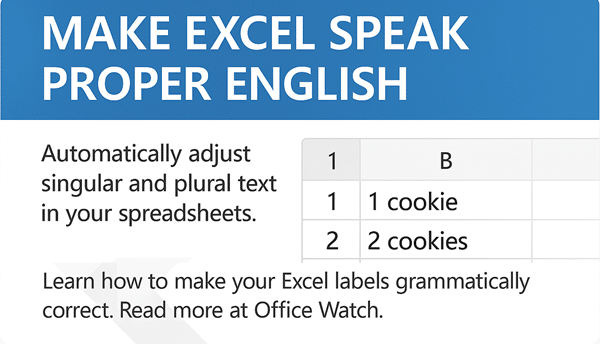
Add Singular or Plural text in Excel
In Excel there are various options for making sure a text label singular (e.g. person) or plural (people) matches the quantity. There’s the standard answer (IF() functions) or clever cell formatting tricks. For example if the cell has 1 item you want the singular label: 1 cookie But if the value is more than one, […]
All your choices before the end of Windows 10
Windows 10 ends support on 14 October 2025 and so does Microsoft 365/Office on Win10 (mostly). Here’s a guide to ALL your choices, not just the ones Microsoft is pushing. Including the Microsoft 365 support policy change. There’s a lot of advice around for the many people with Windows 10. Some of it is self-serving […]
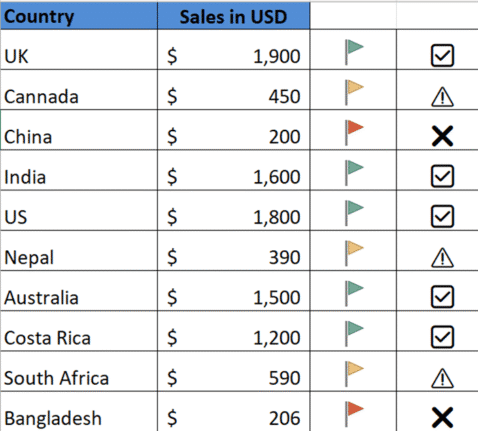
🚦 Mastering Excel’s Visual Indicators, icons and emoji
Use Excel with visual indicators to make lists easier to understand. Use IF function together with Conditional Formatting to display icons, text based on specific conditions There are so many possibilities available using Conditional Formatting or simple IF statements like these. Use IF Formula to show icons First, decide the conditions under which icons should […]









