Microsoft 365 Premium is the newest consumer plan that bundles the popular Family subscription with Copilot Pro at a much lower cost. For $199 a year, subscribers get six accounts with full Microsoft Office apps, 1TB OneDrive storage each, and premium Copilot AI tools for the plan owner—including research, data
Microsoft is rolling out a new wave of AI-powered tools in Microsoft 365. Copilot Agent for Word, Excel, and Office promise to generate full documents, reports, spreadsheets, and presentations from natural language prompts, then refine them through AI chat. Microsoft aims to make content creation faster and more consistent across
Microsoft is promoting Excel Agent as a powerful new AI feature designed to build entire worksheets from a single prompt—but how well does it actually work? Office Watch put Excel Agent to the test and found a mix of promise and pitfalls. From creating a mortgage comparison sheet to handling
Microsoft has made Copilot more powerful—but also more confusing. With Agents, Agent, and Actions all referring to very different AI tools, even experienced Office users are left wondering what does what. Agents (plural) for Copilot in business and enterprises can take actions automatically such as tasks setup a new employee. Now,
Microsoft has quietly opened up its Frontier program—a public preview for Copilot and AI features—to Microsoft 365 Family and Personal subscribers. While Enterprise users have had access for a while, everyday users are now being invited to test AI-driven tools across Word, Excel, and the web apps. The process to
Transform your photos into interactive 3D models in seconds with Copilot 3D, Microsoft’s experimental tool makes it easy to generate high-quality 3D models from simple images. Discover how this experimental technology can let you change the view of a person or object. Take a photo of an object with a
The new Copilot() function can be great for taking disorganized data like feedback from people and grouping it quickly. We’ll explain the best ways to do that and the pitfalls of relying on AI. One of Microsoft’s examples for Excel 365’s Copilot(() caught our eye and we were pleasantly surprised
It had to happen, there’s now a Copilot() function in Excel to drop AI responses directly into spreadsheets. It’s a clever trick but, as usual, there are problems that Microsoft overlooks in their hype. Excel’s new COPILOT() function brings AI directly into spreadsheet formulas. Available now in Excel for Windows
Microsoft is sacking another 9,000 workers or about 4% of its global workforce. That’s in addition to the 6,000 people dismissed earlier this year. What does that mean for us paying customers? If you’ve wondered why Microsoft pushes Copilot AI so hard – it’s to recoup their incredibly large investment
Take control of Microsoft 365 by learning how to enable or disable Copilot in each app—Word, Excel, PowerPoint, Outlook, and OneNote. This guide provides step-by-step instructions to customize Copilot settings per application and explains why sometimes you can’t turn it off. Copilot integration into Microsoft 365 is a mess. Microsoft
Some Microsoft 365 consumer plans come with a monthly allowance of “AI credits” but it’s hard to find out how many are left. The AI credit balance does not show up in the Microsoft 365 apps nor Windows 11 account information. It should be there and maybe Microsoft will eventually
Microsoft has given Copilot in Excel 365 some smarts to choose the table or cells to work on. Previously, Copilot relied on the user’s selected cell to determine context, often defaulting to the nearest structured table. We explain how it works in the real world and the important limitation. Enter
Can Copilot do a better job adding the right collective noun for an animal or group? The answer is a good example of why NOT to trust AI fully. Plus, another AI trick and the better answer from ChatGPT. Microsoft Word grammar has a problem with collective nouns, see our
Microsoft has updated Copilot’s image making features in two important ways. Now it can spell properly and properly change your own photos. Available in both Copilot and it’s ‘parent’ ChatGPT we’ll show you what’s now possible and a lot better. You may have read that Copilot is now using OpenAI’s
Microsoft is replacing a feature in PowerPoint with something called either “Slide Starters” or “Design Suggestions” using Copilot AI. It offers pre-populated slide templates with structured content such as titles, placeholders, tables, and timelines, tailored to match the user’s chosen layout. “Design Suggestions” replaces “Designer” which has been in PowerPoint
Navigating the evolving landscape of Microsoft 365 and Copilot AI can be challenging amid frequent update, varying features and so much hype. Our independent guide breaks down what Copilot is, its capabilities within Word, Excel, PowerPoint, Onenote and Outlook, and the distinctions between different Microsoft 365 plans. Microsoft has changed
Microsoft has two mobile apps with the “Copilot” AI name. “Microsoft 365 Copilot” and “Copilot” apps for iPhone, iPad or Android. What’s the difference and which is best for you? Microsoft’s Copilot hype “Your AI companion for everyday life” (see below) always reminds me of “Your plastic pal who’s fun
Ever record or type a note thinking you’ll “sort it out later” — and then never do? Word for iPhone/iPad now has “Use Copilot“, a way to convert a voice recording or text notes and turn them into neatly organized documents in a style of your choosing. It’s worth a
AI systems have got a lot better at making and fixing Microsoft Office VBA code. We compare Copilot and ChatGPT to see which is best choice for coping with the complexities of Office VBA. Early in 2024 we tried asking ChatGPT for Office VBA code in some simple examples, the
Microsoft 365 Copilot is improving their document summary feature in Word across Windows, Mac, and the web for some customers. Still no mention of the feature that Word Copilot users really want! Copilot Summary appears at the top of Word documents, whether you like it or not. It can be
PowerPoint is getting a useful addition to its Copilot AI options, make a new slide with Copilot. The Home tab of PowerPoint 365 will have ‘New Slide with Copilot’. A Copilot enabled Microsoft 365 plan is necessary, obviously. Or there’s “Add a slide” on the Copilot icon top-left of a
Copilot could become a ‘toxic brand‘ because of pushy way Microsoft is adding it to Microsoft Office. We have some ‘modest proposals’ for how Microsoft can improve their AI offering and keep paying customers onside. Or, put another way, some grumbles about the way Microsoft is force-feeding Copilot to its
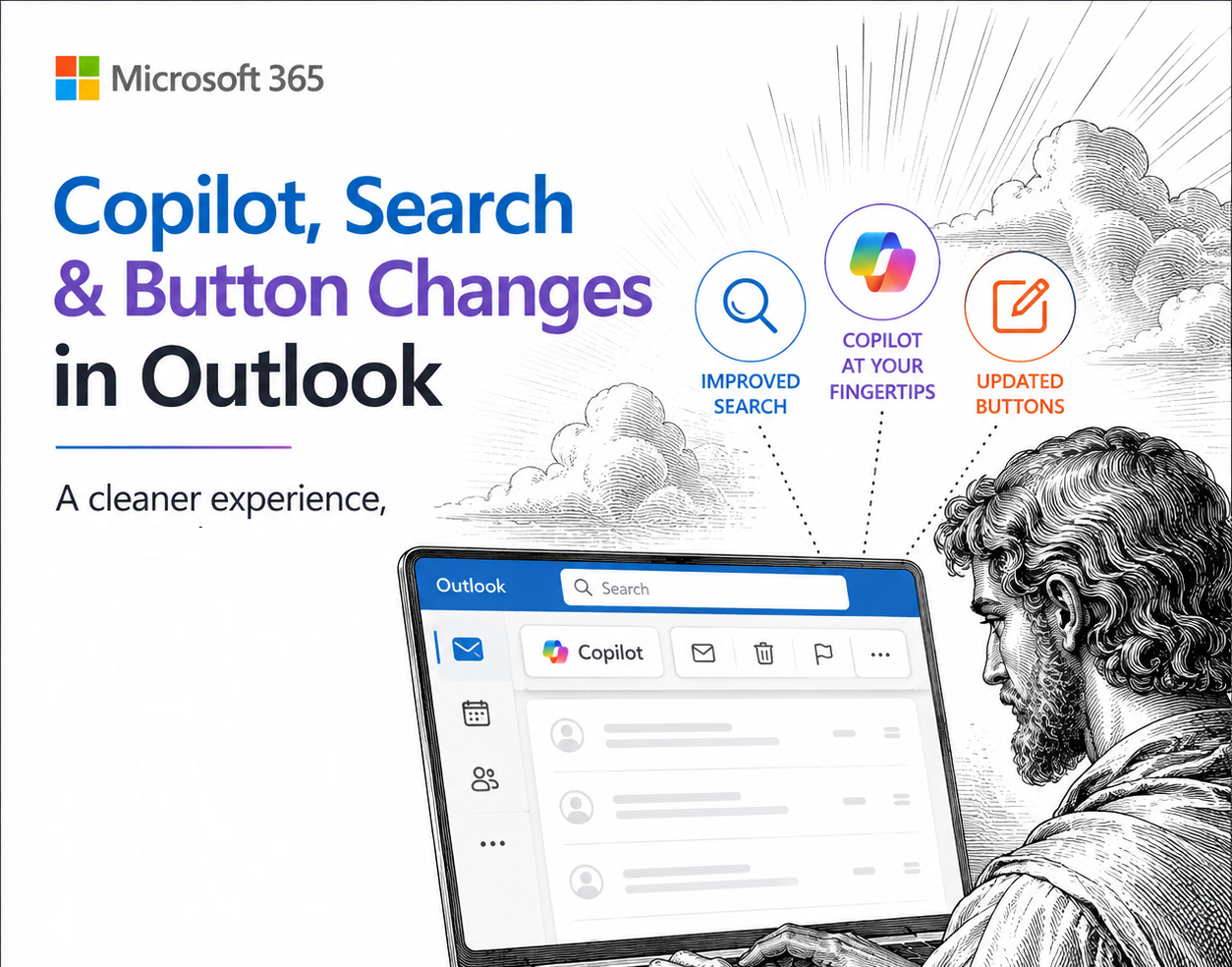
Copilot is now appearing on the Microsoft Word title bar as part of the combined search and help, now called “Copilot Search”. The Copilot ‘ads’ for blank documents keep changing too. In the latest Word 365 Insiders builds the Search box (which combines Find, Help and broader Searches) is now
Microsoft has introduced a new feature allowing users to upload images directly from their mobile devices to Microsoft 365 Copilot. A nice trick but there are other ways to do the same thing, including two from Microsoft itself! The idea is to streamline tasks such as transcribing handwritten notes, summarizing