How to Type Male ♂ Female ♀ and Both ⚥ Gender Symbols in Microsoft Office
Need to add a gender symbol to a Word document, Excel spreadsheet, or Outlook email? Microsoft Office supports all three main gender symbols: Male ♂, Female ♀ , and the combined symbol ⚥ . Both in Office for Windows and Office for Mac. Whether you are labeling a form, a chart, or a scientific table, the gender symbols have many uses, not just on bathroom doors <g>.
In Word for Windows use Alt + X to quickly enter the symbol … for example type 2640 then Alt + X (hold down Alt while pressing X) to get the ‘Female’ symbol.
2640 then Alt + X for the Female symbol ♀
2642 then Alt + X for the Male symbol ♂
26A5 then Alt + X for the Combo Male Female symbol ⚥
In other apps, the fastest way is to copy one of the symbols on this page (like the large ones above) and paste wherever you need it.
How Male ♂ Female ♀ Both ⚥ appear in different fonts
Like many symbols, they can look quite different depending on the font used. Word 365 defaults to using Segoe UI Emoji font.
Here’s the Male ♂ Female ♀ Both ⚥ appear In different fonts; Segoe UI Emoji, Segoe UI, Arial Unicode MS and Times New Roman.

The Segoe UI Emoji versions of Male/Female are colorful, perhaps more than is right for your document. Select the symbol and change the font to get something less fancy.
Thanks to Carl for pointing out the howlers in a previous version of this page.
Coloring the symbols
Like any symbol, use Font Color to change the overall color. This works for both the Segoe UI Emoji and other fonts.
Changing the color is a click away at Home | Font | Font Color
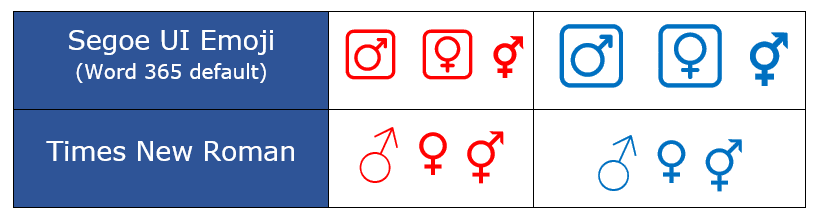
The color effect for the default Segoe UI Emoji Male symbol is wiped out when the font color is changed.
Icons in Microsoft 365
If that’s not enough, Icons in Microsoft 365, both Male and Female symbols (not the Male/Female combo) . Just search for symbol you want, just ‘Male’ or ‘Female’ will do. There are ‘black’ and ‘white’ versions in Microsoft 365.
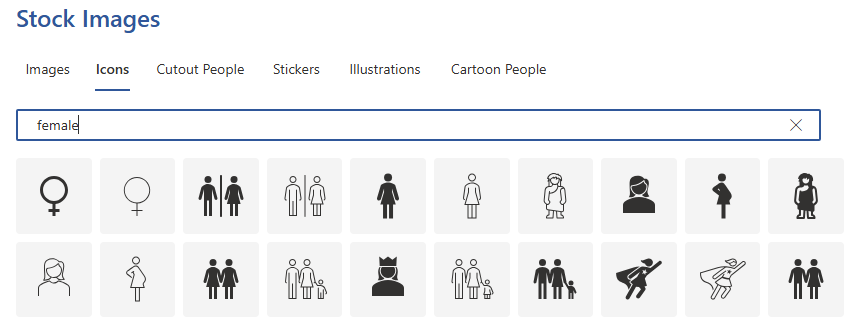
Also Queen, Cavewoman and superhero with cape😀.
Word and Outlook
The gender symbols don’t have an inbuilt shortcut in Word.
Use the standard Word Alt + X symbol shortcut eg 2642 , Alt + X using the table above.
If the symbol is in regular use. Once in a document you can copy it to AutoCorrect and make your own shortcut.
Word, Excel, PowerPoint and Outlook
Insert | Symbols | Symbol and look for the playing card symbols. The quick way is to choose a symbol font then type 2642 into the character code box. That jumps to the correct spot in the symbol list.

Windows Character Map
All Windows releases have the Windows Character Map accessory. Again the quick trick is ‘Go to Unicode’ 2640 or 2642 to see both Male and Female symbols next to each other.
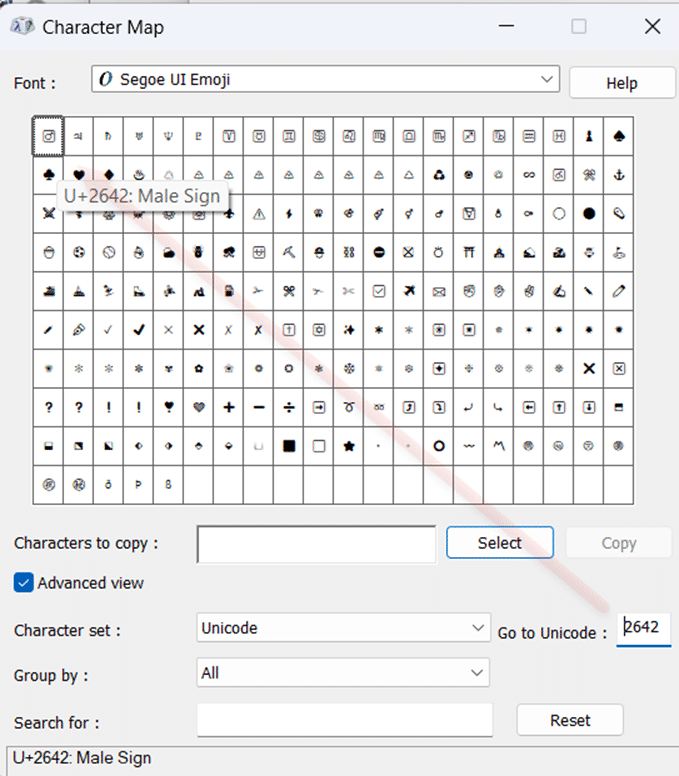
Character Map has a search feature, something missing from the Insert | Symbol in Office.
MacOS and Office for Mac inserting characters
- Command + Control + Spacebar shortcut to open the Character Viewer.
- Search for “ Male “ or “Female” and the Viewer should find the symbol you need.
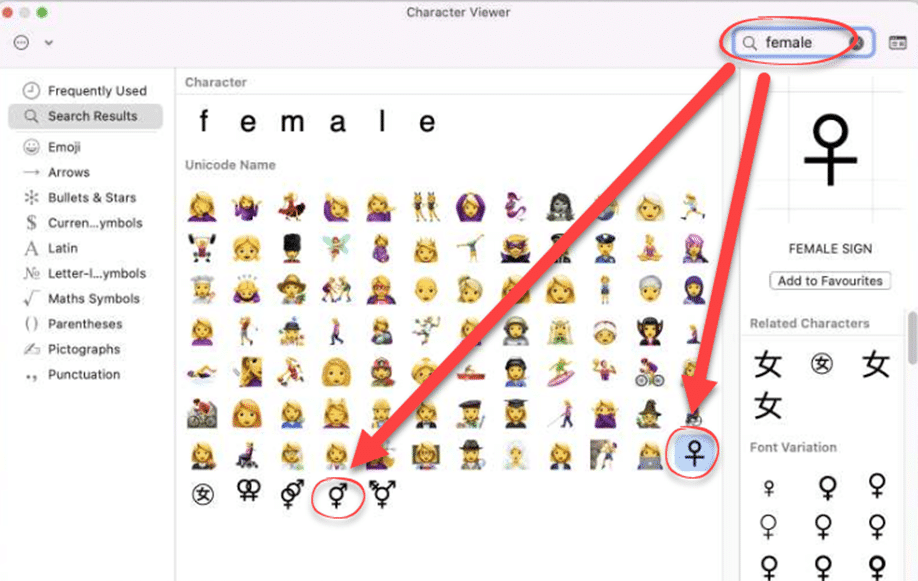
Despite the name Character Viewer, the Apple system tool will also insert characters into any program, including Office for Mac.
Thumbs Up👍emoji in Word, Excel, PowerPoint and Outlook
Grinning Face with Smiling Eyes 😁 emoji in Word, Outlook and Office
Right arrow → symbol in Word, Excel, PowerPoint and Outlook
Insert Symbols and Characters in Word and Outlook with Alt + X
Quickly Add Any Special Characters in Office
About Unicode, Fonts and Symbol Codes
Extra Symbols with Segoe Fluent Icon Font for Word and Office
Show Unicode Number for a Character in Microsoft Word
Type Playing Card Suit Symbols in Word, Excel, PowerPoint and Outlook
Word’s Find Can’t Find All Unicode Symbols and Emoji
Five Heart Symbols in Word, Excel, PowerPoint and Outlook