If you’ve ever wondered how to replicate the distinctive “school bus yellow” shade in your documents or slides, you’ll find the answer here. It’s the standard hue for North American school buses, chosen for visibility and impact. You can apply this same shade in Microsoft Word, Microsoft PowerPoint or any other Microsoft Office document simply by entering the hex or RGB values, bringing a bright, bold accent to your layouts just like the classic vehicle signage.
The US School Bus color has been around since 1939 and while the composition of the paint has changed (no lead these days) the color has not. It’s officially called “National School Bus Glossy Yellow” and it can be used in any Word document, PowerPoint slide or other Office document.

Use School Bus Yellow to match or complement other related colors or images. Any place you can choose a color; font, shape, arrow or background.
Color Codes for School Bus Yellow
In Microsoft Office the best way to apply a specific color is using the Hex code.
HEX: #F5A500
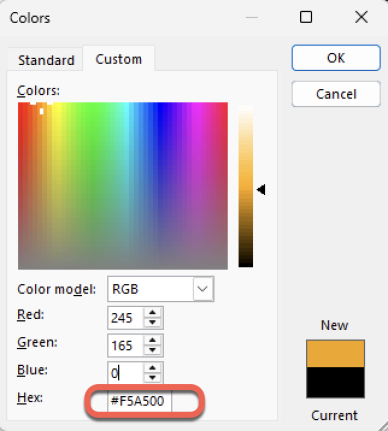
For earlier versions of Office use the RGB values instead:
RGB: 245, 165, 0
Use Pantone Colors in Office documents
Pantone’s 2025 color ‘Mocha Mousse’ in Word, Excel and PowerPoint
Microsoft Redefines “Red” for Better Accessibility in Word, PowerPoint, and Outlook
