7 Ways to Convert Markdown to a Word Document
If you have a Markdown (.md) file and need it in Microsoft Word, you have more options than you might think. From pasting text directly into Word Online to letting an AI do the heavy lifting in seconds, each method has its strengths and sweet spots. This Office Watch guide covers seven practical ways to get from Markdown to a clean .docx file, and singles out the one that works best for most people.
If you have a .md Markdown file and wondering how to get it into Word there are many methods available. In researching this article, Office-Watch.com discovered one method that’s best for most needs and added a new Markdown in OneDrive/SharePoint option.
Need a “411” on Markdown? Check out What is Markdown and how it works with Microsoft Word
AI conversion Markdown to Word
Any general-purpose AI (Copilot, ChatGPT, Claude etc) can convert Markdown into Word formatting in seconds. The free plans are enough for most purposes. It’s quick, simple and effective.
We used Anthopic’s Claude with the prompt.
Create a Word document from this …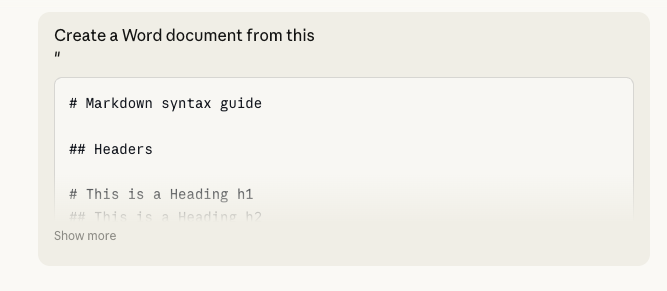
Claude makes a .docx file for downloading, plus some notes on any conversion problems.
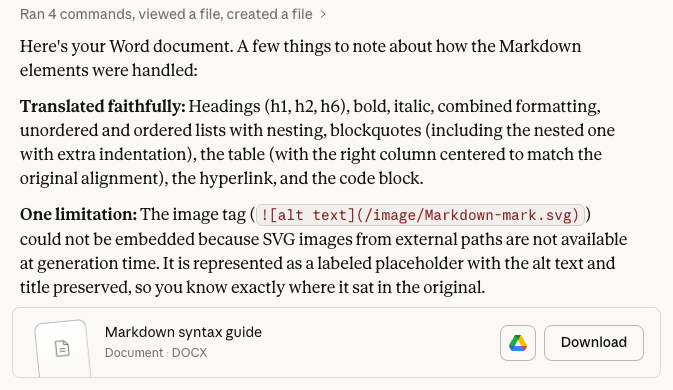
Claude handled all the Markdown we tested and, as you can see above, warned about anything it could not understand or convert.
Copilot in Word
If you have Copilot within Word it’s easy. Paste in the Markdown text, select it then open the Copilot box and use the prompt
Convert this markdown text into Word formatting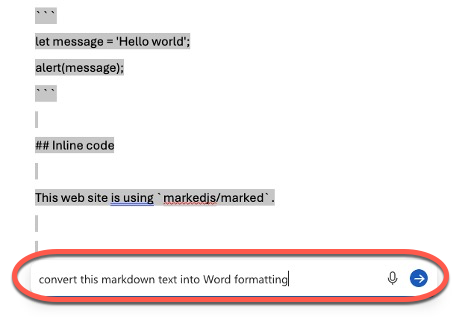
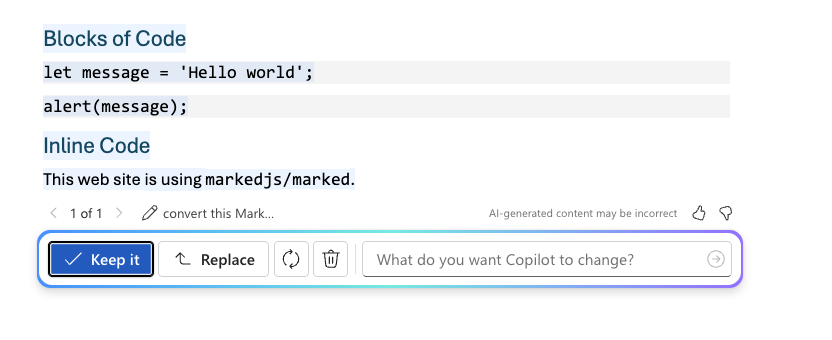
Copilot does a good conversion job, as it should.
Copilot in OneDrive and Sharepoint
Markdown files are now supported in OneDrive and Sharepoint, so it’s possible to convert Markdown to Word. However, it’s in a roundabout way to do it.
Select the .md file then start Copilot and tell it:
Convert this to a Word document
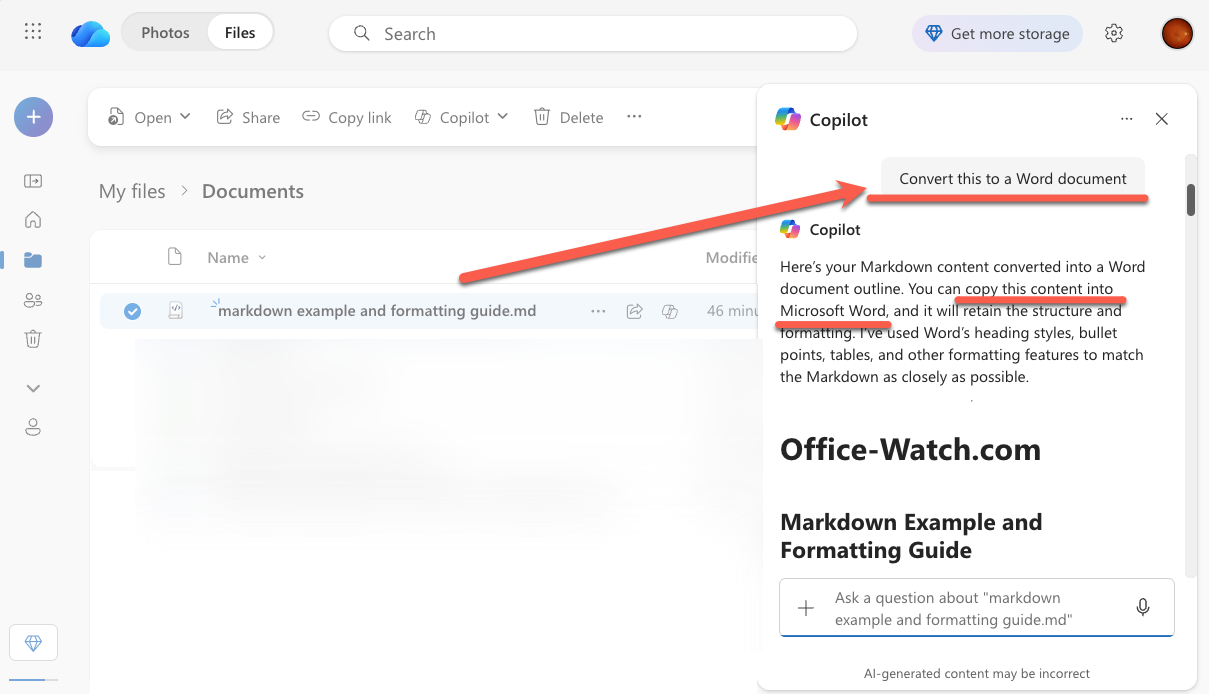
Copilot doesn’t directly do a conversion … at least not at the moment. Instead it drops a new version into the side-pane which can be copied and pasted into a Word document.
Hopefully, this will be changed to make a .docx file directly.
Word in a browser
Word online can, in theory, convert simple Markdown … but don’t expect too much.
Open up Word in a browser (https://word.new/ will open to a new, blank document).
Paste in the Markdown text and Word might do a reasonable job converting it but far from perfect.
In our tests, Word online was unreliable, to put it mildly. Some Markdown was converted to Word nicely but other examples were pasted in as plain text.
That’s because Word is only converting patterns it recognizes via simple rules, not actually understanding Markdown as a format.
Note: various online ‘experts’ say that Word will convert Markdown without mentioning that it’s only Word online (not Windows, Mac or mobile) nor that the conversion is spotty at best.
Copy and Paste
Another simple option is to open the Markdown in one of the many online editors then copy the right-side HTML rendering for pasting into Word.
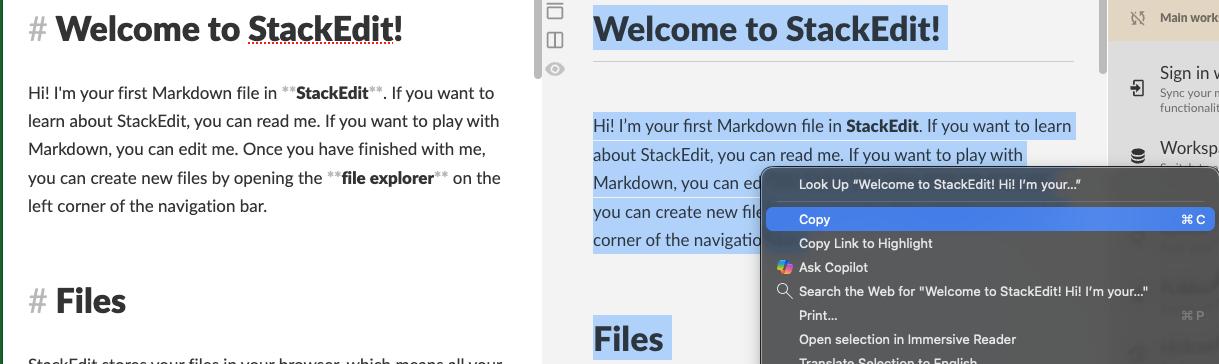
Again, it’s not great for more complex formatting but it might be enough.
Tip: Paste with the “Use Destination Formatting” option.
Alas, Heading styles don’t get converted using this method.
Export from Markdown
Most Markdown online editors have some export options. This might be necessary if the Markdown text includes extensions such as emoji, image attributes, footnotes and others. this is from StackEdit.
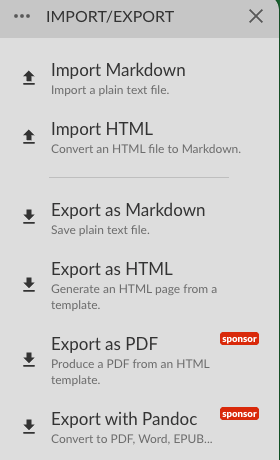
The PDF and Word options required ‘sponsorship’, a donation to StackEdit.
Export as HTML works as an occasional conversion option. This will retain most formatting into Word, including headings, bold, italics etc. Even Latex code became an Equation <impressive>.
- Export the Markdown as a plain or styled HTML file. That file is saved to your computer.
- Open the HTML file in a browser.
- Select the web page in the browser (Ctrl + A to Select All) then Copy (right-click or Ctrl/Cmd+C)
- Paste into Word.
Other Markdown to Word choices
If you need MD to DOCX conversion regularly, the main tool is Pandoc, a free command line converter that does a good job turning .md files into .docx files, complete with styles, headings, and tables.
There are plug-ins available if you’re often bridging the divide between Markdown and Word.
- Writage Plugin: A popular third-party extension that adds Markdown support to Word, allowing you to open and save .md files directly while maintaining formatting.
- Word Add-ins: The “Markdown Styler” or other Markdown Editor add-ins can be installed from the Office Store to help write, style, and visualize markdown directly inside Word.
Frankly, these specialist tools might be unnecessary since general-purpose AI can do the same jobs. Only if the Markdown is especially complex or uses extra features will a non-AI tool be necessary.
What is Markdown and how it works with Microsoft Word
All your Paste choices in Microsoft Word
Copilot Chat in Word, Excel and PowerPoint: a Practical Guide for Microsoft 365 Users
Get the Most Out of Copilot for Free: Tricks for Word, Outlook, and Excel
Copilot Deep Research Tested: Real Results, Flaws, and Formatting Fails
Quickly make your Word document look better
Word Style Basics: Mastering Styles in Microsoft Word
Microsoft 365 Copilot Explained: Features, Limitations and your choices