Write Office VBA with ChatGPT or any AI Real Examples That Work in 2026
ChatGPT, Copilot, Claude and Gemini can all write Microsoft Office VBA code for you, and they have improved dramatically. Ask any modern AI to write a Word macro, an Excel automation, a PowerPoint slide builder or an Outlook search routine and you will get working code in seconds. We tested the same four prompts we used three years ago across Word, Excel, PowerPoint and Outlook to show you exactly what AI gets right, where it still gets things wrong and how to nudge it toward better results.
ChatGPT or Copilot will takes a simple request and returns some code. It’s made coding a lot easier and faster than it was only a few years ago.
Still, there are some traps for the unwary and those who’ve swallowed the proverbial AI Kool-Aid.
Over the years we’ve tested AI to see how it copes with making some Microsoft Office VBA. These days AI can do a remarkably good job writing, changing and fixing code.
Here’s some examples we tried for Word, Excel, PowerPoint and Outlook back in 2023 and now check out the changes — all for the good.
If nothing else, AI gives you a starting point and shows you the methods and properties to explore. That especially applies to Outlook classic VBA which can seem like an impenetrable mystery to novices (and some experts).
Modern AI does a great job with coding. For those of us who have labored over VBA, adding AI makes a huge difference. How to Get Office VBA Code from any AI (4 Smart Prompt Tips)
For all these examples, we’ll use ChatGPT, but Copilot (aka “ChatGPT lite” 🥸), Claude or Gemini should do a very similar job.
Write Word VBA to open a document
A basic starting point for any Office VBA is selecting a document then opening it. ChatGPT gives a simple way to do that. Ask “Write Word VBA macro to open a document” and it shows some code to do that …
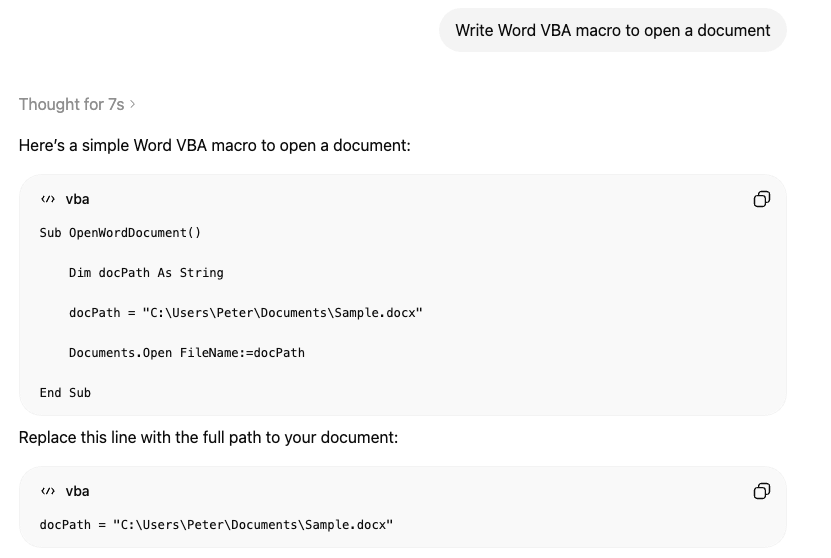
But ChatGPT goes beyond what was asked for, below the direct answer are better responses.
“A slightly safer version checks that the file exists first” and “To open a document selected by the user:“
Write Excel VBA to choose sheet then open it
This response isn’t exactly what we wanted. ChatGPT offers code to select a worksheet by number not name.
Write Excel VBA to choose sheet then open it, with an error message if no sheet selected
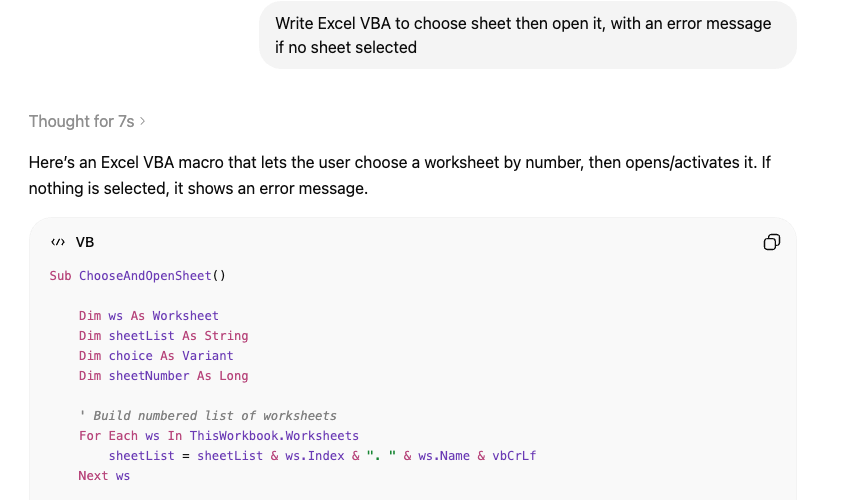
This is where repeated prompts come in.
Change to work with sheet names not numbers. Show a list of available sheets.
OR
Show a list of available sheets so the user can click/select a sheet from the list.
That last prompt requires a more complicated solution. AI will explain the UserForm with code required as well as the main code.
PowerPoint VBA to insert a new slide then add today’s date
This is another test prompt from 2023 which now gives a much better answer.
The AI made code is now clearer, has more options with better comments.
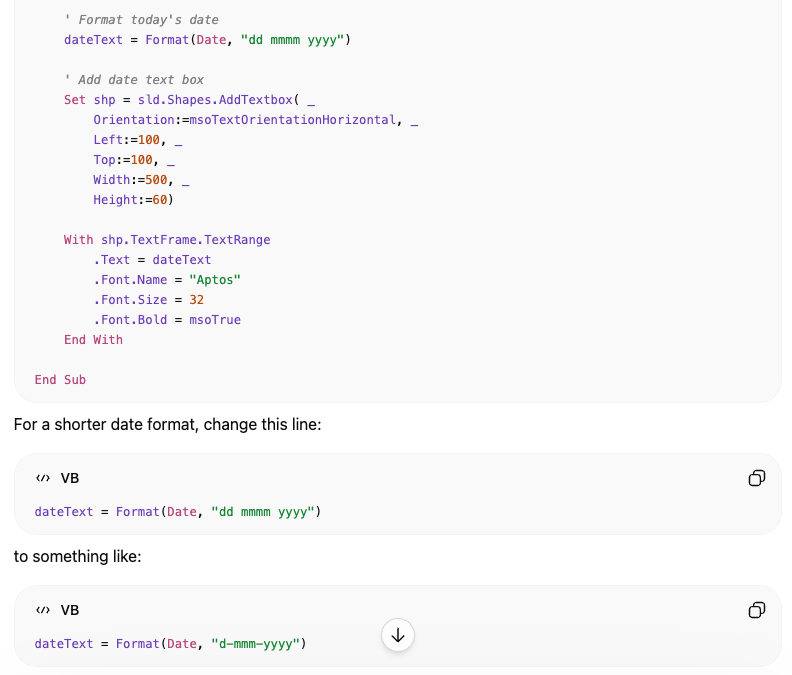
The text box and date formatting can be adjusted.
Outlook VBA to find email and open it
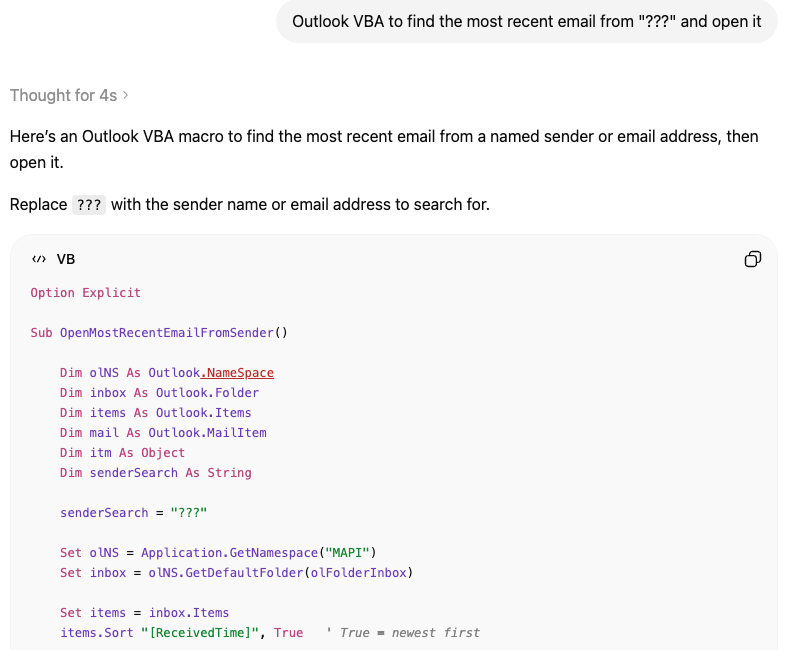
VBA programming is a lot more complicated for Outlook classic, but ChatGPT handles this request well
It could be a great starter for Outlook classic VBA because it includes the often assumed declarations and objects needed before anything else.
Unlike the 2023 response, ChatGPT now offers code that only searches emails and starts from the most recent messages.
Outlook VBA to find the most recent email from “???” and open it
How to Get Office VBA Code from any AI (4 Smart Prompt Tips)
Why AI Is Almost Intelligent: The Honest Truth About ChatGPT and Copilot
Writing better & faster with any AI
Build a Better Excel Workbook with Copilot: Smarter Prompts, Stronger Results
Excel merge arrays into a single array with VBA
Inside the Office VBA/MOTW changes
More VBA macro blocks coming to Office, details
Smart measurement conversion – clever Copilot in Excel
ChatGPT Images 2.0: New AI Image Generator in Copilo