June 2016 Office for Windows updates
Microsoft has released the June 2016 updates to Office for Windows (Office 365 subscribers only) – both security and other updates.
The new features are things we covered many months ago but are now available to the public.
Office 2016: the real startup guide has full coverage of all these changes in the chapter “Post Release Updates”.
Microsoft still keeps banging on about the new ‘Black’ theme for Office. This superficial change seems amazingly import to them.
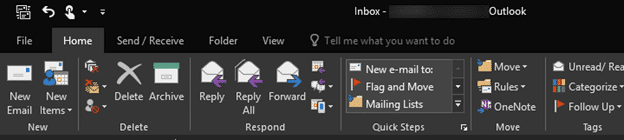
More important are the changes that paying customers use including things that really should have been available in the first place. For example, proper folder navigation in File | Save As … so you can sort by name and date from the column headings.
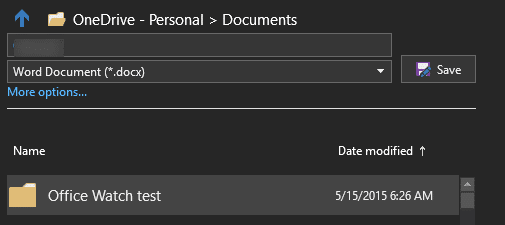
Despite months of development and feedback, Microsoft still hasn’t fixed the inconsistencies between the document name and type in the backstage view (above) and the standard dialog when you click on ‘More Options’. Try typing a document name or changing the type then ‘More options …’, the settings you typed aren’t carried to the dialog box … Oy!
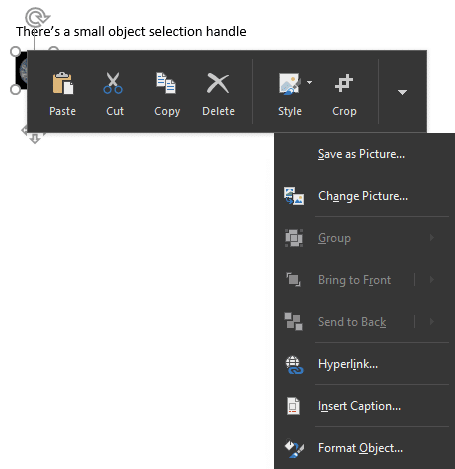
There’s a small object selection handle for touch screen devices. If an object, like a picture is small, an extra handle appears below the object:

Tap (not mouse click) on that ‘four arrow’ icon to see a toolbar
Outlook now has One-click Archiving and support for Office 365 Groups (a shared workspace for email, messaging, files and events). The Office Support and Recovery Assistant is now available separately.
Word – French, Norwegian, and Danish grammar checkers get improvements which also appear in Outlook’s email editor.
Excel changes include the new Funnel chart and Share options.
PowerPoint gets ‘real time’ collaboration for presentations
All these and many other security and non-security updates are available for Office 365 / Click to Run users from build 16.0.6741.2048 and later.