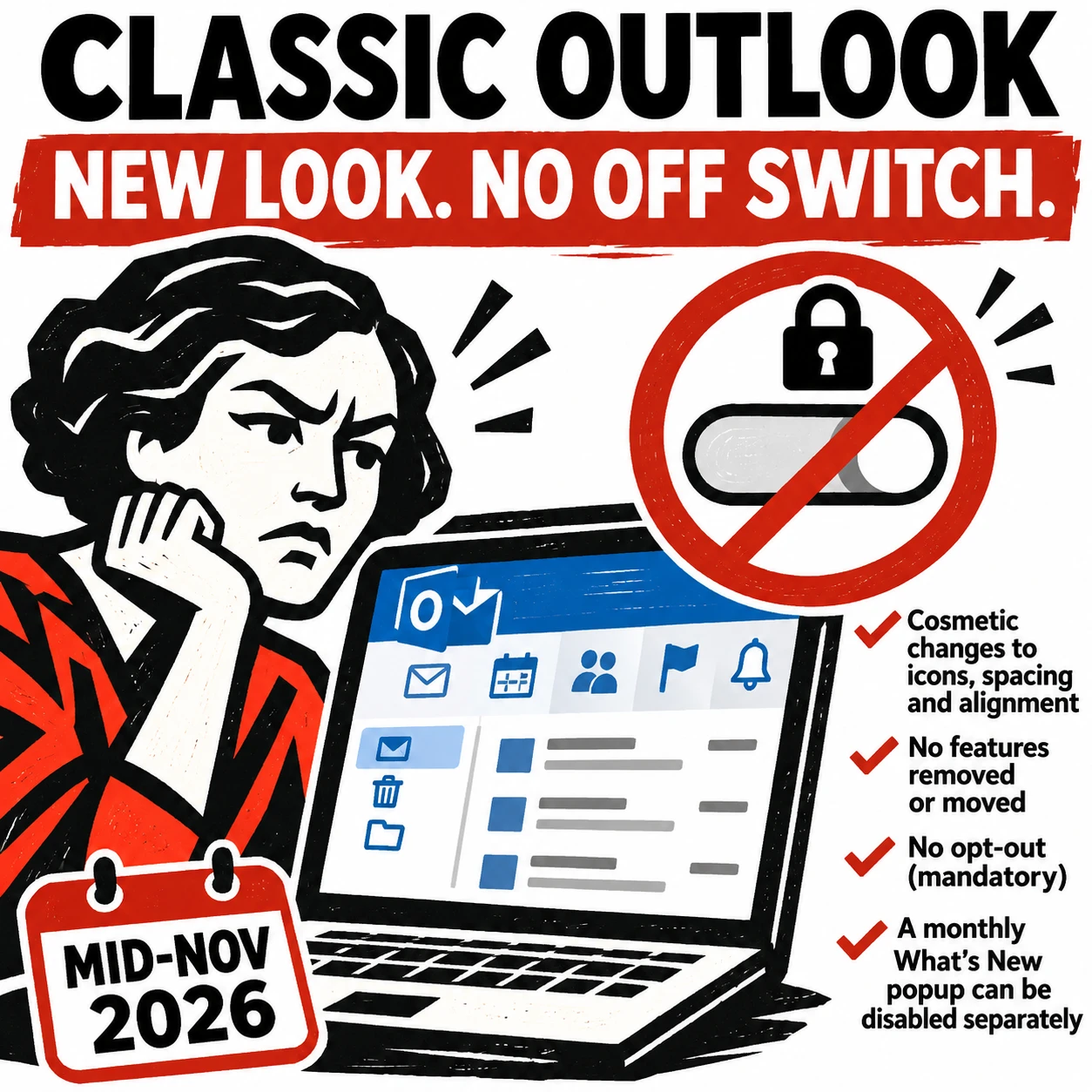
Microsoft 365 – the subscription / annual fee plan for Microsoft Office on Windows, Mac, iPhone, iPad and Android.
Includes Word 365, Excel 365, PowerPoint 365, Outlook 365 and many other ‘365’ programs, apps and services.
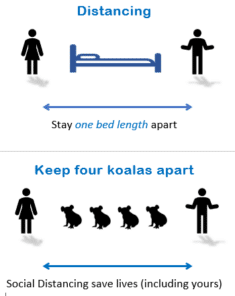
More ideas for social distancing signs
If you’d like to make your social distancing sign stand out, check out some of these examples using animals and objects to explain the distance needed. And we have some more simple template Word signs for our newsletter readers. Here’s a simple example from the Sydney University Veterinary Hospital Use whatever animal is appropriate. In […]
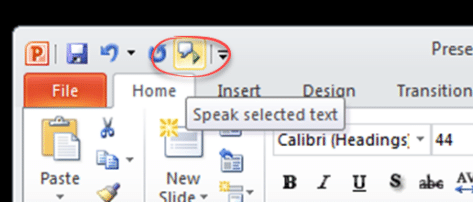
Powerpoint speaks aloud in Office 365, 2019, 2016 and earlier
PowerPoint 365 way back to PowerPoint 2010 all have a ‘text to speech’ or ‘Speak’ feature to read aloud the text in a slide. It’s hiding away behind the ribbon but works fine once you’ve found it. The PowerPoint Speak or Real Aloud feature is similar to the Speak option in Word. Speak button can […]
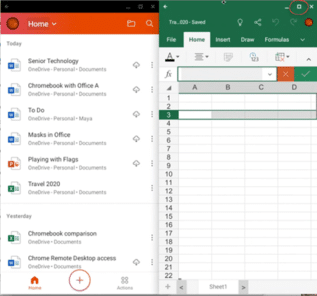
Chromebook buying tips for Office users
A few quick notes if you’re buying a Chromebook to use with Microsoft Office. 4.5 ways to use Microsoft Office on a Chromebook ChromeOS is essentially the Chrome browser running in a separate device. Any web site or web based application that can run in the browser will work on a modern Chromebook. In recent […]
Outlook crashes thanks to Microsoft mistake
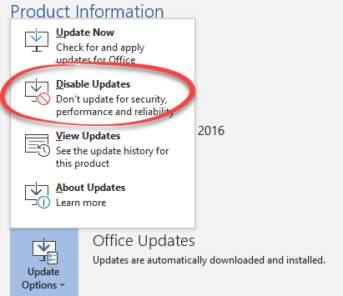
Microsoft has made a major blunder with the July patches for Office. An update can crash Outlook for Windows entirely and the reason for the problem makes the bug especially humiliating for Microsoft. We’ll explain Microsoft’s blunder, what you can do if affected and how to avoid the buggy patch. Outlook for Windows tries to […]

Read Aloud in Word 365 and 2019 in depth
Read Aloud is the newer and better form of the old Speak feature from Word 2016-2010. It’s available in Word 365 and Word 2019. Read Aloud has more controls than the older Speak feature and it appears in more places within Word. The voice selection and settings in Windows are very different. Windows has the […]
Excel eats Cake
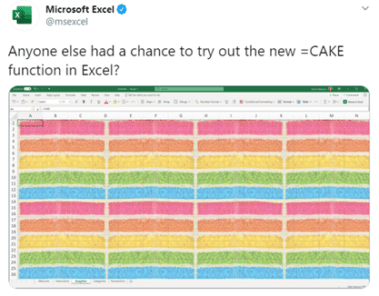
The Excel team has joined the current ‘Cake’ meme with a new Cake() function in Excel. Hilarity ensues … Source: Twitter Ho ho, very funny, it is to laugh. Most people took the message in good spirit with one person implementing it in VBA That code really works. ChrW() returns the character with that Unicode […]
Comment View change in Word and Office
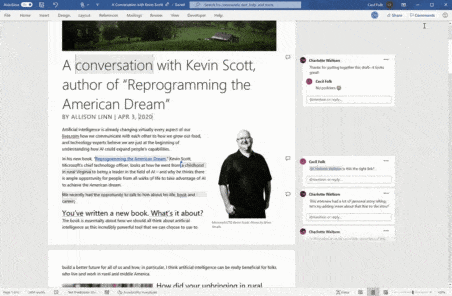
Microsoft continues to tinker update the Comments part of Word with yet more changes coming in Word 365. We’ll explain the new Comments view plus look over some of the Comments features from recent years. At last, users get some control over how comments appear. Not a lot of control but some. For many years, […]

2020 – Year of the Icon?
2020 will be remembered for many things (big sigh) but from a design viewpoint, it could be the Year of the Icon. Many of those graphics are available either in Office directly or imported from elsewhere – we’ll show you both. Everywhere you go there are signs reminding us of the new life we have […]

Two new video meeting options in Teams
Microsoft has added two genuinely new and interesting video meeting options to Teams. Together mode and Dynamic View plus some useful video filters. Both are innovative ways to display a large number of people in a virtual meeting. Having been caught napping by a combination of Coronavirus and Zoom, Microsoft has worked hard to bring […]
Microsoft 365 web page update
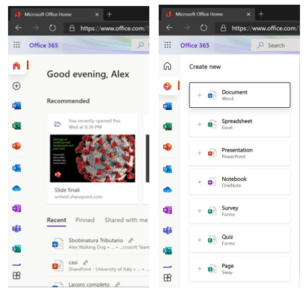
The Office.com home page is being updated or rather rearranged. The changed page has been described as ‘beautiful’ and ‘great’. The changes are gradually rolling out to enterprise Office 365 customers, presumably consumer Office 365 Home/Personal users will see the change a little later. The current Office.com page looks like this with the program icons […]
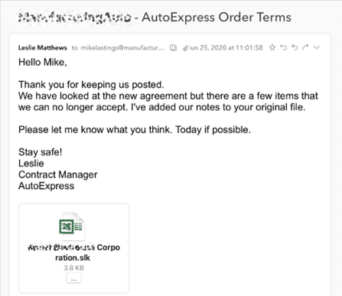
SLK files used to hack into Excel, again
Despite fair warnings, Microsoft has allowed an old Excel format .SLK to get past their email security and infect Excel for Windows computers. As reported by Avanan, criminals have found a way to bypass the email security for Office 365 hosted mailboxes (possibly Outlook.com as well), allowing an infected email attachment to reach Microsoft’s customers. […]

Quick Fix for Office display problems
How to quickly fix display problems in Microsoft Office. When Word, Excel, PowerPoint or Outlook don’t show up on the screen correctly. It doesn’t happen often but occasionally Word, Excel, PowerPoint or Outlook open but as all grey. Clicking around the screen displays just a ribbon or menu but not the whole program. If other […]
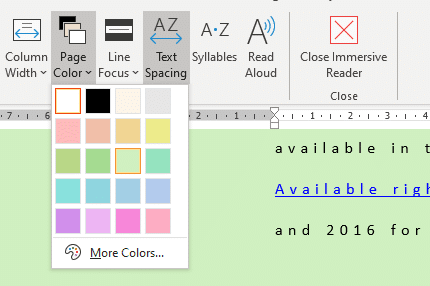
Word 365 new feature mystery
Additions and changes to Microsoft 365 (Word, Excel etc) are often not explained properly beyond a short paragraph. Then there are cases where even that explanation is a mystery. We’re obliged to Hannah J. from Munich for asking about this item on the Microsoft site from April 2019 which we overlooked. From What’s new in […]
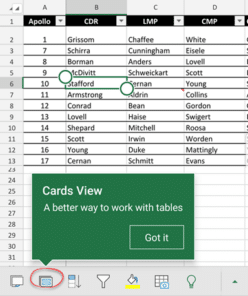
Excel Table Cards for smartphones
Excel for iPhone and Android smartphones have a useful extension of Excel Tables called Cards. It’s a better way to view tables on a smaller screen with larger text and easier editing. Instead of scrolling right/left on the small screen, all the info for a single table row can be seen and edited as a […]

Repeating or recurring Outlook Appointments
Outlook can record appointments in the Calendar but it can also record ‘recurring’ appointments for things that happen on a regular schedule. We’ll show you how to make a repeating appointment and suggest some ways it can be used that might not be immediately obvious. Repeating Appointments 101 To make a recurring appointment: Create a […]

Nekofont – the cat font
Headline your next document with cats! Looking for something really different to headline your next document or presentation – why not use ‘Neko Font’ the font made out of cats. Strictly this isn’t a font you can download, instead you type text into a web page, choose the size (Large, Medium, Small or Tiny) and […]