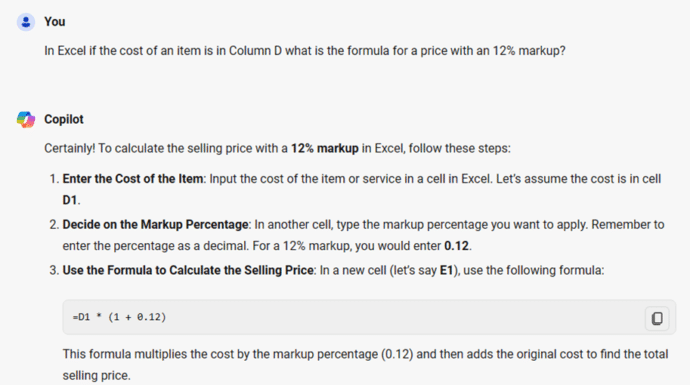
Write Excel formulas fast with free Copilot
Copilot AI makes writing Excel formulas a lot easier but you still need to check the results to make sure Copilot has understood want you want and gives the right answer. There’s a lot of hype and promises about how AI can help make work easier. That’s not as true as Microsoft and others are […]

Start Grouping in Excel for better looking sheets
Grouping in Excel lets you collapse or expand sections of a sheet so you can see the ‘big picture’ but still drill-down to how totals were made. Another use for grouping is hiding rows or columns from view. You can organize and manage data more effectively by grouping together rows or columns. This feature is […]

Turn Excel into an AI / LLM wonder
GPT-2 can be squeezed into a Microsoft Excel spreadsheet, providing a functional demonstration of the Transformer architecture used in large language models (LLMs). GPT-2 is an older version of the AI system – Microsoft Copilot and ChatGPT use GPT-4. Ishan Anand made the 1.25GB Excel file as a low-code introduction to LLMs (Large Language Models), […]

Spreadsheets are a warning about the future of AI
A respected author has a warning about the future of AI using the mixed history of spreadsheet mistakes as an example. Tim Harford is an excellent columnist and author known as “the Undercover Economist”. Check out his “More or Less” podcast for the BBC. In a recent article he argues that the spreadsheet is a […]

Five fast Clear options in Excel
Excel has some nice choices for clearing out cells quickly. You can remove the contents, the formatting only or both contents and formatting plus choices for deleting just notes, comments and cleaning up links. As you can see the drop-down menu Home | Editing | Clear offers options such as: Clear All, Clear Formats, Clear […]
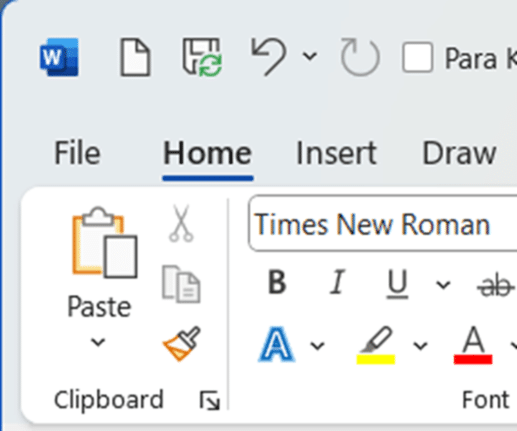
Remove that big AutoSave from the Office toolbar
Get rid of the over large ‘AutoSave’ slider on the Word, Excel or PowerPoint status bar. The Autosave button (strictly a label plus slider) takes up a lot of room on the top row of modern Office apps. That space is quite crowded and you need it to fit as many ‘Quick Access Toolbar’ (QAT). […]

Print selection, sheets or tables in Excel
Excel has some useful options for printing less than an entire workbook. Printing a selection, active sheets or just a table. As Office-Watch.com has discovered before, there’s a lot more available in Office than a quick look suggests. See Print options are at File | Print then choose the menu that starts with Print Active […]

Use the world’s ugliest color in Word, Excel and PowerPoint
Make an unpleasant point with the world’s ugliest color. A ‘drab dark green’ can be used in any Word document, Excel sheet or PowerPoint slide. And we’ll explain the recommended complement color and font. It’s not our opinion, but the market researched result of an effort to find the most unappealing color. A three-month study […]

Two ways to change Excel default fonts
There are two options for changing the default fonts in Excel, either for new blank workbooks or existing spreadsheets. Maybe you prefer another font. Perhaps the old default font until mid-2023, Calibri. Or a spreadsheet specialist font like Goldman Sans. Maybe your organization or client has a preferred font? Go ahead and change the font […]
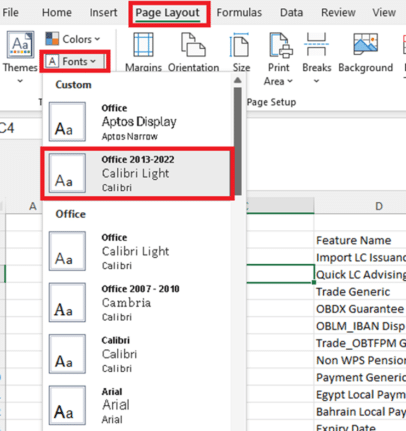
Excel – switch away from Aptos fonts
Here’s the simplest way to switch from Aptos fonts in Excel 365/2021/2019 to either the previous font (Calibri) or some other font. In Excel, Aptos Narrow is the new (mid-2023) default font style with a font size of 11, Black. What if you don’t like the new default font? Aptos fonts haven’t been met with […]
No Data? Excel’s Autofill is not the answer
Two economics professors have been caught using Excel’s Autofill feature to fill in the blanks to complete a published academic paper. A study on green innovations and patents in 27 countries by two professors has come under scrutiny by a student as reported, by Retraction Watch. The paper was said to use “balanced panel data” which is […]

Easily compare a series of values with ChiTest() Excel
Compare one set of numbers with another list of values using ChiTest() in Excel. It compares two sets of numbers and gives a single number to show how different the sets are. ChiTest() or ChiSq.Test() sounds like a complex formula that only expert statisticians can understand – not at all! While the math behind ChiTest() […]
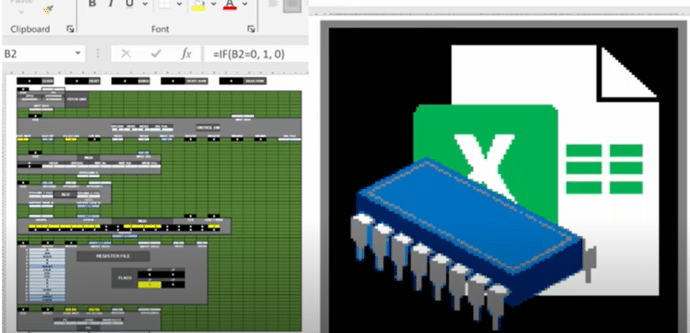
Make your own CPU using Excel
You can do incredible things in Excel but here’s something truly amazing. Someone has made a 16-bit computer chip (CPU) emulation entirely in Excel. We have links to the source code and fascinating video that explains it all. @Inkbox has recreated the basic logic of a CPU to make a mini-computer in Excel with no […]
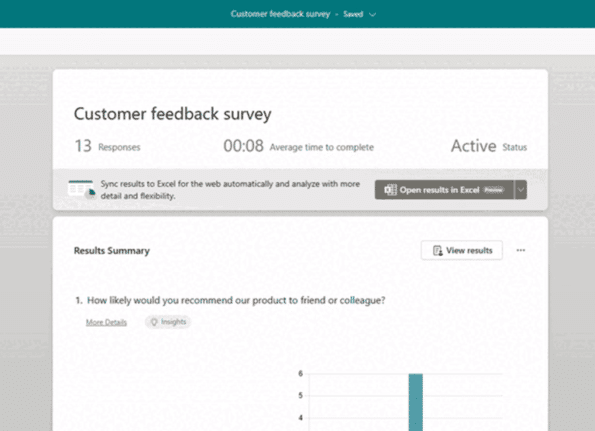
Microsoft Forms (finally) live updates Excel
At long last, there’s a way to get Microsoft Forms results synchronized with an Excel workbook. It’s not what Excel users were expecting but it’s a start. Microsoft is calling this a ‘highly anticipated feature’ which is corporate weasel term for a long-standing customer request that’s finally fulfilled (in part). The Forms responses page should […]
Is AutoSave really the ‘greatest feature of all time’?
According to Microsoft, AutoSave is the ‘greatest feature of all time’. That’s ‘over the top’ even for Microsoft and it only highlights the self-serving limitations of the current Autosave feature in Office. “Autosave is the greatest feature of all time and you can use it across your M365 apps. That’s all.” The ‘X’ (formerly Tweet) […]

Copilot for Microsoft 365 – what you need to know
What you need to know about Copilot for Microsoft 365 which brings AI technology into Microsoft Office including Word, Excel, PowerPoint and Outlook. Here’s how to get Copilot for Microsoft 365 and the secrets to getting it working. What is Copilot for Microsoft 365? Copilot for Microsoft 365 applies to Microsoft 365 business and enterprise users: […]









