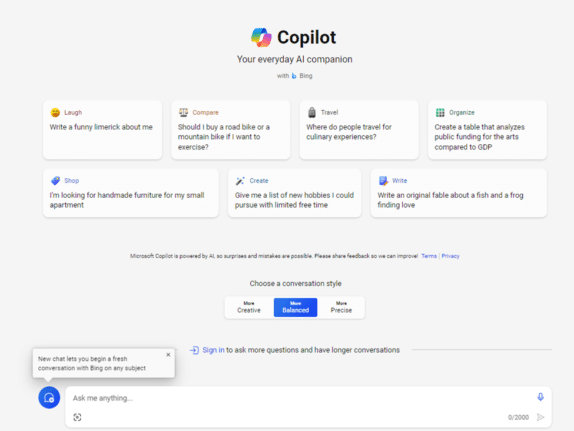
Try Copilot AI two ways for less money or none
There are two ways to try out paid Copilot for less money. If you’re not sure but want to try the enhanced AI features in Office there are a smart ways to get Copilot without dropping a lot of money in advance for unknown benefits. Let’s face it, Microsoft is asking a lot with their […]
Office Readiness Toolkit gets cancelled
The Microsoft Readiness Toolkit for Office add-ins and VBA is being cancelled (‘retired’) from the end of March 2024. The toolkit has been around for some years to help “identify compatibility issues with your Microsoft Visual Basic for Applications (VBA) macros and add-ins that you use with Office”. The download page for the Readiness Toolkit […]

Excel for iPad gets PivotTable editing – at last!
Until now, Excel for iPad could use PivotTables already setup in desktop Excel. Now you’ll be able to make and edit PivotTables too. An Excel for iPad PivotTable looks the same as in other Excel’s Being able to make last minute changes to a PivotTable on the iPad is very welcome. It’s probably still easier […]

Laundry care symbols typed in Word, Excel and PowerPoint
Many different ways to type or insert laundry care symbols, which appear on clothing labels, into Word, Excel or PowerPoint. Laundry care symbols can be for laundry area signs or for fun like this t-shirt. Or alternative symbols in a PowerPoint slide. All five symbols were black laundry care icons. As SVG graphics all five […]

Look out for Catch Up in Microsoft Office
Catch Up is Microsoft’s new way to present the latest changes, comments, mentions and tasks in a collaborated document, sheet or slide deck. When a document is being managed by many people, there can be a lot happening. Edits to the doc, sheet or slides, comments and @mentions including tasks that can become hard to […]

Microsoft Office welcomes Mickey and other public domain characters
How to get and use the copyright free Mickey Mouse and other public domain creations in Microsoft Office. Add to Word documents or PowerPoint slides. There’s been a lot of stories about content that is now in the public domain, especially Mickey Mouse. That copyright expiry applies to the USA only. Copyright law is different […]
Discover Microsoft Office Quick-Start .new Links
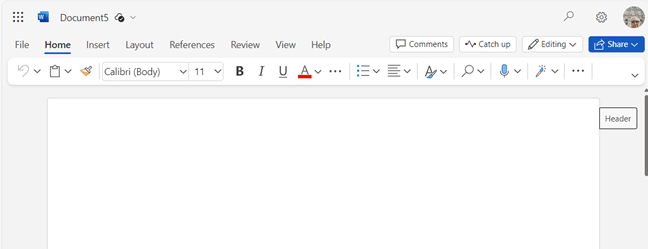
There are special web links to make a new Office document (Word, Excel or PowerPoint) with a single click. Microsoft has bought some .new domain names like https://word.new . When you click on a .new link, a fresh document is created for you. Word, Excel or PowerPoint files are created in the Office web apps […]

Calendars Galore from Microsoft Office!
Microsoft Office has many, many print calendars to choose from, if you know where to look. There’s a trick to choosing the right calendar for your needs, made by Word, Excel, Outlook or PowerPoint. Printing out calendars or adding them to documents/slides is possible in Microsoft Office though the selection is spread across Word, Excel […]
A better Excel Calendar Creator for Office Watch readers
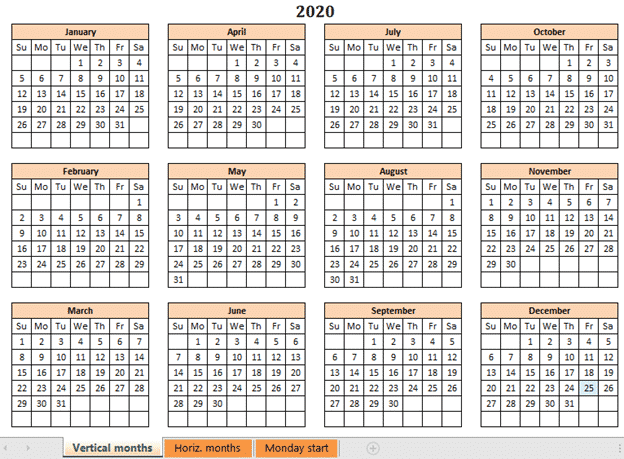
Here’s a better and more flexible version of the Calendar Creator with both Sunday and Monday start of week. Office Watch reader, David Peel, has made a better, more compatible Calendar Creator. We added some different versions to suit other calendar formats. We’ve told you about The Mystery of Excel’s Calendar Creator template which doesn’t […]
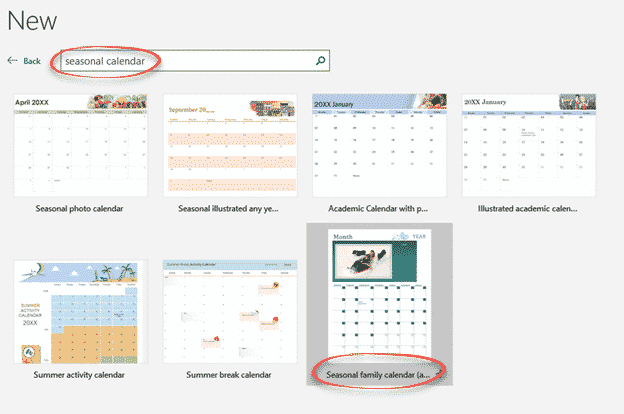
Make Excel calendars better for you
Excel can make calendars from some supplied templates. Some templates are labelled with a specific purpose however a few simple changes can make them better and suit what you need. Sadly, the help with the templates can be wrong or misleading. Here’s just one example to show what’s possible to make a specialist Excel calendar […]
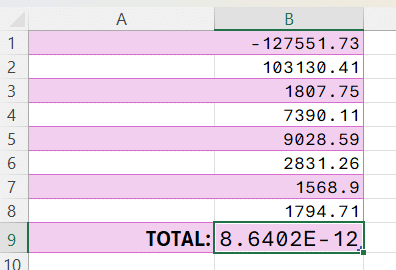
Excel SUM anomaly
Excel can’t add up reliably and it never has. It’s an important limitation of computer software that everyone needs to be wary of. Phil N sent us an interesting Excel worksheet. He’s simply adding a column of numbers starting with a negative number then positive numbers – the total should be ‘a wash’ – that […]

A new way to reach Outlook and Office in a browser
Microsoft has added new web links to access Microsoft 365 mailboxes in a browser as well as some other unpublished new domains to reach Office apps in a browser. The web links are https://Outlook.cloud.microsoft or https://Outlook.microsoft Use one of those links and login to your Microsoft 365 mailbox (e.g. Business, Enterprise or other plan). It […]
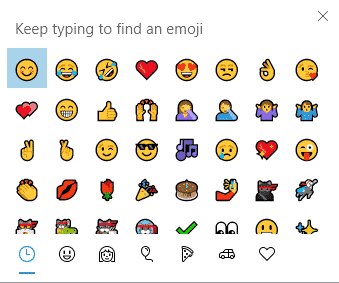
Emoji Panel is part of Windows that totally sucks
Windows 11 and 10 has the Emoji Panel. What a pity that it totally sucks and is incredibly dumb. Emoji Panel is better than what we had before (nothing) but not by a lot. We’re talking about the Emoji Panel or ‘keyboard’ which appears in Windows 11/10 when you press Win + . (Windows key […]
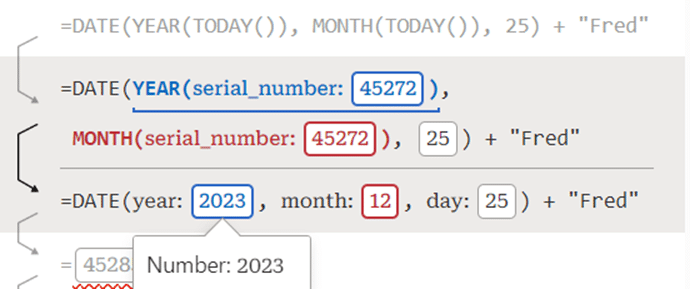
Debug to understand and fix Excel formulas
Excel Labs has just added a nice formula Debug option that helps you understand the steps inside a formula and fix errors. There are already three ways to look inside a formula; Evaluate Formula, F9 to calculate part of a formula and the recent Visual Preview. Now Microsoft’s Excel Labs Advanced Formula Environment has a […]

Check these Excel Power Query settings before it’s too late
There are two important changes coming to Get & Transform (Power Query) in Excel. Both changes are probably already covered by the current setup but you should check any external data links now to avoid an unwanted surprise. These changes apply from 11 March 2024. Microsoft is a little vague about one of them (TLS […]
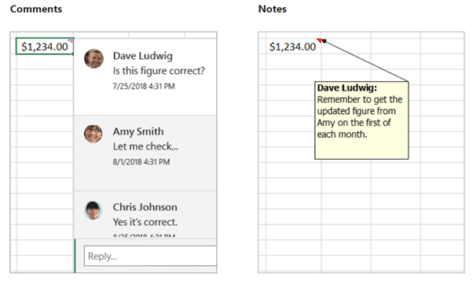
Notes vs Comments, understand the difference in Excel
Microsoft messed about with Notes and Comments in Excel 365. Here’s what’s happened, name changes, overlapping functionality and how Excel has gone from ‘Notes’ to ‘Comments’ and now back to ‘Notes’ again! There are now two different ways to add text notes or comments into an Excel 365 cell. The choice of Comments or Notes. […]









