All about Microsoft Office for Apple Mac. Word, Excel, PowerPoint, Outlook on macOS, Microsoft 365 for Mac, Office 2021 for Mac and earlier versions.

How to correctly spell Brontë in Microsoft Word with the diaresis
An 85-year-old blunder has just been fixed at Westminster Abbey to change the spelling to Brontë with the important diaresis. Here’s how to type an ë in Word and other matters arising. Here’s how the memorial to the Brontë sisters looked in Poets Corner until a few days ago. For 85 years this memorial, seen […]
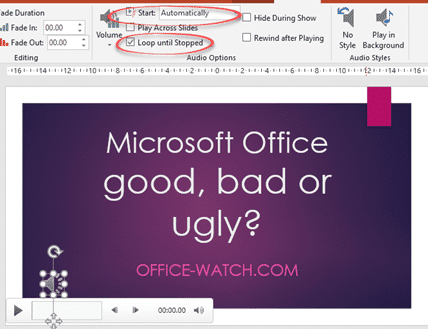
Audio tricks and traps in PowerPoint
There are plenty of audio and music options available in PowerPoint if you want to give your audience a break from your voice. We’ll go beyond the simple ‘adding music’ help to give some practical advice for audio in presentations: You will find the audio basics at Insert | Media | Audio Choose a music/audio file […]

Add genuine BBC Sound Effects to PowerPoint
The BBC has a great collection of over 16,000 sound effects that you can add to your PowerPoint presentations. Use them as a trigger sound for a click on a presentation, as a novel background noise or even an alert sound on your computer or smartphone. Sound Effects Galore Exploring the 16,000 sound effects available […]
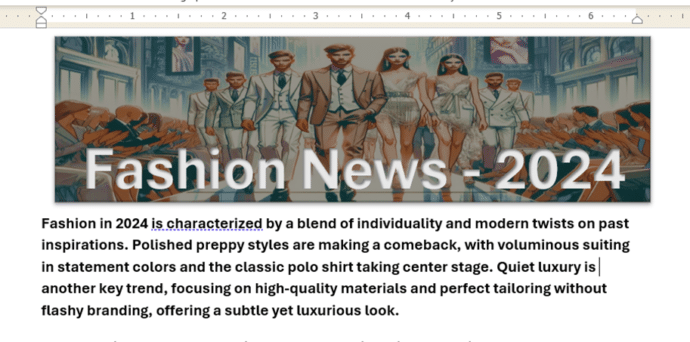
Make a great Word document banner – free
Add something special to the start of your Word document with a banner image with text. We’ll explain how to do that with free tools like Copilot or Designer. We were inspired by a Microsoft promotion which wrongly said that a Microsoft 365 subscription with Copilot Pro is required, when really neither of those things […]

Great macOS Sequoia features for Office users
The latest version of the macOS for Apple Mac computers, Sequoia v15, is out now. Here’s a few features and settings that might interest Microsoft Office users plus a few tips from real use of macOS Sequoia. macOS Sequioa is available now and works quite well for us. More cautious people might want to wait […]
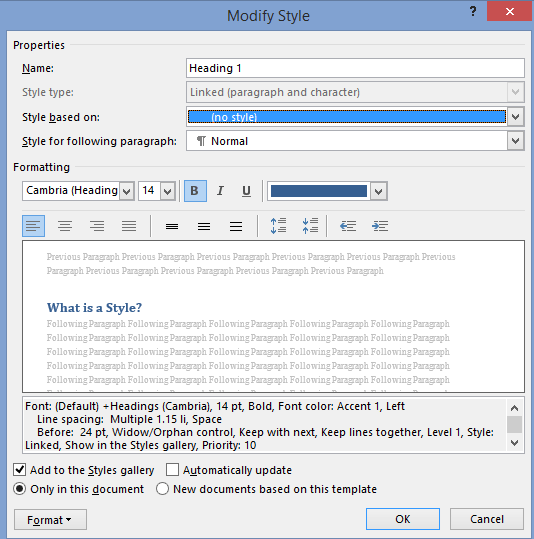
All about the basics of Styles in Word
Here’s the basics of Styles in Word for paragraph, character or both (Linked) plus Tables and Lists. I know talking about styles in Word makes eyes glaze over but they are a really useful part of Word (plus Excel, PowerPoint and Outlook). Today I watched an ‘experienced’ Word user reformatting a document. He laboriously worked […]
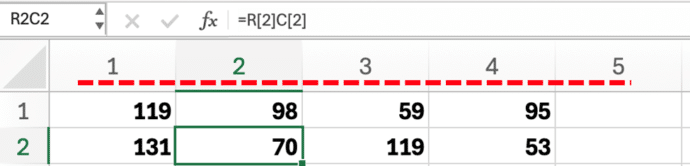
Excel – why do the columns have numbers not letters?
What to do if Excel’s columns have numbers across the top instead of letters. There’s a simple setting to switch between two different ways of labelling cells. You open an Excel workbook and the column headings look all wrong – instead of letters (A, B C …) there are numbers. There are numbers for both […]
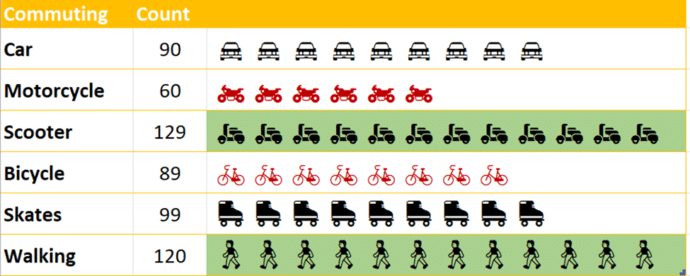
Building In-Cell Bar Charts in Excel
In-cell charts in Excel provide a powerful method to visualize data trends and patterns. They allow you to quickly derive insights within a worksheet, making information interpretation more straightforward without fussing about with full charts. We’ll explain how to make in-cell charts and then go further and show how to make them look better by […]
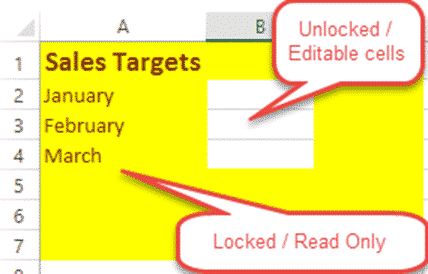
Lock up and stop editing of Excel worksheet or cells!
How to lock your Excel worksheet from editing – the whole thing or some cells. Allow some people to edit a few cells, leaving the rest of the cells and formulas untouchable by others using the worksheet. Here’s a very simple example: Anyone opening the worksheet can enter a US dollar amount to see the […]
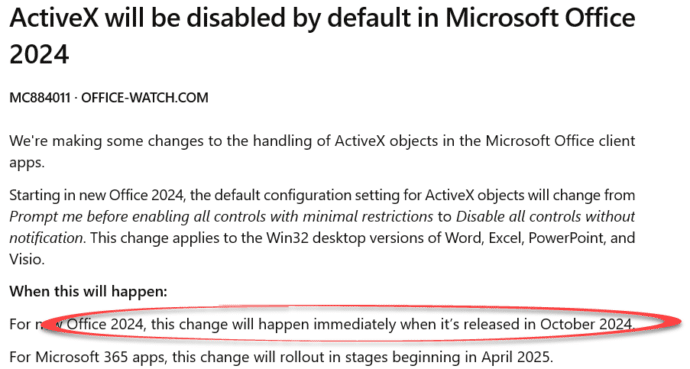
Office 2024 release date is in October
Microsoft has announced (indirectly) that Microsoft Office 2024 will be released in October 2024. Don’t buy Office 2021 now, better to wait until Office 2024 is released to get some more features for the same price. This nugget of news came via a Microsoft update announcement to administrators about the end of ActiveX support generally. […]

Busting the myth of Word’s Language Defaults
An often-repeated myth says that Word’s spelling or proofing language default is locked into the Windows language setting. Officially that’s not true and never has been since the first Word for Windows in 1989. In practice there’s a bug in Word which is why this persistent myth keeps being repeated. Changing the Word language default […]
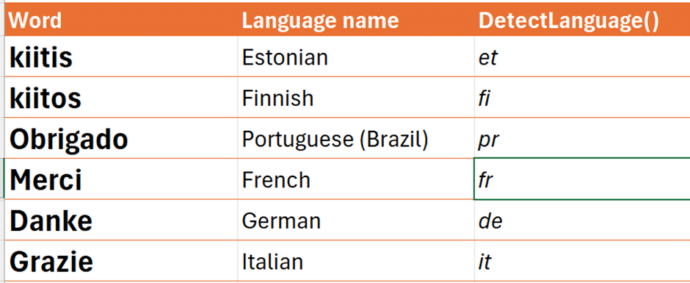
Inside the new translation functions in Excel
Excel 365 has two new translation functions to identify language from text or translate text from one language to another. Let’s see how the work, some problems and unknowns. New in Excel 365 are: DetectLanguge() to identify the language of the text supplied, hopefully correctly (see below) Translate() converts text from one language to another. […]

Microsoft 365 Insiders blog to end .. sort of
The Microsoft 365 Insiders blog is ending, sorta. kinda. Really, it’s just moving to another part of the Microsoft.com web site. For the last five years, the Microsoft 365 Insiders blog has been the place where the company boasts about new and changed features in the Insiders or beta versions of Word, Excel, PowerPoint and […]
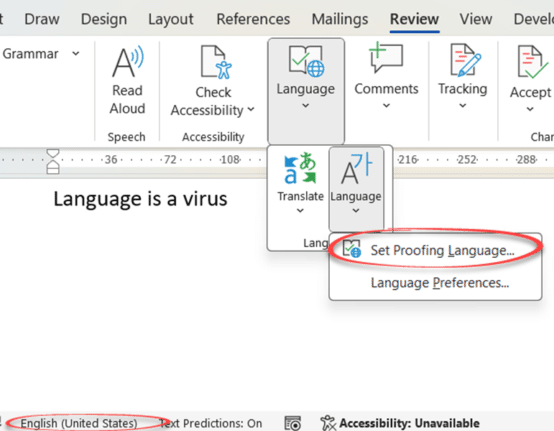
Three ways to switch language in Word and one way to turn it off
Word can spell and grammar check in many languages, here are three ways to switch the language settings plus how to turn off the pesky automatic language switching. Microsoft Word has language settings that can apply to a whole document or just selected text. This is vital for multi-language documents but also has an important […]

Grouping values from an Excel list
There’s a simple but not so obvious way for Excel to take a list of values and show them grouped into segments or groups. As an example, here’s the results of a class exam with their scores grouped into blocks of 20. It’s done with a tricky use of PivotTables and one of the somewhat […]

Koalas galore in Microsoft Office
We went hunting for koalas in Microsoft Office. Found more than 18 of the cuddly marsupials for Word, PowerPoint or Outlook. There are emoji, Office icons, SVG, online images and more making a colony or cling of koala (either can be the collective noun for koala). None of the endangered species where harmed in the […]