All about Microsoft Office for Apple Mac. Word, Excel, PowerPoint, Outlook on macOS, Microsoft 365 for Mac, Office 2021 for Mac and earlier versions.

Beware variable fonts with Office and PDFs
A PDF file made from Microsoft Office or Windows may not look right because of an ongoing PDF bug with variable fonts. It’s been around for years with no sign of a fix. The problem arises when variable fonts are in documents exported to PDFs (either Save As … or Print to PDF). The font […]

Clipchamp gets background removal with some gotchas
Clipchamp, Microsoft’s video editor is now boasting background removal which is great for tricks like adding a watermark or ‘bug to a video. But there’s some limitations or ‘gotchas’ to watch out for. Add an image to a Clipchamp timeline, right-click then choose ‘Remove Background’. Wait a few moments and the background will be made […]
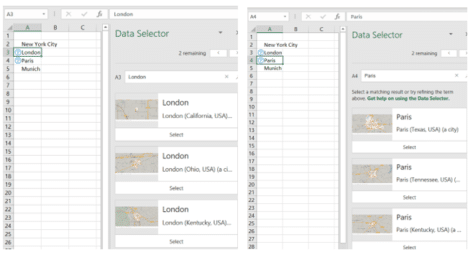
Don’t trust Excel’s Linked Data Types, always verify
Excel 365’s Linked Data Types are technically impressive. However, the reliability of the data is a problem Microsoft doesn’t talk about. We discovered mistakes with the data without actively looking for them. In general, the data sources are ‘scraped’ from sites like Wikipedia which explains some, but not all, of the omissions and oddities. Stock […]

BBC TV backgrounds for PowerPoint and online meetings
The BBC has released some high-quality images from their famous TV shows to be used as online meeting backgrounds or in PowerPoint slides. Pick from Doctor Who (old or new), Fawlty Towers, Yes Minster, Match of the Day, Eastenders and more. Consider using these BBC TV backgrounds in PowerPoint for a unique touch. Called ‘The […]

How to fix an imported appointment in Outlook
Some imported Outlook calendar items can’t be changed, here’s why and how to make the imported appointment editable. Understanding issues with an Outlook imported appointment can help you manage calendar inconsistencies. Usually an imported appointment (via a downloaded .ics file) can be edited just like most Outlook calendar items. Often that’s necessary to add more […]
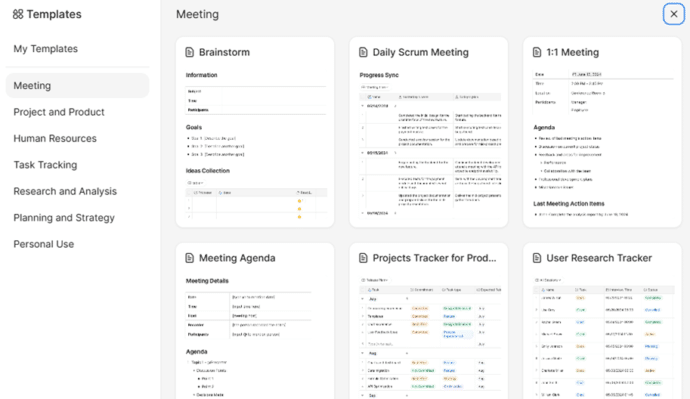
Zoom Docs adds a word-processor with a Magical Key
Zoom has a browser-based word processor to their Workplace range with some interesting features including what they call the Magical Key. Zoom Docs word processor aims to enhance productivity within its collaborative environments. Zoom Docs is designed to be used within Zoom group calls and many of the templates reflect that. Brainstorming, meeting agendas, checklists […]

Beware the privacy trap in the Outlook (new)
Microsoft’s eventual replacement Outlook (new) for Windows supports Gmail, Yahoo and other accounts but there’s a privacy trap that Microsoft does its best to hide. Outlook for Windows privacy is a major concern. According to Microsoft, it’s easy to add Gmail, Yahoo and other accounts to the new Outlook, all they show is entering an […]

Does Microsoft Word think ‘Walz’ is a spelling error?
Can Microsoft Word handle a newly famous name “Walz” or does Word think it’s a spelling error? What about the other VP candidate, “Vance”? In the last few hours, we’ve seen social media posts like this: “ Okay, word people, now would be a great time to put a “Walz vs. waltz” sticky note on […]
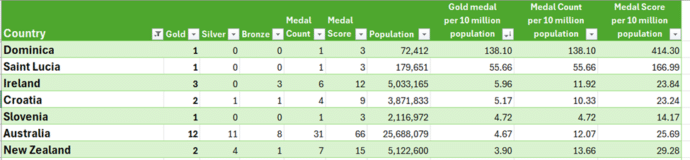
Olympic medal comparisons in Excel
We’ve expanded our live Paris Olympics medal table to compare countries’ performances to their population or wealth. Along the way we explain how to cope with some problems that can arise when Excel theory hits the Real World. Our newsletter readers get a working example workbook to try themselves. We compared population and GDP (Gross […]
Microsoft Office highlights in latest company results
Microsoft shareholders should be happy with the company’s latest financial results for the quarter ending 30 June 2024 (Q4). Here’s a few highlights from an “Office Watch” point of view. Office 365 Commercial Revenue growth was up 13% possibly due to the new Copilot for Microsoft 365 fees. (All these % figures are comparisons with […]
Excel for Mac gets PowerQuery ‘from folder’ updates
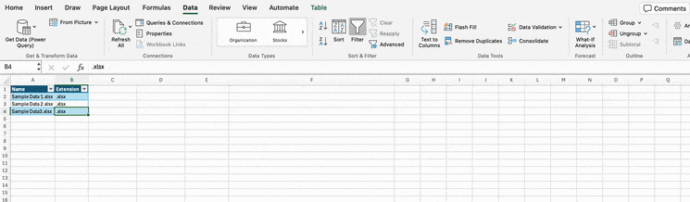
Excel for Mac is now getting the ‘From Folder’ option in PowerQuery. An important part of the PowerQuery puzzle. PowerQuery’s ‘From Folder’ lets you add more data to a query simply by adding data files into a folder. PowerQuery will then scoop up all the data and add it to Excel. Among the many choices […]
Major benefit removed from Copilot Pro
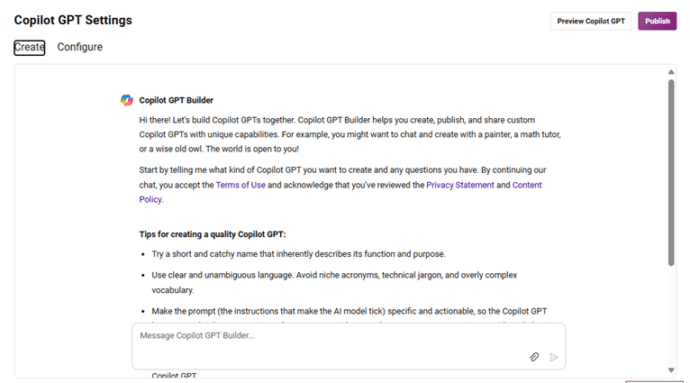
Paying Copilot Pro customers have lost a major part of what they pay for. Say goodbye to Copilot GPT Builder in early July 2024. It’s only been a few months since Microsoft launched their paid AI plans including Copilot Pro and they are already removing a major component. Copilot GPT Builder was being dropped from […]

Many Ordinal RANK() options in Excel with joint, equal rankings, words and more
Here’s some more ordinal rank (First, 2nd etc.) options for Excel including with joint or equal results plus special fun wording. In a previous article we looked at options for showing ordinal numbers in Excel, now we’ll go a step further to cope with joint or equal results plus special wording. On the left are […]
Replace Word document with anonymous text – complete Step by Step
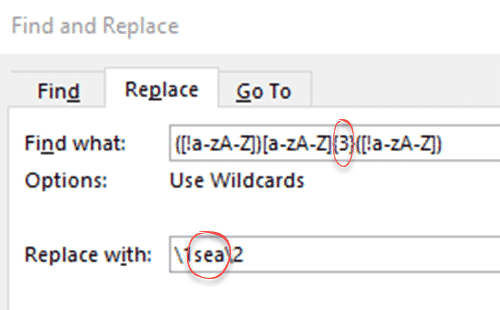
Here’s the complete step-by-step manual method of replacing text with filler or anonymous words in Microsoft Word. This is quite easy, the main thing is to be careful with the Find and Replace expressions. It will work with any version of Word that has the ‘wildcards’ / Regex option which means Word 2003 or later […]
How a file name can reveal your secrets
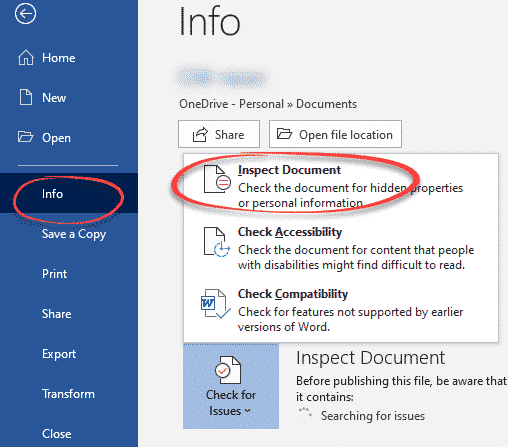
A US government department has accidentally revealed a secret by overlooking the obvious in Office document security, the file name. Microsoft Office helps you scrub documents of private or secret information before sending. It’s easy to overlook the obvious data leaks that ‘Inspect Document’ doesn’t cover. ‘Inspect Document’ checks for hidden information in the document […]
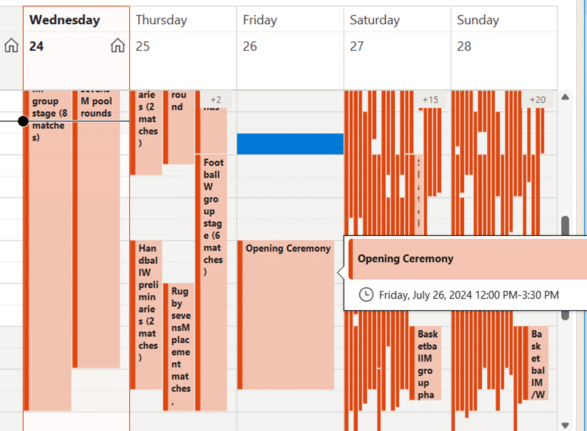
Paris 2024 Olympics complete calendar in Outlook
Add to your Outlook a special Paris 2024 Olympics calendar shows all the events plus opening/closing ceremonies with times in your location and search for favorite events. A special Olympics calendar shows all the events plus opening/closing ceremonies with times in your location. This calendar shows the Olympic calendar in US Central time with the […]