All about Microsoft Office for Apple Mac. Word, Excel, PowerPoint, Outlook on macOS, Microsoft 365 for Mac, Office 2021 for Mac and earlier versions.
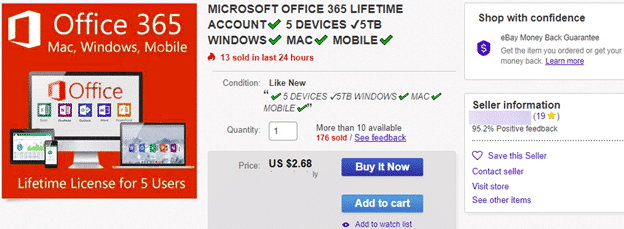
Microsoft Office 365 ‘Lifetime’ plans are a lie
We’ve seen many cheap Microsoft Office 365 Family, Personal and other plans sold as ‘lifetime’, ‘perpetual’ or ‘never-ending’. It’s all lies. Some deals are obviously scams, like this one for just US$3 but others have more plausible prices. They are priced just under the regular street price to seem like a good, legitimate offer. All […]

Why new Office features don’t appear
Microsoft has changed the way they rollout new features in Microsoft Office 365 which can lead to confusion and frustration, especially among the Insiders who try out new stuff before it reaches the public. In olden days (say 2018) getting new or changed features was simply a question of having the right version of Office. […]

Copying/Moving Footnotes or Endnotes in Word
There’s a small but important point about Microsoft Word with Footnotes and Endnotes. It’s so important we’ve made this separate little article about copying or moving. The footnote or endnote is stored in that little superscript character in the document text. Copy, move or delete that superscript character and the entire note goes as well. […]
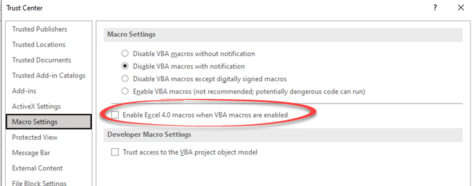
Excel 4 macros are now blocked and about time too
At long last, Excel v4 macros are being blocked from running in Excel 365 by default. A move that greatly reduces the security risk from infected attachments in Excel 365 and Excel 2021. Excel v4 macros are a very old form of programming, literally 30 years old. It allowed macros to be embedded into cells. […]
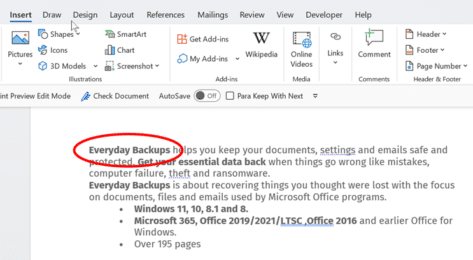
Two ways to circle text in Word documents
In Microsoft Word, circling around text can place emphasis or enhance the text appearance. There are a few methods you can choose in Word documents and you’re not limited to circles. We’ll show how to add a simple circle like this, plus a lot more. Add shape to document Go to Insert | Illustrations | […]
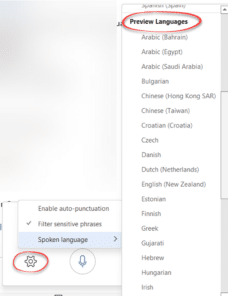
25 new languages added to Microsoft Office Dictation
Not only has Microsoft just added 25 more languages to the Dictation feature of Microsoft Office 365, they’ve also promoted six languages from ‘Preview’ to full dictation status. Microsoft has been unusually quiet about all the improvements in Dictation, focusing on the new languages while not even mentioning that six languages which were labelled ‘Preview’ […]
Microsoft 365 semi-annual users forced to monthly updates
Organizations which choose the Semi-annual update for their staff have been told by Microsoft that they are being forced to the monthly update schedule. Here are the details and a look at the nonsense that Microsoft is sprouting to explain the switch. Until now, organization administrators had two choices for regular (non-Insiders / Beta testing) […]
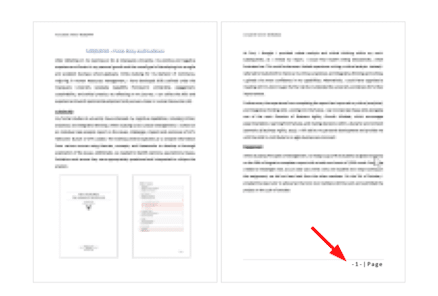
Starting Word Page numbers from a specific page number
Here’s how to start page numbering at any point in a Word document. There’s no rule which says that visible page numbering has to start with Page 1, there are many situations where the first page in Word isn’t ‘Page 1’ as labelled in the header or footer. Some opening pages like a cover page, […]

OK Hand sign 👌 emoji in Word, Excel, PowerPoint, and Outlook
Type the OK Hand sign 👌 into Microsoft Word, Excel, PowerPoint, or Outlook. Both in Office for Windows and Office for Mac. OK Hand sign 👌 emoji is mostly used to symbolize approval, agreement, all that is well but there are other meanings. Scuba Divers use 👌 hand sign to confirm they are ‘OK’ and […]
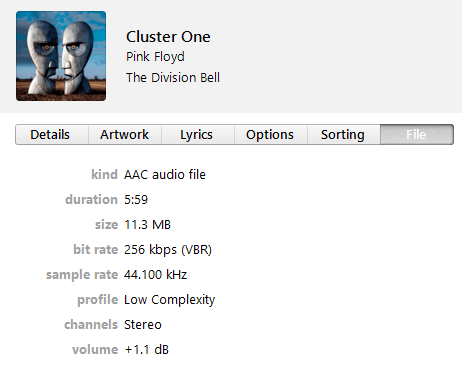
Converting MP3 to MP4 audio for PowerPoint
It’s not necessary to convert MP3 audio to the better MP4 format for PowerPoint but, if you want to, there are various ways to do it. MPEG-4 audio (.mp4 .m4a ) is recommended by Microsoft for PowerPoint 2016 (Windows and Mac), PowerPoint 2013 and Powerpoint for mobile devices. MP4 audio gives you better sound and, […]

LucidChart in Microsoft Office
LucidChart is a very nice diagramming and flowchart tool which is integrated with Microsoft Office for Windows or Mac. Office has diagram tools via Insert | Shapes but they aren’t very elegant. They serve for simple uses but not a lot more. LucidChart is better than the inbuilt Office diagram tools and not as expensive […]
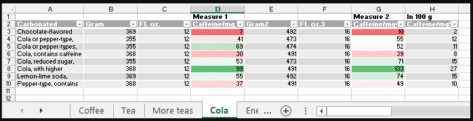
Caffeine level easy comparison in Excel
How to compare caffeine levels in coffee, tea, soda and other drinks from an Excel spreadsheet. The Guardian’s Datablog has interesting analysis of caffeine levels in different foods. Sounds boring until you read that: reduced sugar colas have almost double the caffeine of a regular, sugared, cola. 1 cup of coffee can have as much […]
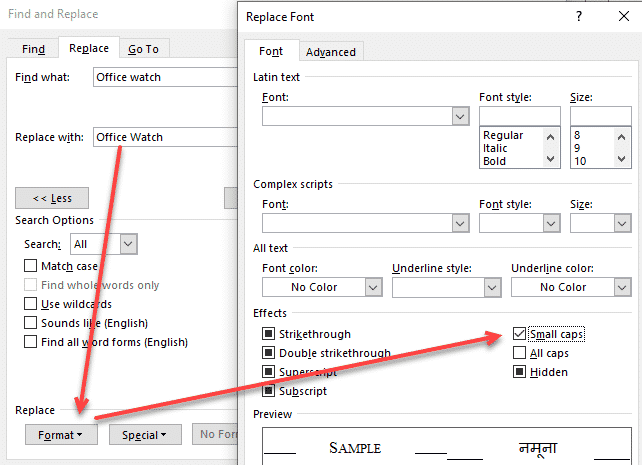
Change case using Word’s Replace feature
Changing the case upper/lower for text through all of a Word document is easy because the default Find / Replace settings don’t need changing. We’ve already talked about the manual Change Case options in Word, now we’ll move onto bulk changes. Sometimes the spelling of a product or brand has peculiar case choices like iPad, […]

Using Text Boundaries view in Word – how and why
How to view Text Boundaries in Microsoft Word, why they can be useful and how the feature has changed over time. Text Boundaries put a dotted line box around each text element on a Word page. Turn on Text Boundaries to solve formatting problems. For example, in the above example, it’s easy to see why […]

Show Crop Marks each page in Word
How to show the four corner Crop or Trim marks on a Microsoft Word page. The ‘L’ shapes are a guide to the useable part of the page, inside the margins, and appear in all four corners. The four marks are called Crop Marks also known as Trim Marks. Word Crop Marks in Page View, […]
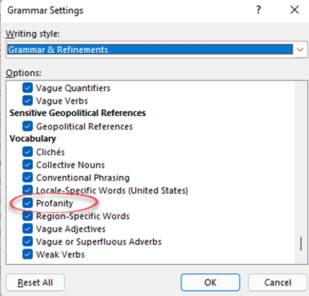
How Word warns you (or not) about rude, offensive words
Microsoft Word has a ‘profanity’ check to warn you about rude, offensive or swear words in some places. In others, the same word won’t get any special marking. We’ll explain how to setup and use Microsoft Word’s Profanity check then show its limitations and traps. The Profanity, offensive or swear word test is in Microsoft […]









