All about Microsoft Office Word, Excel, PowerPoint and Outlook, Microsoft 365, Office 2021 and earlier versions.
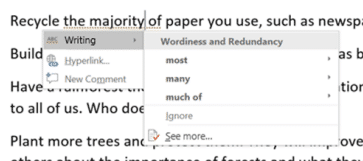
How Word makes you a worse writer
Jacob Brogan launches a deserved broadside on Microsoft Word’s grammar checker in Slate. ” Microsoft’s grammar and style tools aren’t helping writers understand their work, just arbitrarily imposing anemic pedantry on them. “ He gives practical examples of mistakes in the latest ‘Editor’ English grammar checker. Replacing ‘the majority of’ with ‘most’ is OK but […]

LibreOffice 5.4 has improved MS Office document compatibility
The free office suite, LibreOffice, has released with better Microsoft Office compatibility and a sly dig at their bigger rival. LibreOffice 5.4 has its own Open Document Format (.odt etc.) which is similar to Microsoft’s .docx format. LibreOffice can work with both formats. v5.4 has improvements in the Microsoft Office document compatibility. They’ve also streamlined […]

Your key to fixing Windows / Outlook Indexing problems
If Windows / Outlook indexing isn’t working properly, there’s a buried tool that should help identify the problem. We’ll show you where this tool is and what to do with the information it has. It’s the Event Viewer, Windows logging of what happens on your computer. Windows Search notes its actions in the Event Viewer […]

Visio Online goes public, sort of
Microsoft has released Visio Online, a browser based version of Visio to what they call ‘public preview’. Visio is the diagramming component of Microsoft Office. It’s goes way beyond the simple SmartArt flowcharts and graphics possible within Word, Excel or PowerPoint. Source: Microsoft Visio automatically links shapes and connectors. As you move a shape the […]

Make your WhatsApp portable between numbers and devices
WhatsApp can still work on the same account if you change the mobile number or SIM card. You can even move your WhatsApp account to a different smartphone. You might think that a WhatsApp account is tied to your phone number, but that’s not true at all. WhatsApp (like other messaging services) sends an SMS […]
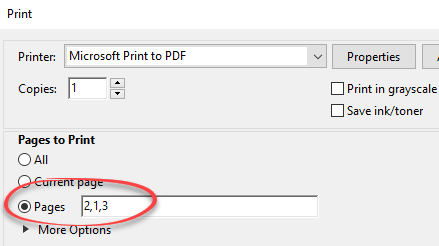
Delete or reorder PDF pages – free!
Here’s how to delete whole pages or rearrange the page order from a PDF document without paying for PDF editing software. A lot of people never need PDF editing software. Making PDF’s is easy using Microsoft Office or the ‘Print to PDF’ feature in Windows. Simple editing, like deleting pages or rearranging the order of […]

Put WhatsApp on your PC, Mac or tablet
Typing on a little Smartphone screen is a pain and happily there are PC desktop, Mac and tablet extensions for both WhatsApp and Signal. There are ‘big screen’ options to read and send WhatsApp and Signal messages from a larger screen. A Windows PC, Mac computer or a tablet device (iPad, Android etc). Source: WhatsApp […]
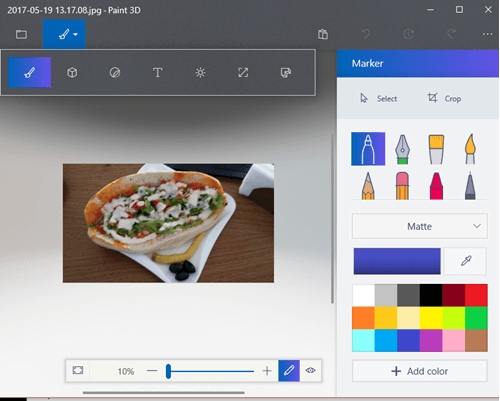
MS Paint, take a deep breath and relax
Paint is gone, it’s not gone yet and then it’ll survive – Microsoft Paint spent some time in limbo. The headlines were confused and sometimes downright wrong. After the dust had settled, Paint was given a long term life. Microsoft Paint has been around for over 3 decades. There are many, better, drawing programs out […]

Is Word too complex for us mere humans?
“Word Processing is Dead” makes for a snappy op-ed headline but it doesn’t tell the whole story. The Australian Financial Review has tales of Word woe from the legal community. Badly formatted contracts, especially inconsistent numbering, is the bane of many organizations. “…work was done by dedicated operators with expert training. But this is 2017, […]

Make Microsoft Office speak or read aloud
Microsoft Office can read aloud, talk or speak the text of documents to you. It’s possible in Word, Excel, PowerPoint, Outlook and OneNote. Computer speaking text is mainly suggested for various disabled users under the ‘Accessibility’ name. But ‘Speak’ is also useful if you’re just tired of reading the screen or are proof-reading from another […]
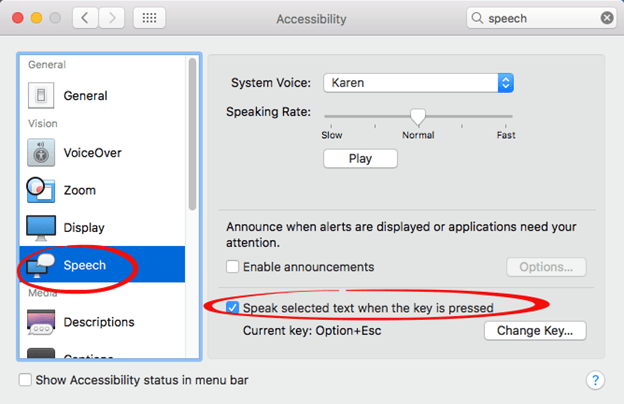
How to make Office for Mac speak
On Macintosh computers, the speaking is entirely done by the macOS not Office for Mac To enable speech to text, go to System Preferences | Accessibility and look for the Speech option. Speak selected text when the key is pressed – lets you choose a shortcut key.

Office reaches ‘subscription’ milestone
The latest Microsoft financial results mark an important milestone in the way we pay them for Office software. “For the first time, Office 365 Commercial revenue surpassed revenue from our traditional licensing business.” – Amy Hood, Microsoft CFO. More cloud money MSFT got more money from Office ‘subscriptions’ than from one-time ‘perpetual’ and other traditional […]
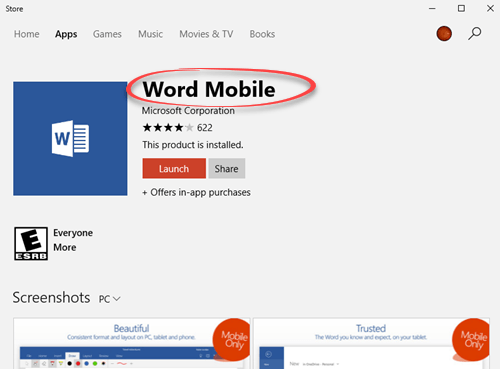
Get the hidden Office Mobile apps for Windows 10
The Word, Excel and PowerPoint apps for Windows 10 computers are hiding from the Microsoft Store. Here’s how to get them. Word, Excel and PowerPoint have ‘mobile’ versions that run on Windows 10 devices for full PC’s, tablets and Windows phones. Here are the links you need, since Microsoft has hidden them. Word Excel PowerPoint […]

Get your free Office ebooks from Microsoft
Microsoft’s annual giveaway of ebooks is on again. Thousands of free downloads, including Office related ebooks. The full list is on the Microsoft blog. We’ve copied the Microsoft Office related titles into a easily searchable list below. Most are in PDF format with a few in MOBI (Kindle), EPUB or XPS format. Modesty (almost) […]
Microsoft Office 365 buy or renew cheaper or free
There are many ways to save money on buying or renting Microsoft Office / Office 365 here’s just some. Don’t auto-renew, Home Use program, Military discount, University, School / Education and never, ever buy from Microsoft directly. You don’t have to be a special person to get a discount. Having a pulse and making a […]

Translate your PowerPoint speech live to multiple languages
Microsoft’s test area ‘Garage’ has released a PowerPoint tool which promises to translate into multiple languages your speech to accompany a presentation. Presentation Translator translates your spoken remarks and posts them as subtitles on the slide deck. Source: Microsoft Source: Microsoft It does more than show subtitles on the big screen. Audience members can use […]