All about Microsoft Office Word, Excel, PowerPoint and Outlook, Microsoft 365, Office 2021 and earlier versions.

SharePoint Security Alert: Critical Zero-Day Vulnerabilities and Emergency Updates
Recent zero-day vulnerabilities in SharePoint have exposed serious “ToolShell” risks, prompting Microsoft to issue an update then an emergency patch when the original fix wasn’t enough. We break down the latest SharePoint security flaws and the steps administrators need to take which go beyond just applying patches. The ‘zero day’ security hole affected SharePoint servers […]
Microsoft buys poo to look ‘green’
In the ongoing race to win the “We’re Totally Green Now” medal, Microsoft has galloped ahead—by offloading human waste and investing in tree-planting projects that may or may not be in the same hemisphere as their data centers. Editors note: never, in the 30 year history of Office Watch, did I think we’d have a […]
Protect Your Files from OneDrive: Beware Microsoft Account Lockouts
Worried about losing files in OneDrive or getting locked out of your Microsoft account? You should be worried. Reading about one horrifying OneDrive experience. Here’s what you need to know about keeping your data safe, why regular backups matter. Discover practical tips to protect your files and avoid the common pitfalls of relying on a […]
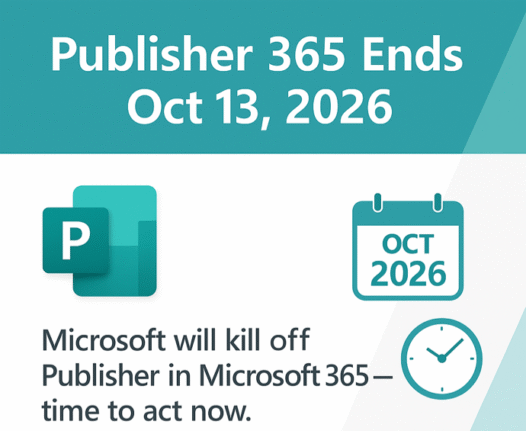
How to complain about the end of Microsoft Publisher
The upcoming end of Microsoft Publisher has left many loyal paying customers searching for answers and ways to express their frustrations. Here’s a realistic guide to the expectations and practical steps for anyone wanting to tell Microsoft how they feel about the end of Publisher Microsoft Publisher Ends in October 2026 – Key Dates, Alternatives […]
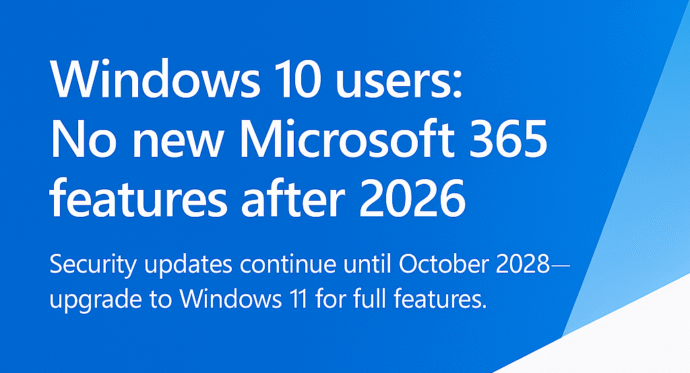
There’s a Freeze on New Microsoft 365 Features with Windows 10 in 2026
Microsoft quietly trims Windows 10 support for Microsoft 365 apps — As Windows 10 hits its official end‑of‑support on October 14, 2025. Microsoft 365 customers running on Windows 10 will get a lot less support time than Microsoft originally hinted. Their ‘fine print’ shortens full support from extra three years to less than one. Originally Microsoft said that Microsoft 365 […]
Microsoft sacks 15,000 workers, what that means to you
Microsoft is sacking another 9,000 workers or about 4% of its global workforce. That’s in addition to the 6,000 people dismissed earlier this year. What does that mean for us paying customers? If you’ve wondered why Microsoft pushes Copilot AI so hard – it’s to recoup their incredibly large investment in AI. One take is […]
How Not to Redact a Word Document: a lesson from Down Under
Down in Australia there’s another example of a mistake when redacting a Word document before public release. Make sure you delete any links to redacted text, such as a Table of Contents or summary. What caught our eye was the latest example of an oversight when redacting a document. Aussie public servants forgot to remove […]
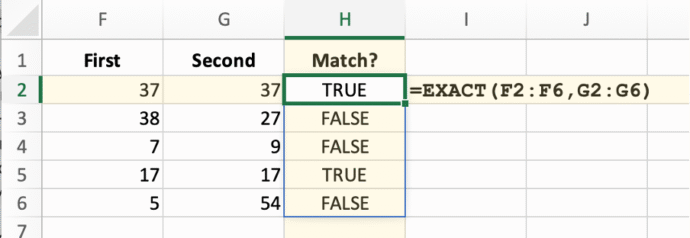
Make any Excel function dynamic (almost)
Many common Excel functions have a great new power added to them with little fanfare. They can become dynamic array functions which improves the consistency of worksheets. It’s simple and easy to do. When Microsoft added dynamic arrays to Excel, all the focus was on the new functions like SORT, FILTER, and SEQUENCE that “spill” […]
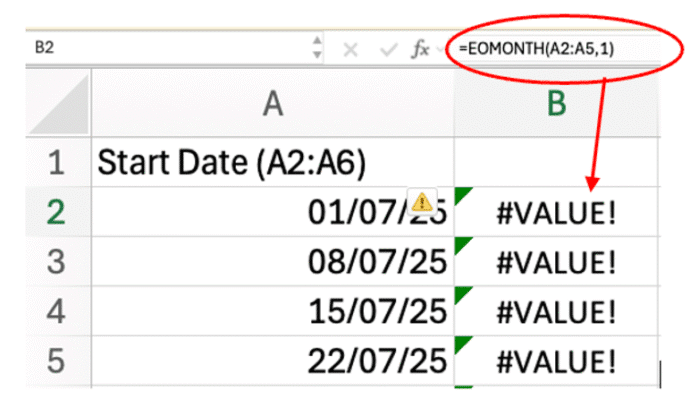
Excel Spill Mystery: Why It Happens and How to Fix It
Some Excel functions won’t spill their results in the way you might expect. Edate(), EOmonth(), IsEven(), IsOdd() and RandBetween(), among many, need an extra little trick to become a dynamic array function. We’ve already explained how many common Excel functions (Round(), Trim(), Upper() and many more) can “spill” their results into multiple cells. But then—bam!—you […]
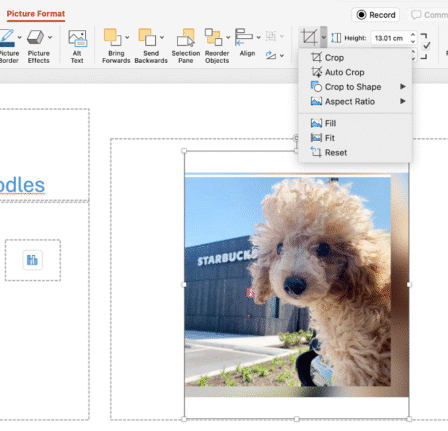
5 Easy Ways to Insert Images in PowerPoint: Quick Tips for Better Slides
Transform your next presentation by mastering five powerful ways to add images in PowerPoint. Whether you’re embedding visuals directly from the web, creating photo albums, leveraging SmartArt, or using Copilot enhancements, these expert tips will streamline slide preparation. On a PowerPoint slide with a picture placeholder, just click the image icon inside it. Then choose […]
July Office updates include a real worry
The July 2025 security bug fixes list plugs another 137 problems found in Microsoft software. Some are really serious and need patching right away for all Microsoft 365 and Office users. BitLocker also gets some security fixes. This months load of Microsoft Office security updates includes a fix for a series of “Remote Code Execution” […]
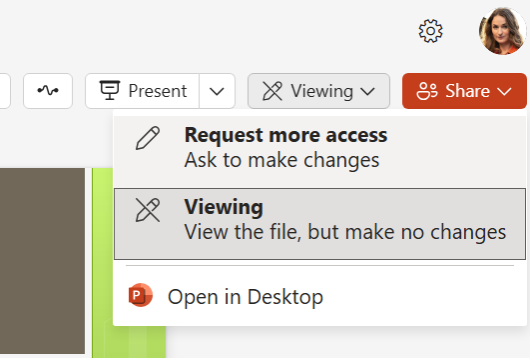
Request more access to a Word, Excel or PowerPoint file
There’s a new feature in Microsoft 365 Word, Excel, and PowerPoint for the web to request elevated permissions directly within the application. Anyone with view-only access can ask for higher editing or reviewing rights without leaving the document. Microsoft, as usual, buries an important condition deep in their promotional blurb so we’ll put it up-front […]
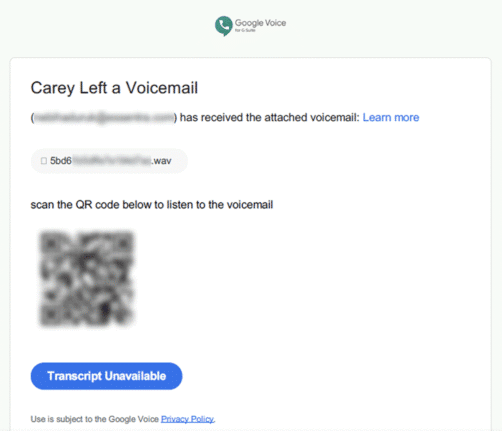
Direct Send is a huge Microsoft security lapse that’s finally being fixed
For years, Exchange Server has a feature which can be used to infiltrate organizations. Only now that Direct Send is being exploited is Microsoft finally acting to warn customers and provide a way to turn it off. In other words, Microsoft is “closing the barn door after the horse has bolted” </cliche> Direct Send is […]
The Grammar Mistake Microsoft Word Still Doesn’t Catch — And Why It Matters
There’s a mystery English grammar rule that any native speaker knows but probably can’t explain. It’s the order of adjectives before a noun (e.g why “Brown Big Cat” is wrong). The Microsoft Word grammar checks for this rule but doesn’t always ‘see’ or fix it. Adjective order is a mystery to most native English speakers, […]
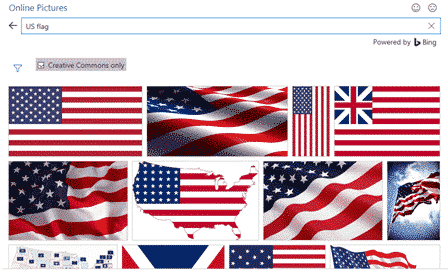
Add the US Flag to Word, Excel and PowerPoint in High Quality
Want to add the US flag to Word, Excel or PowerPoint without ending up with a blurry, stretched mess? This guide shows you exactly where to get a high quality flag image, including the scalable SVG version that stays sharp at any size, how to insert it in seconds, the official red, white and blue […]
Why can’t AutoSave work with a macro in a Word or Office document ?
Autosave in Microsoft 365 and Office is one of the more frustrating features with annoying limitations. One of them is not automatically saving any macro-enabled Word, Excel or PowerPoint file. We’ve talked before about how Autosave is used to push customers into using OneDrive to save documents. Autosave could work for all files, not matter […]