All about Microsoft Office Word, Excel, PowerPoint and Outlook, Microsoft 365, Office 2021 and earlier versions.
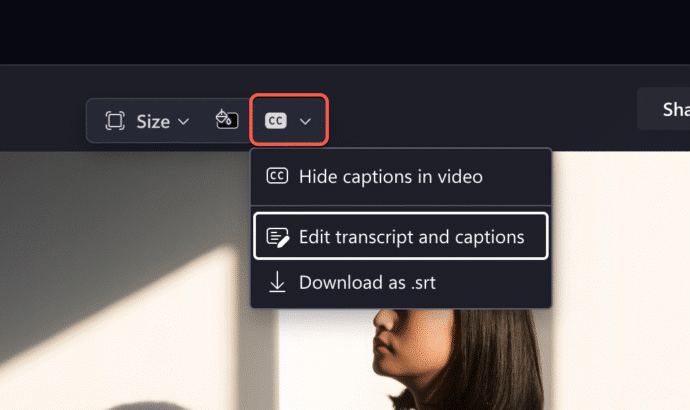
Transcript can now trim Clipchamp videos
Clipchamp has a clever new feature that makes editing videos a lot easier and faster. Instead of trimming the video, just delete parts of the transcript, Clipchamp will do the rest. Clipchamp can already make a text transcript from the audio of a meeting or conversation. Microsoft Word can also convert prerecorded audio into a […]
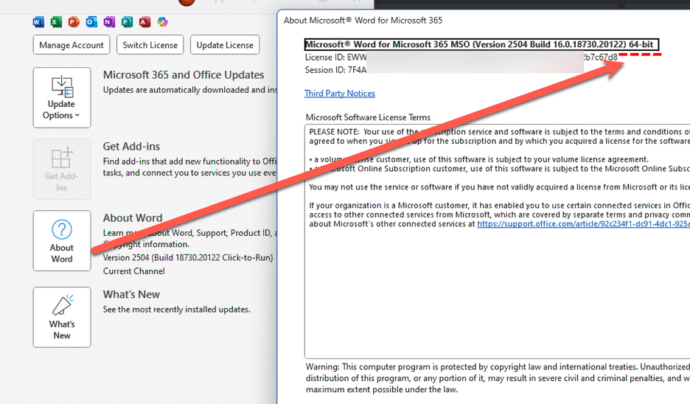
ARM 32-bit ending for Microsoft 365
There are a lot of changes coming for Microsoft customers in October but there’s one that might be overlooked. Support for Microsoft 365 ARM-based 32-bit applications will conclude: Feature updates stop in October 2025 or . Security updates end in December 2026 or . Most Arm versions of Office are 64-bit applications. The end of […]
OneNote Clipper to replace Pocket
OneNote Clipper is a quick way to save a web page so you can read it later. It can replace Pocket, the lovely clipping service that’s about to leave us. Pocket, the ‘read it later’ service, is ending on July 8, 2025. Pocket is/was a ‘ready it later’ service to tag a web page for […]

PowerPoint Placeholders: Smarter, Sleeker, Simpler
Discover PowerPoint placeholders — designed to make slide creation faster, easier, and more visually compelling. With smarter prompts, broader media support, and customizable layouts via Slide Master view, placeholders help you create polished, professional presentations with minimal effort. In PowerPoint, placeholders are those built-in boxes that make adding stuff like text, pictures, charts, or videos, […]
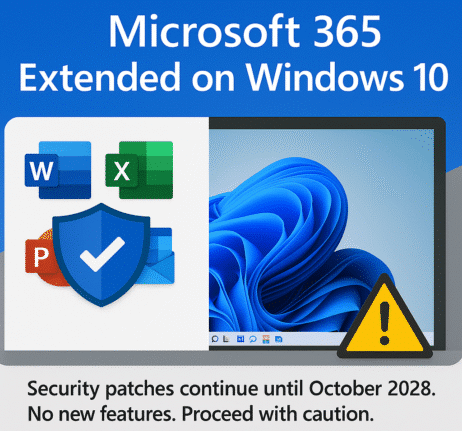
Microsoft 365 on Windows 10: Support Extended—But Only for Security Updates
Microsoft has quietly shifted their position on support for Microsoft 365 on Windows 10, when Win10 ends support in October. Now Microsoft 365 for Windows get partial support on Windows 10 for a few more years … but there are some big unknowns. How to get Windows 10 support for another year, until October 2026. […]
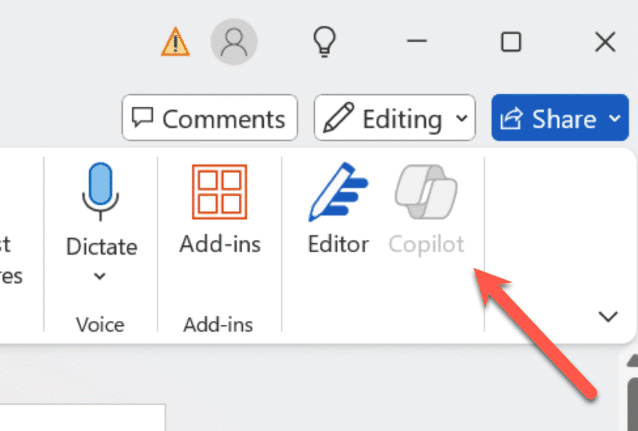
How to turn Copilot on or off for each Microsoft 365 app
Take control of Microsoft 365 by learning how to enable or disable Copilot in each app—Word, Excel, PowerPoint, Outlook, and OneNote. This guide provides step-by-step instructions to customize Copilot settings per application and explains why sometimes you can’t turn it off. Copilot integration into Microsoft 365 is a mess. Microsoft is focused on adding more […]
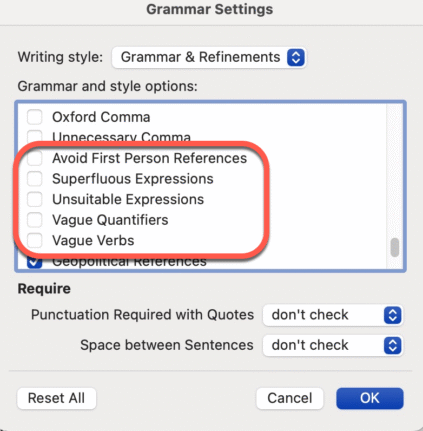
Don’t like Word’s Resume suggestions? Turn it off!
Instead of complaining about Word’s Resume style suggestions. Turn it off! It’s easy to do, here’s how. I often see social media posts bitching about a Grammar or Style suggestion given by Word. There are plenty of problems with Word’s Grammar and Refinements feature, but this one is an easy fix and it’s right there […]
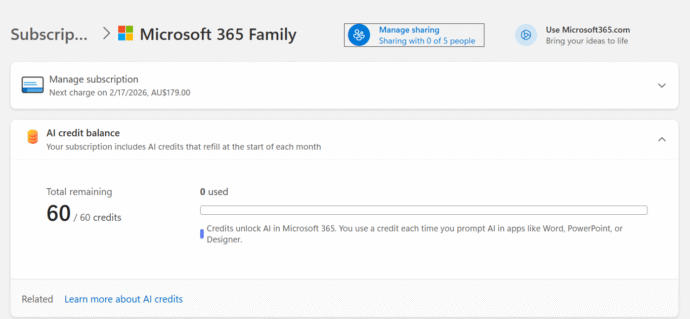
How many Copilot AI Credits do I have?
Some Microsoft 365 consumer plans come with a monthly allowance of “AI credits” but it’s hard to find out how many are left. The AI credit balance does not show up in the Microsoft 365 apps nor Windows 11 account information. It should be there and maybe Microsoft will eventually get around to it but […]
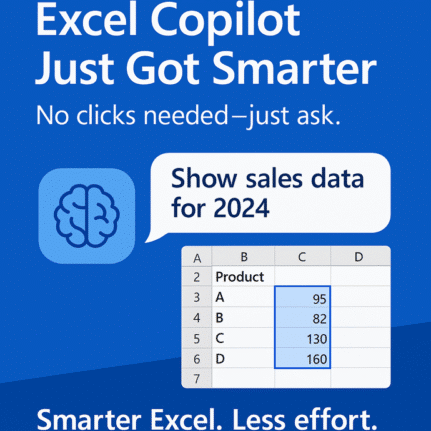
Copilot chooses Excel data a bit smarter
Microsoft has given Copilot in Excel 365 some smarts to choose the table or cells to work on. Previously, Copilot relied on the user’s selected cell to determine context, often defaulting to the nearest structured table. We explain how it works in the real world and the important limitation. Enter the new context inference capabilities. […]
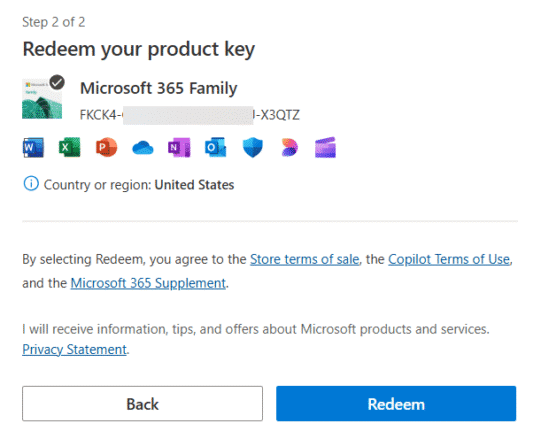
Adding a cheaper Microsoft 365 to your account
Ever since Microsoft 365 consumer plans have existed, you’ve been able to buy them cheaper from other retailers to extend your subscription. Here’s the simple steps to extend your subscription with a product key bought for less money, When you buy from another retailer, you should get a product key which is a 25 character […]

Can You Use Microsoft 365 from a Different Country?
Buying Microsoft 365 from another country might seem like a money-saver, but Microsoft’s region locks often block activation. Learn why it fails—and smart, legal ways to make it work. That might be tempting because of exchange rate and price differences but Microsoft won’t let you do it. A little currency arbitrage isn’t allowed. For example […]
Critical Office security bug fixes for June
Among Microsoft’s June security bug fixes there are some that directly affect Microsoft Office users. These three caught our eye. Two are rated as High risk while another is Critical, though we’d suggest ‘Unforgivable’ is a better word. Power Automate Privilege Escalation Vulnerability CVE-2025-47966 CVSS score: Critical 9.8 out of 10. Via a leakage of […]
Stop Using Old Office Document Formats Now
Still using .doc, .xls, or .ppt files? These outdated Microsoft Office formats are not just relics—they’re major security risks and should be banned. Hackers exploit these older files to spread malware, ransomware, and steal data, as they often bypass modern antivirus protections. After our suggestion to ignore old style Office documents, it’s clear some folks […]
Are RTF Files Safe? Hidden Security Risks You Need to Know
RTF files may seem safe, but they can carry hidden risks. Hackers use RTFs to exploit Microsoft Word and even infect systems through email previews. Learn why RTF isn’t as harmless as it looks—and how to stay protected. The confusion is understandable. After all .RTF (Rich Text Format) files aren’t designed to carry any computer […]
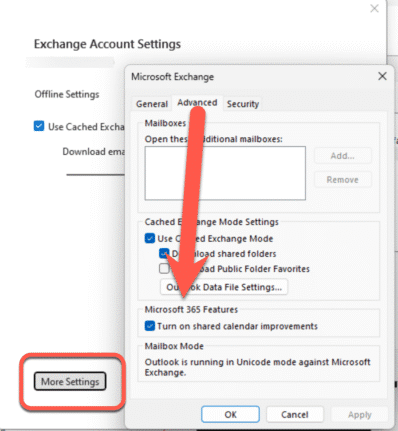
Outlook Calendar sharing goes off the rails
Microsoft has ‘improved’ calendar sharing for all their Microsoft hosted accounts but Outlook (classic) has been left behind with too many bugs with some still outstanding. The changed Shared Calendars is a good move that’s been poorly implemented for many customers. The Shared Calendar changes are an attempt to standardize the mix of different technologies […]
Introducing the new boss of Microsoft Office
Ryan Roslansky is the new boss of Microsoft Office, adding to his existing role as the CEO of Microsoft LinkedIn. His official title is Executive Vice President of Office, leading Word, Excel, PowerPoint, Outlook, and the Microsoft 365 Copilot. The new post is part of yet another internal reorganization of Microsoft. I wonder how many […]