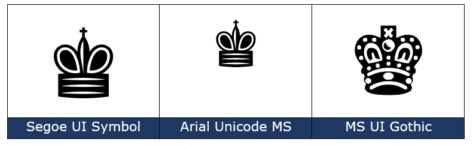
Black Chess King ♚ symbol in Word, Excel, PowerPoint and Outlook
Insert the Black Chess King ♚ into Microsoft Word, Excel, PowerPoint or Outlook. Both in Office for Windows and Office for Mac. Black Chess King ♚symbol is useful for users that want to represent the chess piece as a symbol, rather than an image. Or perhaps as general symbol of royalty? See also Black Chess […]

Fixing common Office document accessibility problems
Accessibility Checker serves as a free tool that helps ensure that Office files are easy to understand by everyone. Use it to quickly fix common Office doc problems that can make your documents, sheets and slides harder to comprehend. It’s available for Microsoft 365, Office 2021/LTSC and Office 2019. Word, Excel, Outlook, OneNote, and PowerPoint […]

Outlook app is ending for older Android devices
The Outlook mobile app from Microsoft is ending its support for older versions of the Android operating system. Office Watch explains who is affected, how and when. All these changes apply to devices with Android 7.1 and previous. That’s a quite elderly version of Android (by tech standards). The current version is 12. All Android […]

Outlook Time Zone for London and UK
“I’m confused. In Outlook there are two choices for a UK/London time zone. UTC or London. Both are zero meridian (+00:00). What’s the difference and why isn’t an entry for GMT?” Oscar R, Missouri. The quick answer is to always choose the time zone entry that matches the city or country (near enough). Ignore the […]
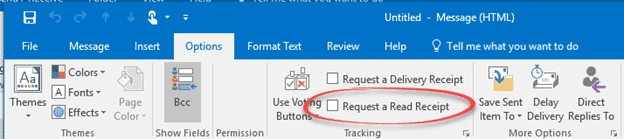
Email Read Receipts and why they don’t always work
Email Read Receipts sound great but don’t often work these days. Articles like “How to tell if someone opened and read your email” aren’t telling the whole story. Here’s the reality behind the Outlook ‘Read Receipt’ feature and how it works across the Internet. The idea is to send an email with a ‘Read Receipt’ and […]
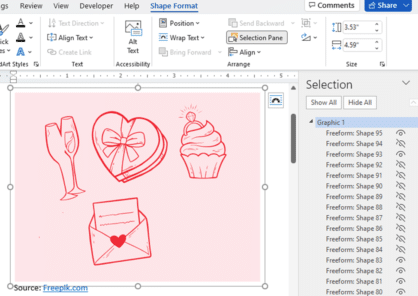
Three ways to add EPS graphics into Microsoft Office
Three ways to insert or import an EPS (Encapsulated PostScript) graphic into Word, Excel, PowerPoint or Outlook. There are two a ‘quick and dirty’ options and a way that allows some editing. Microsoft Office did support EPS files for many years but dropped them in 2017/2018 because the EPS format is a security risk. EPS […]

Four SVG editing choices for Office 365/2019/2021
There are four different ways to change an Office icon or SVG graphic in Microsoft 365, Office 2019 or Office 2021. The two official SVG edit methods in Microsoft Office with their in-built limitations or some choices before inserting into Word, Excel, PowerPoint or Outlook. Within Office Limited SVG/Icon changes are available from the Graphics Tools […]
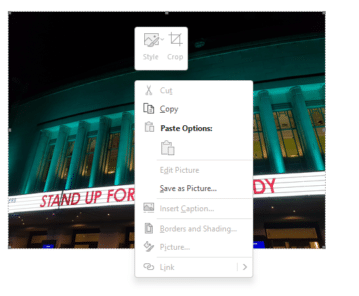
How to copy a picture from an Outlook email
Like an image in an Microsoft Outlook email? Here’s how to save it to a separate picture file. Sometimes you get an email with a nice picture displayed in the message (as opposed to an attachment). You can ‘grab’ any image and save it to your computer. On most web pages you can simply right-mouse […]

Identical To ≡ symbol in Word, Excel, PowerPoint and Outlook
Insert the Identical To ≡ into Microsoft Word, Excel, PowerPoint or Outlook. Both in Office for Windows and Office for Mac. Identical To ≡ symbol, also known as the triple bar, is a mathematical symbol. The three lined symbol means that something is identical or like another value, but this does not mean that is […]

Converting SVG code into a graphic for Office
How to convert the code which makes an SVG illustration into something that will work with Word, Excel and PowerPoint and also change the SVG code to alter the colors and background settings. Usually, SVG format graphics are supplied as a separate file but sometimes they come as a long text string like this: <svg viewBox=’0 […]
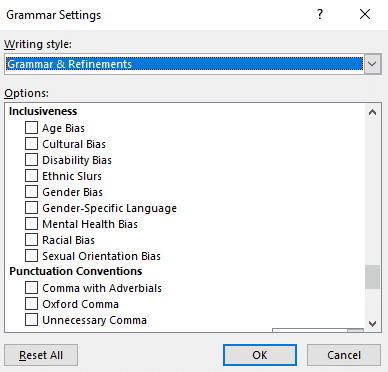
How does Microsoft Word handle non-binary grammar like they?
Microsoft Word has a powerful grammar checking system but how does it handle changes in English usage like the rise of non-binary or non-specific pronouns like ‘they’ and ‘them’? We took put sample words and sentences in Word to see how ‘woke’ it is. As a bonus, we’ll explain Pibling and Nibling that are already […]

White Right backhand pointer 👉 in Word, Excel, PowerPoint and Outlook
Type the White Right backhand pointer 👉 into Microsoft Word, Excel, PowerPoint or Outlook. Both in Office for Windows and Office for Mac. It’s officially called “White Right Pointing Backhand Index”. White Right Pointing Backhand Index 👉 symbol is great for signs, simple hand graphics in slides or an alternative bullet in lists. There’s also […]

Quick Teams links added to Outlook 365
Outlook 365 for Windows is getting more Teams features that link received emails with Teams, start chats or schedule a meeting. Above the email, beside the Reply, Reply All and Forward buttons is now a Teams pull-down menu. Only in Microsoft 365 hosted mailboxes, including Outlook.com Share to Teams This opens a new Teams message […]

How to avoid the Gill Sans font controversy in Windows and Office
The work of Eric Gill is controversial these days, for good reason. Microsoft Windows and Office have fonts based on Gill’s work so users might need to think twice about using Gill Sans and similar fonts. Gill Sans MT and Gill Sans Nova are supplied with Windows and Office but are becoming stigmatized. Those fonts […]
Why Office for Mac will never match Office for Windows.
Office for Mac users yearn for the day when their software matches ‘feature parity’ with Office for Windows. “Two platforms, One Office” is the dream. But is it possible or even likely? We’re inspired by this tweet from José Rodríguez-Suárez. If Microsoft responds, we can predict what they’ll say, because its the same line they’ve […]
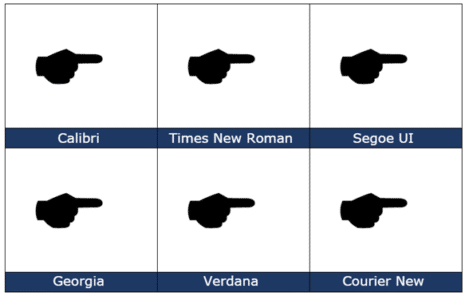
Black Right Pointing Backhand Index 🖝 symbol in Office
insert the Black Right Pointing Backhand Index 🖝 into Microsoft Word, Excel, PowerPoint or Outlook. Both in Office for Windows and Office for Mac. Black Right Pointing Backhand Index 🖝 symbol can be used as a creative bullet symbol in lists or to point a direction on a sign. It’s the lesser known complement to […]









