
Degree symbol in Word, Excel and PowerPoint
How to type the degree symbol (Fahrenheit, Celsius, Kelvin, latitude, longitude) into Microsoft Word, Excel or PowerPoint. Degree Symbol codes Decimal: 176 Hex: 00B0 Web: ° ° ° Word The degree symbol ° has an inbuilt shortcut in Word. Ctrl + @ or Ctrl + Shift + 2 followed by a space will enter a […]

Single line ribbon in Microsoft Office for students only
A new Office ‘Garage’ option is ‘Student Tools’ an extra ribbon featuring the tools Microsoft thinks are most appropriate for students. It’s only available to students in USA, Australia or New Zealand for Office 365 for Windows or Office 2016 ProPlus. Word Student Tool Garage is where Microsoft tries out plug-ins and features. Dictation started […]
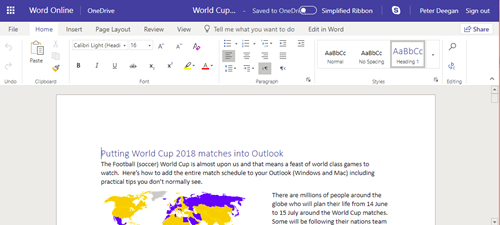
Office Online: The main ribbon and other tricks
Office Online is a slimmed down version of Word for Windows or Mac. What’s possible in a browser interface is impressive from a technical point of view but it will never compete with Word for Windows or even Word for Mac. Anyone familiar with Office for Mac or Windows should be able to use the […]
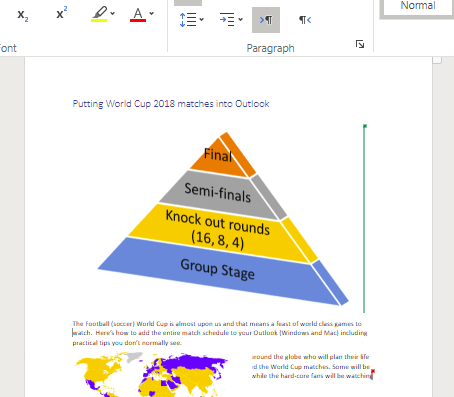
Your free and standby Microsoft Office alternative: Office Online
Word, Excel, PowerPoint and OneNote are always available for you, even if the main Office for Window/Mac are broken or missing. Office Online is the alternative that you have as a standby when regular Office fails or isn’t available. As long as you have a browser and decent Internet connection, you can use Word Online, […]
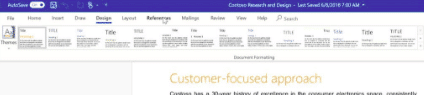
Check out the new look ribbon coming to Office for Windows
For the first time in a decade, Microsoft is making substantial changes to the Office ribbon interface. But not to worry, the changes don’t appear to be enough to put anyone off Word, Excel, PowerPoint or Outlook. The existing ribbon is retained, that’s an important point that’s not emphasized enough in the leaked Microsoft video. […]
June 2018 updates for Microsoft Office 2016 and Office 2013
As usual, Microsoft has released non-security updates and bug fixes for Office 2016 and Office 2013 on the first Tuesday of the month. A few caught our eye: Late last year, Microsoft was caught out leaving a horribly vulnerable Equation Editor in Office for 17 years. A new patch restores the MT Extra font so […]
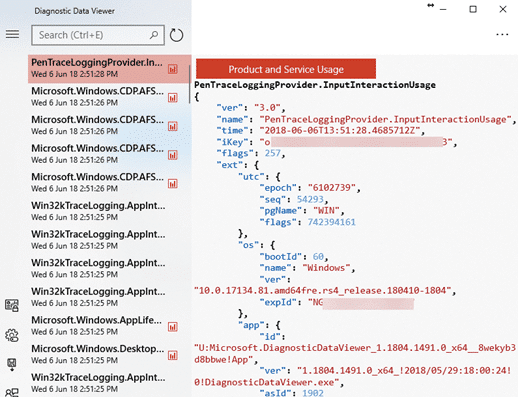
See the amazing amount of information Microsoft is getting from Windows and Office
Both Windows and Office send an astonishing amount of data from your computer to Microsoft. Here’s how to see what’s being sent. The Diagnostic Data Viewer shows, as it happens, what your computer is sending to Microsoft. The tool does NOT give you the choice to not send your private information. It only tells you […]
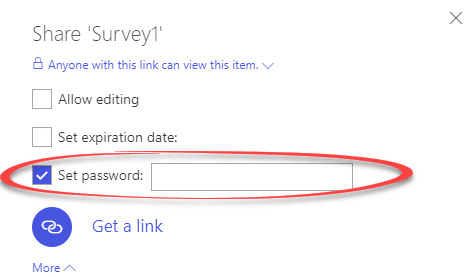
Password Protected file sharing links with OneDrive
An overdue and very welcome addition to OneDrive for Office 365 customers is password protected sharing links. Until now, you could send a link to a OneDrive stored file or folder but there was no control over who used that link. If the link ‘escaped’ to other people, they could download or even edit the […]

Another Parallax Slide Transition Trick for PowerPoint
Here’s how to make a parallax slide transition from one slide to another. Strictly speaking, to fake it! The parallax effect is created by making a text box ‘below’ the visible slide then animating that text box into view. See Cool Parallax Slide Transition in PowerPoint Ideally, you’d be able to transition to the next […]

Cool Parallax Slide Transition in PowerPoint
Here’s how to make the latest web ‘parallax’ effect in PowerPoint. Parallax effect is where a photo appears to move ‘out of the way’ as a new slide appears. You see it in modern web sites like this: See how the photo moves up, as the new slide also moves up? That’s the parallax effect. […]

Cool Parallax Slide Transition in PowerPoint, part two
Continuing our tutorial on making a parallax slide transition in PowerPoint. In Parallax Effect in PowerPoint, part one we setup the extended slide with the image and text boxes needed. We showed how to add text boxes outside the visible slide area, the vital selection pane, renaming objects so they are easier to identify and […]

Royal Wedding Special
It seems every other business is using the royal wedding of Prince Harry and Meghan Markle as an excuse to sell something, so Office Watch has joined the bandwagon … with tongue firmly planted in cheek. Our book Keep Calm with Microsoft Office has sample Word documents and PowerPoint slides which have the original ‘Keep […]
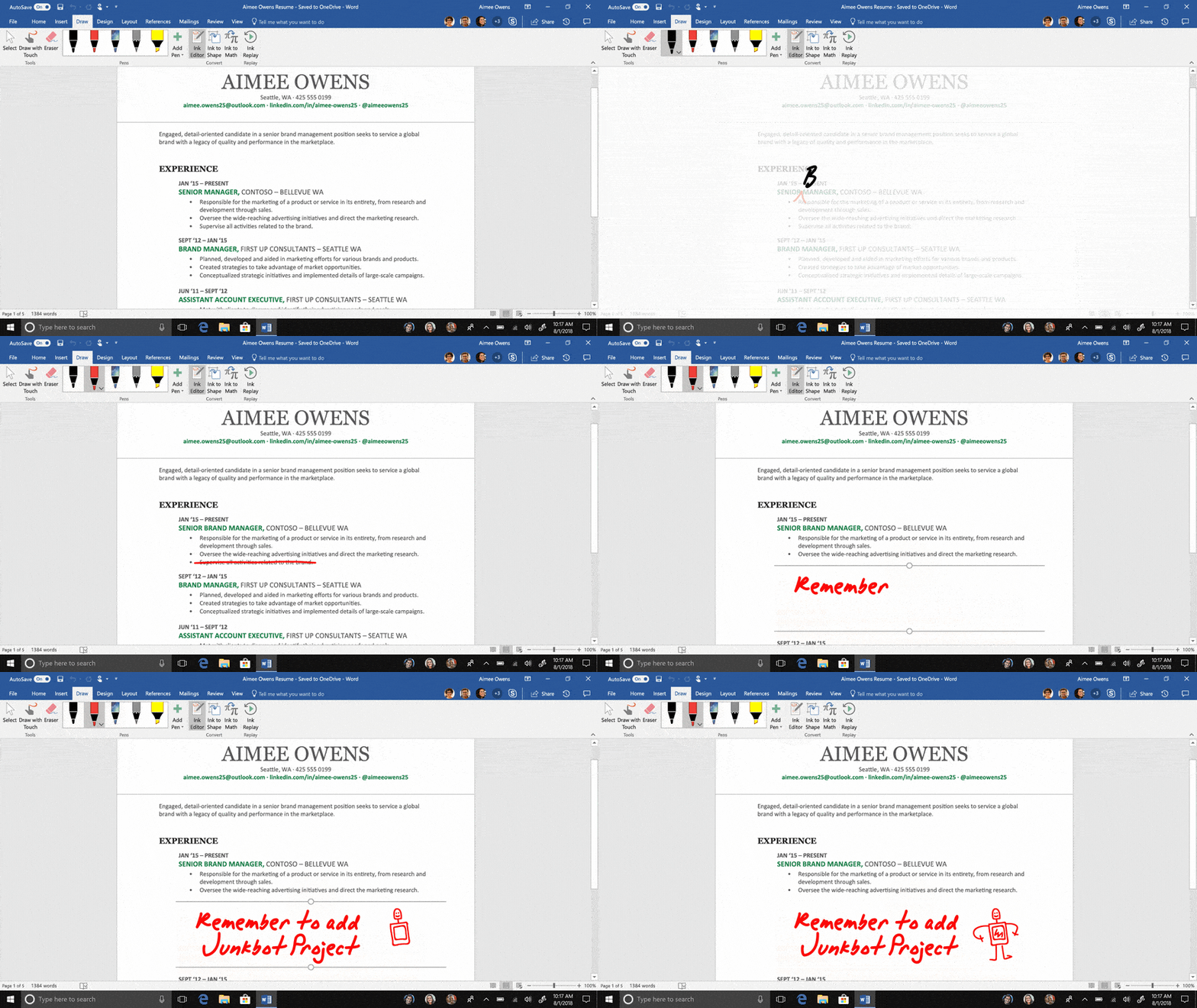
Office 365 changes include ink editing in Word and ink to text in PowerPoint
Microsoft has announced upcoming new features in Office for Windows, Office 365. We’ll be looking at them in detail but here’s Microsoft’s summary. We’ll start with the important rollout information, these features aren’t in Office yet, they are coming to Insiders first and later to regular users. Here’s the Microsoft blurb …. Ink analysis in […]
PowerPoint banned at Amazon – Jeff Bezos
Jeff Bezos doesn’t like PowerPoint or any other slideshow system at Amazon meetings. That’s what leapt out at us from his 2017 Letter to Amazon shareholders (published in April 2018). “We don’t do PowerPoint (or any other slide-oriented) presentations at Amazon. Instead, we write narratively structured six-page memos.” Those memos are read silently at the […]

Warning about *.doc and other wildcards for Office documents.
Will R. an Office-Watch.com reminded us of a trap when dealing with .doc and .docx files. “I opened a command prompt and did a del *.doc. Imagine my surprise when it deleted both .doc and .docx files (I have backups). ” Firstly, a teacher’s gold star plus wise owl stamp to Will for having backups! Yes, it’s […]
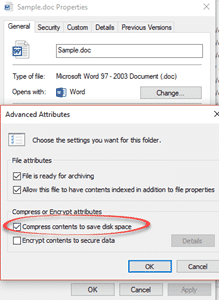
Why bother with bulk conversion of old Office documents to new formats
Should you even bother bulk converting old documents (.doc .xls .ppt) into the newer Office formats (.docx .xlsx .pptx etc.)? It’s tempting to look at your older documents (doc etc) and think about converting them into the newer Office formats. There’s some advantages to conversion but it’s more difficult than you might expect and probably […]









