
Make lines and arrows straight – a Word bug fix
Ever since Word 2013 there’s been a line alignment bug in Word. Line and Arrow shapes aren’t straight, horizontal or vertical. Here’s how to fix this ten year (and counting) bug. Whenever a line or arrow is inserted (Insert | Shapes | Lines ) the result is always a little off. The end points never […]

How to select more than one Office document to open
How to choose more than one Microsoft Office file or document to open at the same time. One of the frustrations about the ‘pane’ interface in Office for Windows is the failure to include all the features that customers were accustomed to from the standard File dialog boxes. Microsoft added new and useful features like […]

The truth behind the Word controversy “Economically disadvantaged” vs “poor”
A minor social media storm over another suggested word change by Microsoft Word. The word ‘poor instead of ‘economically disadvantaged’. Which has some people complaining about Microsoft forcing changes in what we write. On Tiktok, the user @itschicabtw posted a video noting a wording suggestion made by Microsoft Word. It proposes that ‘economically disadvantaged’ be […]
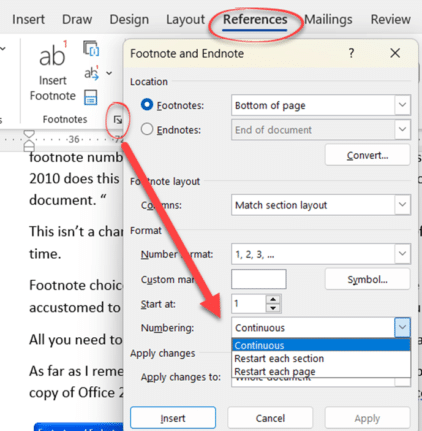
Have Footnotes changed in Word?
Has there been a change Microsoft Word’s Footnotes settings or has the ‘Numbering’ choices (Continuous, Restart each page or section) remained the same? How much of Microsoft Office is really new, despite appearances? Office Watch reader “Joe L.” has done a big Microsoft Office leap from Office 2010 to the latest Microsoft 365 or 14 […]

Goggles 🥽 emoji in Word, Excel, PowerPoint and Outlook
Put on the Goggles 🥽 symbol/emoji into Microsoft Word, Excel, PowerPoint or Outlook. Both in Office for Windows and Office for Mac. Goggles 🥽 symbol is used for safety signs or maybe an alternative to the Glasses or Eyeglasses 👓 symbol How Goggles 🥽 looks in different fonts. Take a screen shot of this table […]

Beware the unexpected when copying an image from Word/Office
When you’re copying an image out of an Office document something unexpected happens that you should be aware of. The size (height/width) of the copied image is NOT the original size (i.e the size of the stored picture) – which is what you might expect. The image is copied according to the displayed dimensions in […]
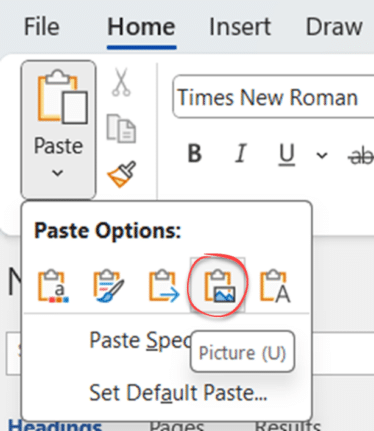
How Word pastes into your document
Pasting text in Word might seem like a simple thing but there’s a lot of important and smart options available to suit what you need to see and where the content is coming from. Don’t get too worried about all the different paste choices. The main thing is to be aware that there are various […]
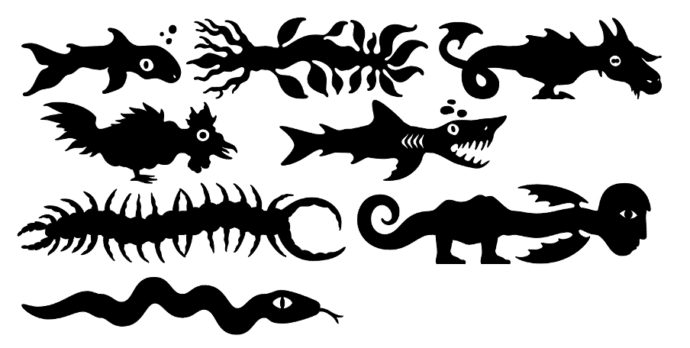
Make monsters and pipes with this clever font
Here’s a clever and innovative font that lets you make unique monsters or pipe connections for Word, PowerPoint or anywhere else you need something a little different. Office Watch has a complete list of the Teranoptia font symbols for easy reference. Teranoptia is a font that uses letters and some other symbols to create fantastical […]

Avoid the traps when adding Excel info into a Word document
A table or chart in Excel can be put into a Word document in two different ways but there are traps that Microsoft doesn’t mention in their help. We’ll explain what’s happening and how to fix it. This looks like a standard Word table and it can be formatted like a table … but it’s […]
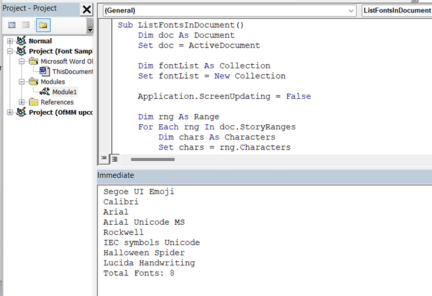
How to list all fonts in a Word document
Here’s one way to make a list of all the fonts used in a Word document. Sometimes there are stray fonts used in a Word document, perhaps from earlier versions or unused formatting trials. Even a single letter or blank paragraph set to a font can make a difference. Removing these fonts isn’t just being […]
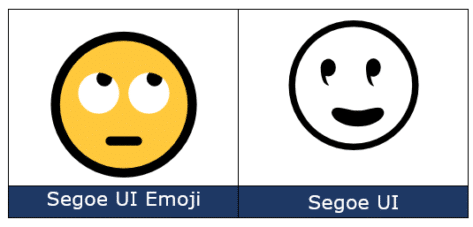
Face with rolling eyes 🙄 emoji in Word, Outlook, Office
Face with rolling eyes 🙄 symbol is one of the more popularly used emoji, also known as ‘Eye Roll’ or ‘Yeah whatever’. Here’s how to type it in Microsoft Word, Outlook and Office. Not to be confused with the ‘Rolling on the floor laughing’ 🤣 or ROFL emoji or other eye emoji:Eye 👁 emoji in […]
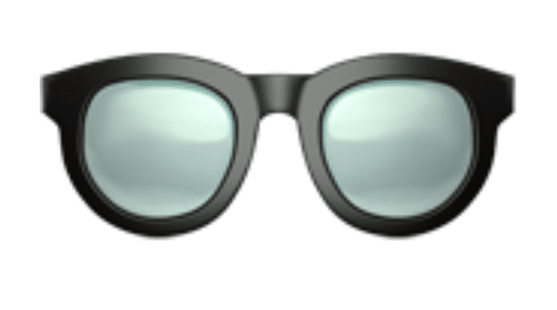
Glasses 👓 emoji in Word, Excel, PowerPoint and Outlook
Put on the Glasses or Eyeglasses 👓 symbol (emoji) or icon into Microsoft Word, Excel, PowerPoint or Outlook. Both in Office for Windows and Office for Mac. Glasses 👓 symbol is used for all manner of things like a graphic to illustrate “Look here” or “See this” or, of course, “Don’t forget your 👓”. Don’t […]
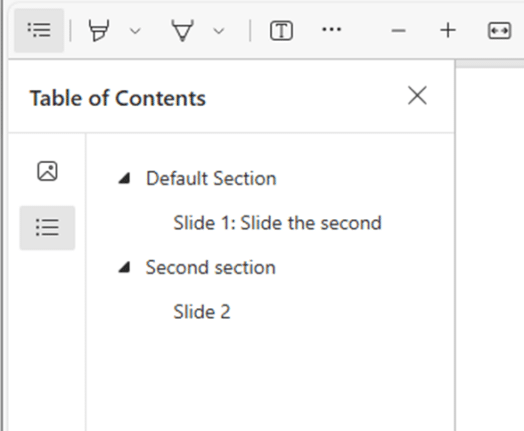
Changes to PDFs made by Microsoft Office
Microsoft is making some changes to PDF files made from Microsoft 365 apps to improve accessibility for screen readers. The announcement is a mix of recent changes with some long-standing features added as if they are also new. A newer Microsoft PR trick that manages to fool (too) many. PDF’s on Apple Mac, iPhone, iPad […]
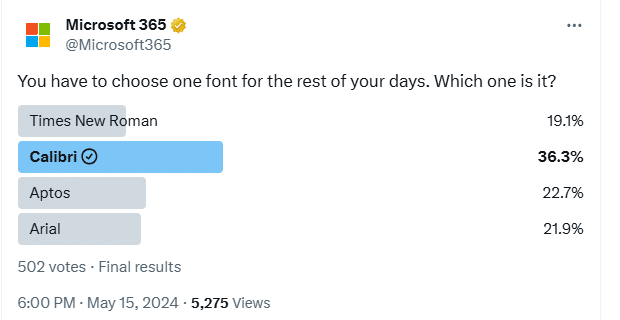
It’s official – Calibri beats Aptos in font poll
A recent poll commissioned by Microsoft confirms the widely held suspicion that people prefer the Calibri font over the new Aptos fonts pushed into Microsoft Office. This comes from a Twitter/X poll run by the Microsoft run @Microsoft365 account. The previous Office default font, Calibri, handily won the poll with 36.3% of the votes. We’ve […]

How Mark of the Web stops bad document infections
All about Microsoft’s latest Office macro protection feature to stop virus infected documents loading nasties onto a computer. Mark of the Web MOTW is a relatively new way to protect your machine. Over 2022, a new layer of macro protection was added to Microsoft 365 for Windows. It’s something new in Windows that Office apps […]

Immersive Reader in Word for Windows, Mac and iPad
Immersive Reader in Microsoft Word 365, available on Windows, Mac, iPad, and Teams, offers a unique way to view documents. It provides tools to enhance reading skills, pronunciation, and fluency, while minimizing visual distractions to improve focus for users of all ages and abilities. Immersive Reader can declutter your text. Change the background colour to […]









